JSON Log Viewer
View JSON log files as formatted tables in VS Code with live tail support.
Features
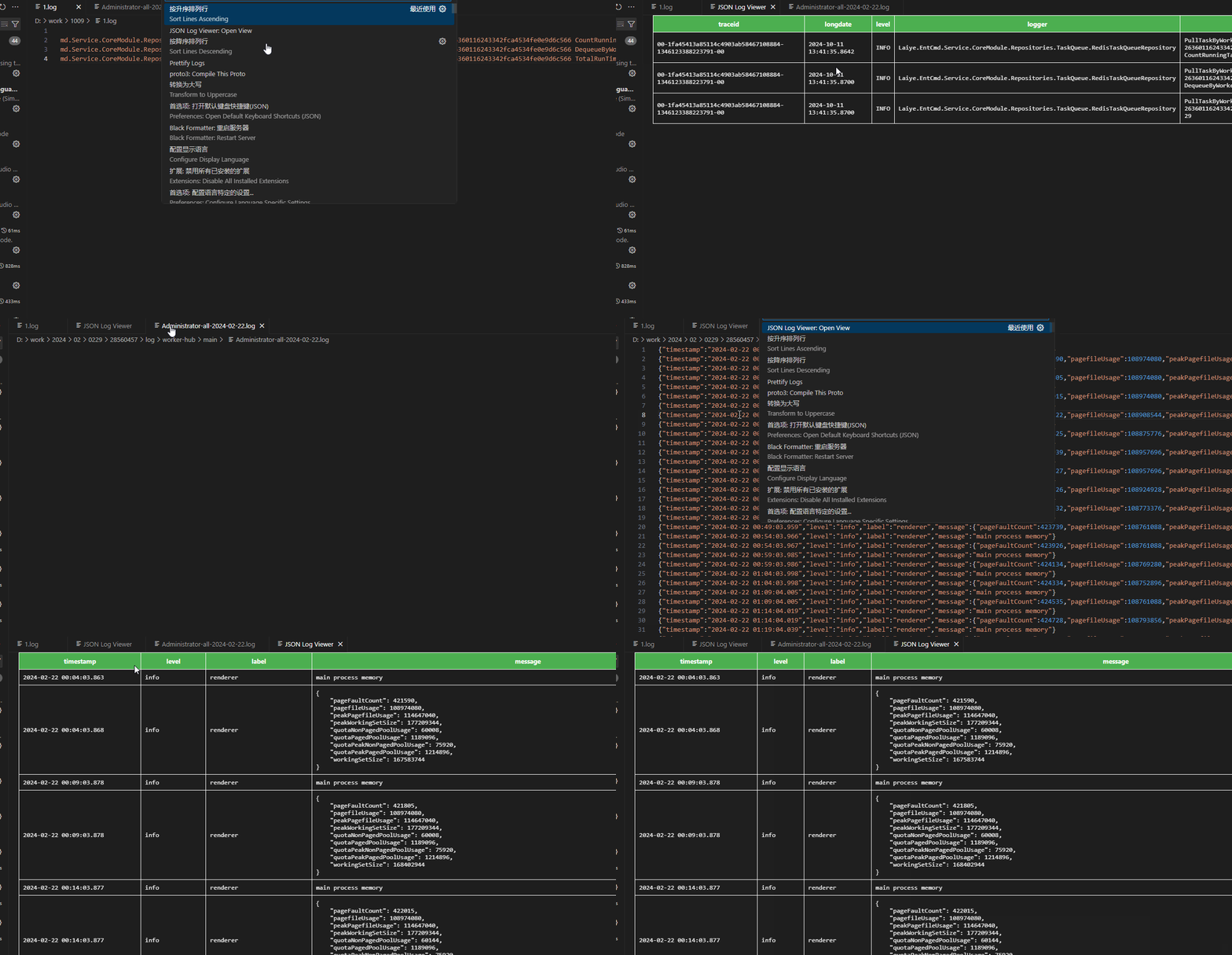
Table View
Open any JSON log file and instantly view it as a formatted table. Each JSON object becomes a row, and the keys from the first line determine the columns.
Live Tail
When the source file changes (e.g., external processes continuously writing logs), the table automatically refreshes to show the latest data. No manual re-open needed.
Log Level Filtering
Filter logs by level (debug, info, warn, error). Set the field name and minimum level in settings:
{
    "json-table-viewer.log-level-field": "level",
    "json-table-viewer.log-level-filter": "info"
}
Only log entries at or above the specified level will be displayed.
Field Selection
Show only the columns you care about:
{
    "json-table-viewer.show-fields": ["timestamp", "level", "message"]
}
Empty array means show all fields.
String values containing embedded JSON (e.g., {"code": 500, "reason": "timeout"}) are automatically formatted for readability, making it easy to inspect nested structures.
Batch Rendering
Large log files are rendered in batches of 100 rows at a time to keep the UI responsive.
Max Lines Limit
By default, only the latest 1000 rows are displayed. Older entries are automatically discarded.
Search
Click the Ctrl+F 搜索 button in the top-right corner of the table view to open a search bar:
- Enter - Find next match
- Shift+Enter - Find previous match
- 区分大小写 - Toggle case-sensitive matching
- 全词匹配 - Toggle whole-word matching
Column Operations
- Resize - Drag the right edge of a header
- Hide - Right-click a header to hide the column
Usage
- Open a JSON log file in VS Code
- Open Command Palette (
Ctrl+Shift+P)
- Run JSON Log Viewer: Open View
Configuration
| Setting |
Type |
Default |
Description |
json-table-viewer.log-level-field |
string |
"" |
JSON field name for log level filtering |
json-table-viewer.log-level-filter |
string |
"debug" |
Minimum log level (debug / info / warn / error) |
json-table-viewer.show-fields |
array |
[] |
Fields to display. Empty means all. |
json-table-viewer.max-lines |
number |
1000 |
Maximum rows to display |
json-table-viewer.batch-size |
number |
100 |
Rows per render batch |
json-table-viewer.format-embedded-json |
boolean |
true |
Auto-format JSON in string values |
Screenshots
Feedback
发布
npx vsce login tanggod
npx vsce publish

