Skip to content
| Marketplace
Sign in
Visual Studio Code>Data Science>Tabulens — DBF, Excel, SPSS, Stata, Parquet & SQLite ViewerNew to Visual Studio Code? Get it now.
Tabulens — DBF, Excel, SPSS, Stata, Parquet & SQLite Viewer

Tabulens — DBF, Excel, SPSS, Stata, Parquet & SQLite Viewer

Tabulens

|
6 installs
| (0) | Free
Open DBF, Excel, SPSS .sav, Stata .dta, SAS .xpt, Parquet, SQLite, Access and 20+ table formats right in VS Code. Filter, pivot, compare with Git, edit and save in place. Files stay on your machine.
Installation
Launch VS Code Quick Open (Ctrl+P), paste the following command, and press enter.
Copied to clipboard
More Info

Tabulens — table viewer for VS Code

Open DBF, Excel, SPSS, Stata, Parquet, SQLite, Access and 20+ other table formats right in the editor. Double-click the file in the Explorer and you get a table: filter, search, group, build a pivot table, compare two files, check values and export to Excel or CSV.

Files are read from your disk by VS Code itself and processed inside the editor tab. Nothing is uploaded anywhere — there is no server involved at all.

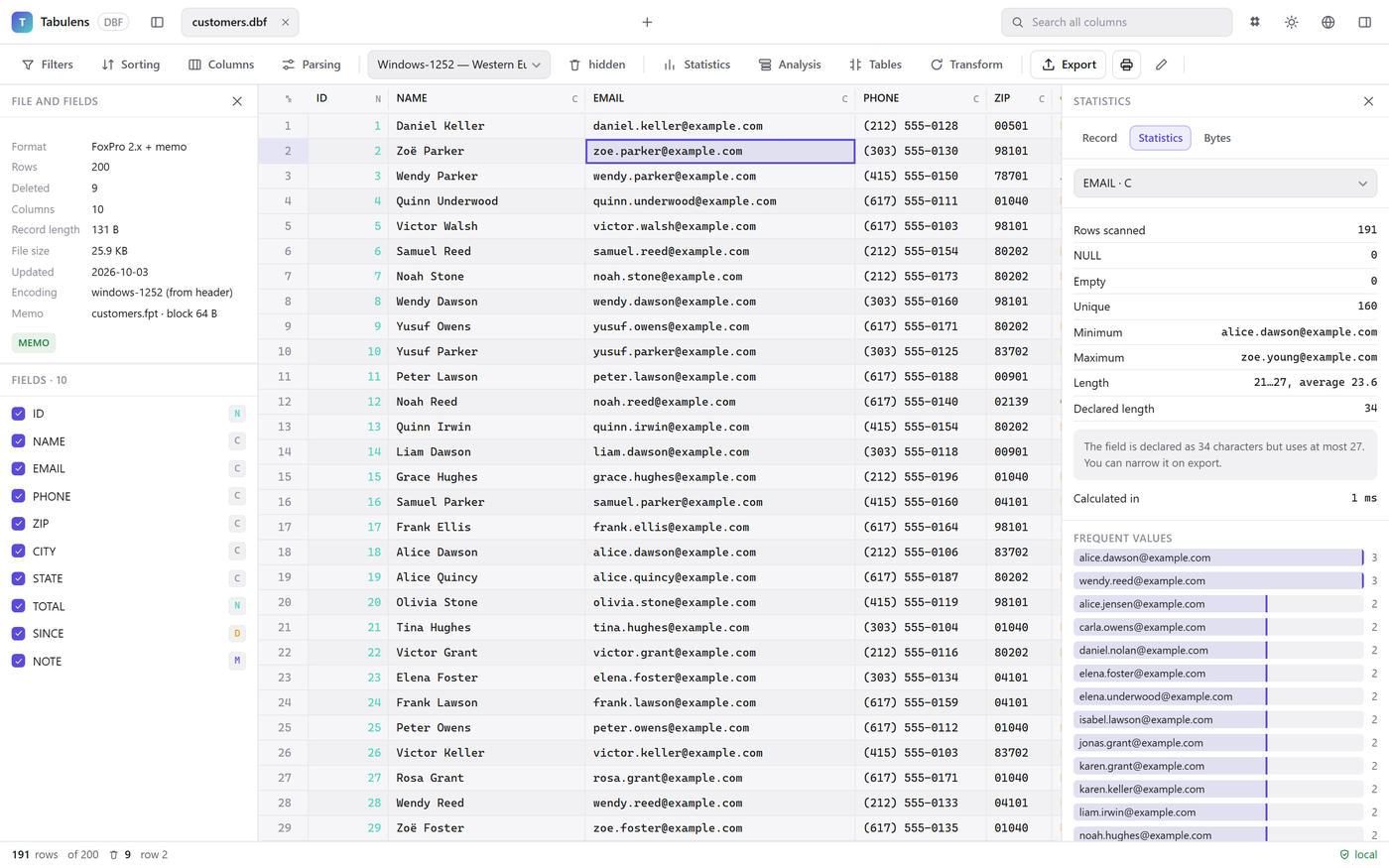
A DBF file open as a table, with file details on the left and column statistics on the right

Formats

Opens by default Open with “Open With… → Tabulens (table view)”
DBF (dBase, FoxPro, Visual FoxPro, Clipper — with .fpt/.dbt memo and .cpg encoding), DATASUS .dbc, Excel .xlsx/.xls/.xlsb, ODS, Parquet, SQLite and GeoPackage, Microsoft Access .mdb/.accdb, 1C .mxl, SPSS .sav/.zsav, Stata .dta, SAS transport .xpt, Norma 43 CSV, TSV, fixed-width text, JSON / JSON Lines, GeoJSON, XML (including SEPA camt.053, pain.001 and SAF-T templates)

Text formats keep opening in the normal text editor; Tabulens is one right-click away (Open in Tabulens in the Explorer context menu or the command palette).

What you can do

  • Scroll millions of rows; filter by column, search, sort.
  • Group with totals, build pivot tables and charts.
  • Compare two tables by key and see every changed field.
  • Check values (email, IBAN, dates, custom patterns), find duplicates, clean up text-as-numbers.
  • Read value labels in SPSS and Stata files; see variable labels as column descriptions.
  • Edit DBF, CSV, Excel, ODS, XML, JSON and SQLite tables and save them in place — a DBF together with its .fpt/.dbt memo file. Tabulens asks before overwriting.
  • Compare with Git HEAD: see what changed in a table since the last commit, row by row and field by field (button in the editor title, or right-click the file).
  • When the file changes on disk (git checkout, another program), Tabulens offers to reload it.
  • Export to Excel, CSV or JSON (Pro: also ODS, SQL, DBF, Parquet, HTML, Markdown).

Screenshots

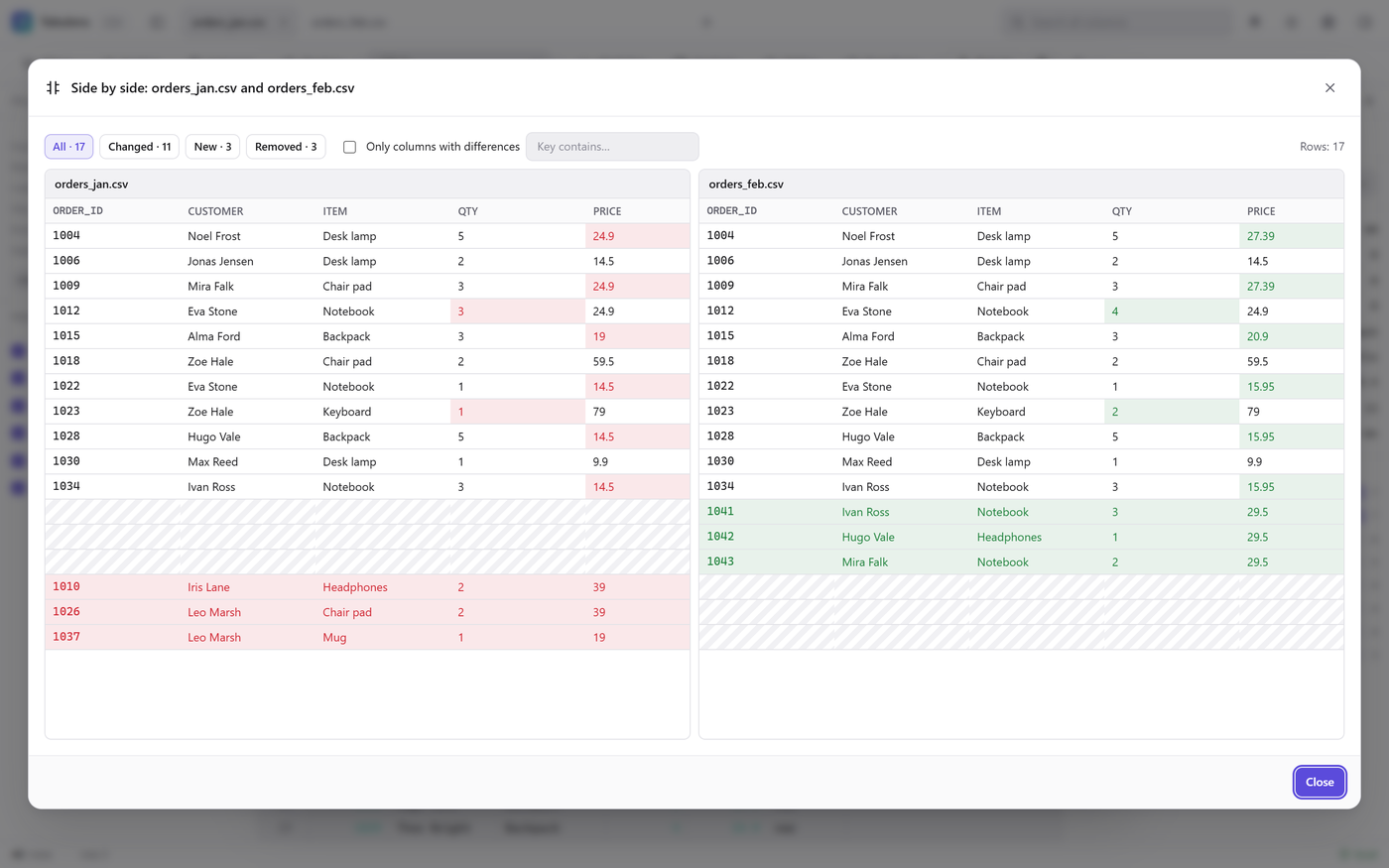
Compare two tables by key and see every changed field:

Side-by-side comparison of two tables, changed cells highlighted

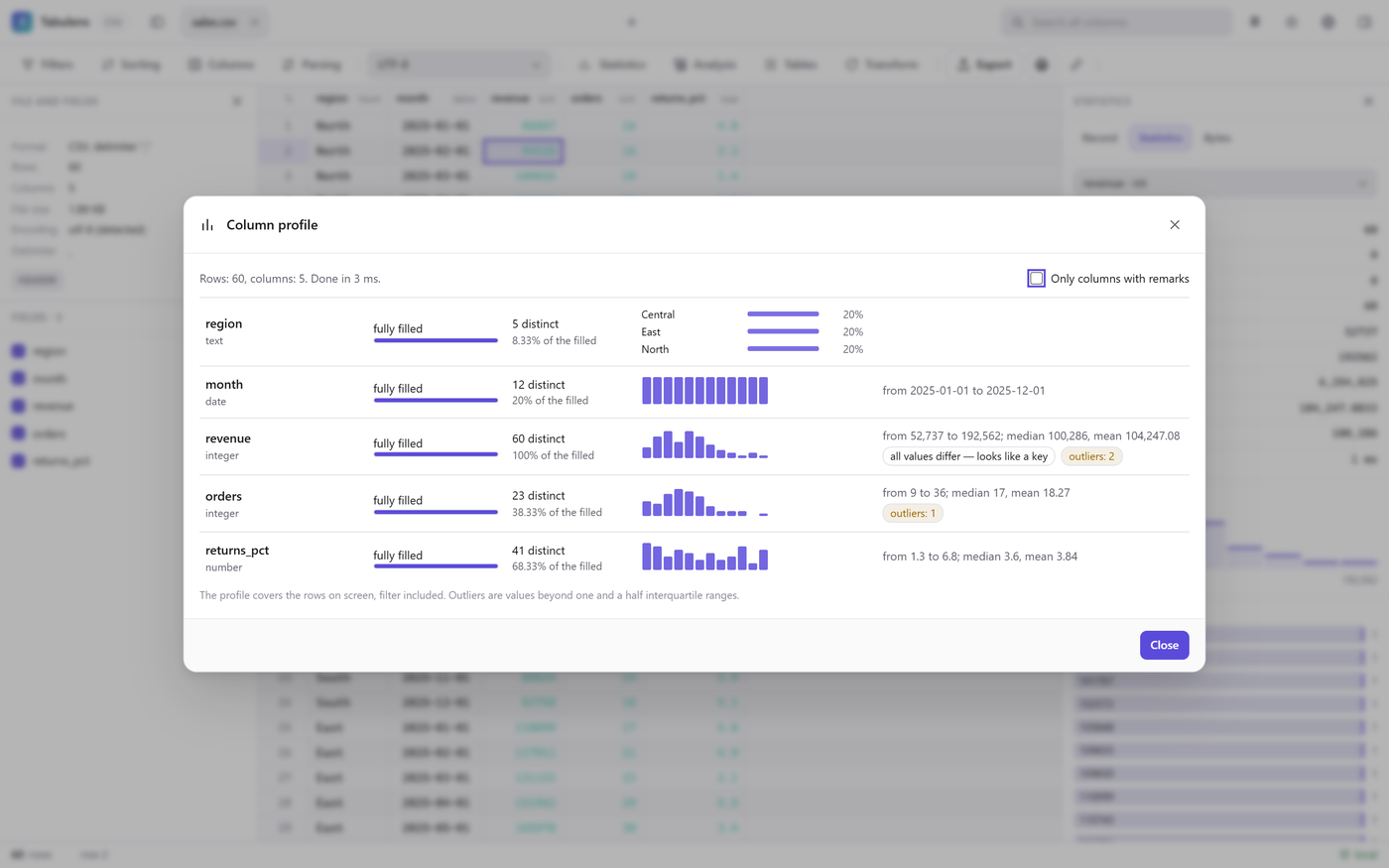
Column profile: fill rate, distribution and outliers at a glance:

Column profile window with histograms and outliers

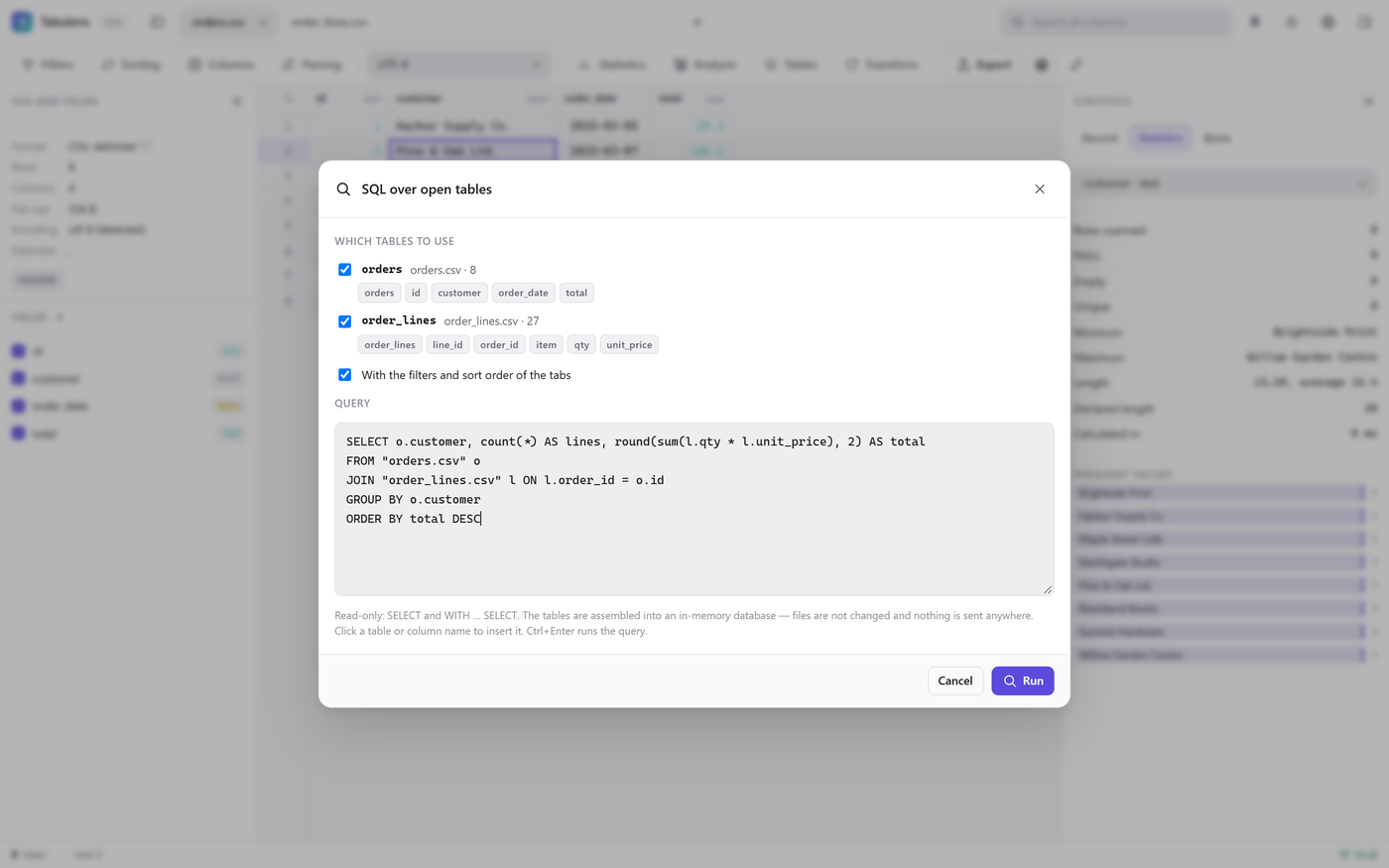
SQL over the open tables, JOINs between files included — read-only, in memory:

SQL query joining two CSV tables

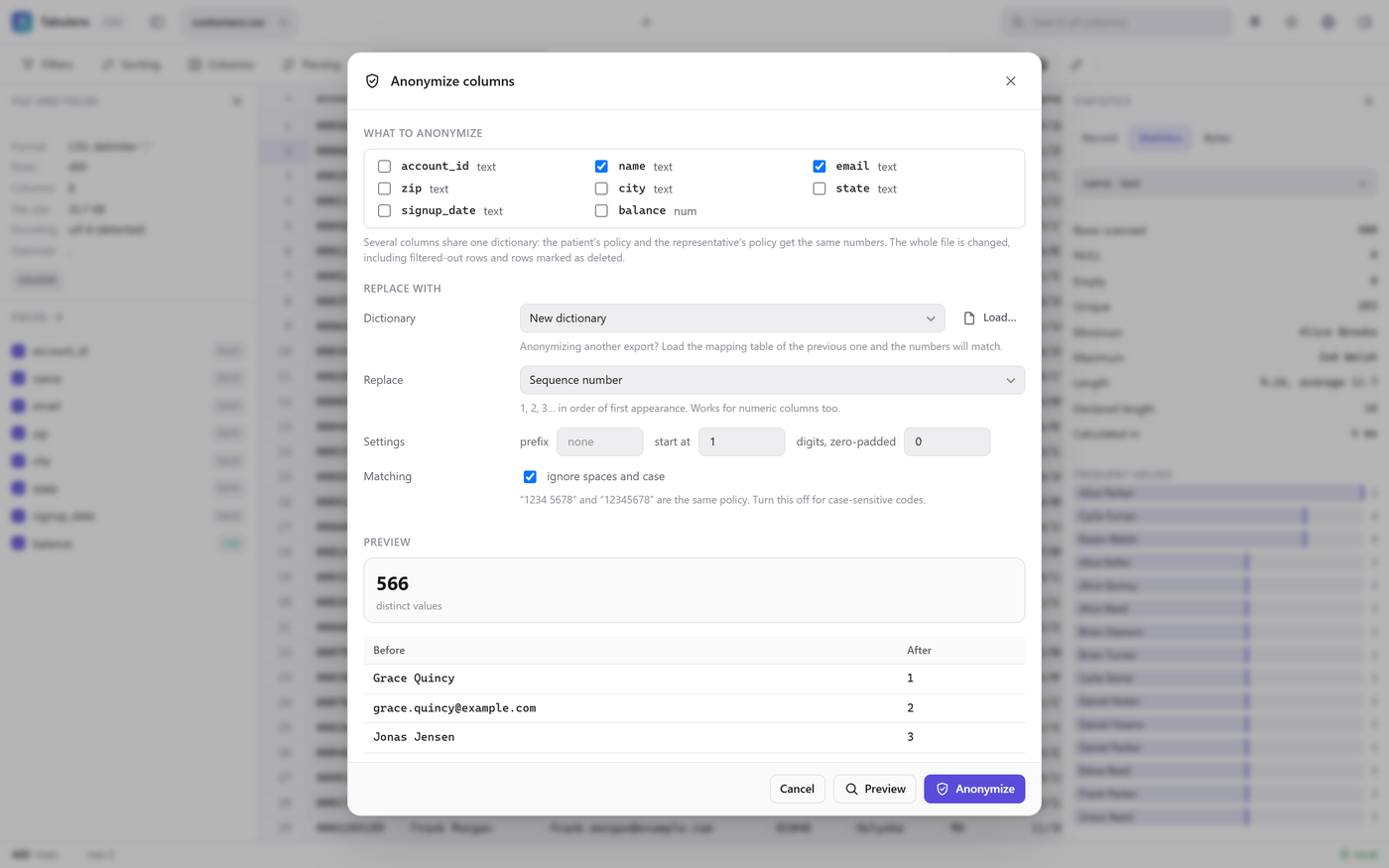
Anonymize columns: a number or GUID instead of the value, with a preview of the replacement:

Anonymize columns dialog with a before/after preview

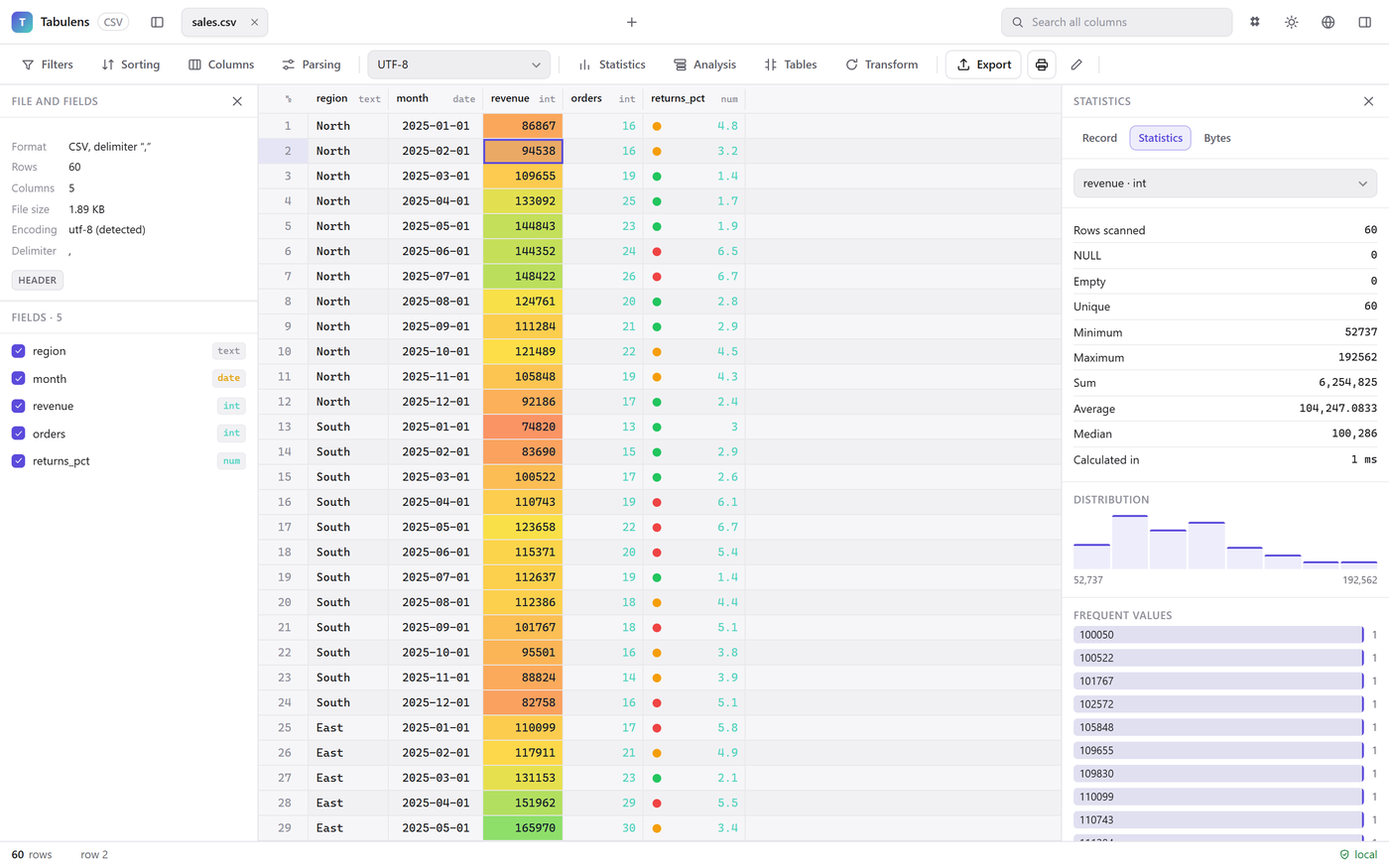
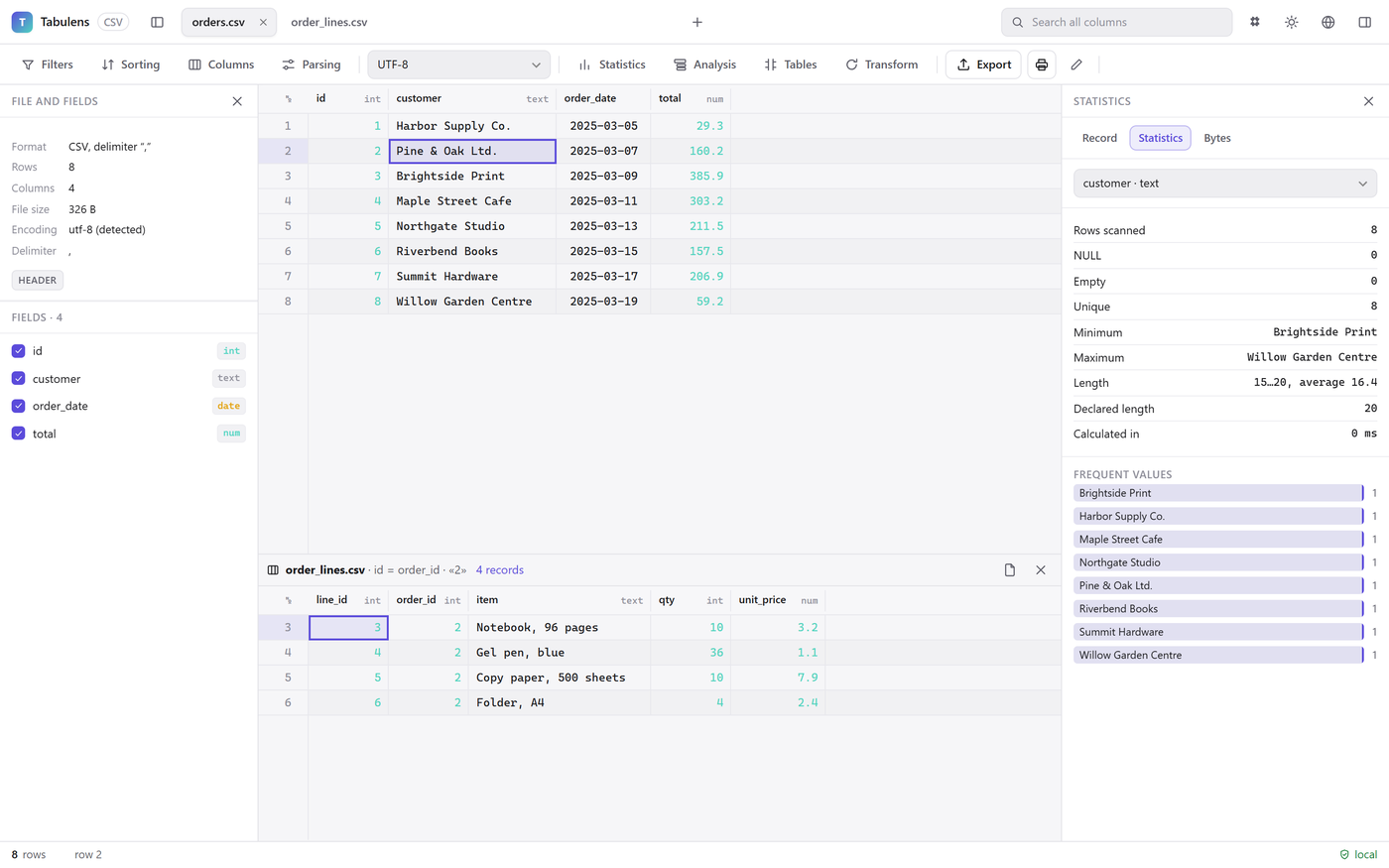
Color scales and icons, and a master–detail link between tables:

Color scales and traffic-light icons applied to a sales table

A master table with its detail records shown below

Free and Pro

The extension is free, with the same limits as the web app: export up to 5,000 rows at a time, printing up to 200 rows, 3 open tabs. A Pro license ($29, once) lifts the limits — the same key works in the browser, the Windows program and VS Code. You can try Pro for 14 days with just an email.

Notes

  • Files must be saved on disk (local or remote workspaces). Unsaved and virtual files are not supported.
  • Compare with Git HEAD needs Git installed and the file committed at least once.
  • Website: tabulens.com · Privacy · Terms
  • Contact us
  • Jobs
  • Privacy
  • Manage cookies
  • Terms of use
  • Trademarks
  • Your Privacy Choices
  • Consumer Health Privacy
© 2026 Microsoft