Synesis
Knowledge engineering in VS Code — the official interface for the Synesis ecosystem.


Synesis turns your qualitative-research project into live, navigable data: bibliographic references, analytical codes, causal relations, and ontology annotations — all derived directly from your template and annotation files, with real-time diagnostics as you type.
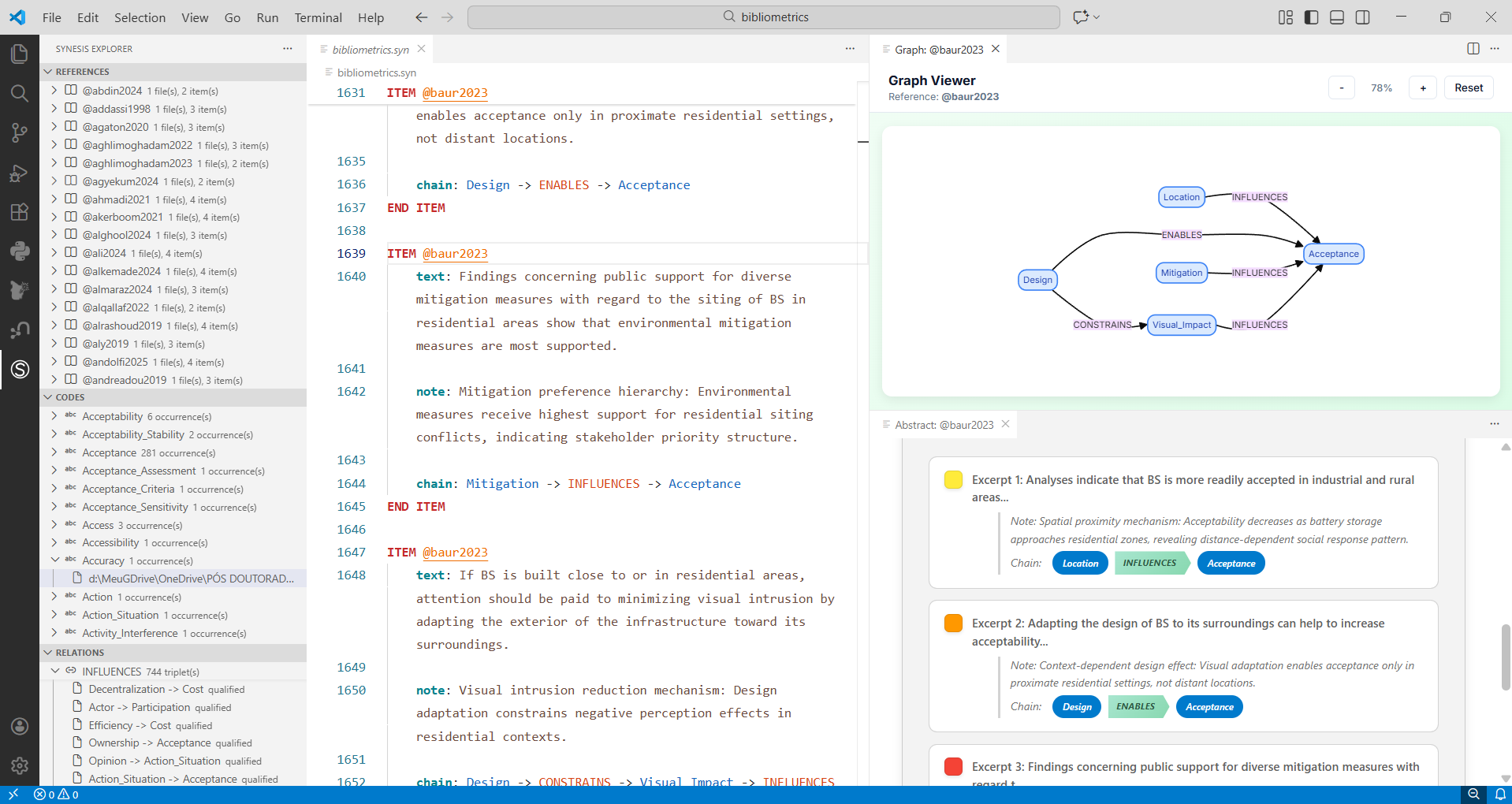
Setup (3 steps)
1. Install the compiler and language server (they do the analysis; the extension is the interface):
pip install synesis synesis-lsp
2. Create your first project — in an empty folder, run:
synesis init
This generates a complete, compilable example: project.synp, template.synt, references.bib, annotations.syn, and ontology.syno. It is the fastest way to see every panel populated.
3. Install the extension and open that folder in VS Code. The Synesis icon appears in the Activity Bar and the panels fill in automatically.
If pip installed to a location outside your PATH, set synesisExplorer.lsp.pythonPath in Settings to the full path of synesis-lsp.
First 60 seconds
- Run
synesis init in an empty folder, then open it in VS Code.
- Click the Synesis icon in the Activity Bar (left).
- Browse the References and Codes panels — click any entry to jump to its exact line.
- Open
annotations.syn: errors appear inline and in the Problems panel (Ctrl+Shift+M).
- Press
Ctrl+Alt+G to see the relation graph.
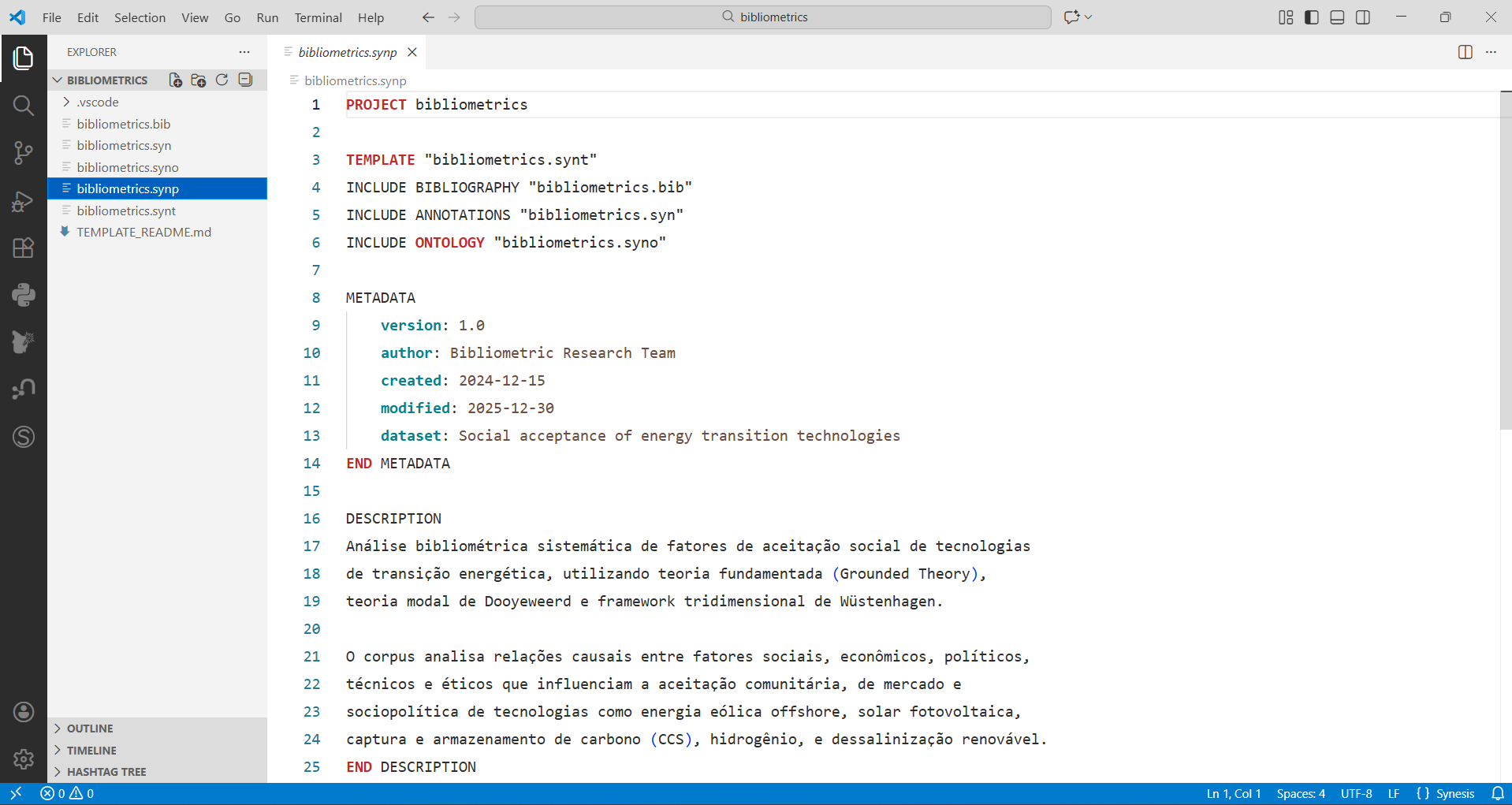
Keep the Synesis cheatsheet handy — a one-page reference for the Synesis language syntax.
New to the language itself? Start from the Synesis documentation.
What you get
Navigation panels (Activity Bar → Synesis). Some appear only for the relevant file type:
| Panel |
Shows |
Visible when |
| References |
Bibliographic sources (SOURCE), items nested below |
always |
| Codes |
Analytical codes, with each occurrence |
a project is loaded |
| Relations |
Causal chains (CHAIN), grouped by source |
editing a .syn file |
| Ontology Topics |
Topics from ontology files |
editing a .syno file |
| Ontology Annotations |
Where ontology topics are used across .syn files |
editing a .syn file |
| Template Fields |
Fields from the template (.synt), by scope |
always |
Click any entry to open the file at the exact line.
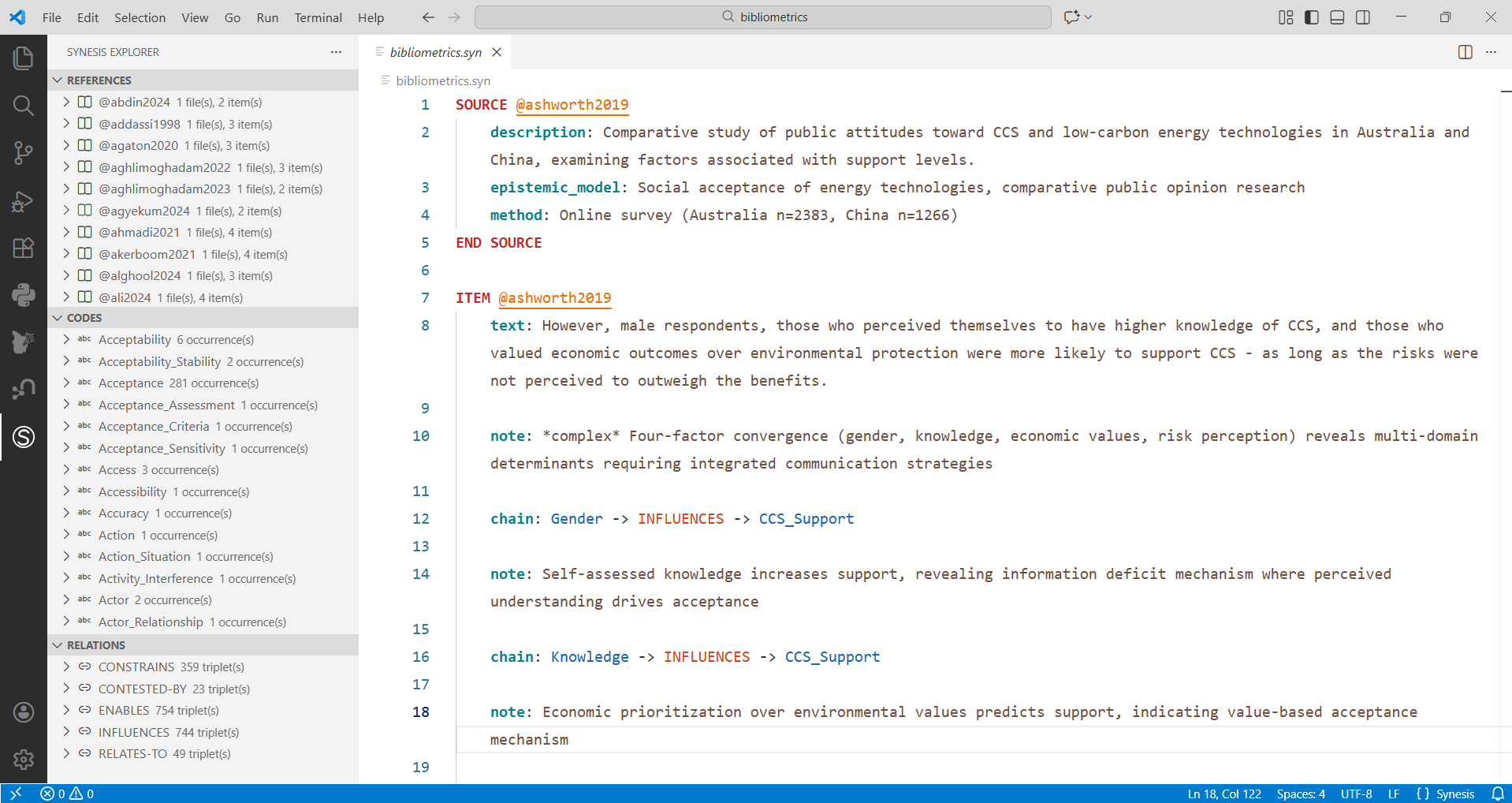
References — every bibliographic source, with its annotation items nested below.
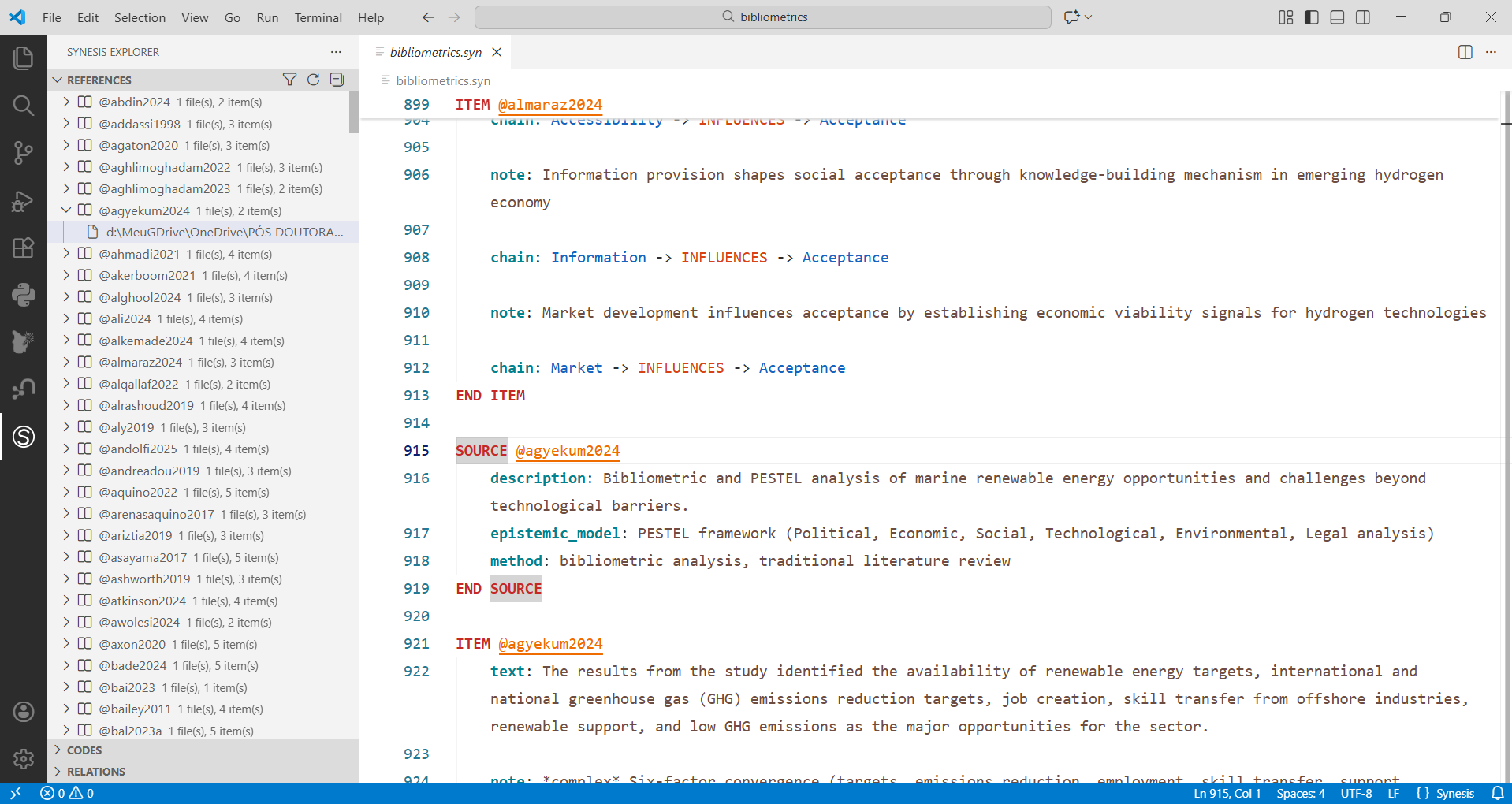
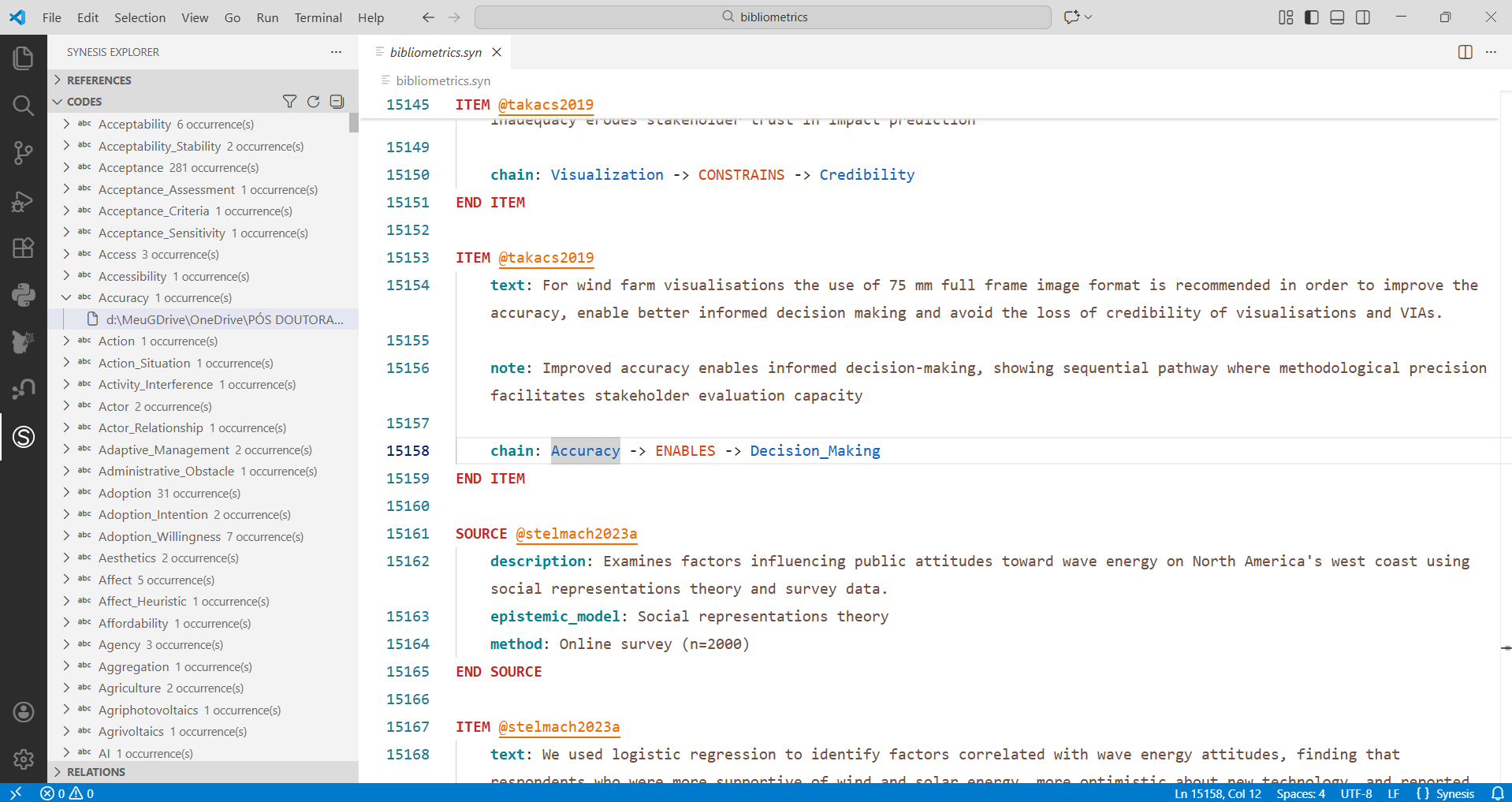
Codes — every analytical code, with each occurrence, ready to jump to.
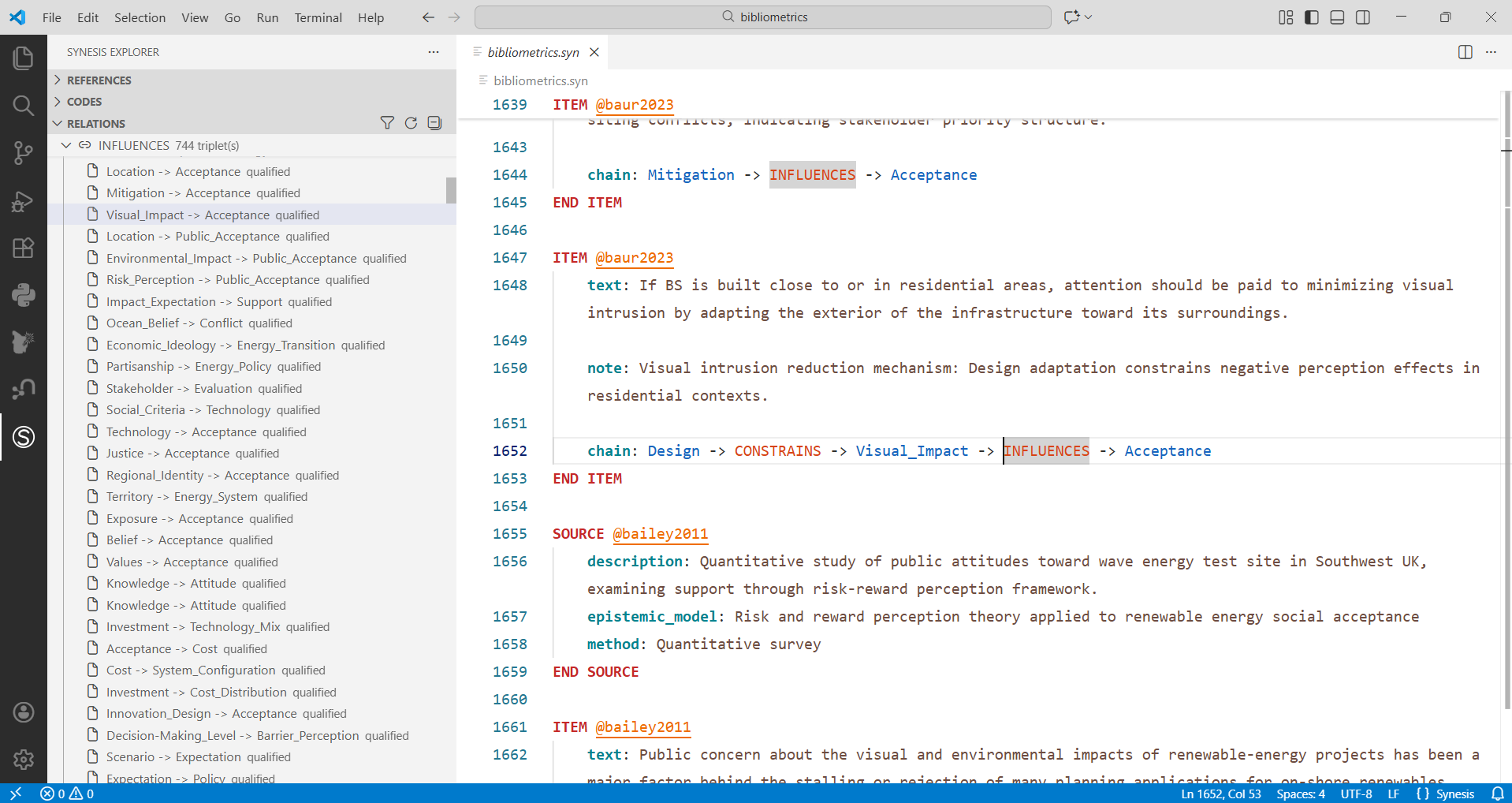
Relations — causal chains (CHAIN) between concepts, grouped by source.
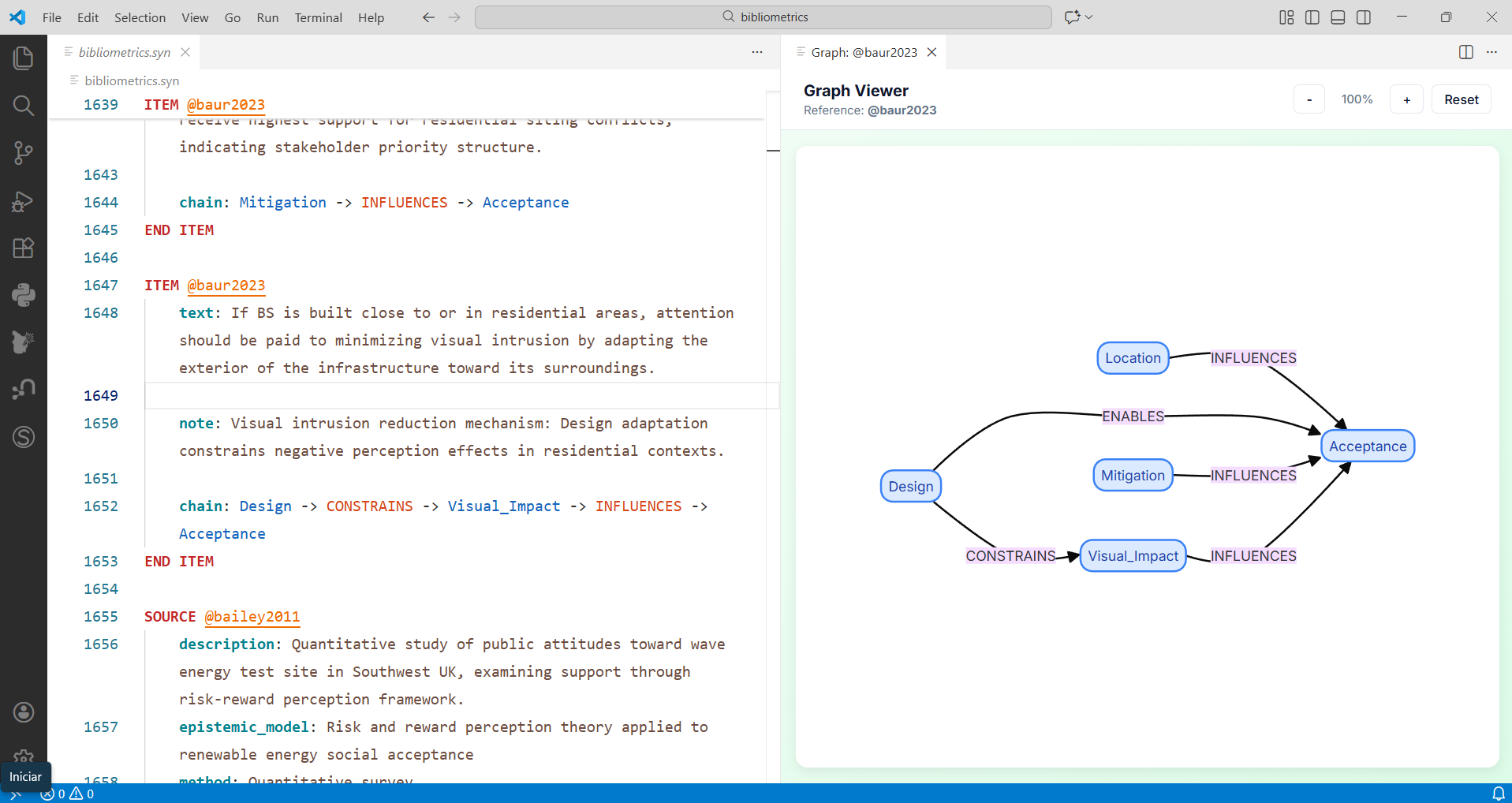
Relation graph — interactive, zoomable graph of your chains, for the whole project, one file, or one item (Ctrl+Alt+G).
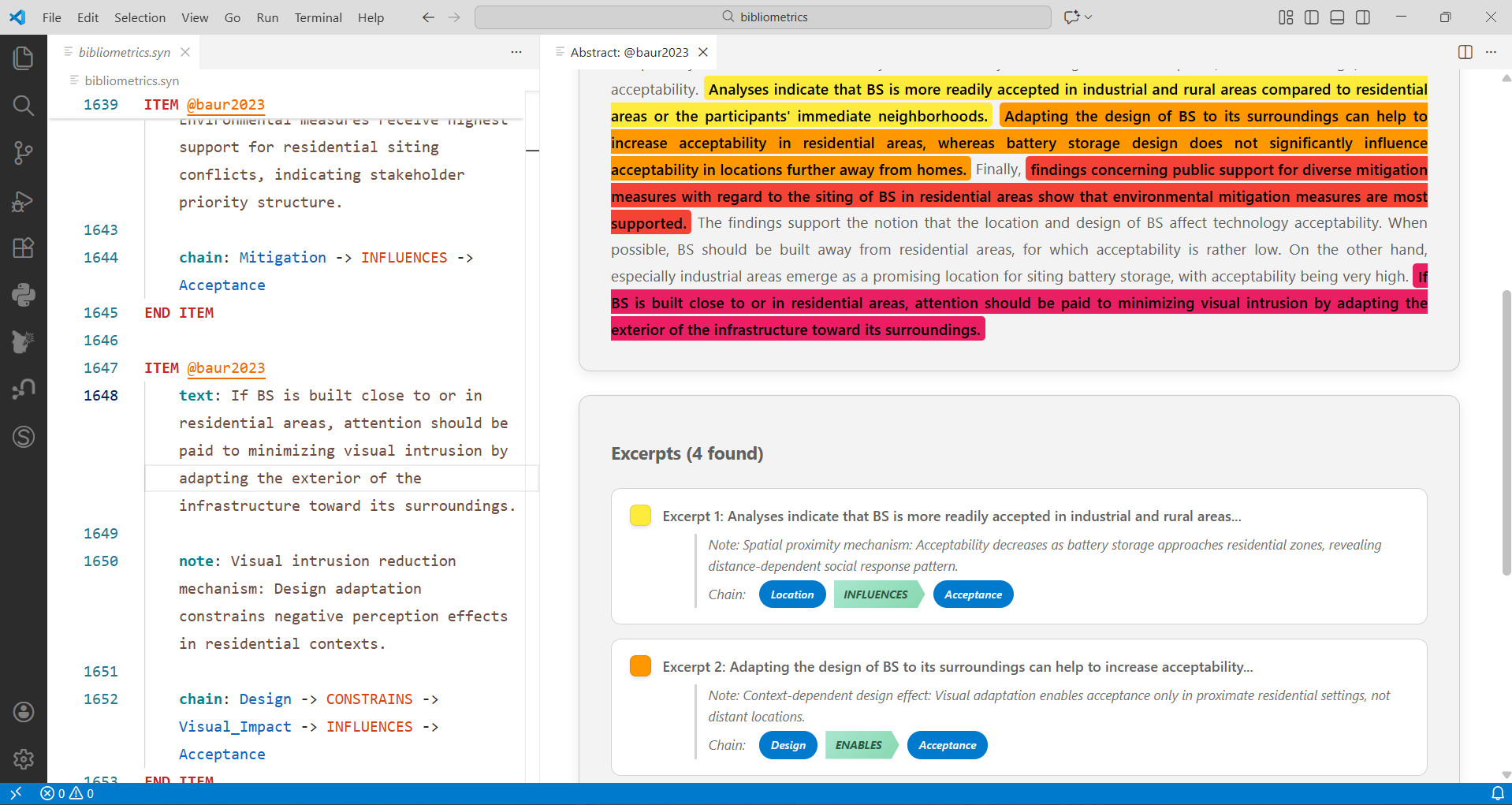
Abstract viewer — the bibliographic abstract for the active reference (Ctrl+Shift+A).
Real-time diagnostics — missing required fields, unknown references, codes not in the template, and more, underlined as you edit .syn/.syno.
Snippets — type a prefix and press Tab to expand a complete block, then Tab again to move between the parts you need to fill in.
| Prefix |
Expands to |
field-chain, field-scale, field-ordered, … (one per field type) |
a FIELD block for that type, already carrying whatever it requires — ARITY for CHAIN, FORMAT for SCALE, VALUES for ORDERED |
SOURCE, ITEM, ONTOLOGY |
an annotation block carrying your project's required fields, read from its template |
The FIELD snippets are generated from the compiler's own rules, so they never drift from what it accepts. The annotation blocks come from the language server, which is why they know your template: a SOURCE block in one project may require slug and nome, and in another lattes_id, nome and cargo_institucional.
AI-assisted coding — send a selection to synesis-coder to generate annotations (Ctrl+Shift+I; requires pip install synesis-coder).
Two themes — Synesis Dark / Synesis Light (Ctrl+Shift+P → "Color Theme").
Key commands
Run any of these from the Command Palette (Ctrl+Shift+P, type "Synesis"), or use the shortcut:
| Shortcut |
Action |
Ctrl+Alt+G |
Relation graph — whole project |
Ctrl+Alt+F |
Relation graph — active file |
Ctrl+Alt+I |
Relation graph — item under cursor |
Ctrl+Shift+A |
Show bibliographic abstract for the active reference |
Ctrl+Shift+I |
Code the current selection with synesis-coder |
F12 |
Go to a code's definition |
F2 |
Rename a code or reference across the whole project |
Settings
All under synesisExplorer.* (File → Preferences → Settings → "Synesis"):
| Setting |
Purpose |
lsp.pythonPath |
Path to the synesis-lsp executable, if not on PATH |
lsp.enabled |
Turn the language server on/off |
diagnostics.enabled |
Toggle inline error squiggles |
inlayHints.enabled |
Show (Author, Year) hints after references |
semanticHighlighting.enabled |
AST-based highlighting (needs a Synesis theme) |
completion.autoImportCodes |
Offer ontology codes in autocomplete |
coder.path |
Path to the synesis-coder executable |
lsp.pythonPath, lsp.args and coder.path are machine-scoped: a workspace cannot override which executable runs, so opening someone else's project is safe.
Troubleshooting
- Panels are empty — make sure the folder contains a
.synp file and that synesis-lsp is installed and reachable (check the Synesis LSP output channel).
- A panel is missing — several panels are file-type-specific (see the table above); open a
.syn or .syno file to reveal them.
- "Failed to start Synesis LSP" — set
synesisExplorer.lsp.pythonPath to the full path of the executable.
Resources
- Synesis cheatsheet — one-page language syntax reference.
- Documentation — the Synesis language and compiler.
- Run
synesis init any time to regenerate a working example project.
License
MIT — Christian Maciel De Britto. See CHANGELOG.md for version history.

