sync.mdKeeps AI coding-agent instruction files (AGENTS.md, CLAUDE.md, .cursorrules, .github/copilot-instructions.md) in sync by using an AI model to compare their meaning, not just their text. Also includes local-only length and active-file checks. No telemetry, no bundled API keys. Installation Launch VS Code Quick Open ( Ctrl+P), paste the following command, and press enter.Copied to clipboard |

sync.mdUsing more than one AI coding tool? Your It watches Demo
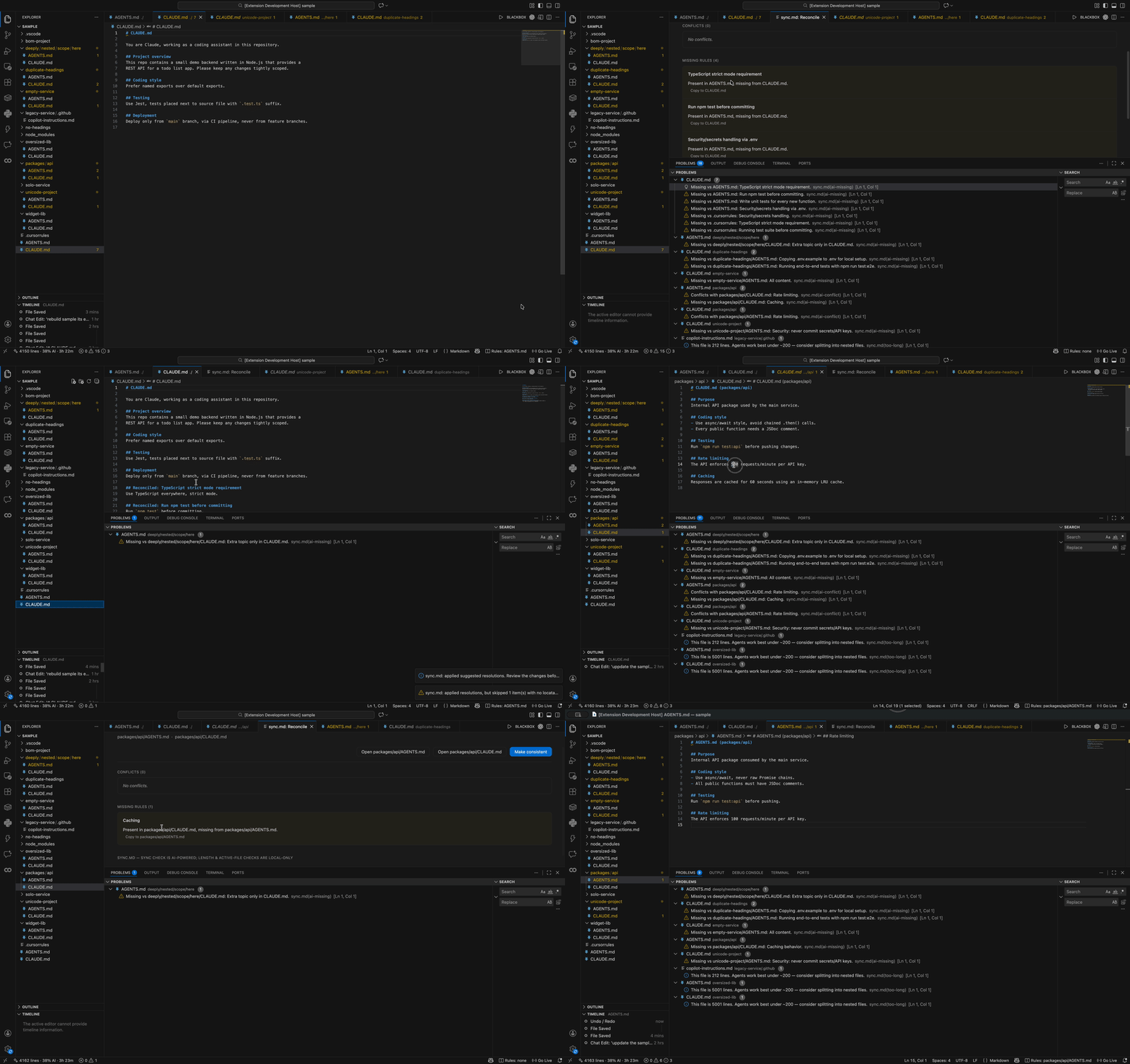
ScreenshotsProblems panel — conflicts, missing rules, and length warnings appear
as normal VS Code diagnostics, grouped by file, with the
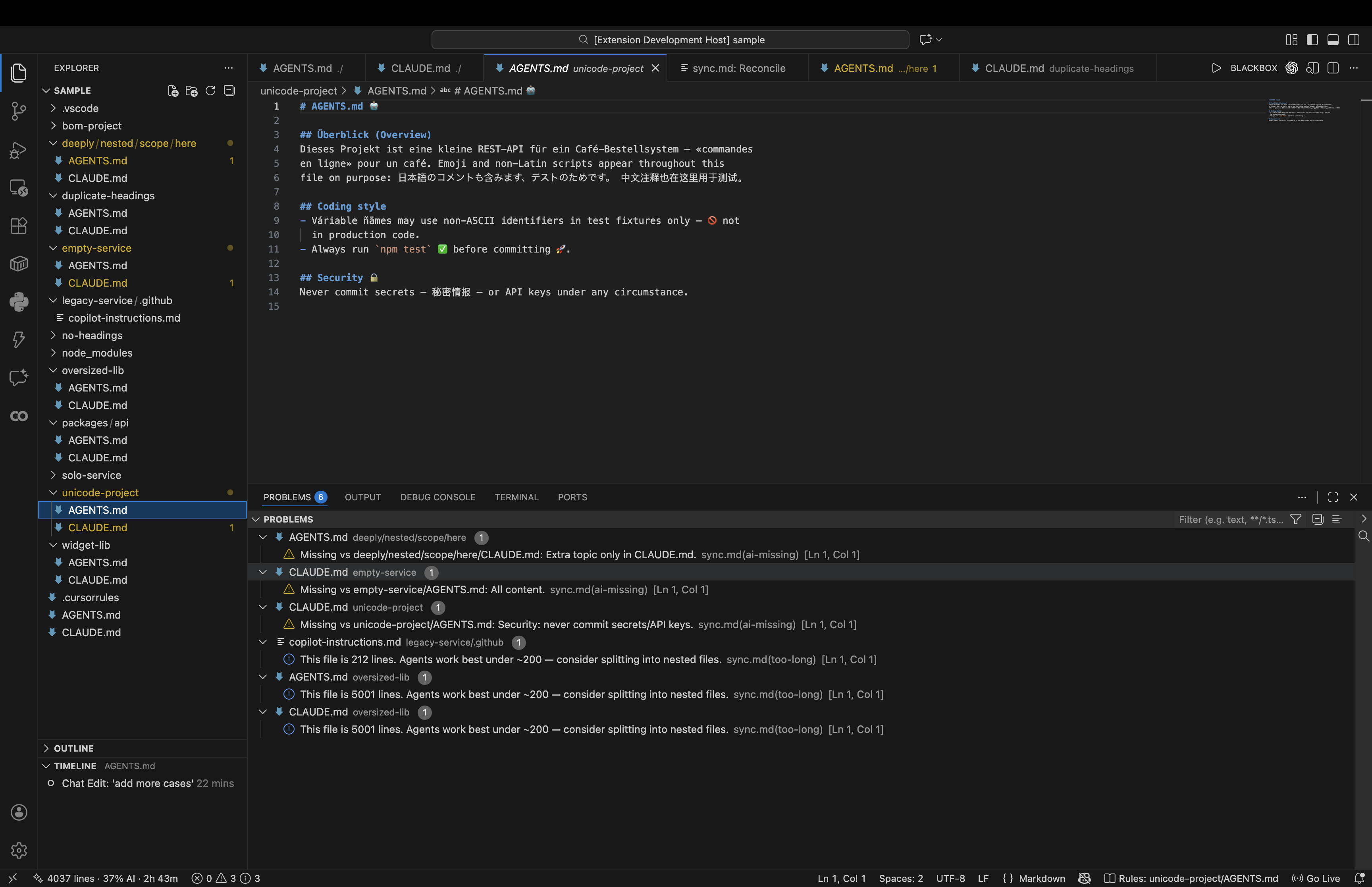
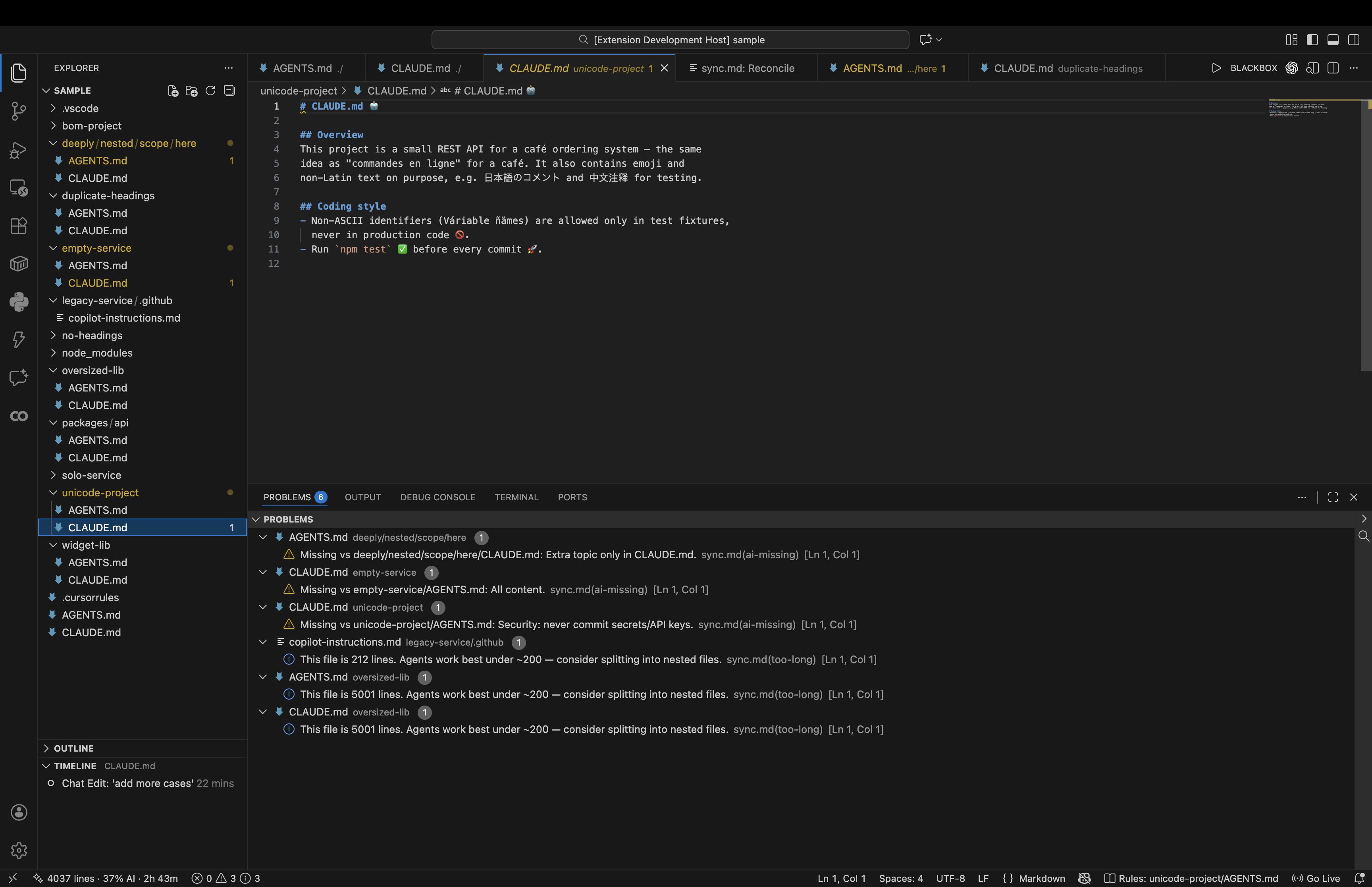
AI-powered meaning comparison, not text diffing — these two files say the same thing in totally different languages/wording (German, emoji, Japanese, Chinese vs. plain English) and sync.md correctly treats them as in sync, only flagging a genuinely missing Security section:
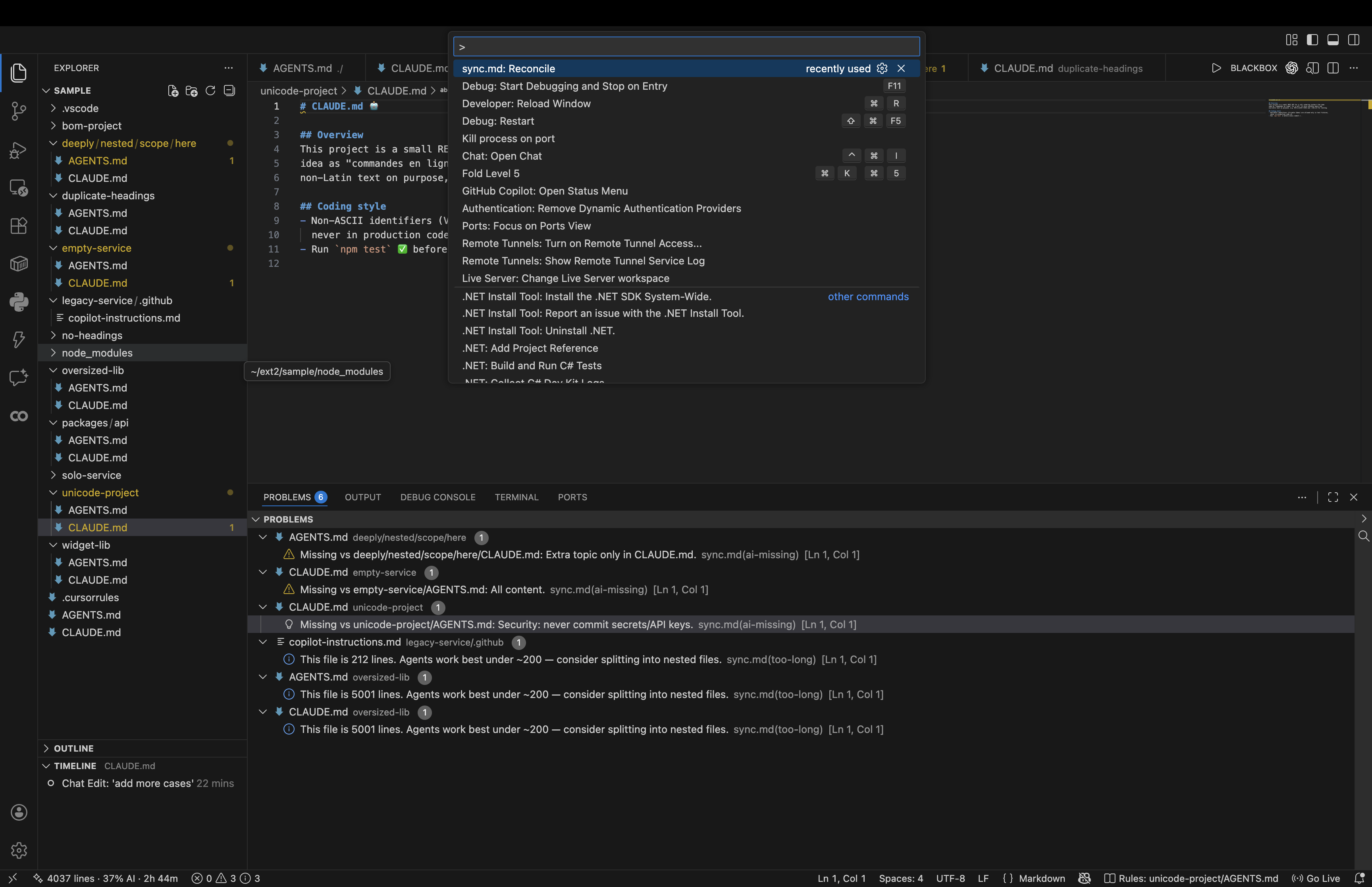
Run "sync.md: Reconcile" from the Command Palette:
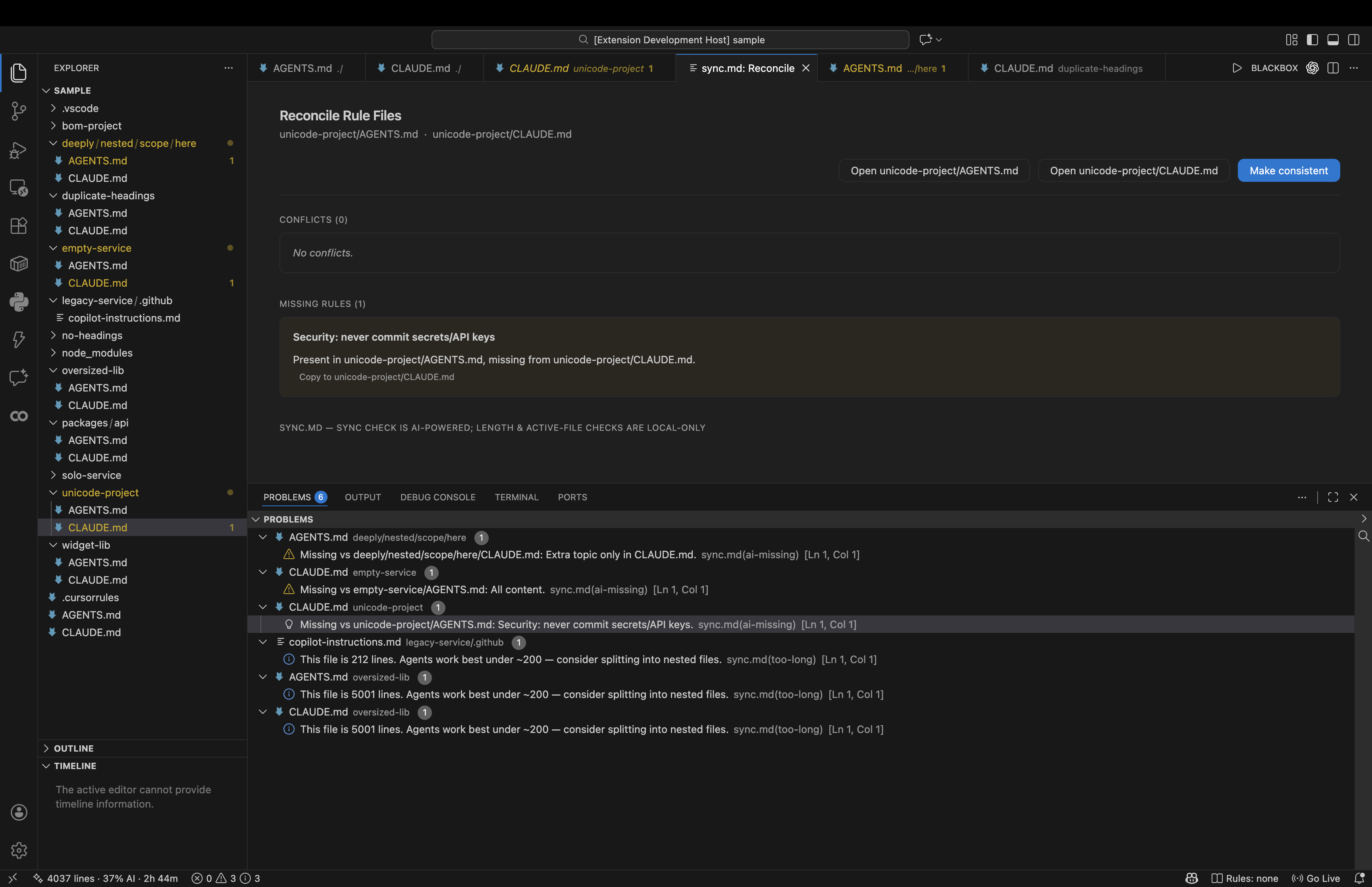
The Reconcile webview — a calm, native-feeling view of conflicts and missing rules between two files, with one-click "Copy to..." actions and a "Make consistent" button that applies every suggested fix at once:
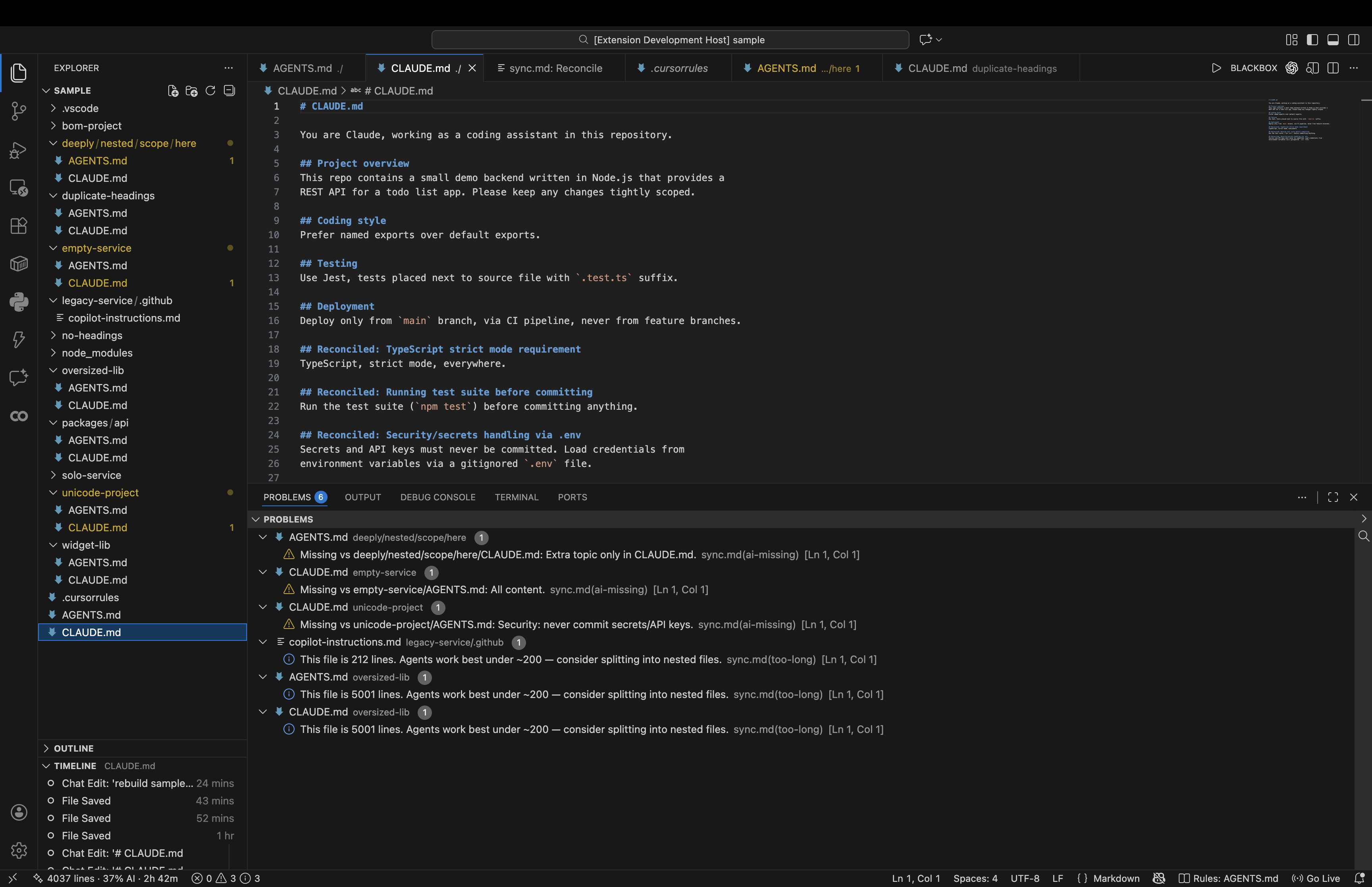
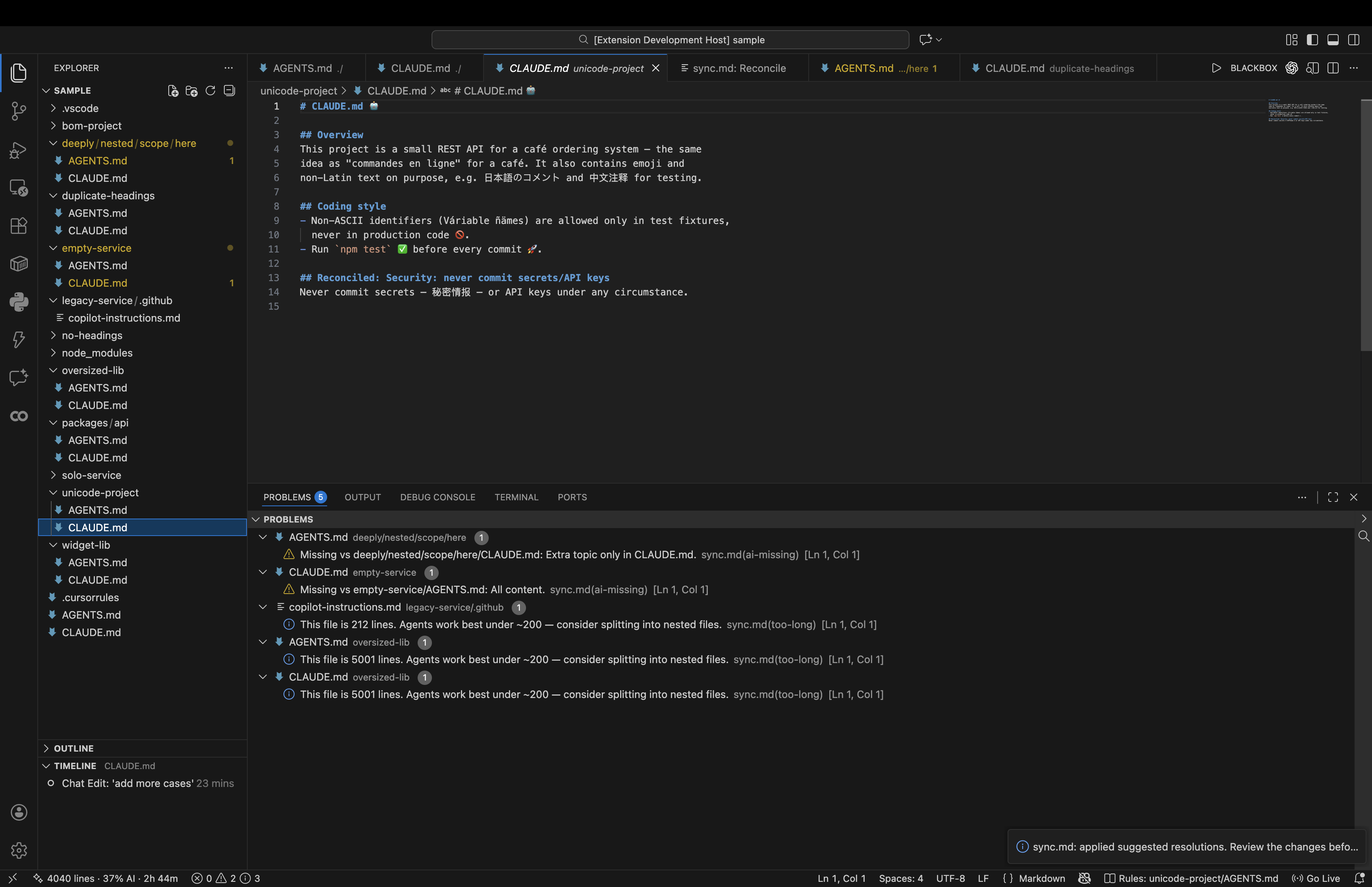
After reconciling — the missing Security section is now written into CLAUDE.md automatically, clearly marked so you can review exactly what changed before committing:
What it does1. Sync check — AI-poweredWhen two or more rule files share the same directory scope, sync.md asks a language model to compare their meaning, not their text. Files that say the same thing in different words are correctly treated as in sync — only genuine contradictions (conflicts) or rules present in one file but entirely absent from another (missing) get flagged. Diagnostics appear inline (squiggles) and in the Problems panel, labeled so you always know they came from sync.md:
Because it compares meaning, the same rules written in German, Japanese, emoji, or plain English are all recognized as equivalent — it only flags what's genuinely different. For each conflict, the model also recommends which version to keep
("Suggested: keep Run The check re-runs on save and on file open (debounced ~800ms) and caches the last result per file pair — it only calls the model again when a watched file's content actually changed.
Model options:
2. Length hygieneIf a rule file exceeds 3. Active-file indicatorA status bar item shows which rule file governs the file you're
currently editing, using "nearest file wins" (the closest rule file
walking up the directory tree): Configuration
Enabling a local model (fully offline sync checks)
Commands
DesignThe reconcile webview reads VS Code theme variables exclusively (it never hardcodes colors), so it looks native in both light and dark themes. It uses a restrained three-size type scale, hairline 1px borders instead of boxes or shadows, ~8px rounded corners, and a single accent color reserved for the primary Make consistent button — for a calm, spacious, native feel. Contributing / building from sourceSee DEVELOPMENT.md for running the extension (F5),
packaging with |