SvelTeX language support
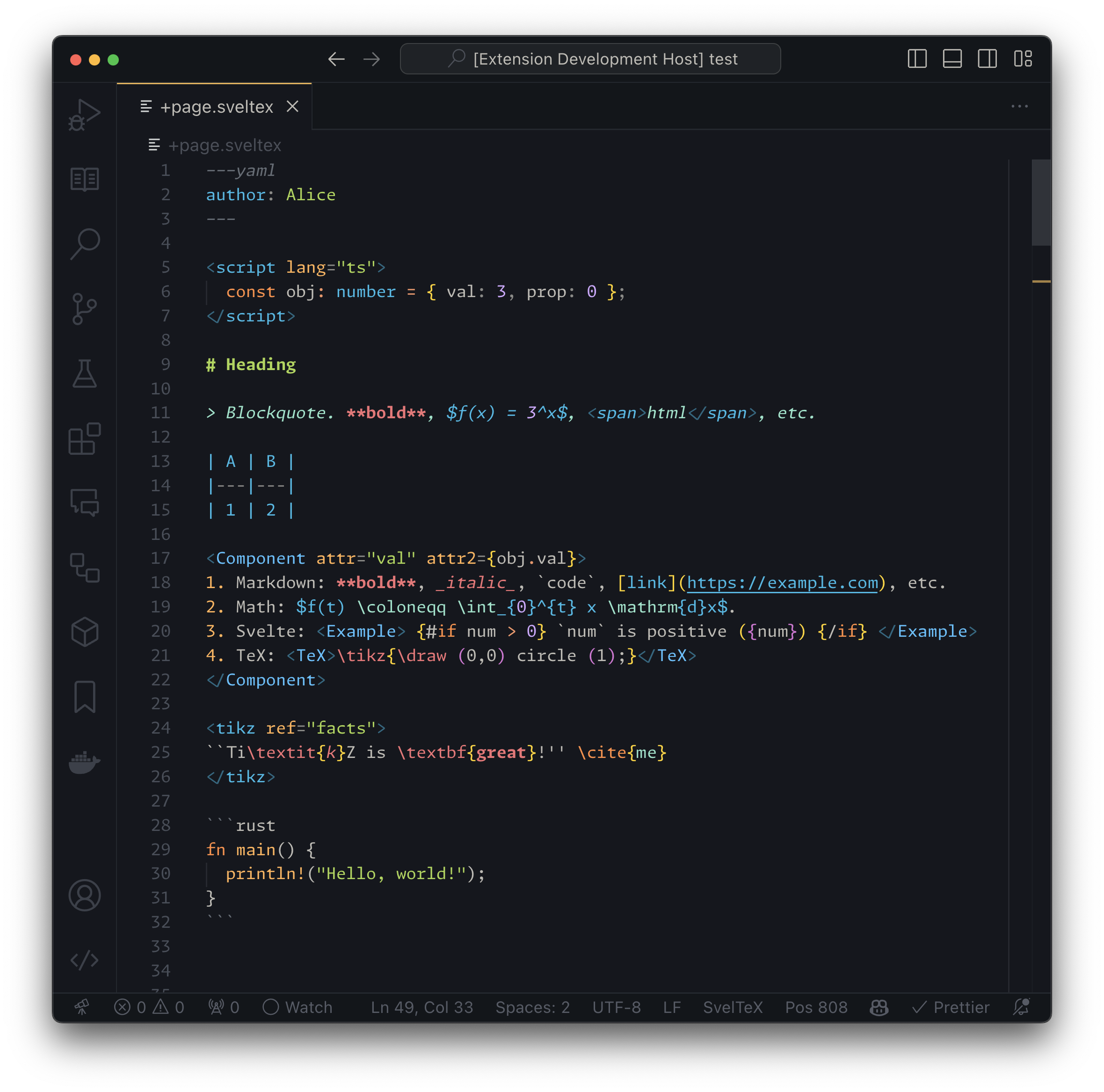
This extension adds language support — syntax highlighting and a full language
server — for SvelTeX files. SvelTeX is a preprocessor for Svelte that aims to
combine markdown, Svelte, and (some) LaTeX.
Features
- Svelte + Markdown syntax highlighting (incl. fenced code blocks, though only with ~50 languages).
- Syntax highlighting for math expressions in
$...$, $$...$$, \(...\), and
\[...\] delimiters.
- LaTeX syntax highlighting in "LaTeX tags" (configurable).
- Turn off highlighting in "Escape tags" (configurable).
<script> languages: JavaScript, TypeScript<style> languages: CSS, SCSS, SASS, PostCSS, Stylus
Language server
The extension also starts the SvelTeX language server
(@nvl/sveltex-language-server),
which brings IntelliSense to .sveltex files:
- Svelte / Markdown / TypeScript diagnostics, hover, completion,
go-to-definition, references, rename and more (the real
svelte-language-server, proxied for the Svelte parts of the file).
- In math expressions (
$…$, $$…$$, …), TeX command completion (triggered
on \) and hover. The hover shows the command's signature, the Unicode
symbol it stands for (e.g. ∮ (contour integral)) and a short description,
scoped to the project's math backend (KaTeX or MathJax).
- In the YAML / TOML / JSON frontmatter block, hover and completion for the
frontmatter keys (
title, meta, base, link, …) and the standard
<meta> names — each documented, with a link to MDN.
- Inside LaTeX tags, full LaTeX assistance when the
TexLab language server is installed
and on
PATH (otherwise this is skipped silently).
- A Markdown heading outline, folding ranges and selection ranges.
The language server starts automatically; if it cannot start, syntax
highlighting still works and the failure is logged to the
"SvelTeX Language Server" output channel.
Requirements
This extension requires the svelte.svelte-vscode VS Code extension to be installed.
This is because the TextMate grammar for SvelTeX depends on Svelte's TextMate
grammar.
Extension Settings
This extension contributes the following settings:
sveltex.latexTags: Tags to use for LaTeX components. In effect, this will
just modify this extension's TextMate grammar so that the contents of these
tags are highlighted as LaTeX.sveltex.escapeTags: Tags to use for non-TeX verbatim components. In
effect, this will just modify this extension's TextMate grammar so that the
contents of these tags are highlighted the same way as a plaintext fenced
code block would in markdown.
⚠ Note: You might need to reload the window for the changes to take effect.
Limitations
- In LaTeX / math expressions, you may sometimes wish to have unbalanced
brackets (e.g.,
[0, 1) for intervals). Because of this, bracket matching
inside math scopes is turned off.
Known Issues
- For
<style> tags, LESS is not supported.
- For
<script> tags, CoffeeScript is not supported. However, since SvelteKit
doesn't support CoffeeScript, this is not a priority.
| |

