Nythera
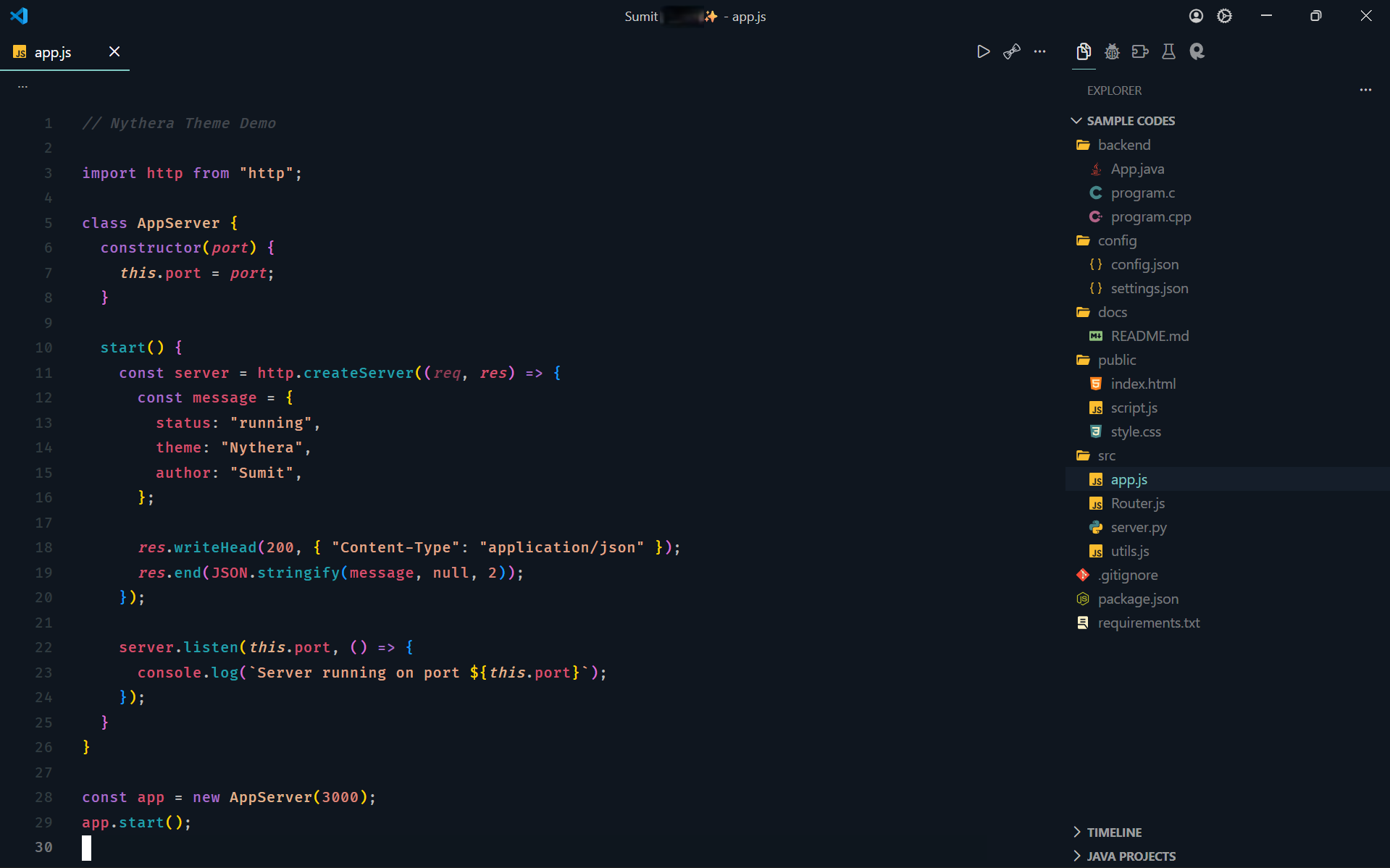



Nythera is a modern dark theme for Visual Studio Code designed to provide a comfortable and visually balanced coding experience.
The syntax highlighting style is inspired by the Horizon theme, while the colors themselves were carefully selected and customized independently to create a unique and refined appearance.
This theme focuses on clear syntax distinction, strong readability, and a calm dark interface suitable for long coding sessions.
Note: This is my first Visual Studio Code theme, created as part of my learning journey in editor customization and design.
Feedback and suggestions are always welcome.
Features
- Carefully balanced dark color palette
- Clear and readable syntax highlighting
- Consistent color palette across multiple programming languages
- Designed with readability and visual clarity in mind
Supported Languages
This theme has been tested with:
- HTML
- CSS
- JavaScript
- Java
- C
- C++
- Python
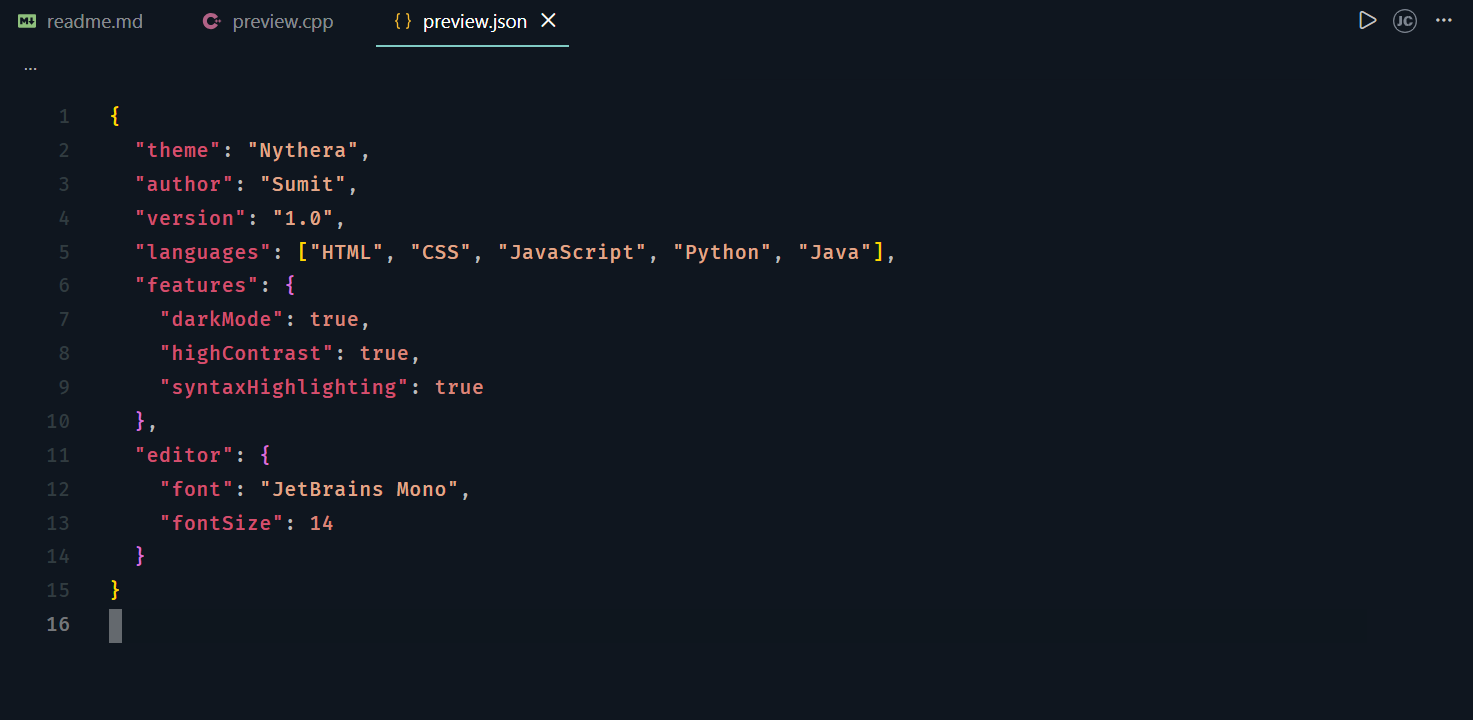
- JSON
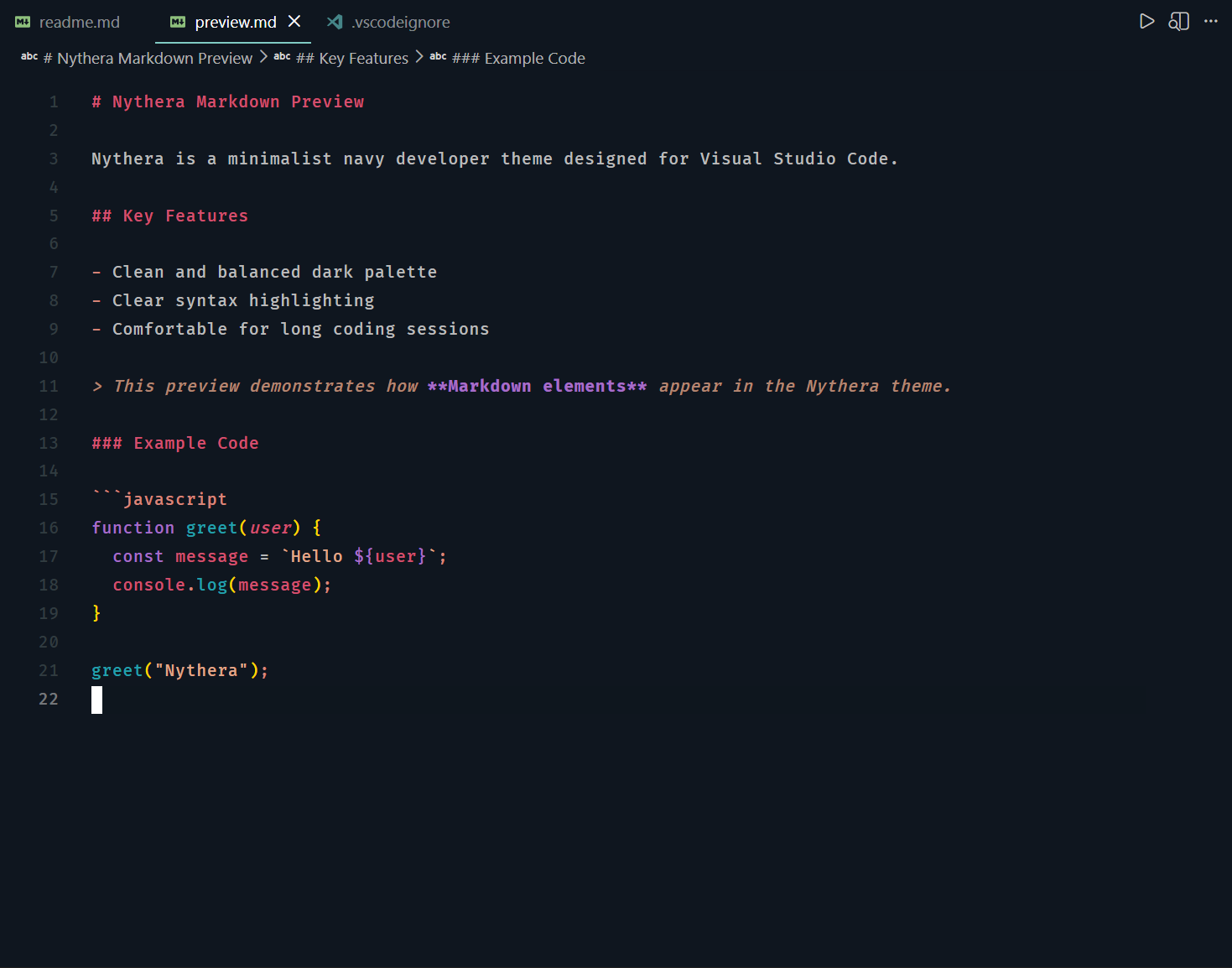
- Markdown
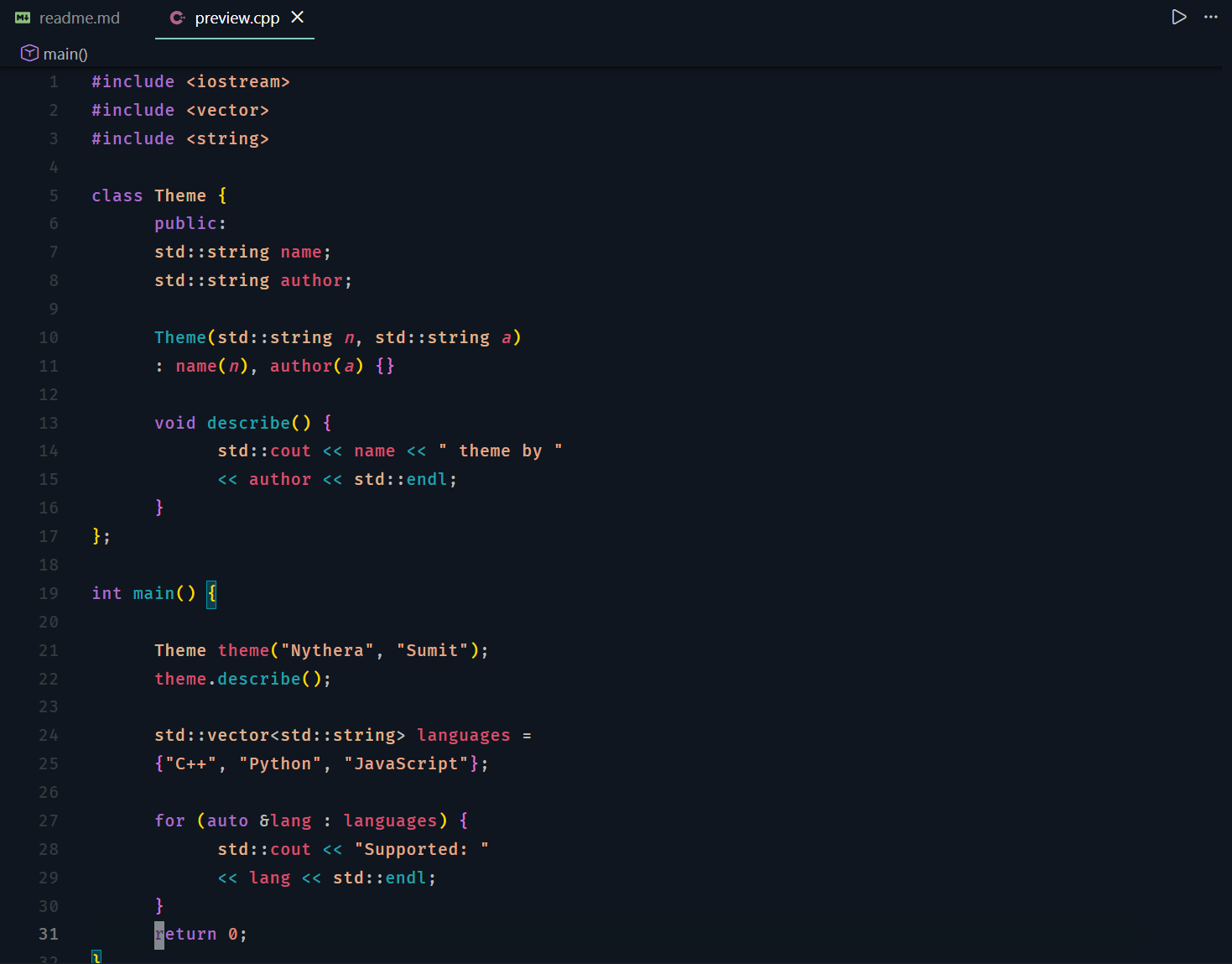
Preview
Note: Screenshots were captured using the Fira Code font.
View language previews
JavaScript
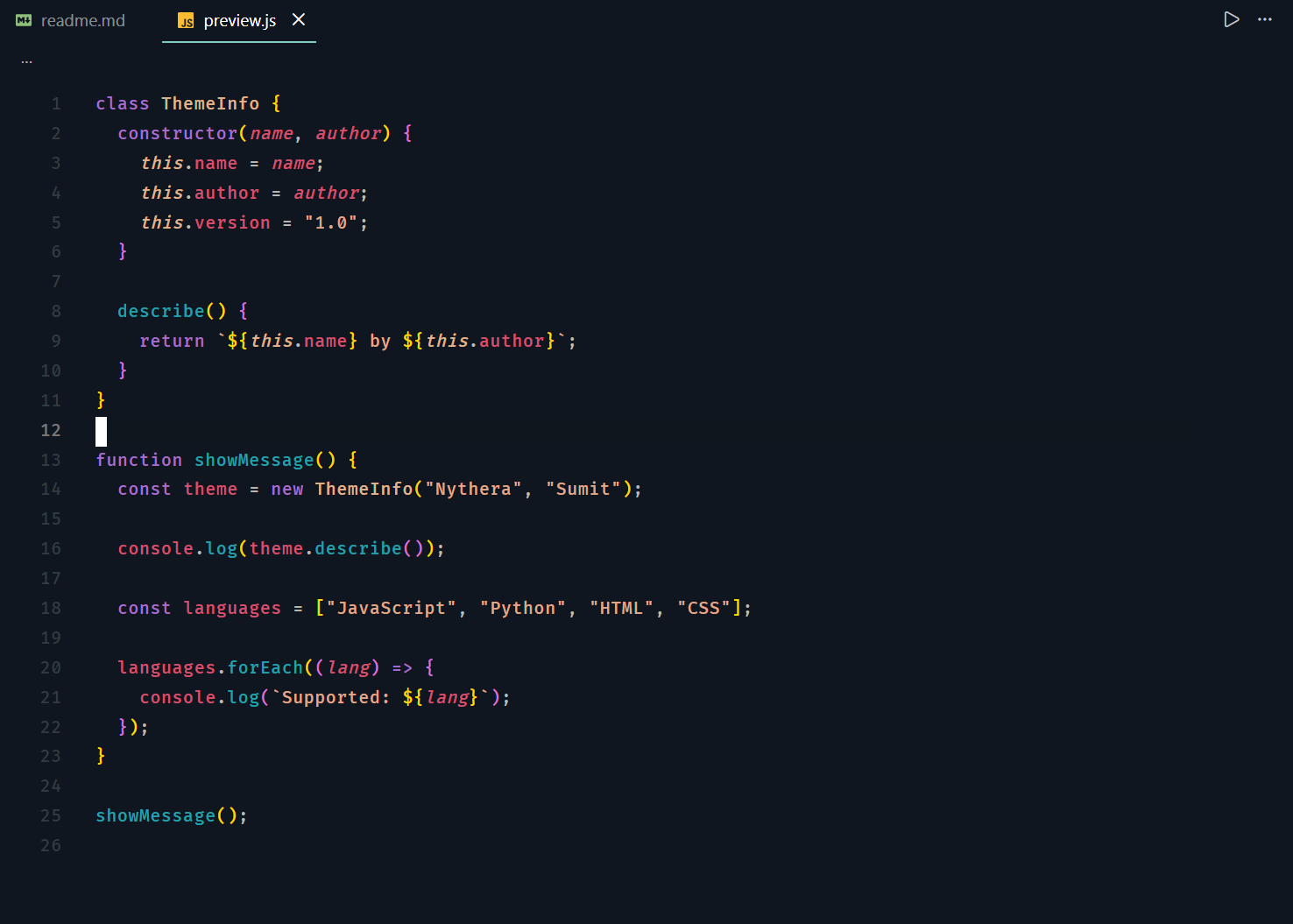
Python
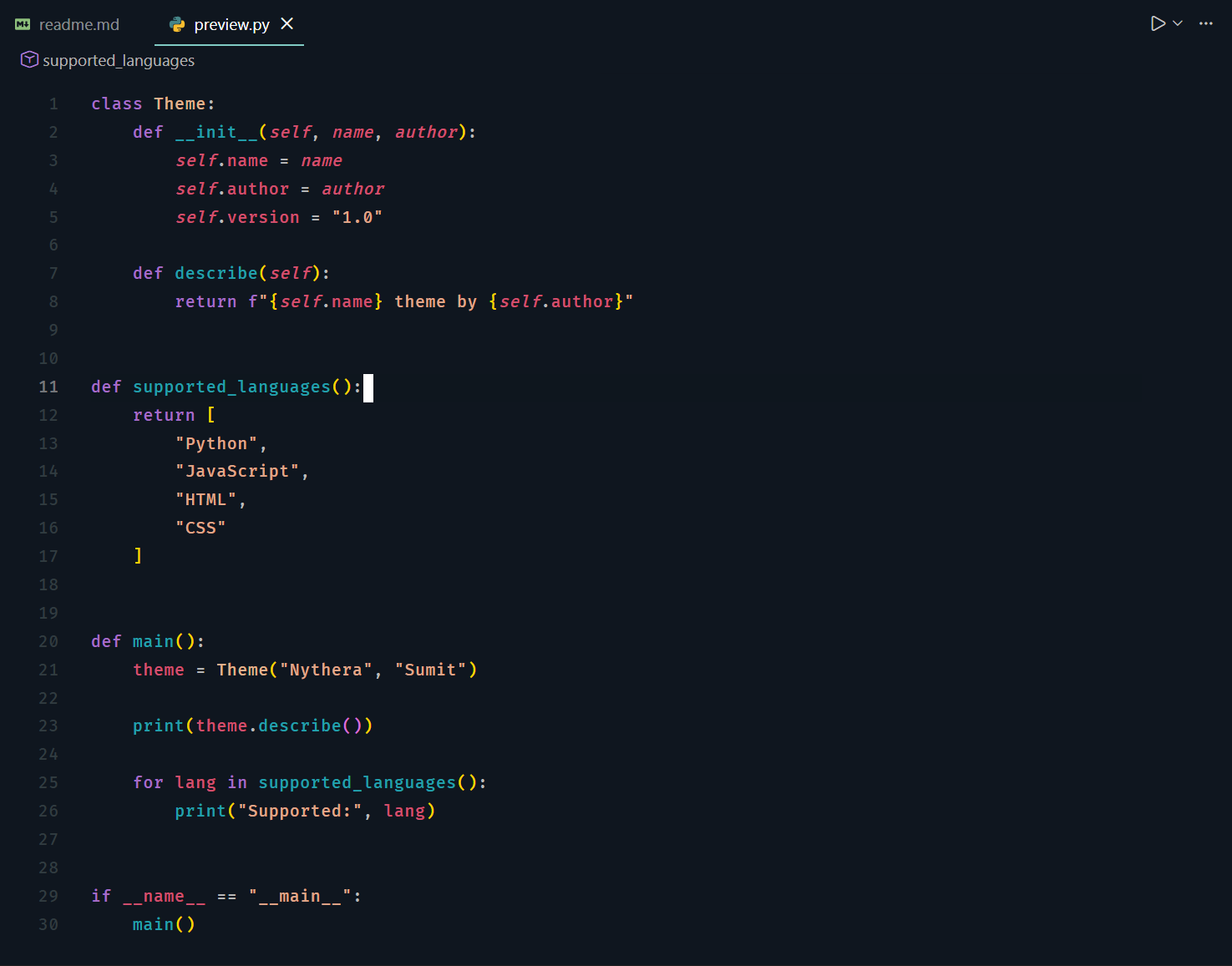
HTML
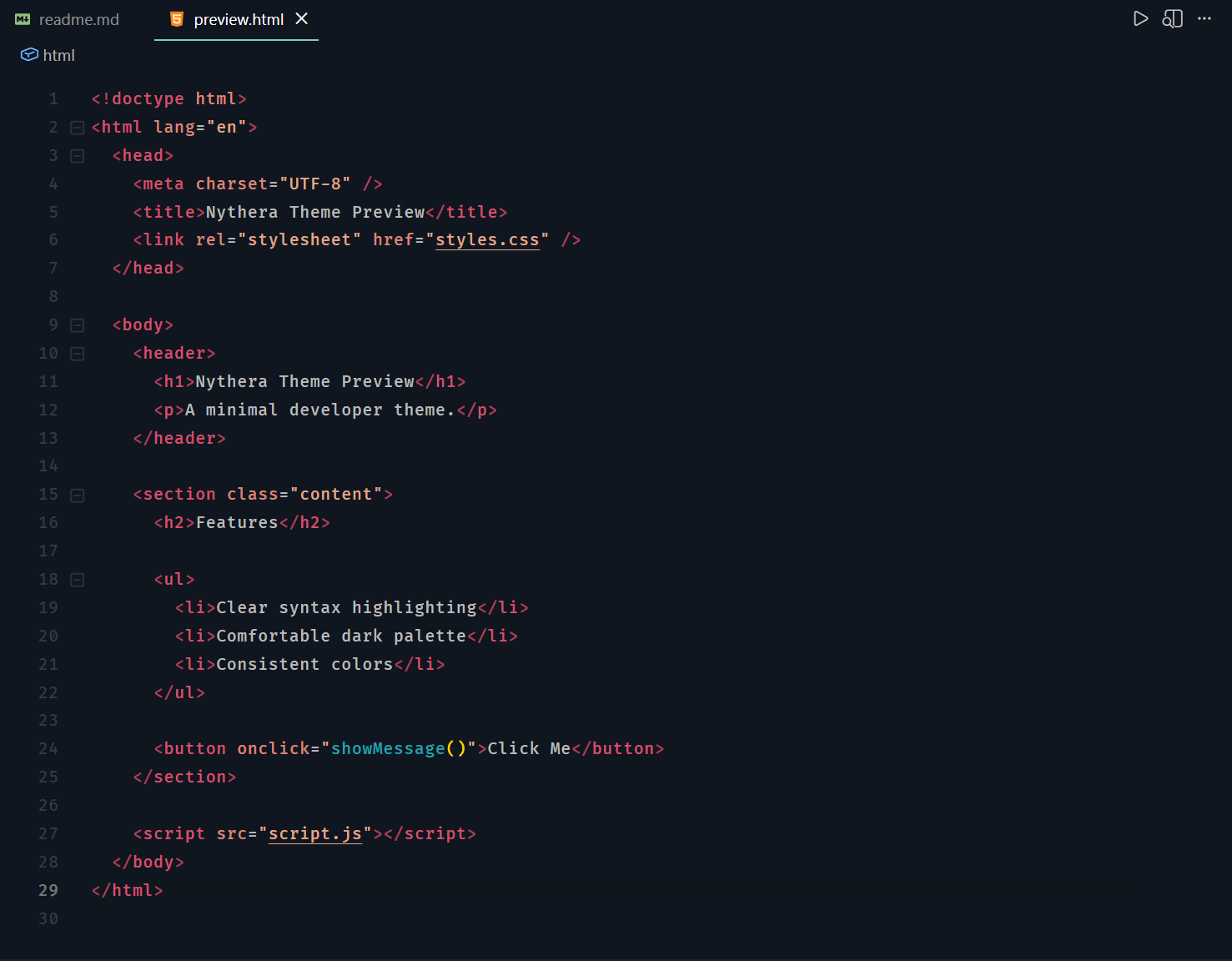
CSS
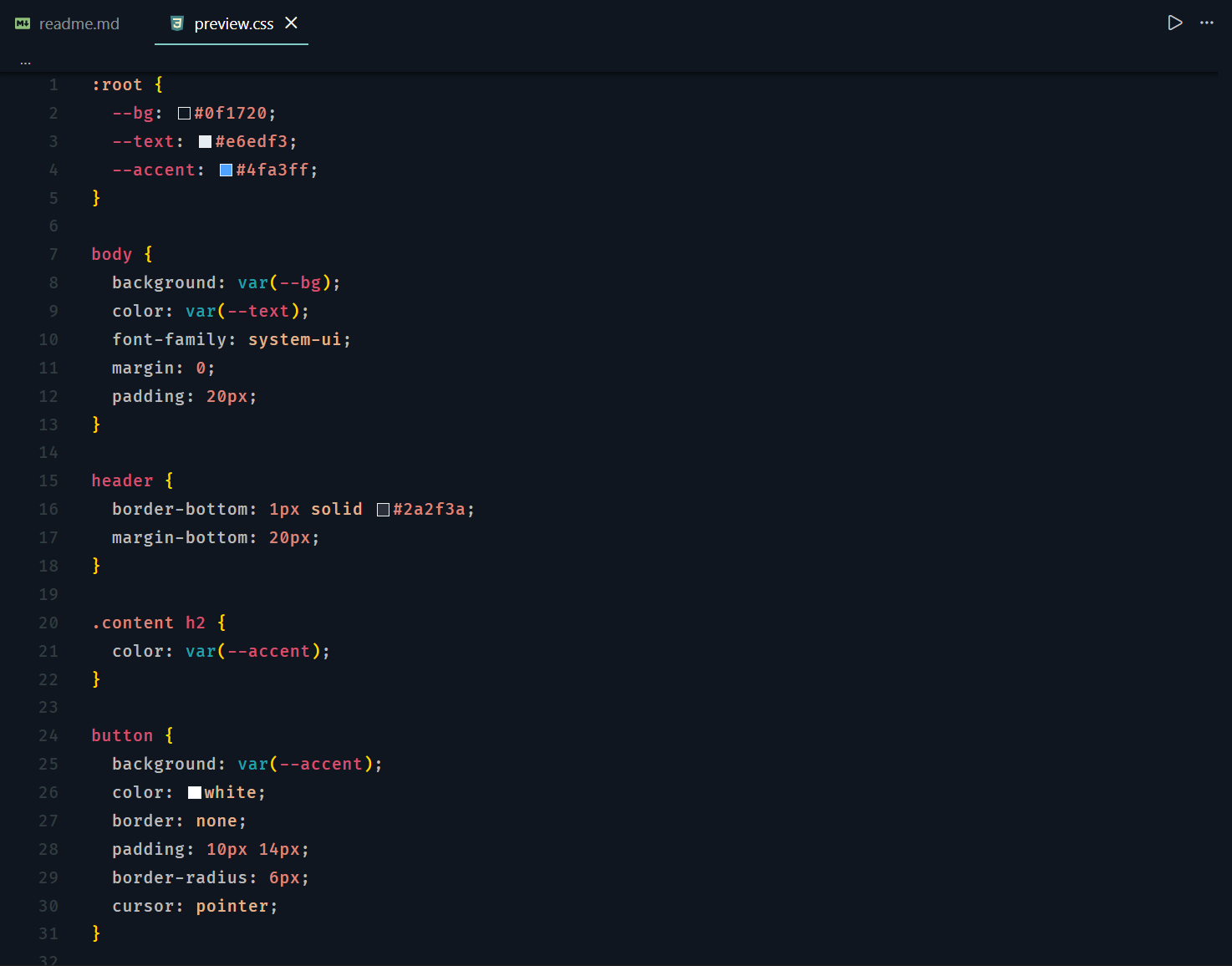
Java
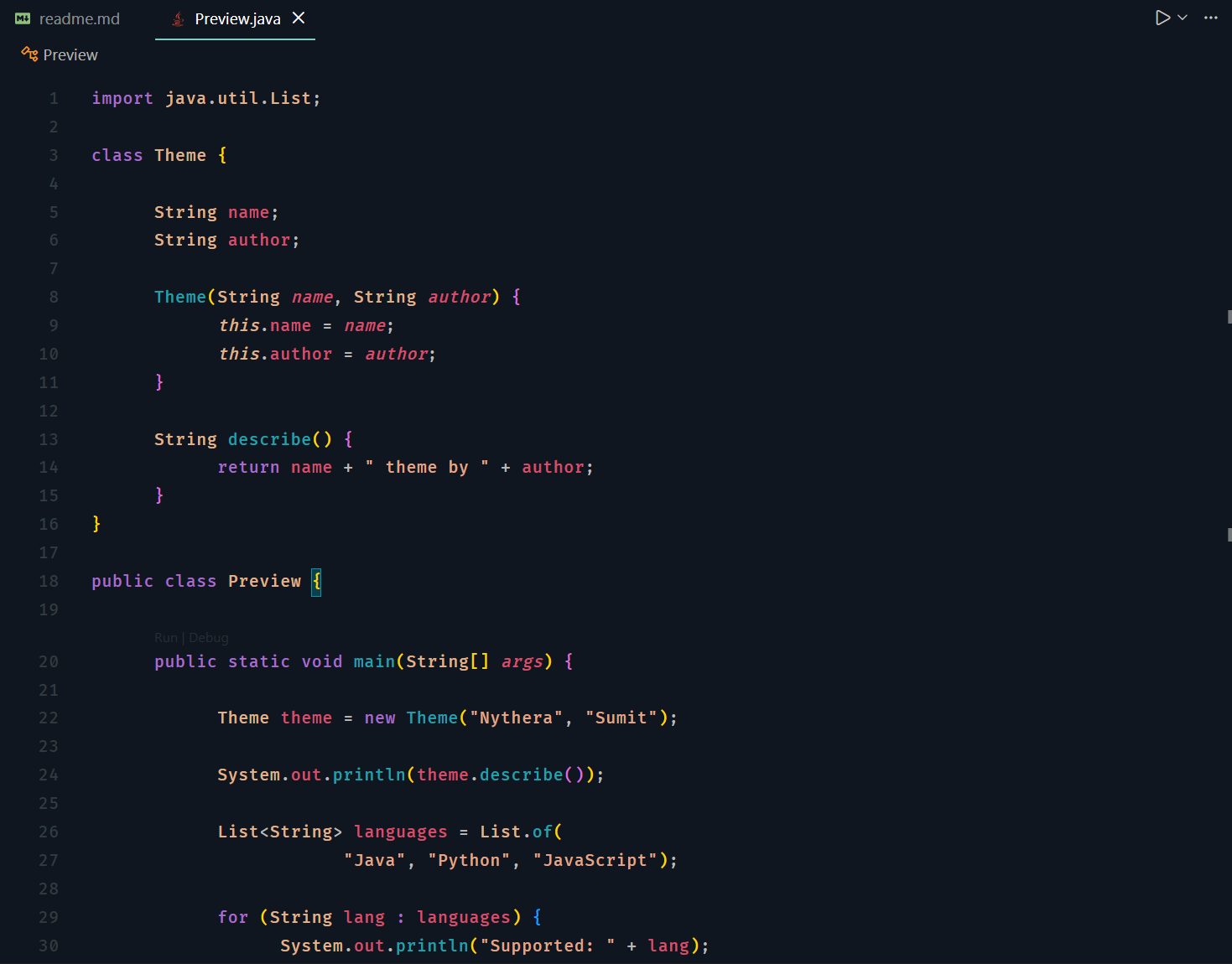
C
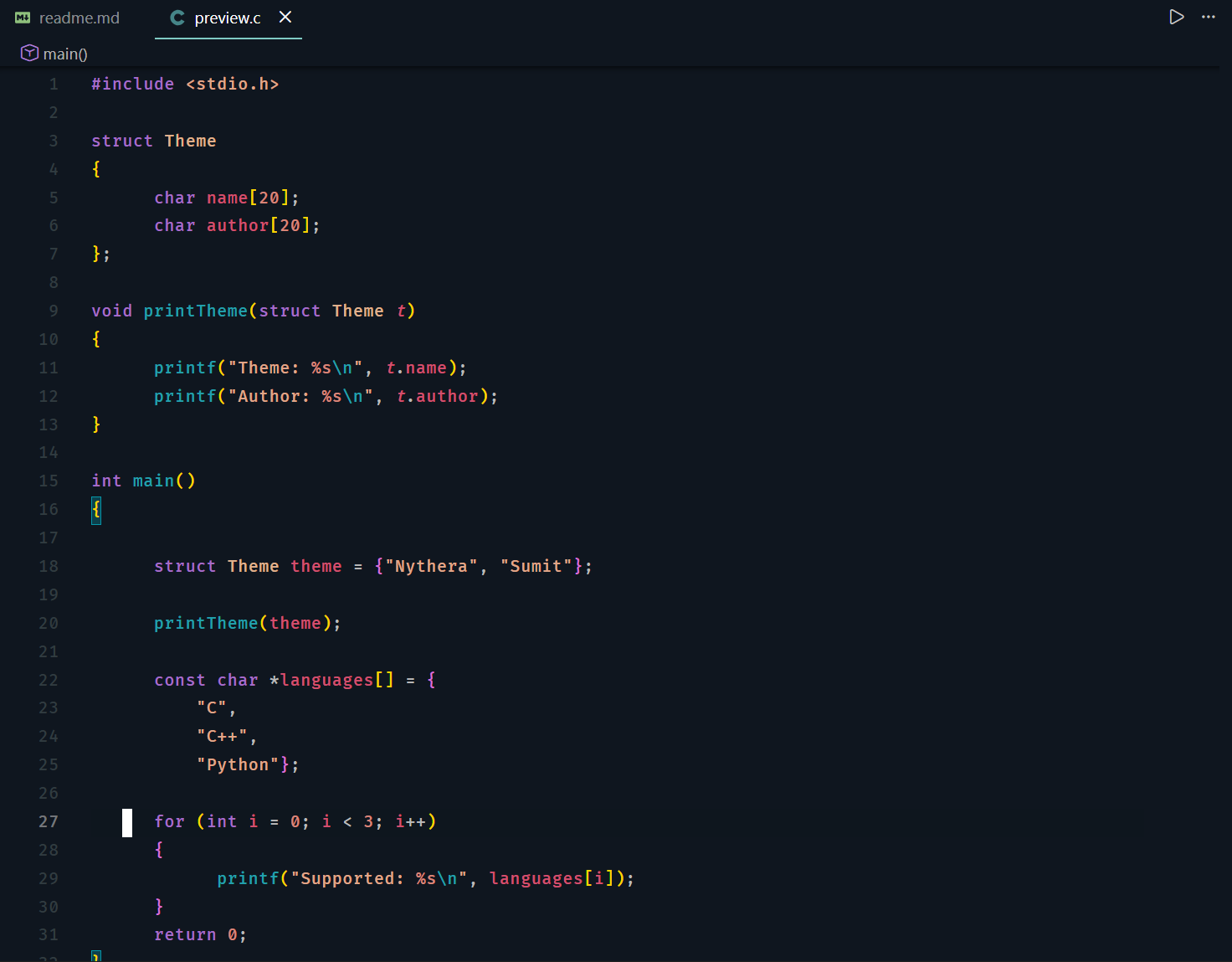
C++
JSON
Markdown
My VS Code Configuration
The following configuration reflects the setup used while developing and capturing the screenshots for the Nythera theme.
This setup focuses on a minimal interface and smooth editor behavior.
Note:
The screenshots and configuration were used on a 1920×1200 OLED display.
Visual appearance can vary depending on screen size, resolution, panel type, and personal preferences.
You may want to adjust these settings to better match your own display and workflow.
View VS Code configuration
{
  "terminal.integrated.stickyScroll.enabled": false,
  "workbench.startupEditor": "none",
  "editor.cursorSmoothCaretAnimation": "on",
  "workbench.list.smoothScrolling": true,
  "editor.cursorBlinking": "smooth",
  "editor.fontFamily": "'Fira Code',CommitMono,Iosevka,'JetBrains Mono','JetBrainsMono Nerd Font','cascadia code', 'VictorMono Nerd Font', Consolas, 'Courier New', monospace",
  "workbench.fontAliasing": "antialiased",
  "explorer.decorations.badges": false,
  "editor.fontWeight": "450",
  "editor.bracketPairColorization.enabled": true,
  "editor.smoothScrolling": true,
  "editor.minimap.autohide": "mouseover",
  "editor.lineHeight": 23,
  "editor.fontSize": 13,
  "editor.cursorWidth": 3,
  "editor.cursorStyle": "block",
  "editor.letterSpacing": 0.5,
  "editor.padding.top": 15,
  "editor.wordWrap": "on",
  "editor.tabSize": 6,
  "editor.guides.indentation": false,
  "workbench.activityBar.location": "top",
  "workbench.sideBar.location": "right",
  "workbench.statusBar.visible": false,
  "workbench.panel.showLabels": false,
  "workbench.iconTheme": "gruvbox-icon-theme",
  "window.zoomLevel": -0.1,
  "window.menuBarVisibility": "toggle",
  "window.commandCenter": false,
  "window.customTitleBarVisibility": "windowed",
  "terminal.integrated.fontSize": 13,
  "terminal.integrated.lineHeight": 1.3,
  "terminal.integrated.fontFamily": "'commitmono'",
  "terminal.integrated.fontLigatures.enabled": true,
  "terminal.integrated.cursorBlinking": true,
  "terminal.integrated.cursorStyleInactive": "underline",
  "terminal.integrated.smoothScrolling": true,
  "workbench.colorTheme": "Nythera"
}
Credits
The name Nythera and the concept behind this theme were inspired by the Base64 Neovim theme configuration.
Special thanks to the YouTube channel Sane Aspect for introducing and demonstrating the setup that inspired this project.
This Visual Studio Code theme is not a direct port of the original configuration.
All colors and adjustments were independently recreated and adapted specifically for Visual Studio Code.

