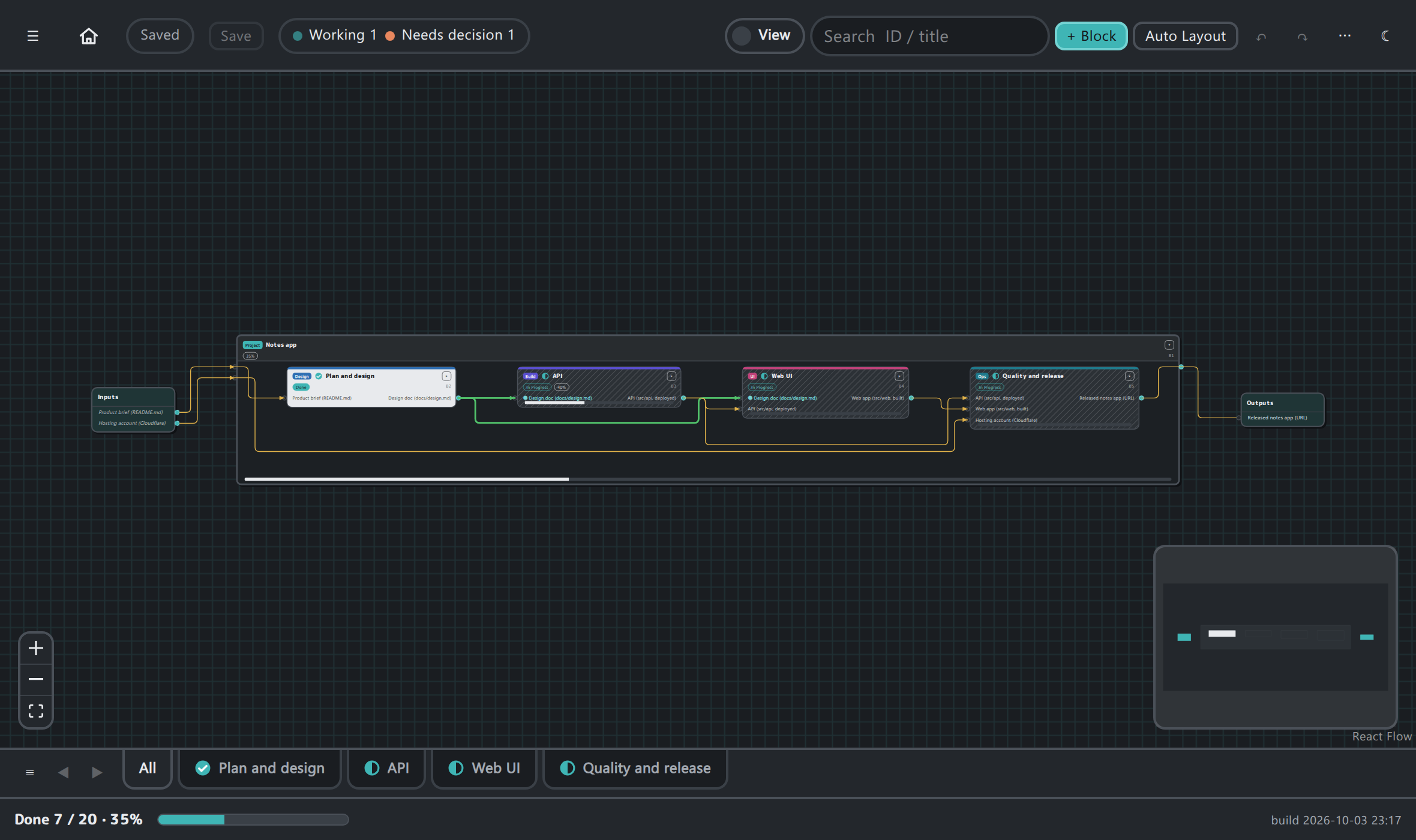
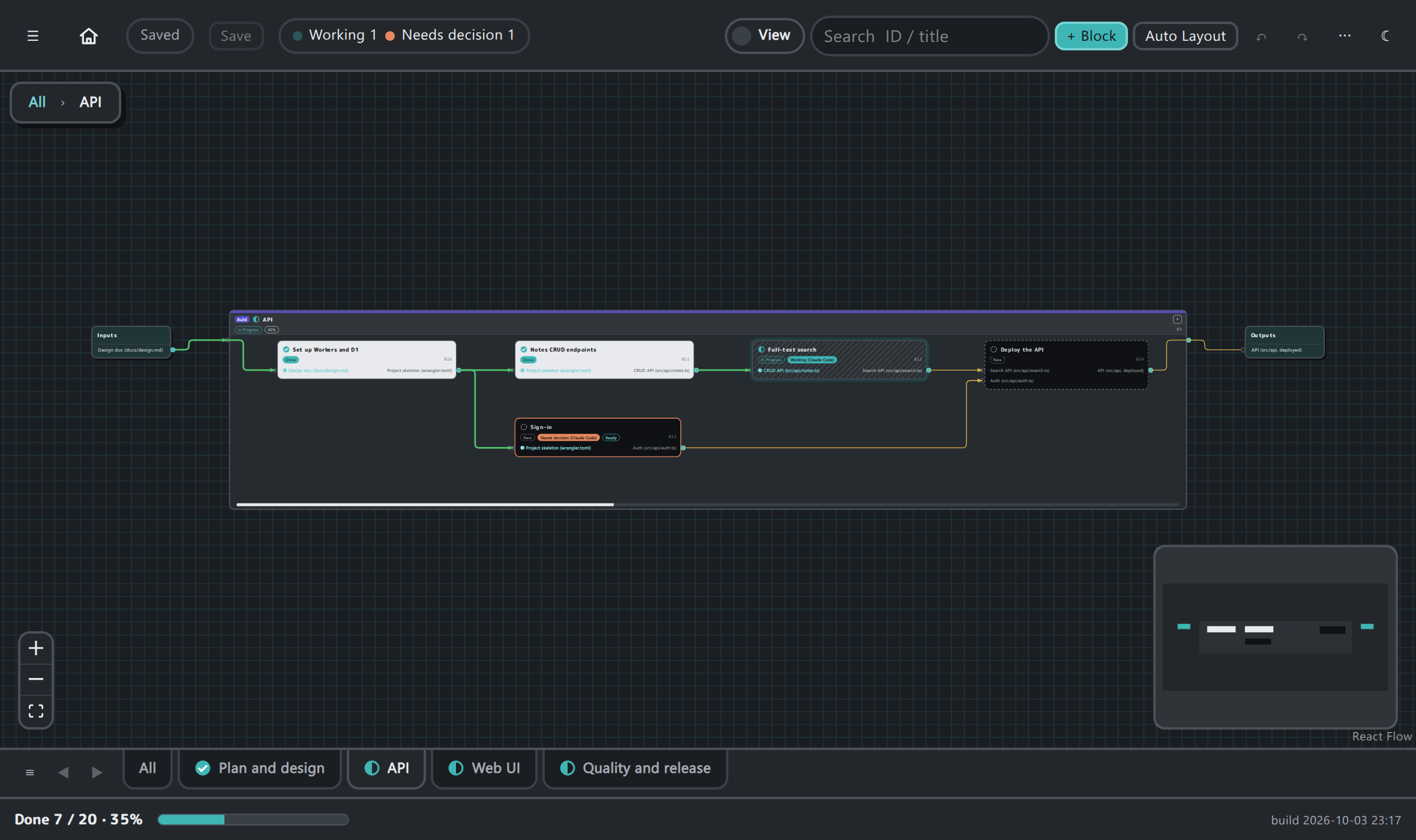
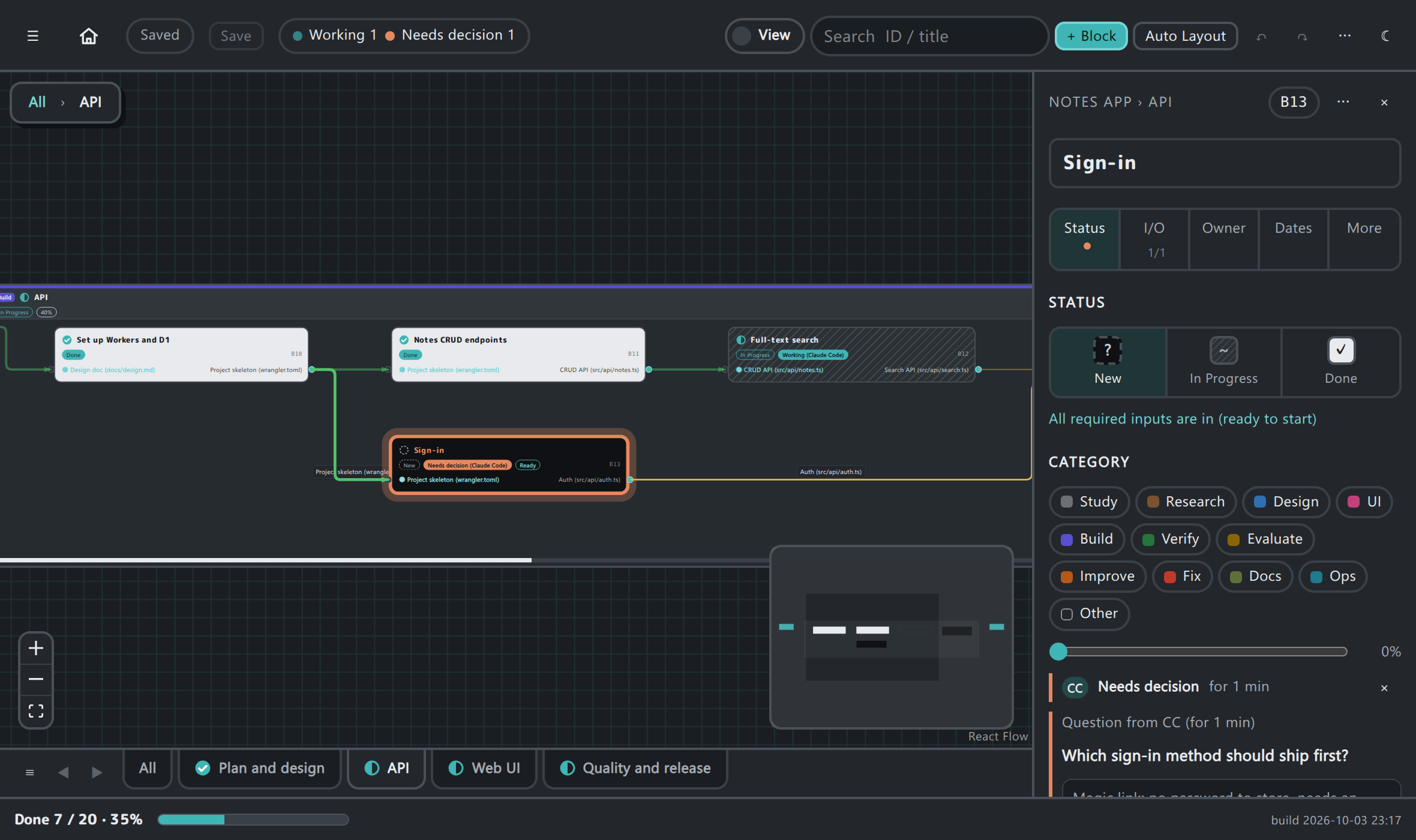
See what your AI agents (Claude Code, Codex, ...) and your team are working on: open boxglow.json as a diagram of boxes and wires, right inside VS Code.
Installation
Launch VS Code Quick Open (Ctrl+P), paste the following command, and press enter.
See where your AI agent is in the plan, and what it is waiting for you to decide.
Boxglow keeps a project plan in one file, boxglow.json: tasks are boxes with inputs and outputs, nested without limit. AI agents (Claude Code, Codex, ...) update the file through a CLI or MCP as they start, finish, or need a decision. This extension opens that file as a live diagram inside VS Code.
What you see
Where the agent is working: the box it is on carries a "Working" tag; the top bar counts what is in progress and what needs a decision.
What is done and what is not: New boxes are dark, boxes in progress are hatched, done boxes are light. Green wires carry a finished deliverable, amber wires are still waiting.
One tab per major box: the overview shows the major boxes; each tab shows one of them with everything nested inside.
Decisions in one place: when an agent asks a question, the box turns orange. Pick an option or write an answer in the side panel; the agent reads it from the file and carries on. Your answer stays listed until the agent has picked it up.
How to use
In your repository: npx boxglow init --name "My project" and npx boxglow setup-agent (adds the instructions for your agent and registers the MCP server).
Ask your agent to "read the README and create the major boxes in Boxglow".
Right-click boxglow.json and choose Boxglow: Open boxglow.json as a diagram (also in the editor title bar and the command palette).
The diagram follows the file: when the CLI or an agent writes it, the view updates. Edits in the diagram (Edit mode) are written back to the file. Light / dark follow the VS Code theme, and the UI is in English or Japanese following VS Code's display language.
Good to know
Everything stays in your repository: the extension reads and writes boxglow.json only. Nothing is uploaded.
Works without an agent too: you can build and track a plan by hand.