QueryLens for Java
See the SQL queries your Spring Boot endpoints really execute without leaving
VS Code.
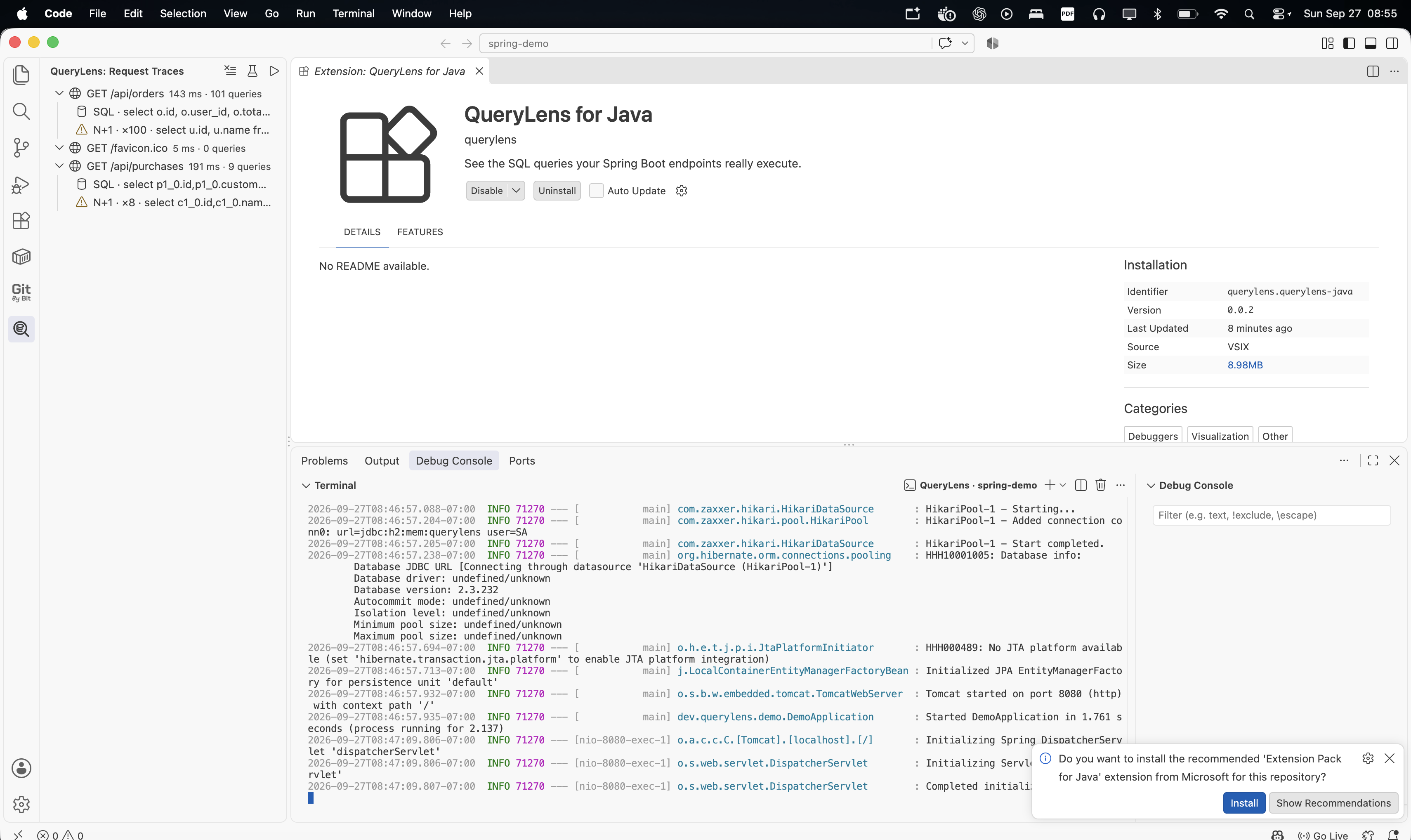
Features
- Groups Hibernate and JDBC queries by HTTP request
- Detects possible N+1 query patterns
- Displays request duration and query counts
- Opens the Java source location behind a query
- Starts Maven and Gradle Spring Boot projects with the bundled Java agent
- Keeps trace data entirely on your machine
Getting started
- Open a Spring Boot project in VS Code.
- Select the QueryLens icon in the activity bar.
- Run QueryLens: Run Spring Boot with Agent or use the play button.
- Send a request to one of your application endpoints.
- Expand the request in QueryLens to inspect its SQL queries.
Click a query to jump to the Java source location. Repeated queries that meet
the configured threshold appear with an N+1 warning.
Settings
queryLens.collectorPort — local trace collector port; default 4318queryLens.nPlusOneThreshold — repeated-query warning threshold; default 3
Current compatibility
- Spring Boot 3
- Spring MVC
- Hibernate/JDBC
- Maven and Gradle projects
- Java 17 or newer
Privacy
The collector listens only on 127.0.0.1. QueryLens does not upload source
code, SQL statements, or trace data.
Project
Source code, issues, and contribution information are available on
GitHub.
| |

