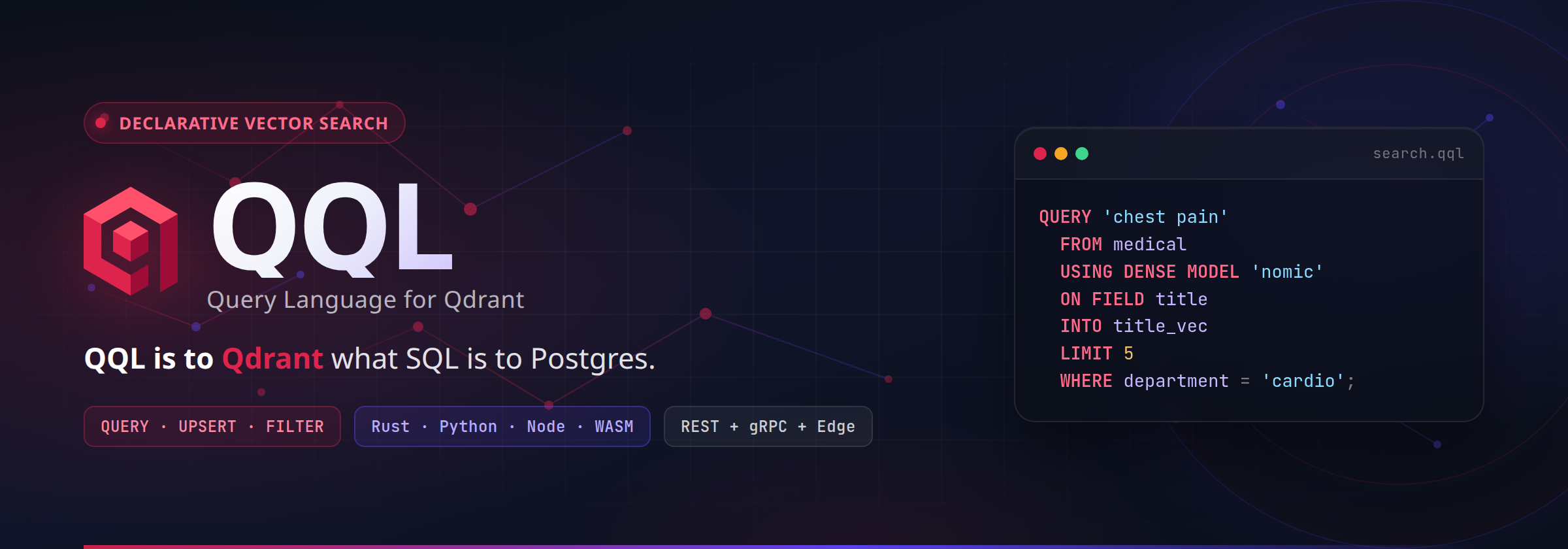
QQL — Qdrant Query Language for VS Code
A full IDE experience for QQL — syntax highlighting, live linting, hover plans, outline, CodeLens, REST compile, curl export, and smart completions.
QQL is to Qdrant what SQL is to Postgres.
Features
Language support (QQL 1.7 / Qdrant 1.19)
Highlights and completions cover the full QQL 1.7 surface, including:
| Feature |
Example |
| In-database faceting |
FACET room_type FROM stays WHERE price < 150 LIMIT 5 EXACT true; |
| Implicit vector search |
QUERY [0.1, 0.2, ...] FROM docs LIMIT 10; |
| Default payload |
Point payloads returned by default (WITH PAYLOAD true) |
| Quotas |
SHOW QUOTAS; / SET QUOTA (enabled = true, max_resident_memory_percent = 80) WAIT true; |
DURABILITY (WAIT) |
DELETE FROM docs WHERE status = 'archived' WAIT true; (UPSERT, CREATE INDEX, …) |
| Typed shard keys |
SHARD 'acme' (keyword) or SHARD 101 (numeric); CREATE/DROP SHARD KEY 101 … |
| ALTER per-vector diffs |
WITH VECTOR dense (HNSW (m = 32)), WITH SPARSE bm25 (SPARSE (modifier = 'idf')) |
| Param placeholders |
QUERY TEXT :q FROM docs USING dense LIMIT :n (see Query parameters) |
| Memory placement |
WITH VECTOR (memory = 'cached'), WITH HNSW (memory = 'cold'), payload_memory = 'cold' |
| MATCH PREFIX |
WHERE title MATCH PREFIX 'Comp' |
| SLICE sampling |
WHERE SLICE (4, 1) |
| Per-query IDF |
PARAMS (idf = 'global') or PARAMS (idf = WHERE tenant_id = 'acme') |
| TurboQuant datatype |
datatype = 'turbo4' (aliases t4, f32, f16, u8) |
| Keyword prefix index |
CREATE INDEX … TYPE keyword WITH (prefix = true) |
Syntax Highlighting
The generated TextMate grammar highlights QQL keywords, constants, strings, numbers, comments, parameter placeholders (:name, ?), comparison operators, formula variables ($score), and dotted paths (field.nested, items[].name).
Also injects into Markdown fenced blocks:
```qql
QUERY TEXT 'hello' FROM docs USING dense LIMIT 10;
```
Live Diagnostics
Every .qql file is parsed in real time by the same WASM build of qql-core. Parse errors appear as red squiggles with the exact error code, message, and span from the Rust pipeline.
- Updates within ~300ms of typing (configurable)
- Byte-accurate spans (UTF-8 → UTF-16 conversion); unbound placeholders narrow to the exact
:name / ? token
- Zero network — the WASM binary is bundled
Hover Intelligence
- Keyword docs for statements, modes, clauses, filters, formula helpers
- Compiled preview first (
`POST /… · LIMIT n`), then the live plan and REST route summary
Outline & Folding
- Outline / breadcrumbs list every top-level statement with kind + collection
- CTE children nest under
WITH queries
- Folding for multi-line statements, parenthesized regions, and comment blocks
- Region markers:
-- #region / -- #endregion
CodeLens
Above each statement:
| Lens |
Action |
| Explain |
Open the execution plan |
| REST |
Open the compiled Qdrant REST route (JSON) |
| curl |
Copy a ready-to-run curl command |
Disable with qql.codeLens.enabled.
Commands
| Command |
Default keybinding |
Description |
| QQL: Explain Document / Selection |
Ctrl+K Ctrl+E |
Plan for doc or selection |
| QQL: Compile to REST Route |
Ctrl+K Ctrl+R |
Compiled route JSON |
| QQL: Copy as curl |
Ctrl+K Ctrl+C |
Clipboard curl (uses qql.baseUrl) |
| QQL: Show AST |
— |
Parsed AST as JSON |
| QQL: Show Tokens |
— |
Lexer tokens (KIND 'text' @start-end) |
| QQL: Run Statement |
— |
POST the compiled route to qql.baseUrl, render hits/count |
| QQL: Add Tenant Filter |
— |
Inject field op value via WASM, rewrite in place |
| QQL: Validate Workspace (.qql) |
— |
Analyze every .qql file into Problems |
| QQL: Select Params Profile |
click status bar¹ |
QuickPick for params profiles + re-analyze |
| QQL: Re-analyze Document |
click status bar¹ |
Force re-parse |
Also available from the editor title bar and right-click QQL submenu.
¹ Click re-analyzes directly; with named qql.paramProfiles configured it opens the profile picker instead (which also offers re-analyze).
Also available from the editor title bar and right-click QQL submenu.
Status Bar
Shows ✓ QQL 1.7 · N when valid, or ✗ QQL 1.7 with the error code on failure. The active params profile is appended (· acme) when one is selected. Click to re-analyze (or pick a profile when qql.paramProfiles is configured).
Quick Fixes & error links
- Duplicate
WAIT offers Remove duplicate WAIT; unbound :name / ? offers Add to qql-params (scaffolds the header entry — fill in the value).
- Every error code links to its reference section (
reference/error-codes).
Run & workspace
- Run Statement compiles the selection (or a single-statement file) and POSTs it to
qql.baseUrl, rendering hit counts + first hits into the QQL channel. Nothing runs without the command.
- Validate Workspace analyzes every
**/*.qql (skipping node_modules, capped at 200 files) into a separate Problems source; open files keep their live diagnostics.
- Hover shows the compiled
`METHOD /path · LIMIT n` preview first, then keyword docs and the plan.
Go to Definition
Jump from a CTE reference in PREFETCH (…) back to its name AS ( definition.
Smart Completions
- Contextual follow-ups — after
QUERY suggest modes; after FUSION suggest RRF/DBSF; after TYPE suggest index types; …
- Collection names harvested from the current file
- CTE names suggested inside
PREFETCH
- Snippets for hybrid, CTE fusion, rerank, recommend, DDL, shards (keyword + numeric), quotas, ALTER vector/sparse diffs, WAIT durability,
:name params, MATCH PREFIX, SLICE, memory placement, …
- Full keyword list still available for filter-as-you-type
Snippet prefixes (Insert Snippet): qnearest, qhybrid, qcte, qcreate, qcreatemem, qupsert, qcross, qcount, qrecommend, qquota, qsetquota, qprefix, qslice, qalter, qaltersparse, qalterhnsw, qshardnum, qshardkeynum, qparams.
Query parameters (:name / ?)
Queries with placeholders validate against bind values instead of failing with QQL-BIND-*. Two supply paths (header wins):
-- qql-params: {"q": "supply chain risks", "limit": 10}
QUERY TEXT :q FROM sec10k USING dense LIMIT :limit;
- Header —
-- qql-params: {...} (object for :name) or -- qql-params: [...] (array for ?). Single-line JSON in the first 10 lines.
- Profile — named sets in
qql.paramProfiles, activated via qql.activeProfile or the status-bar picker. The Explain CodeLens tooltip shows the active source (params: acme).
- Setting —
qql.params in settings JSON when one value set fits every file.
qparams inserts a ready-made header + query. Explain / Compile / curl / Run bind the same values.
Language Ergonomics
- Comment toggle (
Ctrl+/ → -- )
- Bracket colorization + auto-close for
{} [] ()
- Smart indent on open parens/braces
- Continue
-- comments on Enter
Settings
| Setting |
Default |
Description |
qql.diagnostics.debounceMs |
300 |
Debounce before re-analyze |
qql.codeLens.enabled |
true |
Statement CodeLens |
qql.baseUrl |
http://localhost:6333 |
Base URL for curl export + Run Statement |
qql.params |
{} |
Bind values for :name / ? (overridden per file by -- qql-params:) |
qql.paramProfiles |
{} |
Named params sets, e.g. {"acme": {"tenant": "acme"}} |
qql.activeProfile |
"" |
Active profile name (empty = default qql.params) |
How It Works
.qql file
    │
    ▼ (debounced)
 AnalysisService  ── qql-wasm analyze()
    │                     │
    │              ┌──────┴──────┐
    │              │ Rust WASM   │
    │              │ lexer/parse │
    │              │ plan/route  │
    │              └──────┬──────┘
    │                     │
    ├── Diagnostics (errors + QuickFixes)
    ├── Status bar (valid / N stmts / profile)
    ├── CodeLens (Explain · REST · curl)
    ├── Outline symbols + CTE children
    ├── Hover (route preview + keyword docs + plan)
    └── Completions (context + collections)
Commands (explain, compile, curl, AST) call the same WASM surface (explain, compile, parse, analyze).
- No network for editing features
- No language server process — everything runs in the extension host
Requirements
- VS Code 1.85+
- No extra runtime deps — WASM is bundled
Installation
Marketplace
code --install-extension srimon12.qql-lang
From .vsix (local / GitHub Release)
VSIX binaries are not committed to the repo. Build one locally or download from GitHub Releases.
code --install-extension qql-lang-*.vsix --force
Extension packaging version is in package.json (0.4.0). It ships the QQL 1.7 WASM parser from this monorepo (crate version need not match the VSIX version). Note: the checked-in WASM binary may still reflect an older parse surface until rebuilt with wasm-pack; TextMate / keyword artifacts stay in sync with the grammar via qql-grammar-gen generate without a WASM rebuild, and npm test holds the bundle against the full language corpus (canonical formats + invalid-case codes from language/v1/fixtures), so staleness fails CI instead of shipping.
Build from source
git clone https://github.com/srimon12/qql-rs
cd qql-rs/editors/vscode

# Build the WASM parser (Node target)
# NOTE: --out-dir resolves relative to the crate directory, so this writes
# into editors/vscode/wasm — do NOT use a bare `--out-dir wasm` from here
# (that would land in crates/qql-wasm/wasm instead).
wasm-pack build ../../crates/qql-wasm --release --target nodejs --out-dir ../../editors/vscode/wasm

npm install
npm run check
npm run compile
npm run package          # npx @vscode/vsce package → qql-lang-<version>.vsix
code --install-extension qql-lang-*.vsix --force
| Project |
Description |
qql-rs |
Rust reference — parser, planner, runtime, CLI, edge, bindings |
qql-go |
Go — gateway, RPC, policy engine, MCP server |
License
MIT — see LICENSE for details.

