SpecDevShipSee where every SpecDevShip spec stands and drive the workflow from the editor. Installation Launch VS Code Quick Open ( Ctrl+P), paste the following command, and press enter.Copied to clipboard |

SpecDevShip for VS CodeSee where every spec in your project stands, and drive the SpecDevShip workflow from the editor: start work, approve documents with a button, and hand tasks to Claude Code. SpecDevShip is a spec-driven way of working with Claude Code. Each piece of work gets a folder under
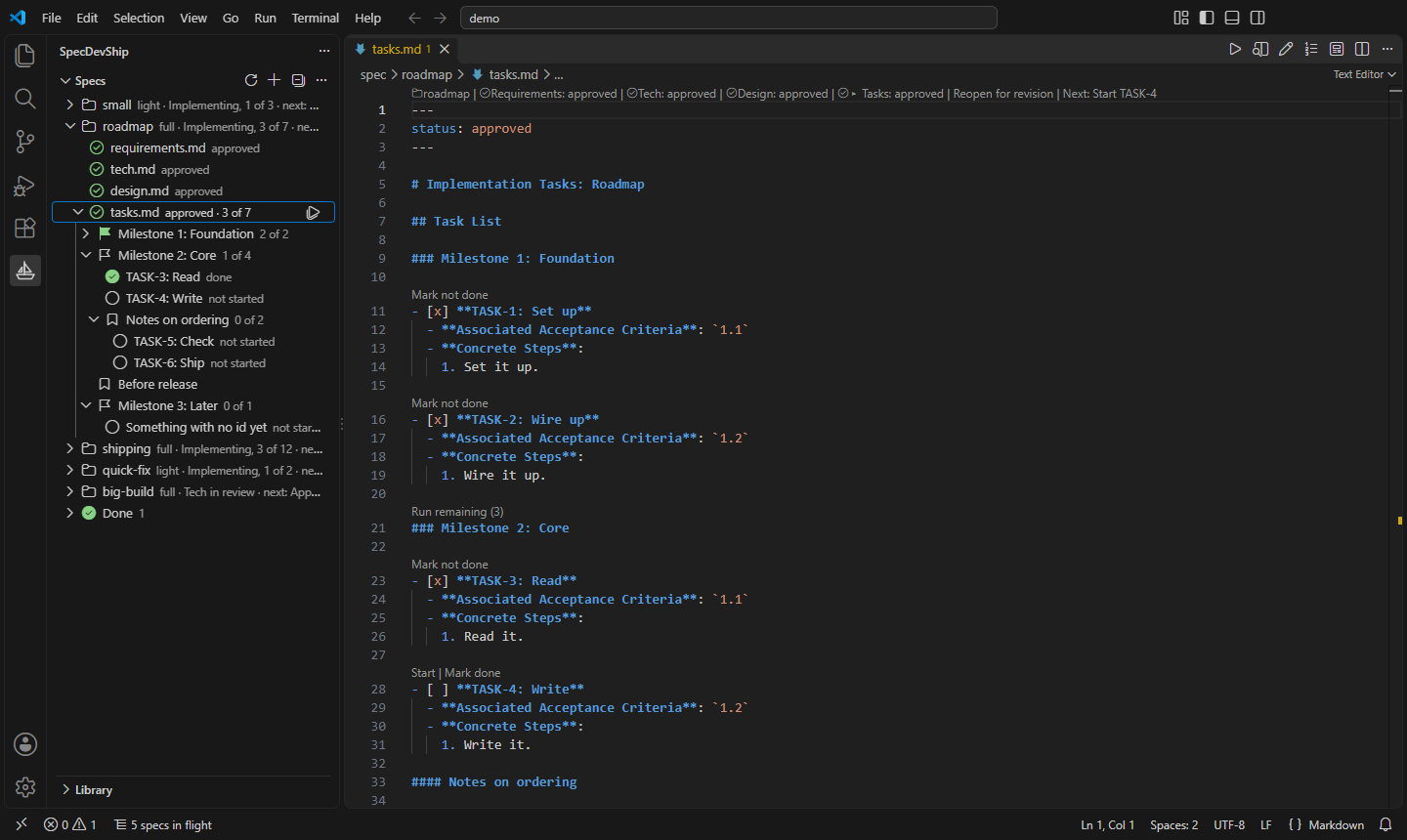
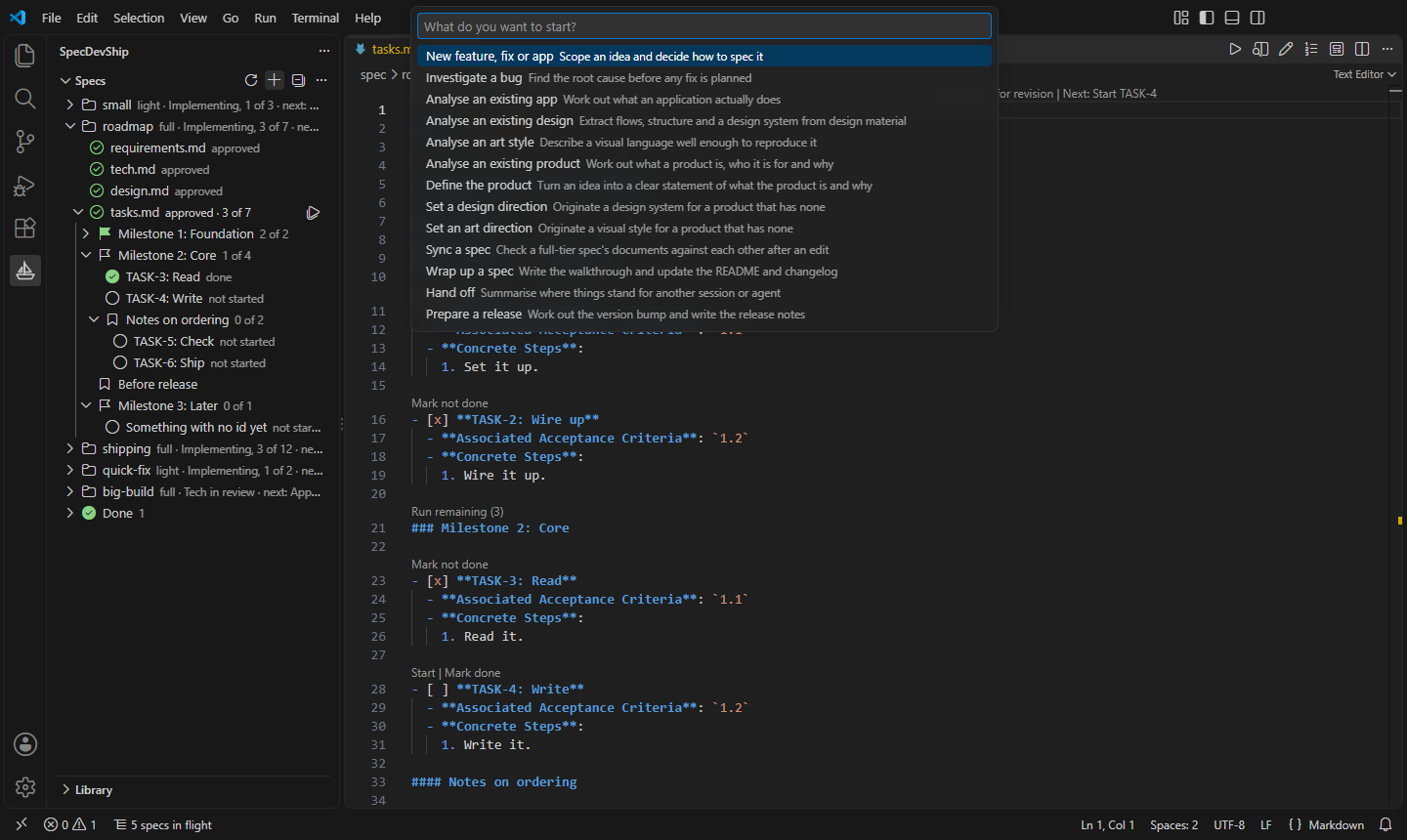
What it doesSee every spec at a glance. The Specs view lists each spec with its tier, its stage and its next step, without expanding anything. Under a spec are its documents, each draft, approved or not yet written, and its checklist, grouped by milestone. The active spec is marked, and the status bar shows its progress. Approve with a button. Approve a document, reopen it for revision, or set its status, from the Specs view, from the editor's title bar, or from the phase bar at the top of the document. A document is never approved out of order, and a file with unsaved changes is never written behind your back. Work the checklist. Every task shows as not started, in progress or done. Start a task, continue one, run all the remaining tasks of a spec or of one milestone, or mark tasks by hand, from the Specs view or from the actions above each task in the editor. Hand work to Claude Code. Starting a task, writing the next document or beginning a new piece of work opens a Claude Code session with the right skill and the right spec already named. The prompt goes to the Claude Code panel, to Follow requirements to tasks. In a task list, hover over a criterion number to read the criterion, or go to its definition. Formatting mistakes that would confuse the workflow are listed in the Problems panel. Look back. For a finished task, see the changes its commits made, or reopen the Claude Code session that made them. Start from nothing. The extension carries SpecDevShip Skill Pack Lite, a free set of skills for the light-tier workflow: one plan, then the work, then a walkthrough. Set it up in a project or for your whole account in one step. Every file is listed before anything is written, and no existing file is changed.
Requirements
Getting started
Settings
PrivacyThe extension makes no network requests and collects no data. Work you hand off goes to Claude Code, which has its own privacy terms. The full notice ships with the extension: run SpecDevShip: Show Privacy Notice from the command palette. LicenceThe extension is free to use, under the licence that ships with it: run SpecDevShip: Show Licence. SpecDevShip Skill Pack Lite, which it can install, has its own licence, PolyForm Shield 1.0.0, installed with it. MoreLearn about SpecDevShip and the full Skill Pack at specdevship.com. |