Notes Tracker
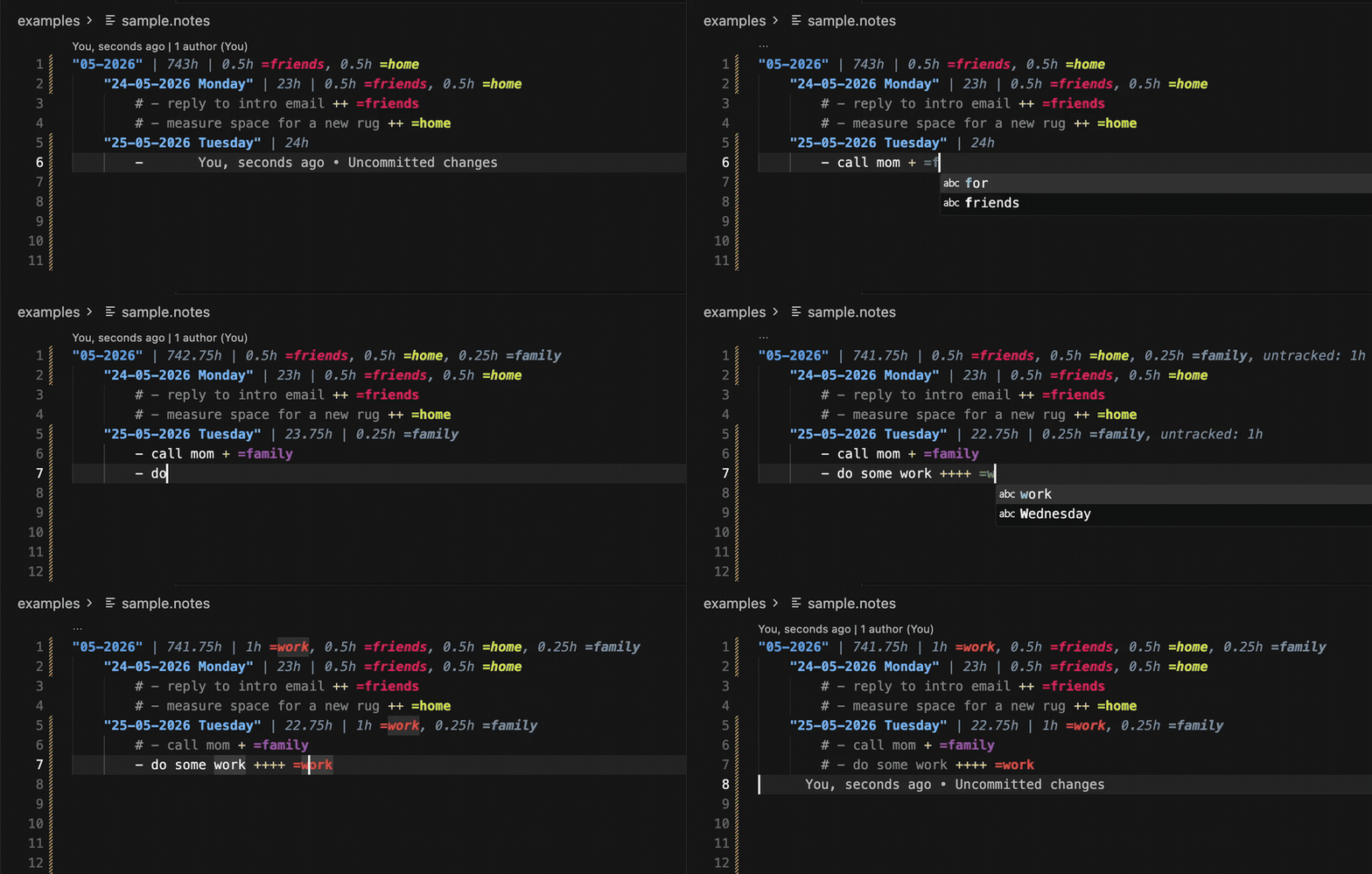
Task and time tracking in plain .notes files — right inside VS Code and Cursor.
Write tasks as text, log time with + (15 minutes each), tag with =work, and get automatic daily and monthly summaries. No account, no cloud, no database.
Features
- Plain text — your notes stay in
*.notes files; git-friendly and portable
- Tasks —
- task active, # - task done (Cmd+/)
- Time — each
+ is 15 minutes (Cmd+Shift+.)
- Tags —
=work, =home, colored uniquely in the file
- Day summary — auto-updated in the date line on save
- Month summary —
"05-2026" aggregates all days in the block
- Remaining time — counter shows unlogged hours (today or full month)
- URLs — highlighted and clickable in tasks
- Tag hover — list all tasks with that tag in the current file
- Indent layout — month (0) → day (4 spaces) → tasks (8 spaces)
See examples/sample.notes for a full example:
"05-2026" | 742h | 1h =work, 0.5h =home

    "24-05-2026" "Goals for the day" | 2h | 1h =work, 0.5h =home
        # - done task ++ =work
        - active task + =home
        # - task with link https://example.com ++ =work
Syntax
| Syntax |
Meaning |
"05-2026" |
Month header + monthly totals |
"24-05-2026" |
Day header + daily totals |
- task |
Active task |
# - task |
Done task |
+ |
15 minutes logged |
=tag |
Category tag |
\| 2h |
Remaining unlogged time |
\| 1h =tag |
Logged time by tag |
Anything else in the file (prose, instructions, code snippets) is left untouched.
Commands
| Command |
Default key |
| Notes: Toggle Done |
Cmd+/ / Ctrl+/ |
| Notes: Add 15 Minutes (+) |
Cmd+Shift+. / Ctrl+Shift+. |
| Notes: Recalculate Time Summaries |
Command Palette |
Summaries and indents are also applied on save.
Getting started
- Install Notes Tracker from the Marketplace
- Create a file
notes.notes (or any *.notes) — copy examples/sample.notes as a starting point
- Add a month and a day line, then tasks underneath
- Save — summaries update automatically
Development
npm install
npm run compile
Press F5 in VS Code to launch the Extension Development Host.
npm run package # build .vsix
Publishing
Create a publisher at marketplace.visualstudio.com/manage with id south-d, then:
npx @vscode/vsce login south-d
npx @vscode/vsce publish
Repository: github.com/south-d/notes-tracker
License
MIT — see LICENSE.

