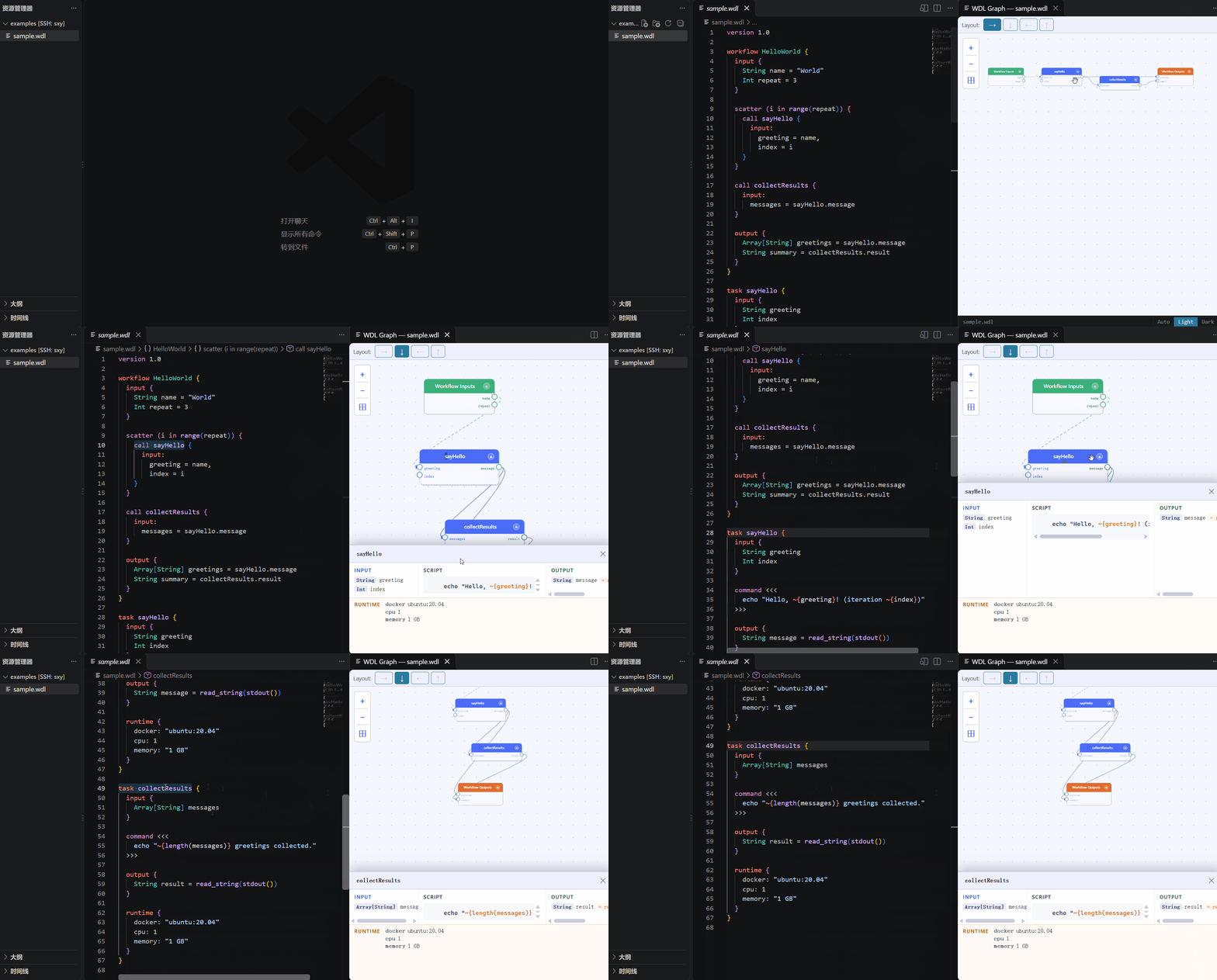
Syntax highlighting, outline, folding and live DAG visualization for
WDL (Workflow Description Language) files, powered by the
wdl-viewer parser and renderer.
Features
Syntax highlighting via a TextMate grammar, with WDL-aware # comment
toggling, bracket matching, indentation and folding markers.
Outline and breadcrumbs showing the workflow/task structure, with call
sites kept distinct from the task definitions they name.
Go to definition (F12 / Ctrl+click) from call targets, including
call … as … aliases and namespaced imports.
Live workflow graph via WDL: Open Workflow Graph — updates as you type
(zoom and pan survive edits), four layout directions, click a node to jump to
its source, Ctrl+click a call node to jump to its task definition.
Commands
Command
Description
WDL: Open Workflow Graph
Open the interactive DAG webview beside the active .wdl file.
WDL: Show Performance Diagnostics
Open the WDL Viewer output channel (needs wdl.viewer.trace).
Settings
Setting
Values
Default
Description
wdl.viewer.background
auto, light, dark
auto
Graph webview background; auto follows the VS Code theme.
wdl.viewer.trace
true, false
false
Log go-to-definition timings, webview payload sizes and host stalls to the WDL Viewer output channel.
Installation
The extension is distributed as a .vsix; it is not published to a marketplace.
Or in VS Code: Extensions view → … menu → Install from VSIX…
Building from source
npm install
npm run build       # bundles dist/extension.js + dist/webview.js via esbuild
npm run typecheck
npm test
npm run package     # → vscode-wdl-vis-0.1.0.vsix
Press F5 to launch an Extension Development Host with the repository
open, then open a .wdl file.
Known limitations
No Problems-panel diagnostics, completion, hover or signature help.
Outline and folding come from a lexical scan, not a full parse.
Only the first workflow in a file is graphed, matching the underlying parser.
Go to definition does not follow remote imports (https://…, s3://…).