JSON Canopy for VS Code
Browse and edit JSON files as nested tables and forms, with JSON Schema
support — right next to VS Code's text editor, on the same document.
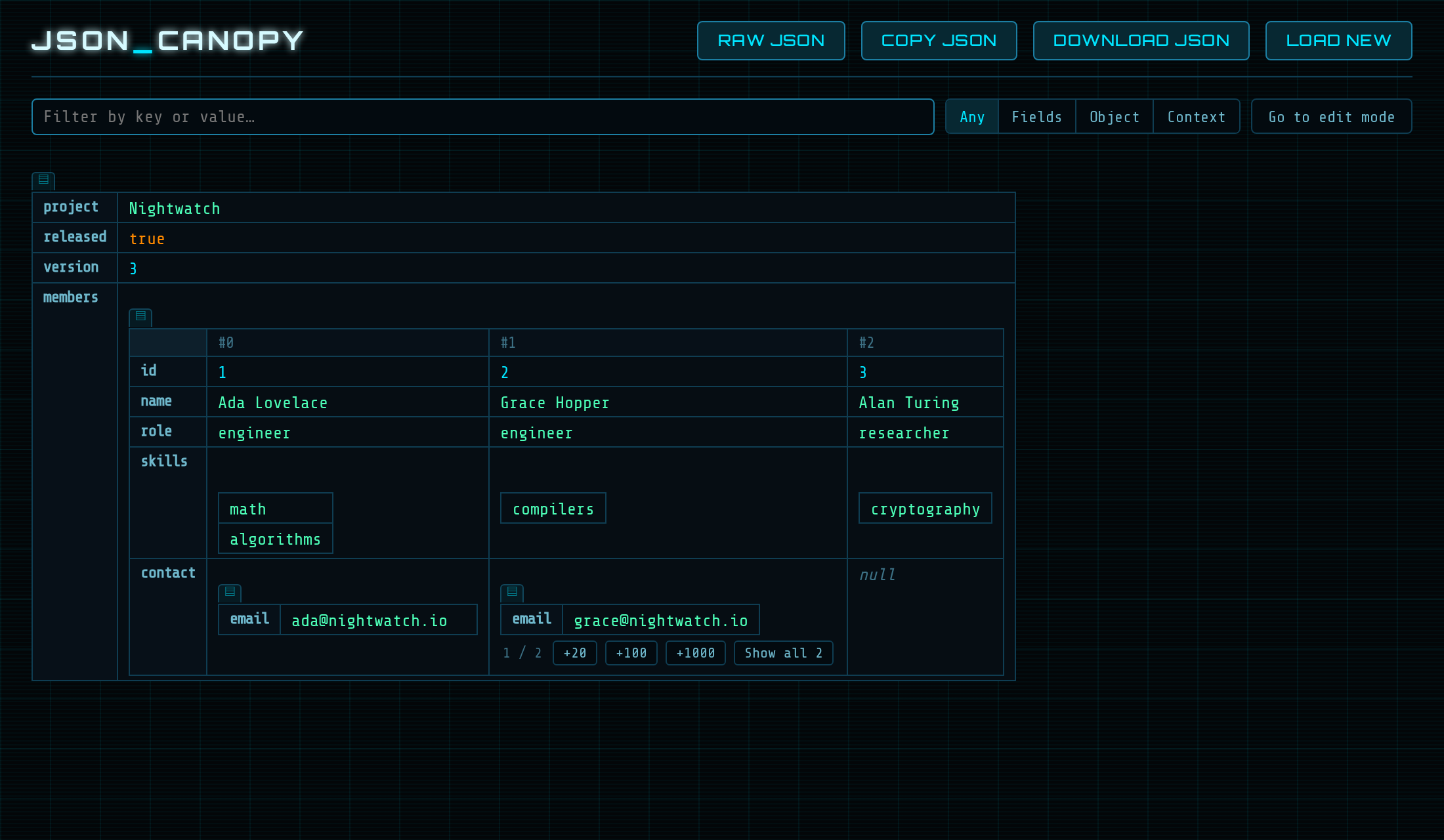
Open a file
JSON Canopy doesn't replace the text editor; open a .json file with it
when you want it:
- the table icon in the title bar of a JSON text editor,
- Open in JSON Canopy in the Explorer's context menu or the Command
Palette,
- or Open With… → JSON Canopy (View: Reopen Editor With… for an
open file).
To always open .json files this way, add to your settings:
"workbench.editorAssociations": { "*.json": "jsonCanopy.editor" }
The file icon in Canopy's title bar opens the same file as text to
the side.
What you get
- Tables and forms. Objects and arrays as tables inside tables, or —
with a schema — as a form with fields in schema order, an outline and
a docs panel.
- Editing in place, with an explicit type for every value; add and
remove keys and items, or edit the whole document as Raw JSON.
- Search that keeps the structure around each match.
- A real editor. Canopy edits VS Code's own document: undo/redo, the
unsaved-changes dot and save work as usual, and changes made in the
text editor, by git or by other tools show up in Canopy right away.
- Your theme. Light or dark, following VS Code's colour theme.
Schemas
The schema for a file is found the way you'd expect:
- a local
$schema in the file (relative to the file, an absolute path
or a file: URI);
- your
json.schemas setting (folder, workspace or user), with
fileMatch and a url or an inline schema;
- a remote
$schema or url is never downloaded without asking —
the schema bar offers it, and nothing leaves your machine until you
click Fetch schema.
Problems are marked on the values and listed in the schema bar; enums
become dropdowns, absent optional keys are offered, and descriptions and
constraints are a click away. The schema advises, it never blocks.
Good to know
- Canopy writes the document back as JSON with two-space indentation:
the first edit in Canopy reformats the file. Line endings and the final
newline are kept. Files with comments (
.jsonc) are not offered.
- When several
json.schemas entries match a file, Canopy uses the most
specific one; VS Code's JSON support combines them. The SchemaStore
catalogue is not consulted.
- Files over 50 MB can't be opened in Canopy: VS Code doesn't hand
documents that large to extensions.
- Output → JSON Canopy logs what Canopy does; set its level to
Trace to see every message between the page and the extension.
License
Apache License 2.0. Copyright 2026 Sonensei.ch. See LICENSE and NOTICE.

