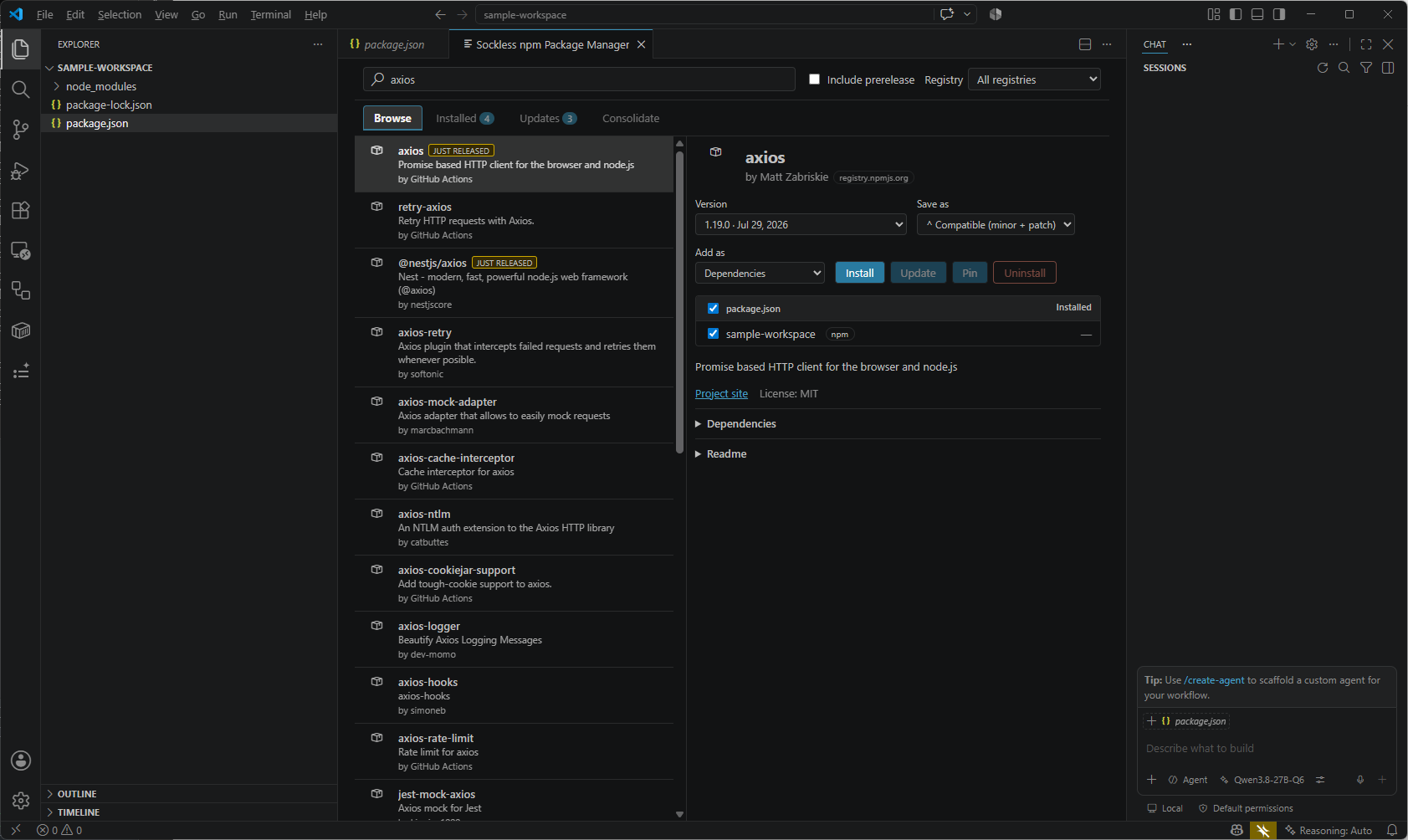
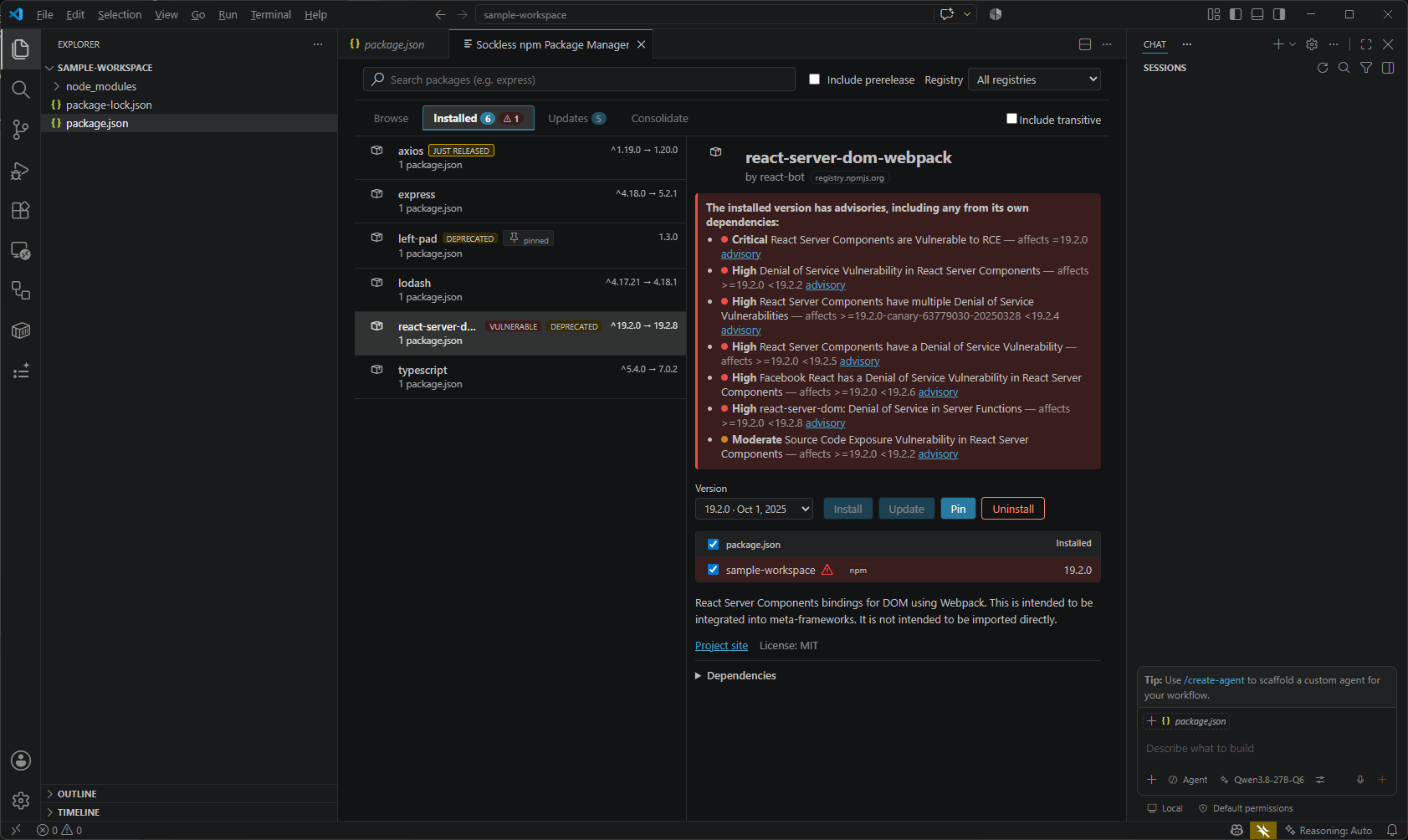
A visual npm package manager for VS Code — browse, install, update and
consolidate your package.json dependencies with a Visual Studio–like
experience, instead of hand-editing JSON and shelling out to the CLI.
Features
Browse the npm registry (and any private/scoped registries from your
.npmrc) with live results, readme, license, downloads and dependency lists.
Installed — every package referenced by a package.json in your
workspace, direct and transitive, with a tree view showing why a transitive
package is present.
Updates with one-click Update All, and Consolidate for packages
pinned to inconsistent versions across a workspace.
Install as dependencies / devDependencies / peerDependencies /
optionalDependencies, and choose how the version is written (^, ~, exact,
>=). Pin / Unpin to an exact version.
Vulnerability scanning via npm audit, with the full advisory chain
resolved so a direct dependency shows its real exposure. The version picker in
the detail pane also marks which individual versions are deprecated or have
a known advisory, so you can pick a clean one before installing.
Supply-chain guardrail — freshly published versions are held back from
Update All until they reach a configurable minimum age.
Create a package.json when you open the manager on a folder that has none.
Works with npm, Yarn (classic) and pnpm, detected per project from its
lockfile, with a format-preserving package.json edit as a fallback.
Getting started
Open a folder containing a package.json, then either:
Run npm: Manage npm Packages... from the Command Palette,
Click the package icon in the editor title bar while a package.json is open,
or right-click a package.json (or a folder) in the Explorer.
Settings
Setting
Default
Description
npmManager.defaultIncludePrerelease
false
Include prerelease versions in search results by default.
npmManager.additionalRegistries
[]
Additional npm registries to query, merged with any discovered from .npmrc.
npmManager.packageManagerPath
""
Path to the npm/yarn/pnpm executable. Empty = auto-detect.
npmManager.autoInstall
true
Run an install automatically after adding, updating or removing packages.
npmManager.minimumPackageAgeDays
7
Minimum age in days before a newly published version is trusted. 0 disables the check.
npmManager.usePackageManagerForEnumeration
false
Reconcile the Installed view with npm audit --json after the on-disk scan (npm projects only).
Requirements
VS Code 1.90 or newer.
Node.js, and ideally npm/Yarn/pnpm on your PATH.
This extension is developed in a monorepo alongside a Visual Studio 2026 build —
see the repository.