RenderCV Preview
Live side-by-side preview for RenderCV YAML resumes in VS Code.
An unofficial, community-built extension. Not affiliated with or endorsed by
the RenderCV project.
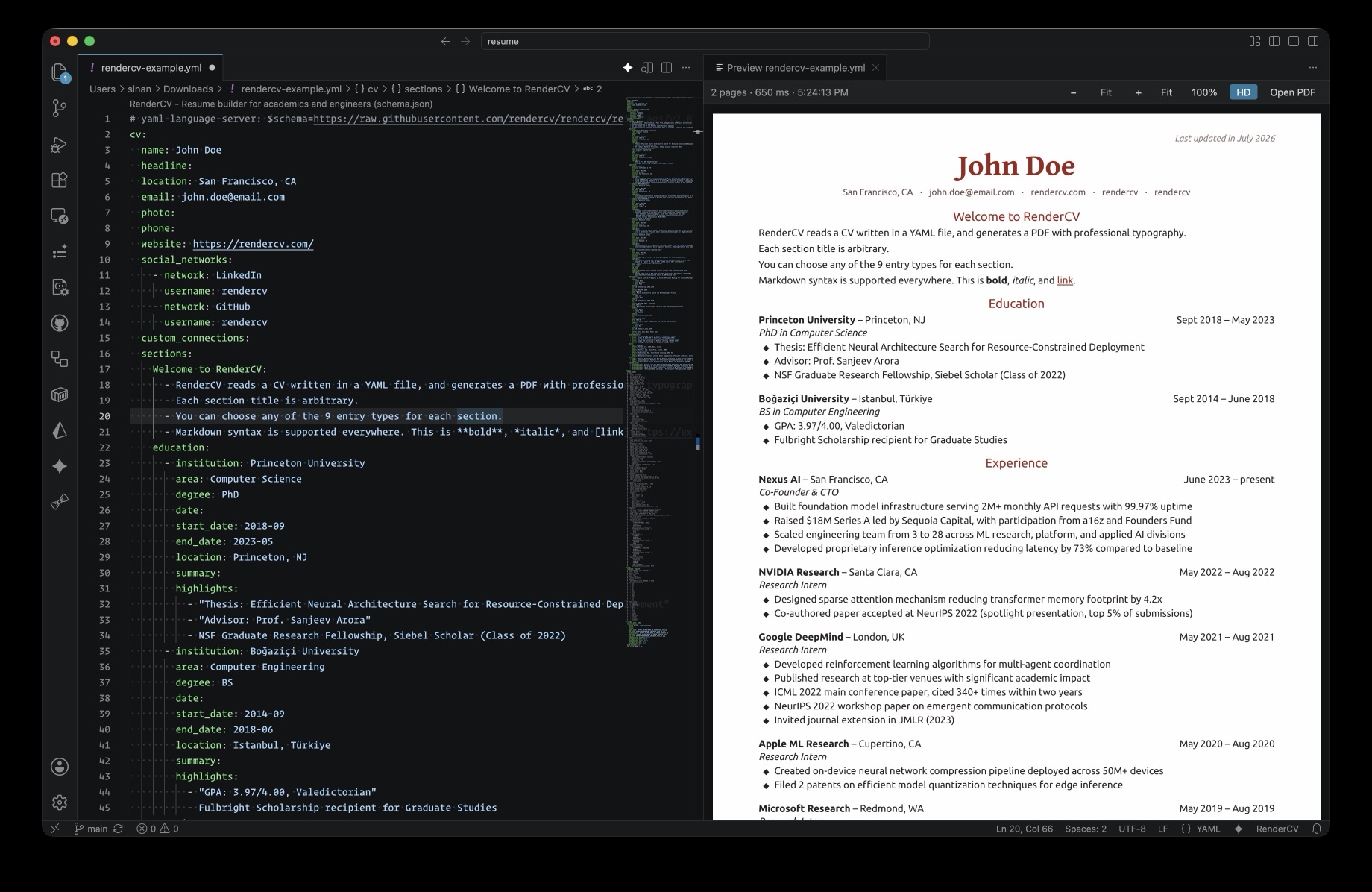
Open your CV's YAML file, click the preview icon in the editor title bar (or run
RenderCV: Open Preview to the Side), and the rendered pages appear next to the
editor. The preview re-renders a few hundred milliseconds after you stop typing —
no need to save.
Features
- Debounced re-render while typing (or on save only, if you prefer)
- Page images update in place, so your scroll position survives edits
- Document-style zoom (100% = actual size) plus Fit mode, and one-click access to the rendered PDF
- HD toggle (on by default): 288 PPI preview for crisp text on Retina displays — turn it off if rendering feels sluggish
- Friendly error pane showing RenderCV's validation messages
- Renders into a temp folder — your project's
rendercv_output/ is untouched
Requirements
The rendercv CLI (v2.x) must be installed, e.g.:
uv tool install rendercv
If it isn't on VS Code's PATH, set rendercvPreview.rendercvPath
(~/.local/bin/rendercv is tried automatically).
Why not just rendercv render --watch?
RenderCV's documented VS Code setup
pairs a --watch process with a PDF viewer extension, which works well. This
extension differs in three ways:
- No global auto-save. The documented flow needs
files.autoSave at a 10 ms
delay to feel live, which fires every other tool's on-save hooks in every
project. This renders from the unsaved buffer instead.
- Errors are visible. With
--watch, a validation error prints to a terminal
while the PDF pane silently keeps showing the last good render. Here the
message appears over the preview.
- No terminal to babysit, and your
rendercv_output/ is left alone.
Nice to have
The YAML extension by Red Hat
pairs well with this preview: RenderCV files carry a
# yaml-language-server: $schema=... header, so with that extension installed you
get autocompletion and inline schema validation while typing. Not required —
the preview works fine without it.
Settings
| Setting |
Default |
Description |
rendercvPreview.rendercvPath |
rendercv |
Path to the rendercv executable |
rendercvPreview.debounceMs |
400 |
Delay after the last keystroke before re-rendering |
rendercvPreview.renderOn |
type |
type (debounced, while editing) or save |
rendercvPreview.previewPpi |
288 |
Preview image resolution; display size is unaffected. 144 skips the extra compile pass |
Credits
The extension icon incorporates the RenderCV mark from
rendercv/rendercv (MIT).
License
MIT — see LICENSE.

