Warm GlassA warm obsidian VS Code theme with an optional one-command macOS glass setup. Installation Launch VS Code Quick Open ( Ctrl+P), paste the following command, and press enter.Copied to clipboard |

Warm GlassA warm obsidian VS Code theme with coral, amber, lilac, jade, and cream syntax colors—without turning the whole editor blue. The extension contains two independent parts:
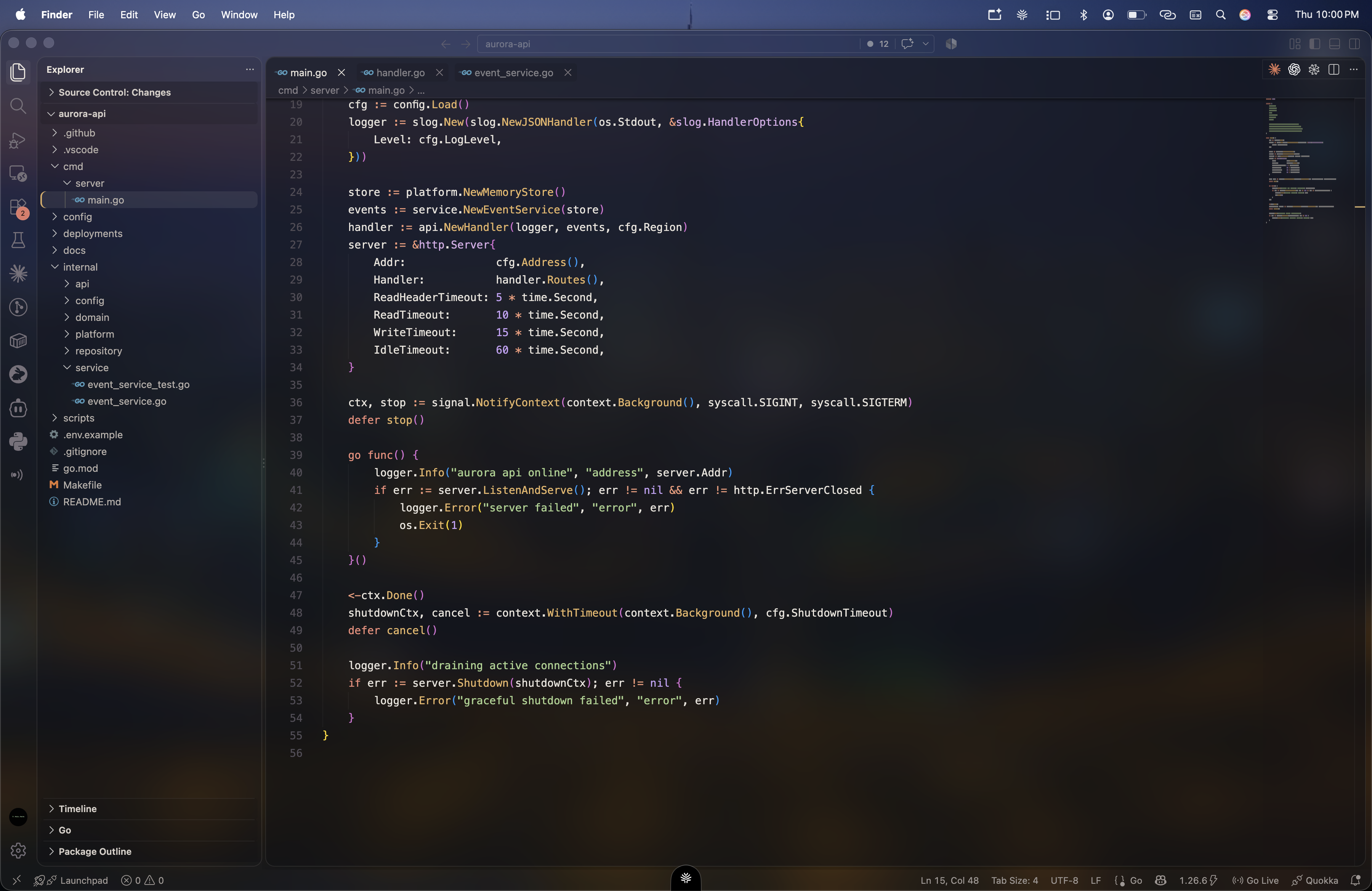
PreviewmacOS Windowed Mode — Live VibrancyThe desktop remains physically behind the editor, producing live wallpaper-backed transparency and blur.
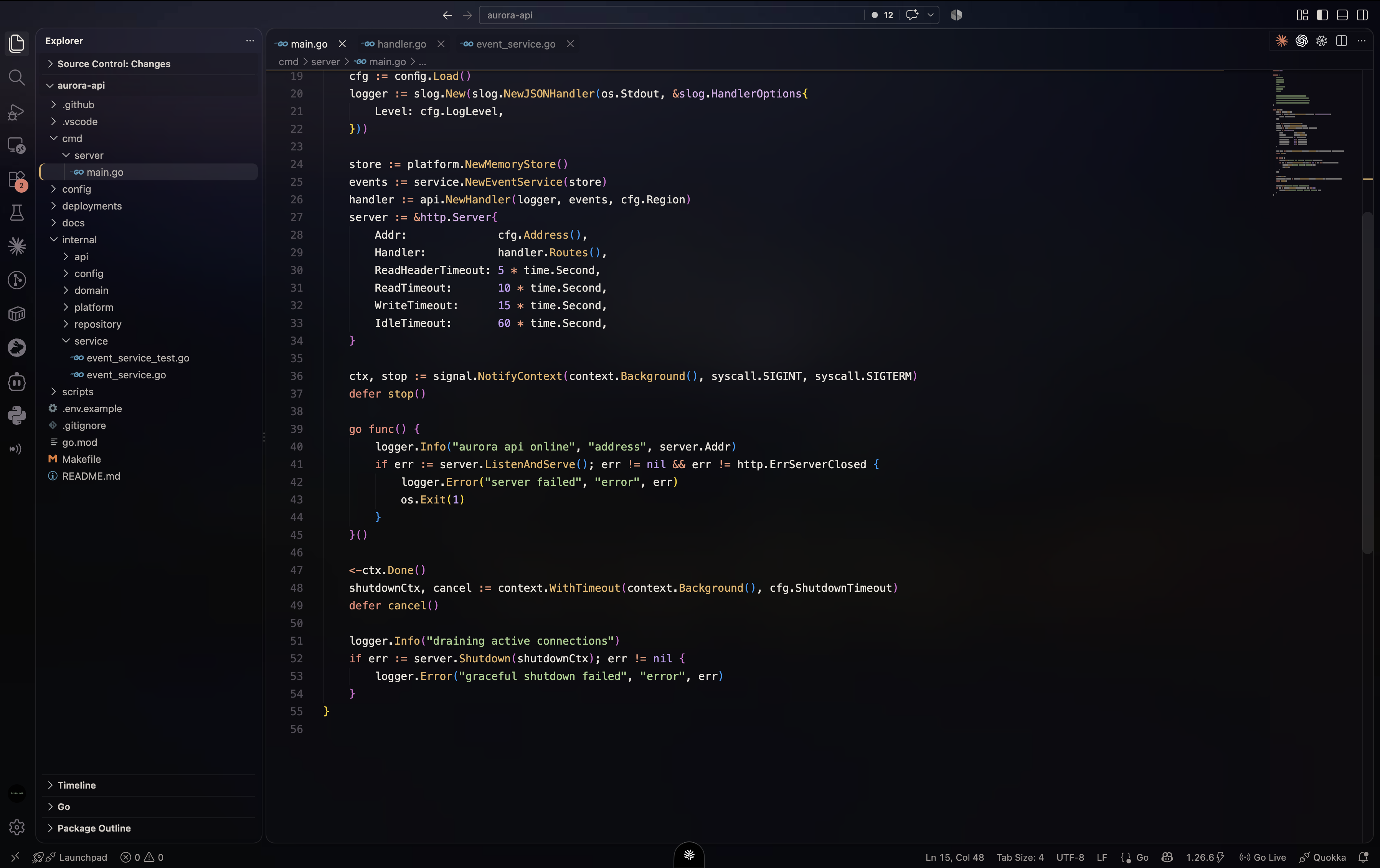
macOS Native Full Screen — Matched Glass BackdropNative full screen moves VS Code into its own macOS Space. Warm Glass preserves the visual depth with a local, wallpaper-matched glass backdrop.
InstallAfter installing the extension, select Warm Glass Dark from For the complete macOS glass look:
Installing or selecting the color theme alone does not enable glass. If you dismissed the welcome, click Set Up Glass in the status bar. Refresh repairs the full glass preset if a prior setup was incomplete. Warm Glass installs Vibrancy Continued for you if it is missing, and restarts VS Code itself when setup finishes. The command backs up every global setting it changes and creates a fullscreen backdrop from the current local macOS wallpaper. It uses only built-in macOS tools and does not upload the wallpaper.
If an update removes the patch, a Restore Glass button appears in the status bar. Warm Glass does not repeat refresh popups on every launch. Setup saves its settings together to avoid a separate companion refresh notification for each setting; macOS permissions and Vibrancy's own notices may still appear. FullscreenThe live glass comes from a macOS vibrancy layer that blends with the desktop behind the window. Native full screen moves VS Code into its own Space, where the desktop is no longer physically behind the window and live vibrancy cannot sample it. Warm Glass keeps VS Code's standard Run Warm Glass: Refresh Glass After VS Code Update after changing the wallpaper or macOS light/dark appearance. Dynamic Aerial wallpapers are cached as a still frame because macOS does not provide the desktop vibrancy layer inside a native full-screen Space. If macOS cannot provide a wallpaper preview, windowed glass can still be enabled and restarted. Fullscreen falls back to a dark background; details remain available in Setup Diagnostics without repeated warning popups. Custom picture selection has been removed. Apply or Refresh disconnects the old Warm Glass picture import and returns to wallpaper-based glass. Previously selected image files are left untouched. Older Warm Glass releases forced a non-native fullscreen mode. Apply and Refresh remove any remnant of that obsolete window-behavior patch rather than installing it again. Commands
Glass not appearing?
Glass setup is available only in desktop VS Code on macOS. The color theme remains usable elsewhere. Browser-based VS Code cannot provide native window glass. Important note about glass modeVS Code's supported color-theme API can define transparent colors, but it cannot make the native application window transparent. The optional glass mode therefore relies on Vibrancy Continued, which patches VS Code application files. VS Code may display an integrity warning, and Vibrancy may need refreshing after an editor update. Warm Glass does not patch fullscreen behavior; it removes the obsolete patch used by releases before 1.1. The regular Warm Glass color theme does not patch VS Code. Build locallyThis creates an installable PrivacyThe Warm Glass extension runtime includes no telemetry, analytics, accounts, or network requests. Wallpaper discovery and backdrop generation stay on the Mac and use local system metadata plus built-in Quick Look. The Marketplace README itself loads its two preview images from Cloudinary. LicenseMIT |