
Noteheist - All in one note appCapture code snippets, video frames, and AI-extracted text from web & video, organize them in Markdown, and sync notes across browser, VS Code. Installation Launch VS Code Quick Open ( Ctrl+P), paste the following command, and press enter.Copied to clipboard |

Noteheist for VS Code ⚡
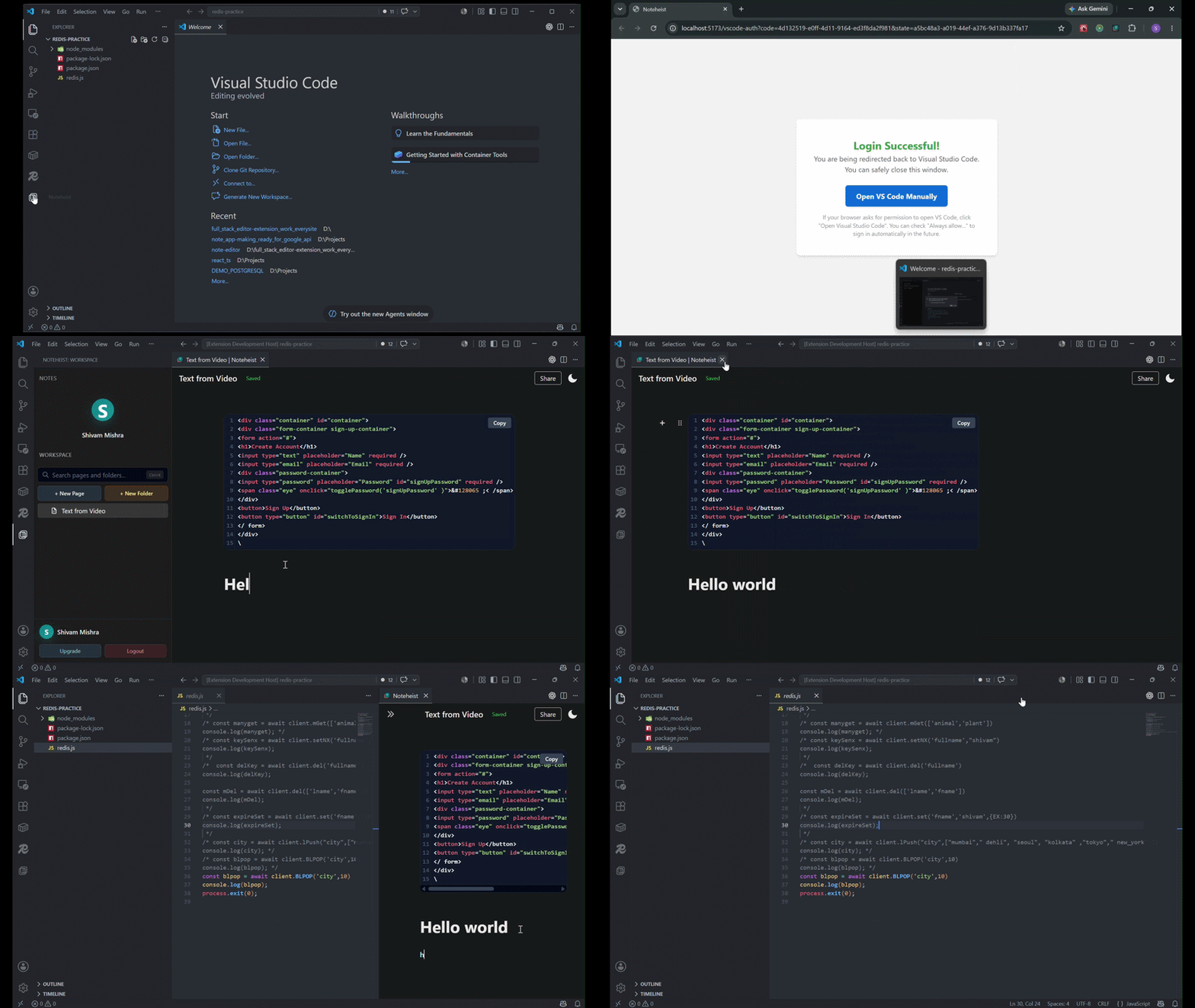
The Connected Second Brain for Developers & Creators 🎬 Extension Preview
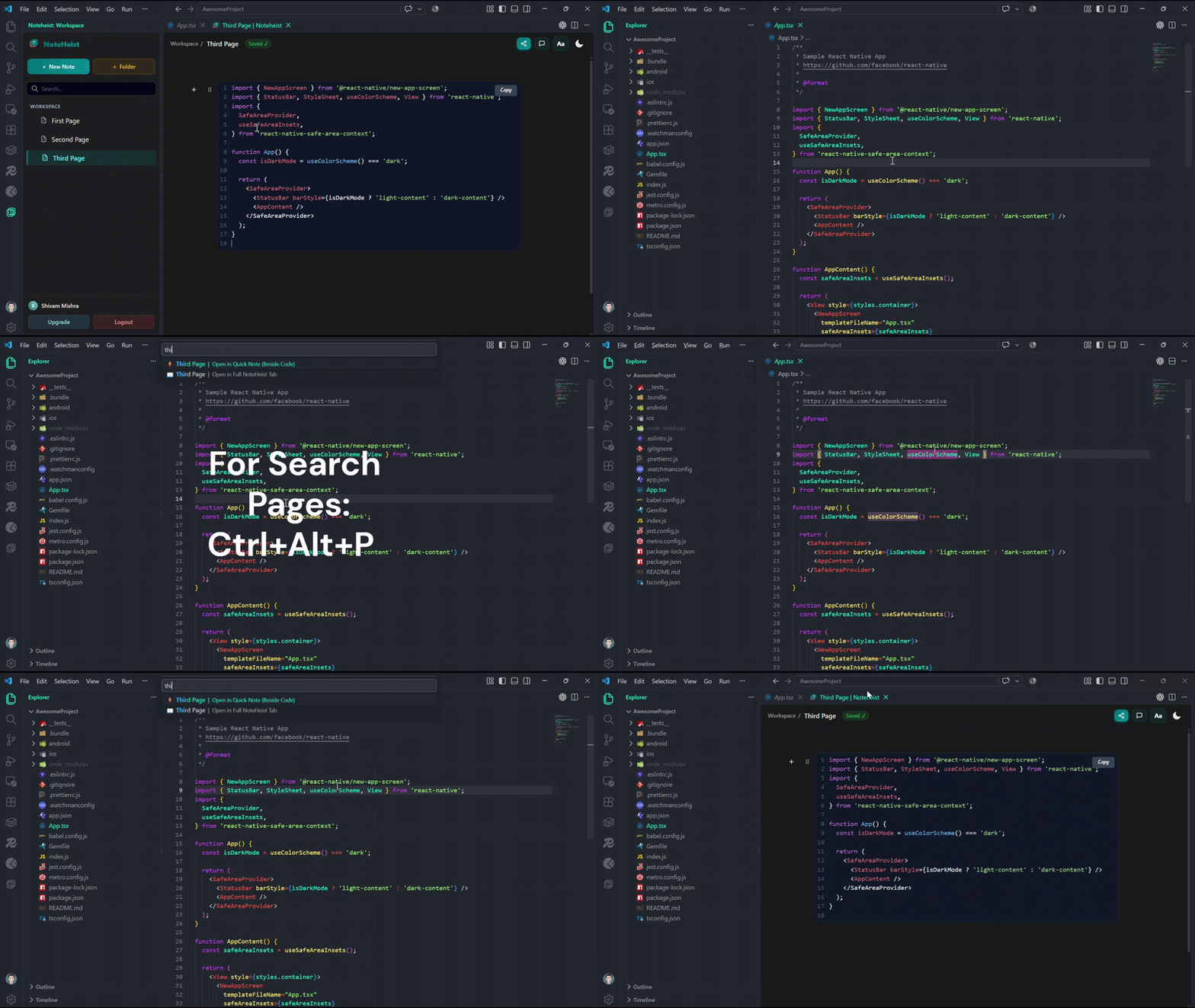
🚀 Key Features1. 🔍 Fast Note Search & Quick Open (
|

| Action | Shortcut (Win / Linux) | Shortcut (macOS) | Command Palette (Ctrl/Cmd + Shift + P) |
|---|---|---|---|
| Search Pages / Quick Open | Ctrl + Alt + P |
Cmd + Alt + P |
NoteHeist: Search Pages / Quick Open |
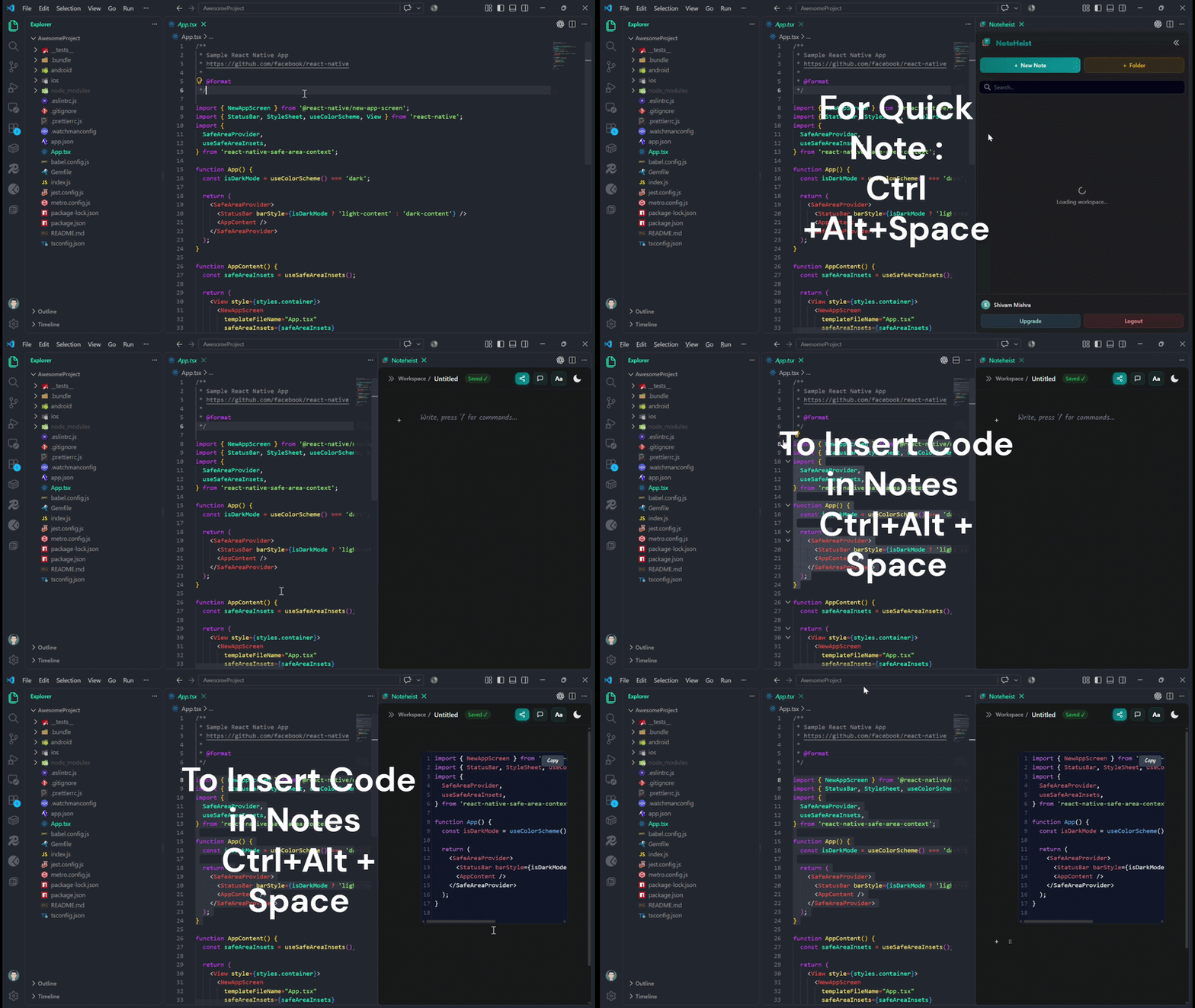
| Quick Note & Save Code | Ctrl + Alt + Space |
Cmd + Alt + N |
Noteheist: Quick Open Noteheist |
| Open Noteheist Full Tab | — | — | Noteheist: Open Noteheist |
| Sign In / Connect Account | — | — | Noteheist: Login to Noteheist |
🛠️ How to Use
- Install: Click Install or search for
Noteheistin the VS Code Extensions panel (Ctrl + Shift + X). - Sign In: Run
Noteheist: Login to Noteheistfrom the Command Palette (Ctrl + Shift + P) or click the Login button in the sidebar. - Search & Jump to Notes: Press
Ctrl + Alt + P(orCmd + Alt + Pon macOS) to instantly find and open any note. - Capture Code Snippets:
- Highlight any code block in your file.
- Press
Ctrl + Alt + Space(orCmd + Alt + Non macOS). - Your code snippet is instantly saved to your workspace note!
🌐 Noteheist Ecosystem
- Web Dashboard: noteheist.com
- Firefox Extension: Noteheist on Firefox Add-ons
- Microsoft Edge Extension: Noteheist on Edge Add-ons
📄 License & Support
- Email Support: noteheist@gmail.com
- Feedback & Bug Reports: Reach out via the Noteheist Contact Page.