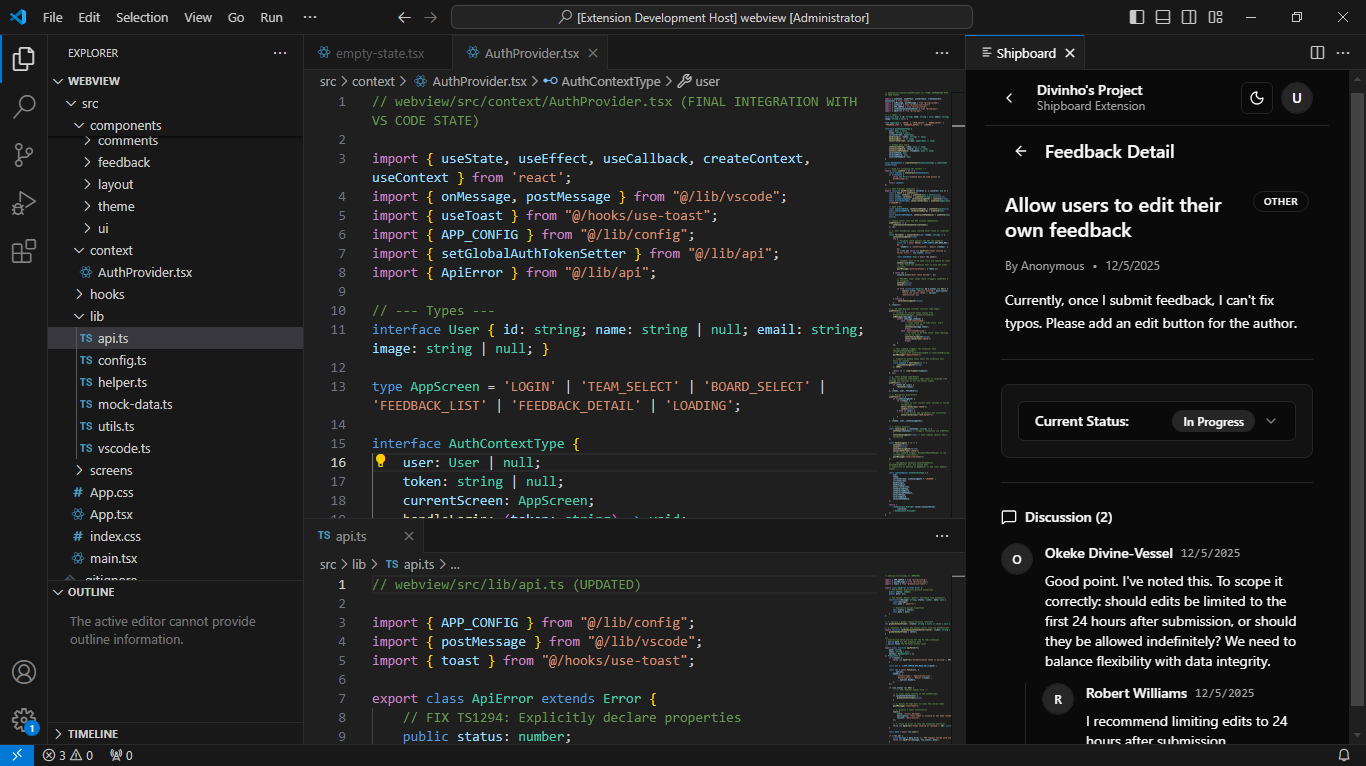
Bring your user feedback directly into your development workflow. The ShipBoard extension allows developers to view, manage, and update feedback, feature requests, and bug reports without leaving Visual Studio Code.
Features
🚀 Seamless Integration
Connect your ShipBoard account securely using a Personal Access Token (PAT).
📋 Board & Feedback Management
Team & Board Selection: Quickly switch between different teams and project boards.
Filtered Views: Sort feedback by "Most Upvoted," "Recent," or "Most Discussed" to prioritize your work.
Status Filters: Focus on what matters by filtering for Received, In Progress, or Shipped items.
💬 Deep Context & Collaboration
Read Discussions: View the full conversation thread, including nested comments, to understand user pain points effectively.
Developer Loop: Update the status of feedback (e.g., move from Received to In Progress) directly from the extension as you start coding.
How to Use
Install the extension.
Open the Command Palette (Ctrl+Shift+P or Cmd+Shift+P) and run "Shipboard: Open Feedback Panel".
Log in by generating a Personal Access Token from your ShipBoard settings dashboard.
Select your Team and Board.
Click on any feedback item to see details and update its status.
An active internet connection to fetch real-time data.
Extension Settings
This extension currently does not contribute specific settings to the VS Code configuration file. All state is managed within the extension's secure storage.
Known Issues
If you are behind a strict corporate firewall, ensure https://www.shipboard.dev is allowlisted.
Release Notes
0.0.1 (Initial Release)
🎉 Initial launch of ShipBoard for VS Code!
Authentication via Personal Access Token.
View Teams, Boards, and Feedback lists.
Sort and Filter feedback items.
View detailed comments and nested discussions.
Update feedback status (e.g., IN_PROGRESS, SHIPPED).