Shark Image
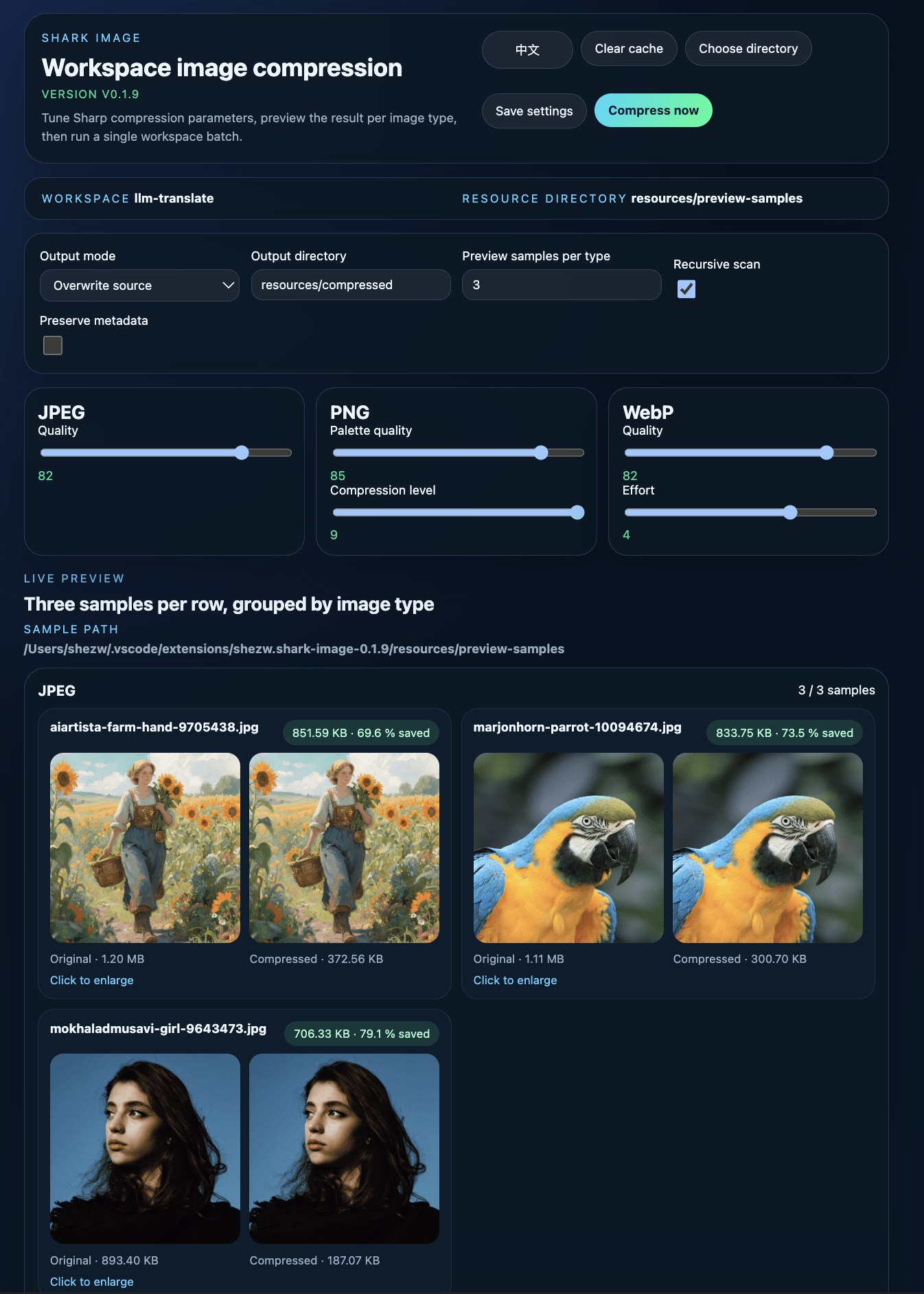
Shark Image is a VS Code extension for scanning a workspace image directory, previewing Sharp compression results in real time, and running a one-click batch compression pass.
Features
- Scan a configurable workspace directory for supported image files.
- Open a built-in configuration panel and adjust Sharp parameters manually.
- Preview up to three built-in sample images per type on a single horizontal row.
- Group
.jpg and .jpeg samples under a single JPEG preview row.
- Run one-click compression across the configured resource directory.
- Add an Explorer right-click submenu named
shark-image for folders and supported image files.
- Show both saved bytes and saved percentage in preview cards.
- Support English and Chinese in the configuration page.
- Save settings into the workspace so the panel and command stay aligned.
Supported image types
Commands
Shark Image: Open Compression ConfigShark Image: Compress Workspace Images
Right-click in the Explorer to open the shark-image submenu:
- Folder:
compress-all, configure
- Supported image file:
compress, configure
configure opens the preview page against the clicked folder, or the parent folder of the clicked image file.
Default directories
- Mirror output:
resources/compressed
The extension ships with a built-in sample directory at resources/preview-samples, with one folder per supported image type. The preview panel always uses these bundled samples so compression tuning stays stable and comparable across workspaces.
The configurable Resource directory setting is for workspace image scanning and compression, not for preview sample sourcing.
The preview header now shows selected / available counts per type, so if your Preview samples per type setting is below 3, the UI makes that explicit.
Published VSIX packages include the built-in preview sample images so the preview panel works immediately after installation.
Development
pnpm install
pnpm run build
Versioning
Use the built-in version scripts to follow the release rules:
pnpm run version:fix
pnpm run version:feature
pnpm run version:major
version:fix: bug fixes, polishing, text updates, resource updatesversion:feature: feature additions, feature changes, large resource additionsversion:major: milestone releases, multiple features combined, or explicitly requested major releases
Press F5 in VS Code to launch the extension development host.
Publish
pnpm run package
pnpm run publish:vsce
Before publishing, make sure the publisher field in package.json is linked to your Visual Studio Marketplace publisher account.

