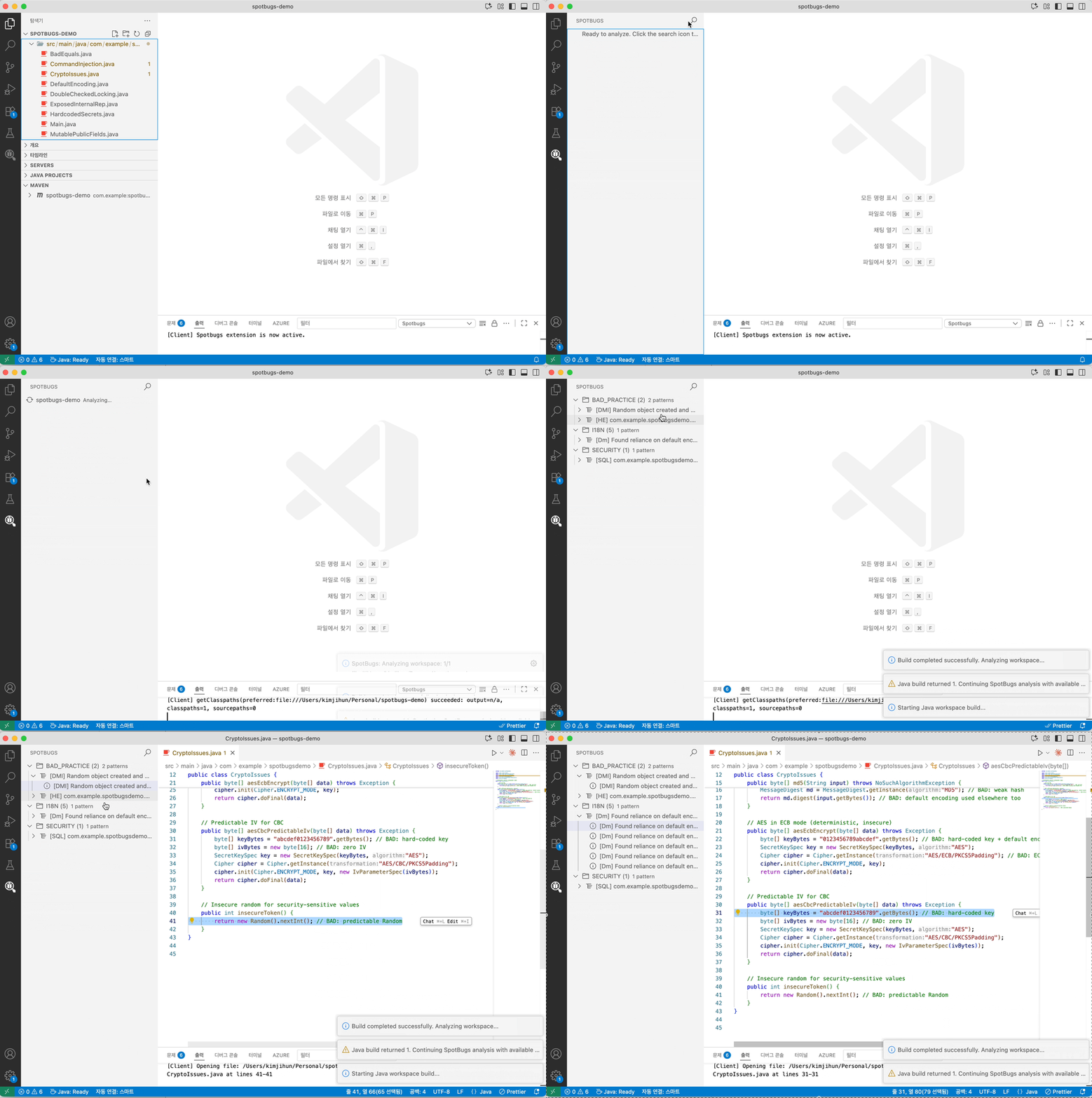
Analyze Java code with SpotBugs directly in VS Code and compatible editors. View findings in a dedicated tree view, jump to offending lines, and track issues with editor diagnostics.
⚠️ This extension is under active development. Frequent changes and updates are expected.
Features
Analyze a single file or an entire workspace (Maven/Gradle projects)
Search, filter, group, and sort findings with severity indicators
Navigate to bug locations in source files with matching diagnostics/squiggles
Export findings as SARIF or HTML
Requirements
VS Code 1.85 or later, or a compatible editor supporting VS Code API 1.85
Java 11 or later (JDK)
A trusted workspace
“Language Support for Java by Red Hat” (redhat.java), installed automatically as a dependency
Privacy / Local Analysis
SpotBugs analysis runs locally in your workspace. This extension does not send source files, compiled classes, filter files, SARIF output, or SpotBugs findings to a hosted analysis service. Native SARIF reports can contain local source-root URIs, so review them before sharing.
Rule documentation actions may open external SpotBugs documentation links. Basic extension operation telemetry follows your editor's telemetry settings.
Getting Started
Open a Java project in your editor
Run Analyze SpotBugs Workspace
Review findings in the “SpotBugs” view (Activity Bar)
Commands
Analyze File/Folder — Analyze a selected file or folder
Analyze SpotBugs Workspace — Build and analyze all projects in the workspace
SpotBugs: Create Baseline from Current Workspace Results... — Save the current complete workspace findings as an additive local baseline
Export SpotBugs Results (SARIF), Export SpotBugs Results (HTML) — Save current findings
Reset SpotBugs Results — Clear the SpotBugs view and diagnostics
spotbugs.analysis.priorityThreshold: Report High, Medium, and Low confidence bugs with rank less than or equal to this value (1 = most severe, 20 = least). Experimental findings remain excluded. Default: 9.
spotbugs.analysis.extraAuxClasspaths: Additional SpotBugs aux classpath entries appended after Java LS runtime classpath entries. Supports absolute and workspace-relative jar/directory paths.
spotbugs.plugins.paths: SpotBugs plugin jar paths loaded before analysis. Add or remove jars from the Plugins view, or configure absolute and workspace-relative .jar paths manually.
SpotBugs Filter Files
spotbugs.filters.includePaths: SpotBugs XML include filter paths (-include). Supports absolute and workspace-relative paths.
spotbugs.filters.excludePaths: SpotBugs XML exclude filter paths (-exclude). Supports absolute and workspace-relative paths.
spotbugs.filters.excludeBaselineBugsPaths: SpotBugs XML baseline bug collection paths (-excludeBugs). Supports absolute and workspace-relative paths.
License
The source code for this extension is licensed under the MIT License. This
extension uses and may bundle SpotBugs, which is licensed under the GNU Lesser
General Public License, version 2.1. Third-party components retain their
respective licenses. See THIRD_PARTY_NOTICES.md for
details.