Overview Version History Q & A Rating & Review
🧪 Dracula's Vial
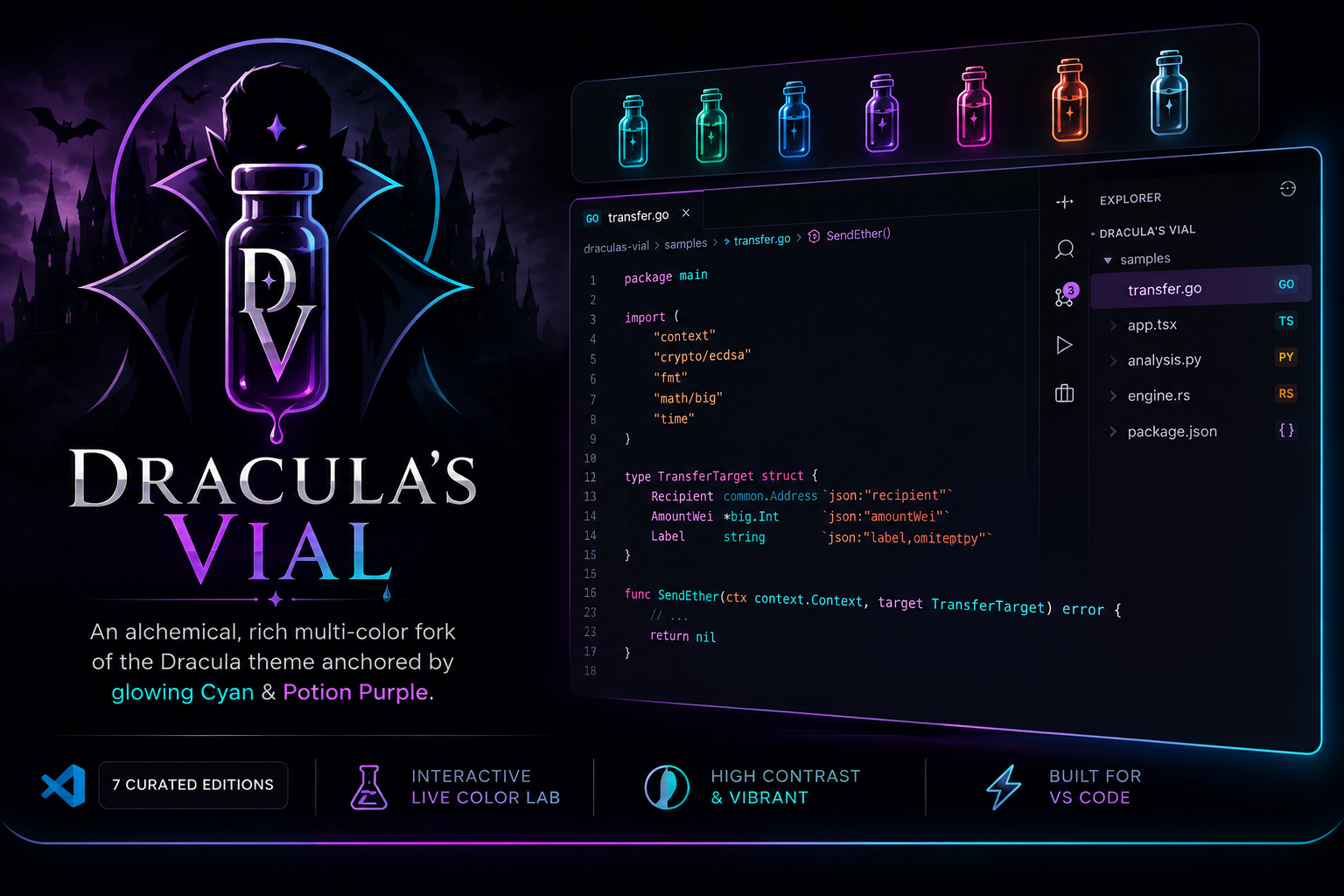
An alchemical, rich multi-color fork of the Dracula theme anchored by glowing Cyan & Potion Purple.
🎨 The 7 Curated Elixir Editions (Full Showcase)
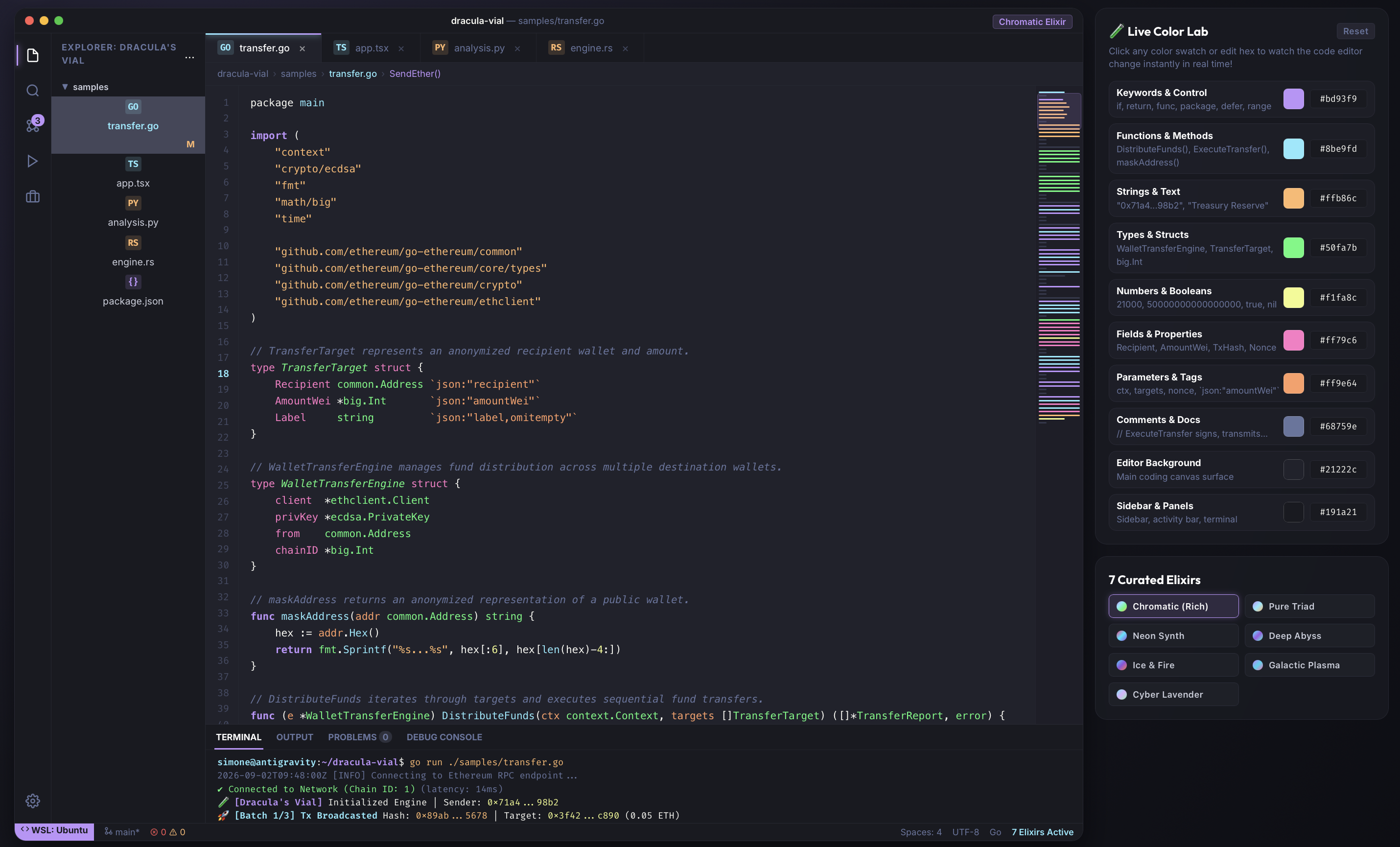
1. 🧪 Dracula's Vial - Chromatic (Rich Full-Spectrum)
Maximum Color Richness : Expands token definitions so every semantic element (functions, types, keywords, strings, tags, numbers, properties) stands out with high distinction.
Keywords / Control: #bd93f9 (Purple)Functions & Methods: #8be9fd (Cyan)Strings & Text: #ffb86c (Orange)Types & Structs: #50fa7b (Green)Numbers & Constants: #f1fa8c (Yellow)Fields & Properties: #ff79c6 (Pink)Parameters & Tags: #ff9e64 (Tangerine)
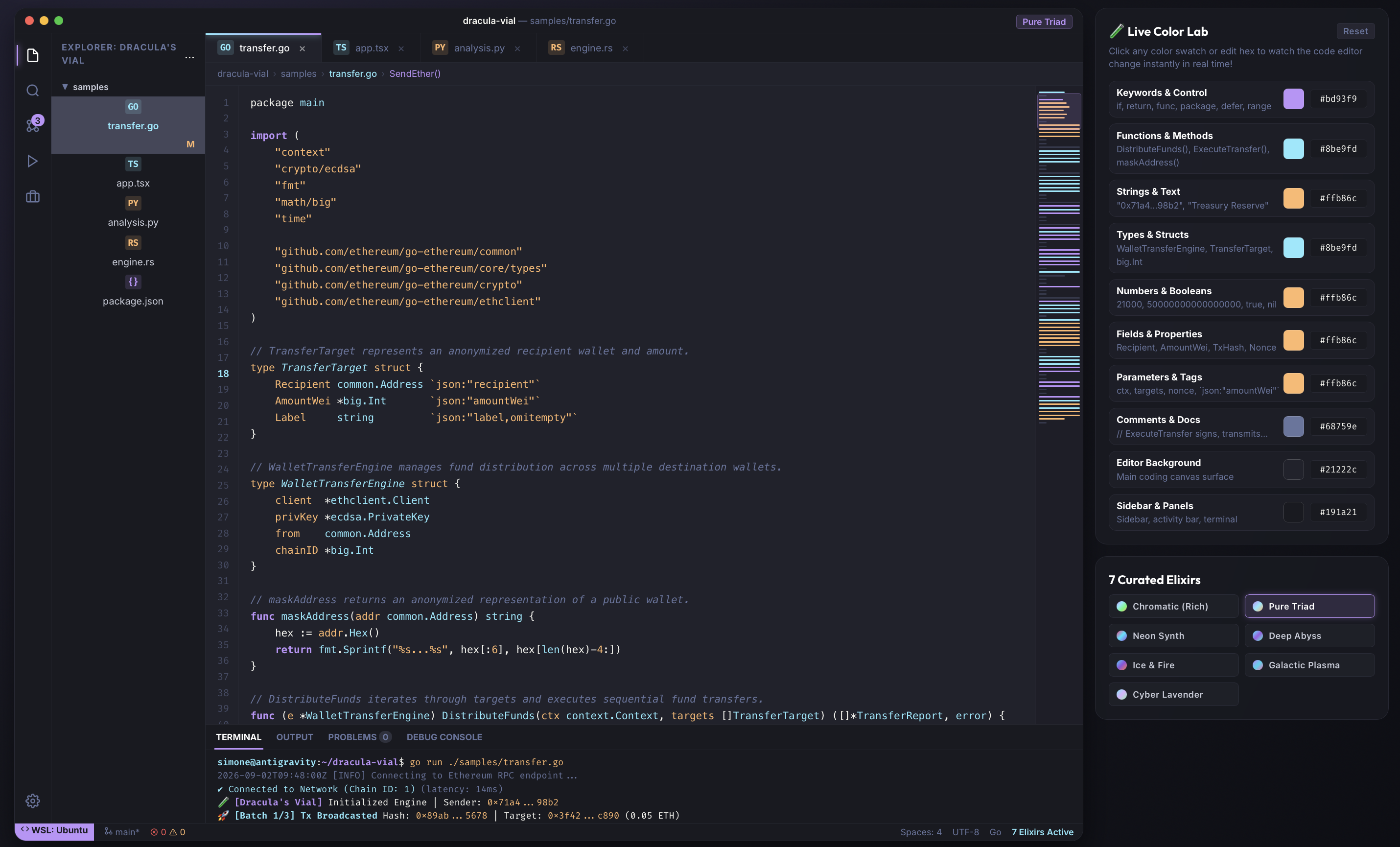
2. ⚡ Dracula's Vial - Pure Triad (Cyan • Purple • Orange)
Distraction-Free Minimal Triad : An intentional 3-accent color scheme focused purely on the core triad (Purple keywords, Cyan functions/types, Orange strings/constants).
Keywords / Control: #bd93f9 (Purple)Functions & Types: #8be9fd (Cyan)Strings & Numbers: #ffb86c (Orange)
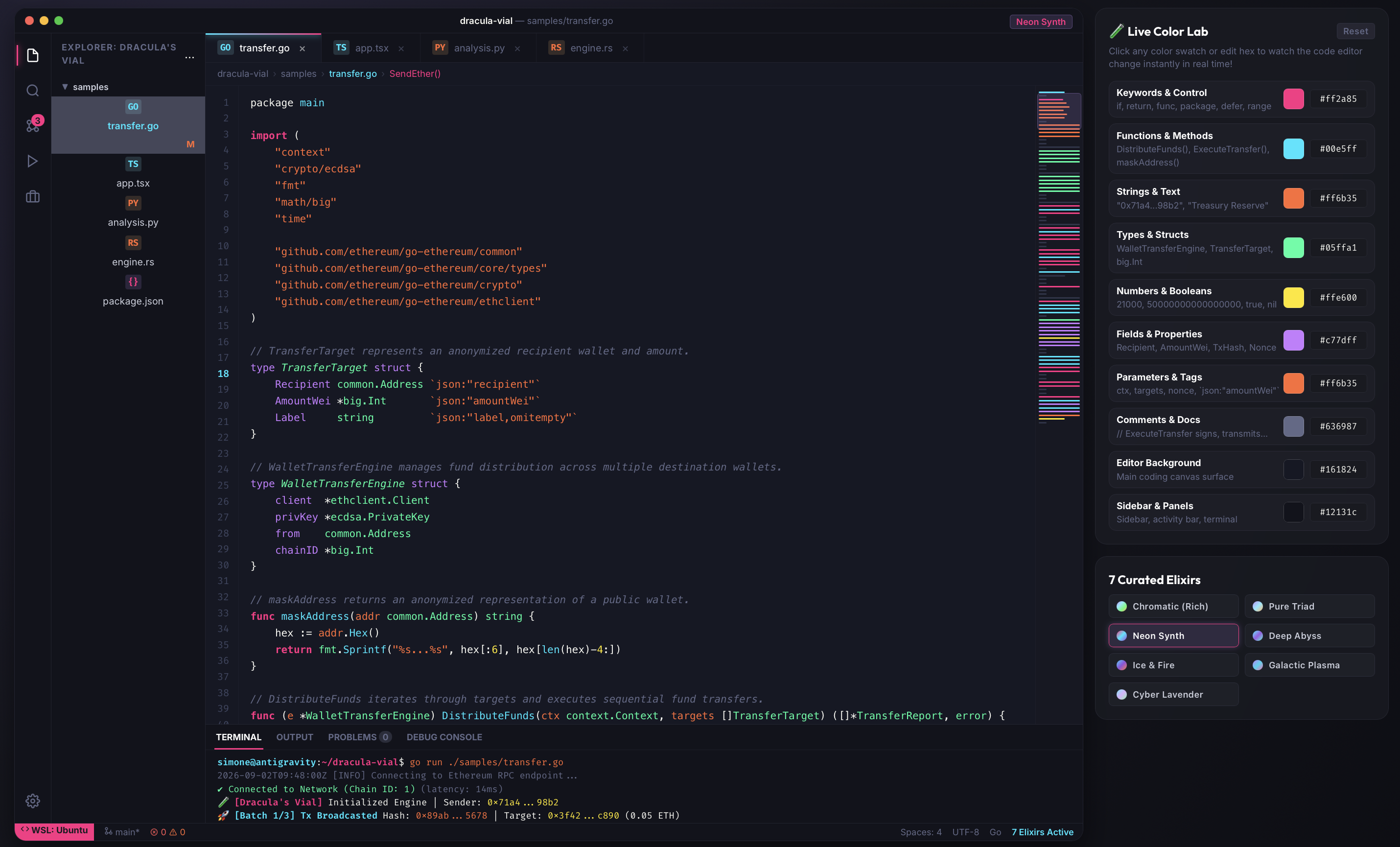
3. 🌆 Dracula's Vial - Neon Synth (Hot Pink • Cyan • Violet)
Cyberpunk Synthwave Glow : Electric high-contrast colors on a deep obsidian canvas designed for night coding sessions.
Keywords: #ff2a85 (Hot Pink)Functions: #00e5ff (Electric Cyan)Strings: #ff6b35 (Sunset Orange)Types: #05ffa1 (Emerald)Numbers: #ffe600 (Canary Yellow)Canvas Background: #161824
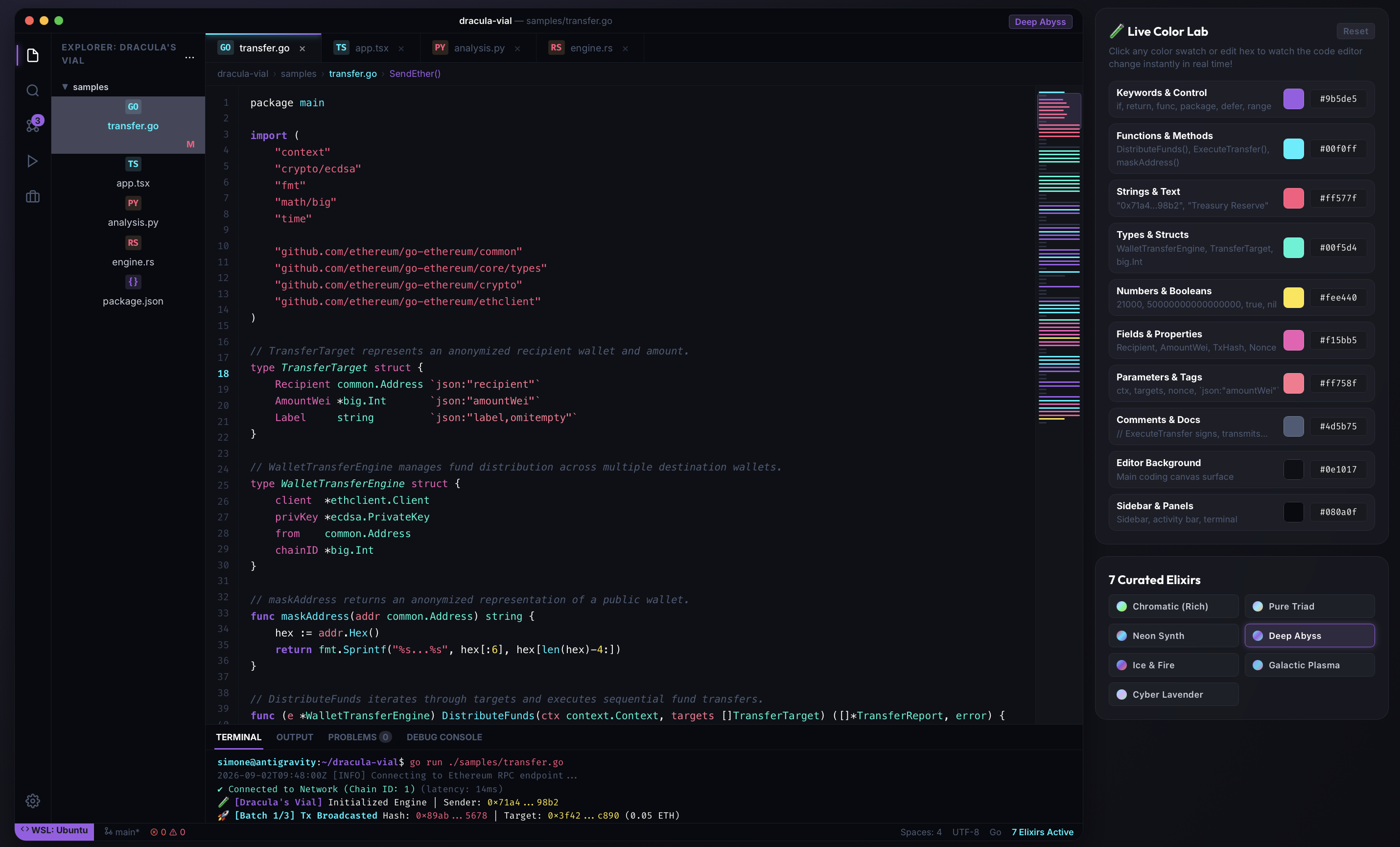
4. 🌊 Dracula's Vial - Deep Abyss (Oceanic Bioluminescence)
Deep Oceanic Trench : Bioluminescent glowing cyan and coral highlights against an ultra-dark oceanic canvas.
Functions & Accents: #00f0ff (Bioluminescent Cyan)Keywords: #9b5de5 (Phantom Purple)Types: #00f5d4 (Seafoam Green)Strings: #ff577f (Coral Pink)Canvas Background: #0e1017
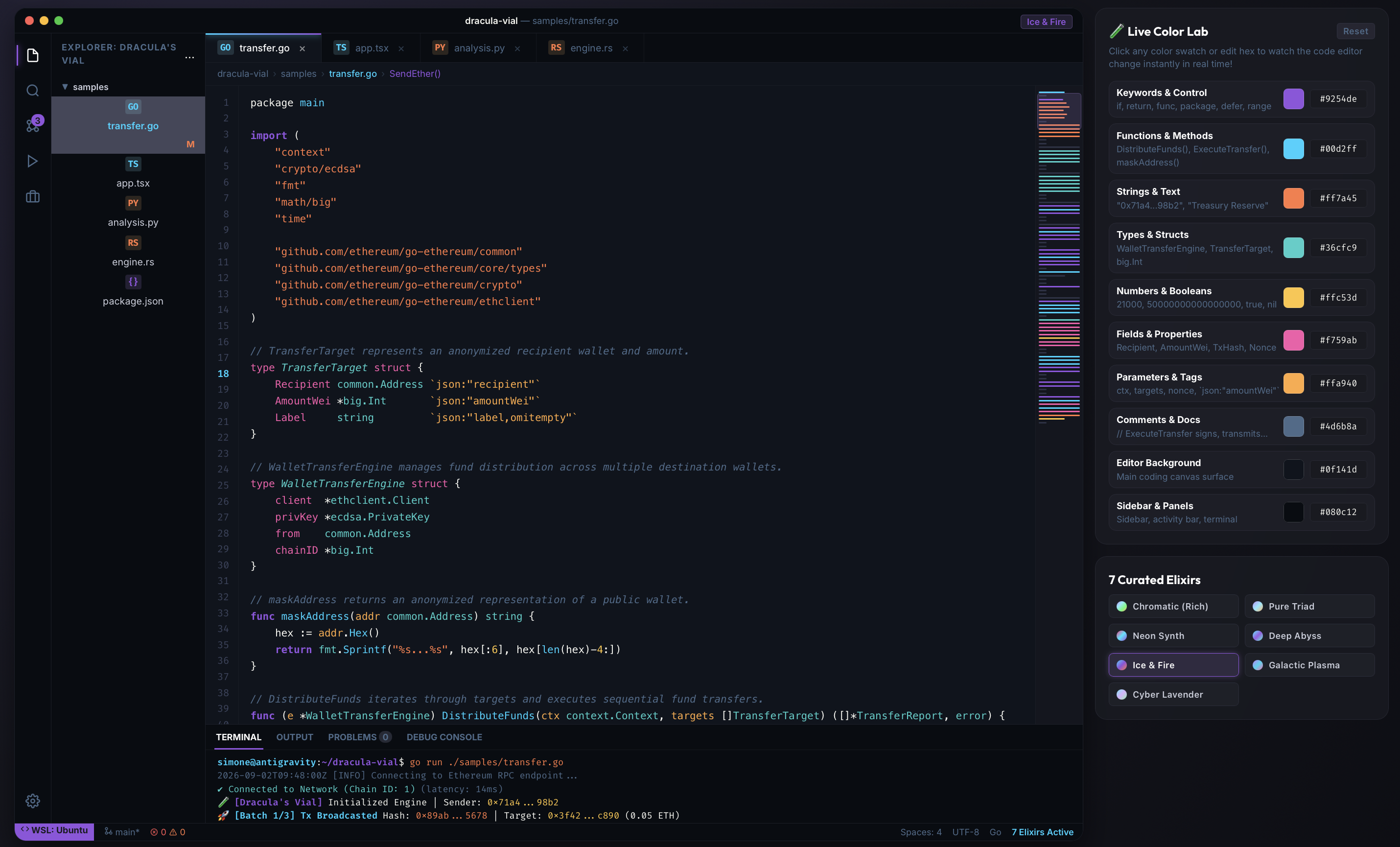
5. ❄️ Dracula's Vial - Ice & Fire (Glacial Cyan & Purple Flame)
Cryogenic Contrast : Sharp contrast between ice-cold glacial cyan and searing purple/orange flame accents.
Keywords: #9254de (Violet Flare)Functions: #00d2ff (Glacial Cyan)Strings: #ff7a45 (Dragon Orange)Types: #36cfc9 (Frost Mint)Canvas Background: #0f141d
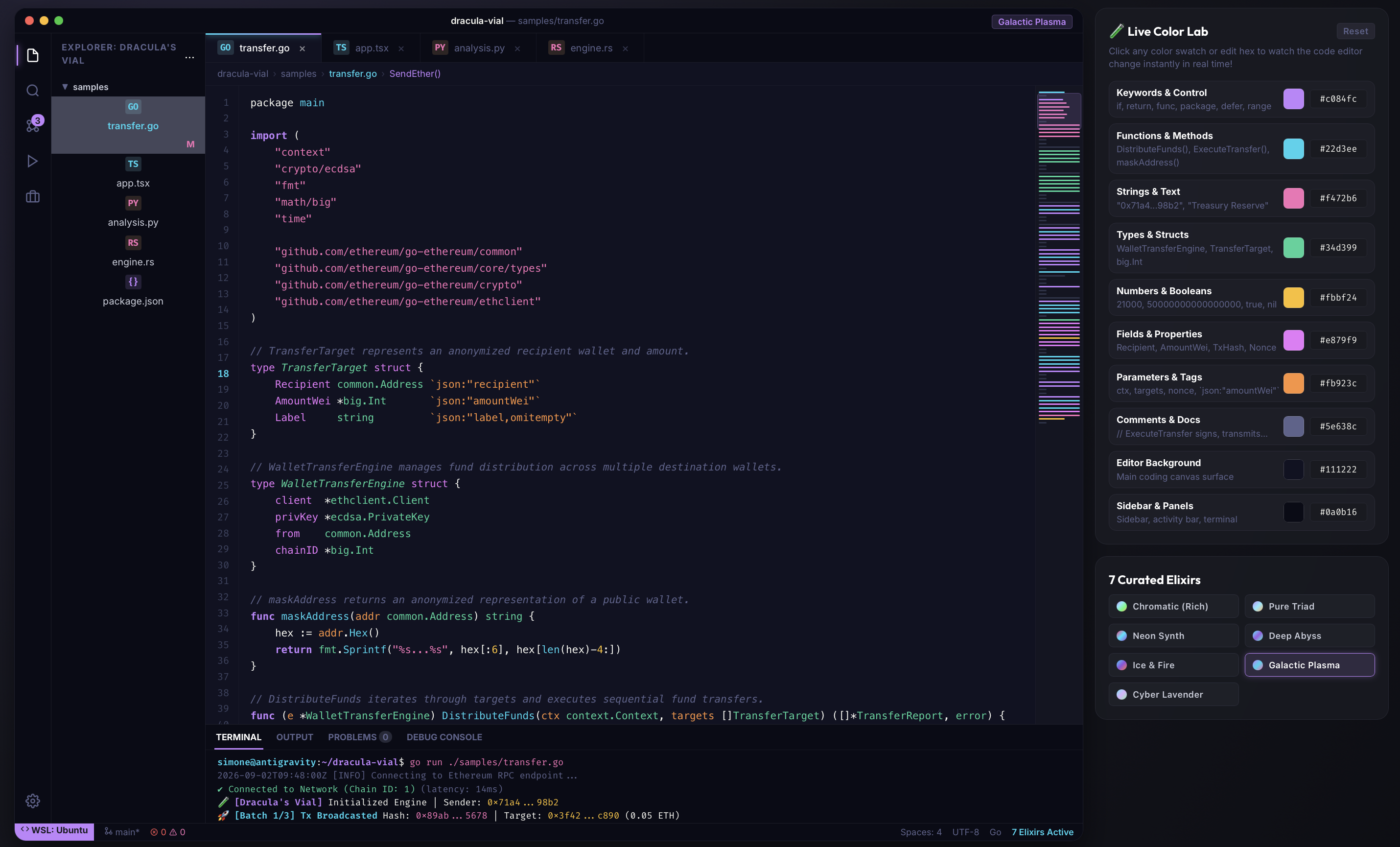
6. ☄️ Dracula's Vial - Galactic Plasma (Plasma Violet & Solar)
Cosmic Plasma : Interstellar energy with vibrant plasma purple, ion cyan, radiant pink, and solar amber.
Keywords: #c084fc (Plasma Purple)Functions: #22d3ee (Ion Cyan)Strings: #f472b6 (Cosmic Pink)Types: #34d399 (Emerald Light)Numbers: #fbbf24 (Solar Amber)Canvas Background: #111222
7. 🪻 Dracula's Vial - Cyber Lavender (Pastel Cyber)
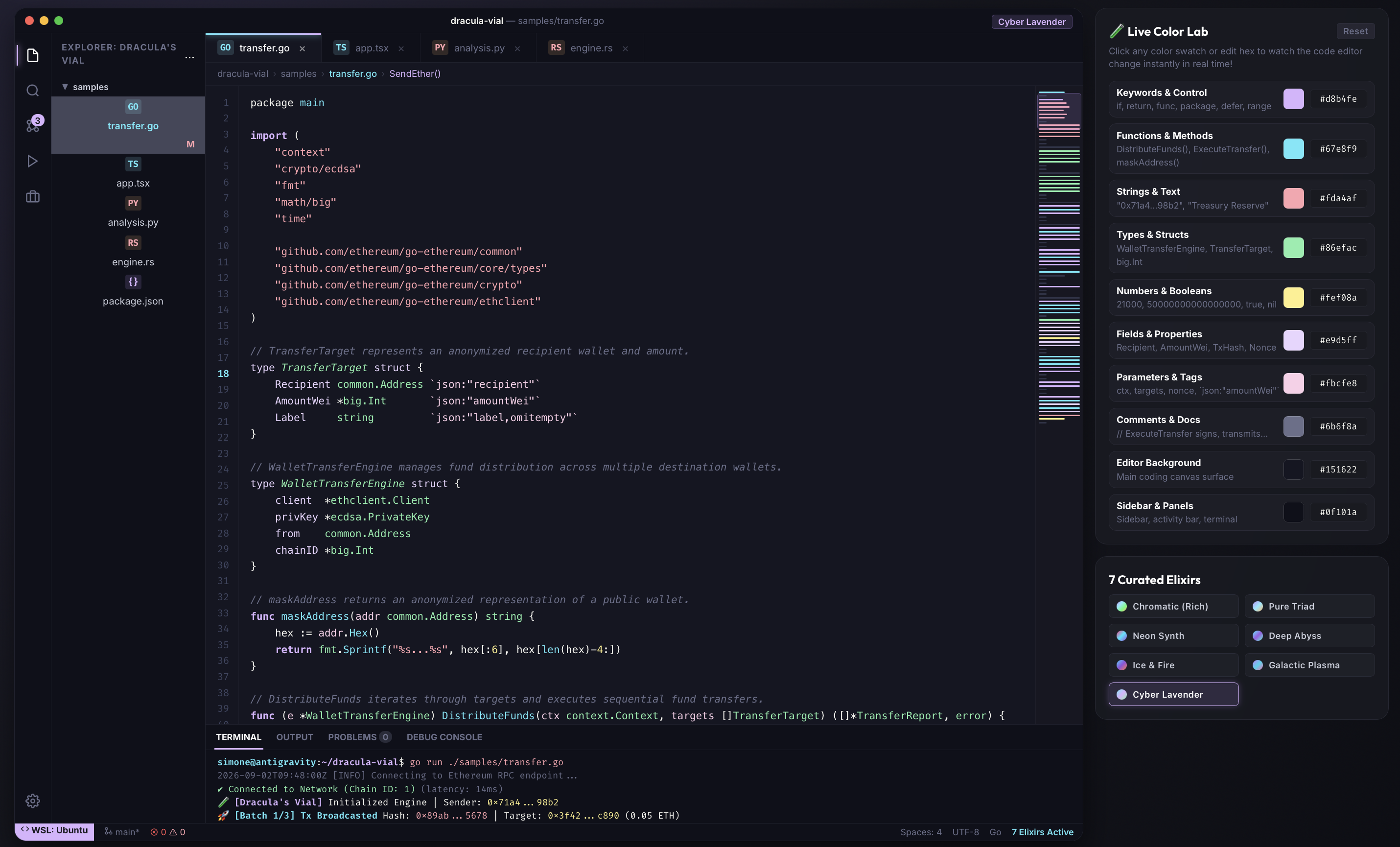
Ultra-Soft Pastel Cyber : Designed specifically for long hours of coding with zero visual fatigue.
Keywords: #d8b4fe (Pastel Lavender)Functions: #67e8f9 (Soft Cyan)Strings: #fda4af (Pastel Peach)Types: #86efac (Mint Green)Numbers: #fef08a (Butter Yellow)Canvas Background: #151622
🧪 Live Interactive Color Lab (preview/index.html)
An interactive web studio is included directly in preview/index.html:
Real-Time Color Pickers : Customize color swatches or hex inputs and watch code highlight dynamically.Preset Switcher : Switch instantly between all 7 curated editions.Suggest Color Scheme : Generates and copies a markdown snippet with all your custom colors so you can paste it directly into chat!Multi-Language Sandbox : Real-world samples in Go (Ethereum EIP-1559 transfer), TypeScript/React , Python , Rust , and JSON .
📦 Installation & Activation
Option 1: Install from VSIX
Download dracula-vial-1.0.1.vsix.
In VS Code, open the Command Palette (Ctrl + Shift + P / Cmd + Shift + P).
Select Extensions: Install from VSIX... and choose dracula-vial-1.0.1.vsix.
Option 2: Publishing to VS Code Marketplace
Install the VS Code Extension manager:
npm install -g @vscode/vsce
Package the extension:
vsce package
Publish to the Marketplace:
vsce publish
Activating the Theme in VS Code
Press Ctrl + K then Ctrl + T.
Select any of the 7 Dracula's Vial editions!
📄 License
MIT License © 2026 Sevnth