AI Dev Monitor
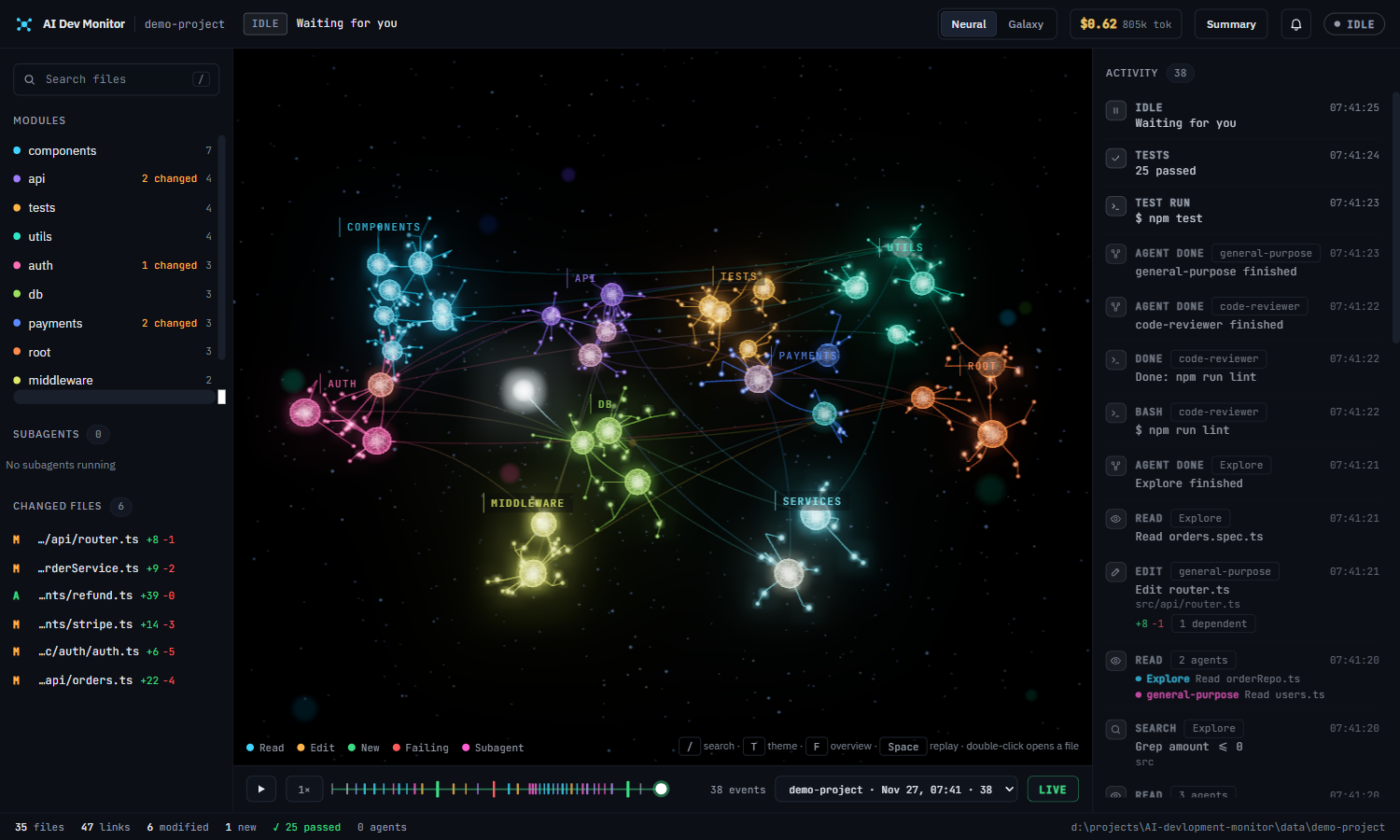
See what Claude Code is doing, live. Your project becomes a 3D map, and as Claude works you can watch it read files, edit them, run tests and start subagents.
Features
- Two 3D themes.
- Neural: every file is a neuron, and imports are the connections between them.
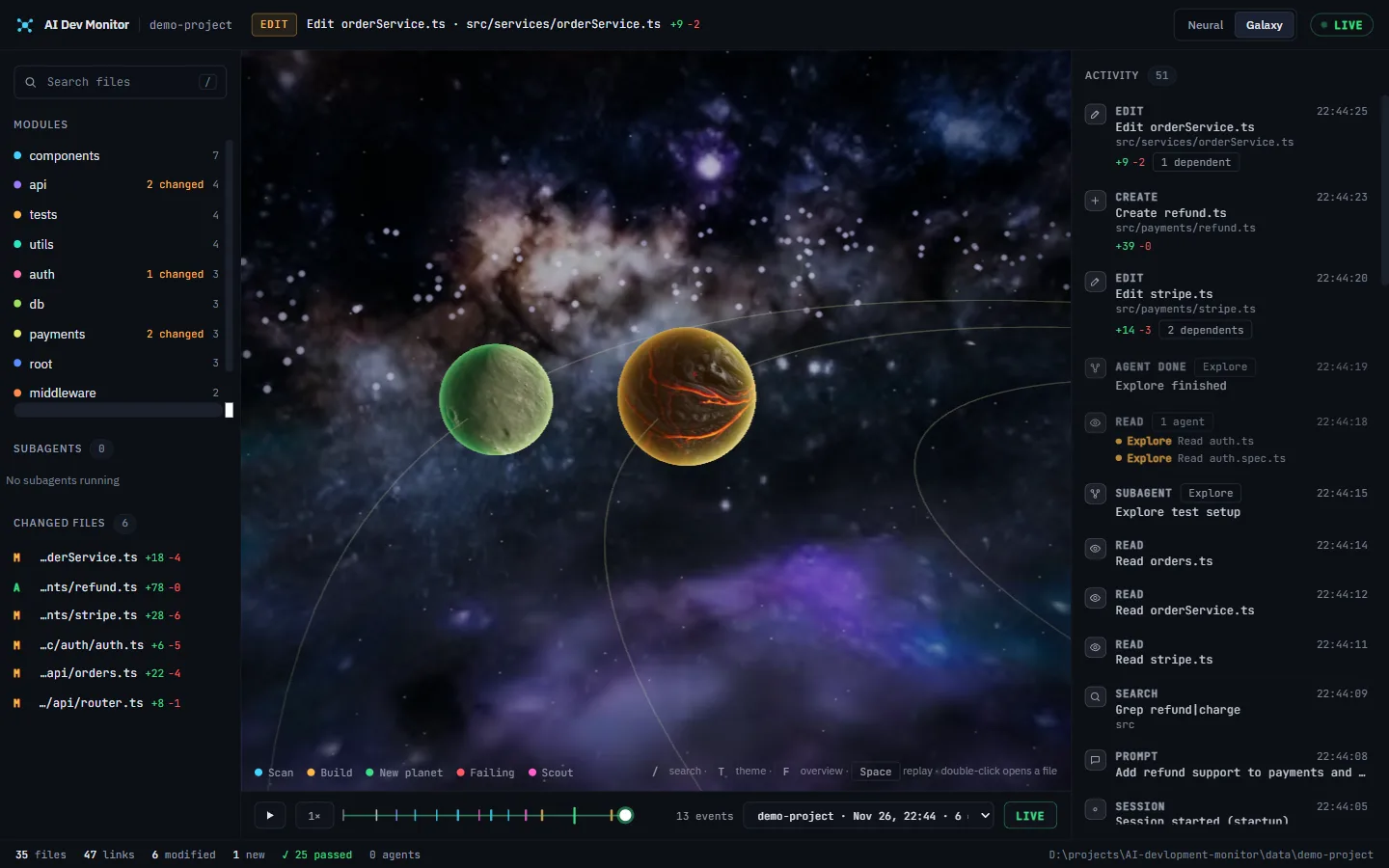
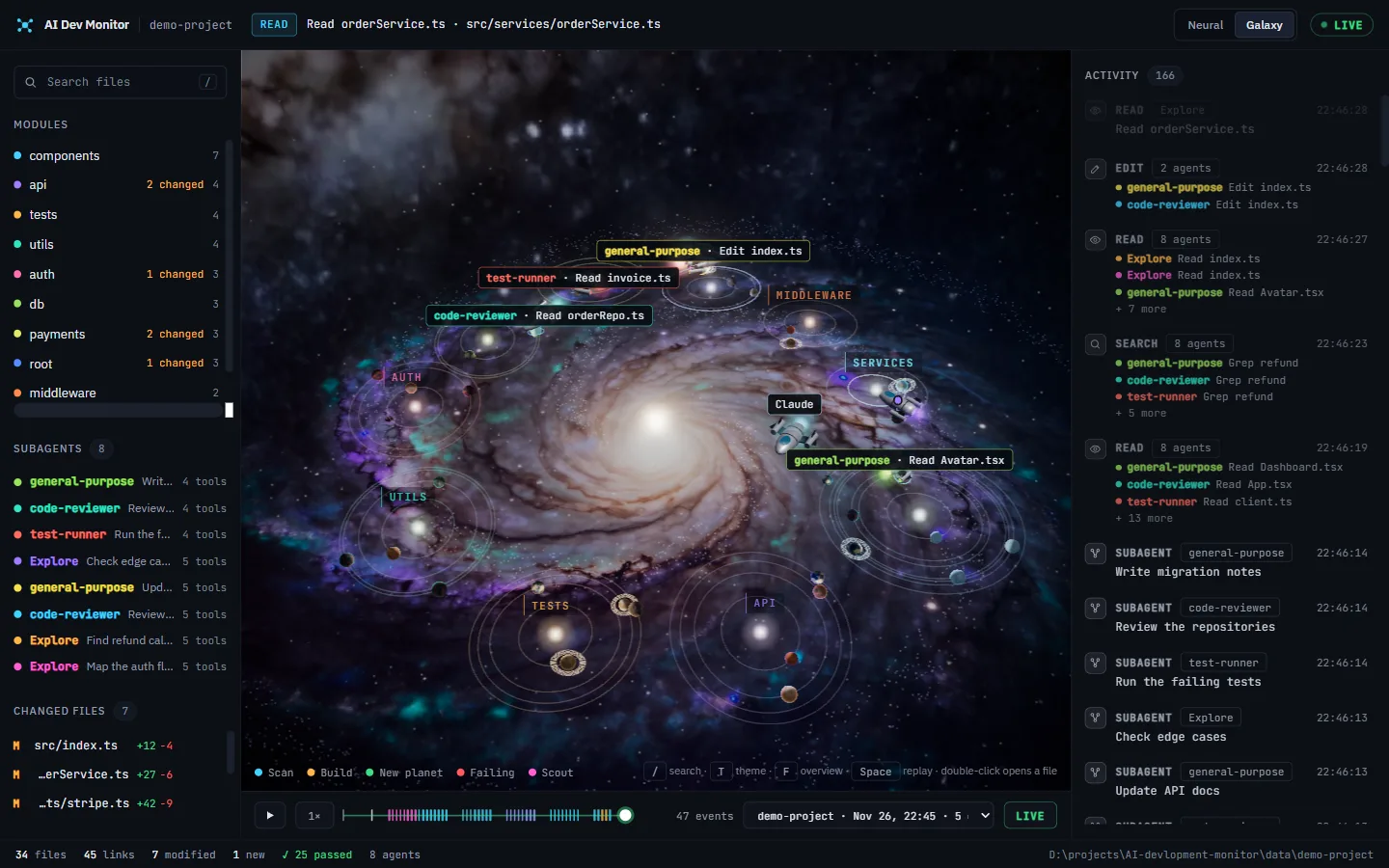
- Galaxy: every module is a solar system, and every file is a planet in it.
- Press
T to switch between them.
- Live activity:
- A file glows when Claude reads it, and pulses when Claude edits it.
- A new file appears when Claude creates it.
- Files whose tests fail turn red.
- A feed on the right lists every step.
- Subagents.
- Each subagent Claude starts has its own colour and its own scout in the 3D view.
- Each one is matched to the task it was given, even when ten run at the same time.
- Needs-you alerts. You get a desktop notification and a sound when Claude:
- asks for permission
- asks you a question
- finishes a long turn
- Session summary. When a long turn ends, a card shows:
- the files Claude read, edited and created
- lines added and removed, and the last test result
- the modules it worked in
- Tokens and cost.
- The top bar shows the tokens the session has used, and what they would cost at Anthropic API prices.
- The summary breaks this down per model and per subagent.
- Status bar. Claude's current action (Read, Edit, Testing…) is always visible in the status bar. Click it to open the monitor.
- Find a file and open it.
- Press
/ to search the map.
- Click a file to fly to it, or double-click it to open it in the editor.
- Replay. Scrub through any earlier session on the timeline.
Getting started
- Install the extension.
- Click Install hooks when the extension asks.
- The extension then adds hooks to
~/.claude/settings.json, so that Claude Code reports each step to the monitor.
- It keeps a backup of that file in
settings.json.bak.
- You can also run AI Dev Monitor: Install Claude Code Hooks from the Command Palette at any time.
- Start a new Claude Code session, in VS Code or in a terminal. The monitor opens beside your editor.
Everything runs on your machine:
- The monitor is a small server on
127.0.0.1:7777, and nothing is sent anywhere else.
- Token counts are read from the transcripts Claude Code already writes under
~/.claude/projects/. The monitor only reads them.
Commands
| Command |
What it does |
| AI Dev Monitor: Open Monitor |
Opens the 3D view beside the editor |
| AI Dev Monitor: Show This Workspace |
Switches the view to the folder open in this window |
| AI Dev Monitor: Open in Browser |
Opens the same view in your browser |
| AI Dev Monitor: Install Claude Code Hooks |
Adds the hooks to ~/.claude/settings.json |
| AI Dev Monitor: Remove Claude Code Hooks |
Removes them again, and leaves everything else in the file as it is |
Settings
| Setting |
Default |
|
aiDevMonitor.port |
7777 |
Port of the local monitor. The hooks send to this port. |
aiDevMonitor.quality |
balanced |
low for older laptops or when on battery, high for a strong GPU |
aiDevMonitor.autoOpen |
true |
Opens the panel when a Claude Code session starts in this workspace |
aiDevMonitor.autoStart |
true |
Starts the monitor when VS Code starts, so events are captured while the panel is closed |
Claude Code in a terminal
The hooks work for claude in any terminal too. While VS Code is open, the extension runs the monitor for both.
To use the monitor without VS Code, or to check your setup, use the adm command from the repository:
adm doctor checks hooks, monitor, tokens, subagents and alerts.adm starts the monitor and opens it in the browser.
Notes
- The cost is an estimate at Anthropic API list prices. Claude Pro and Max plans are not billed per token.
- Several projects can be watched in parallel. Each VS Code window shows its own project.
Source code, issues and the full documentation: github.com/selvadev-01/AI-devlopment-monitor. MIT licensed.
| |

