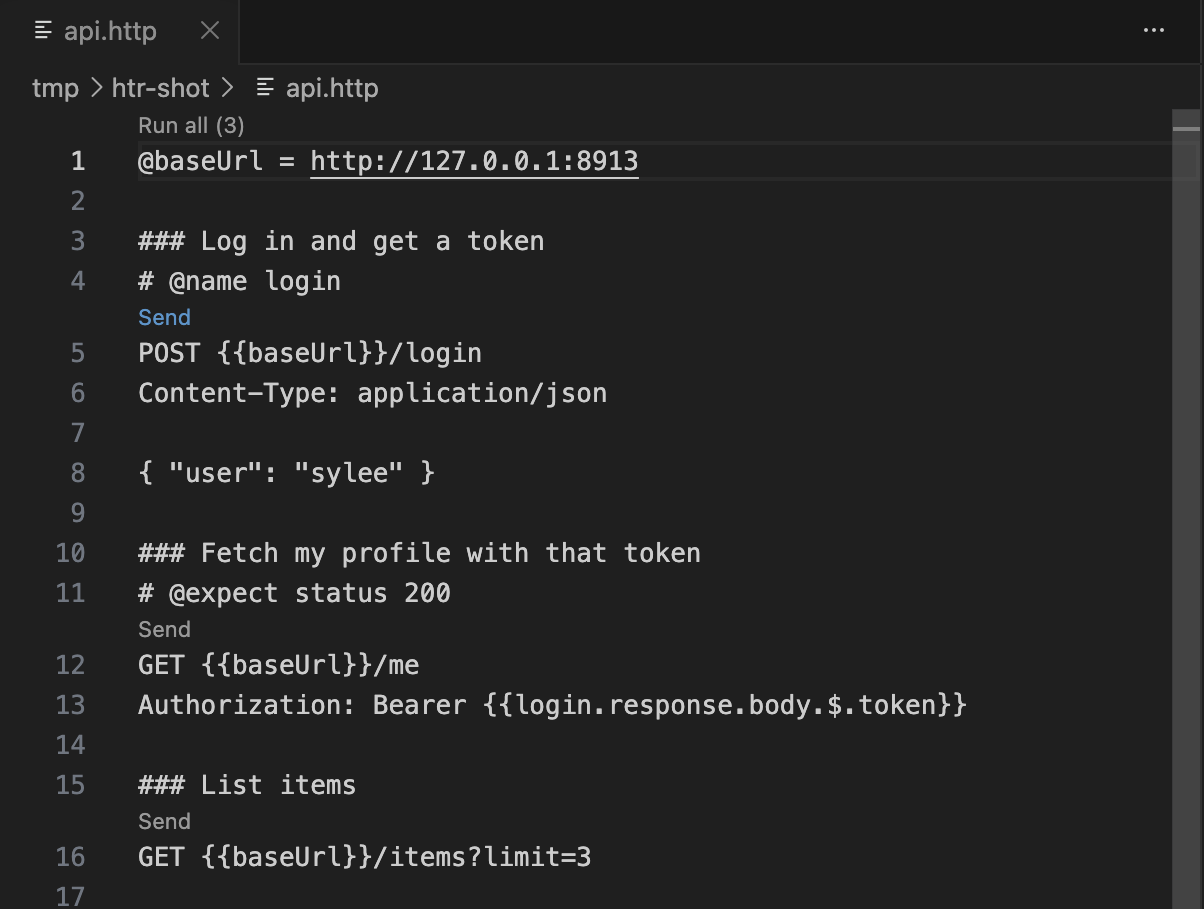
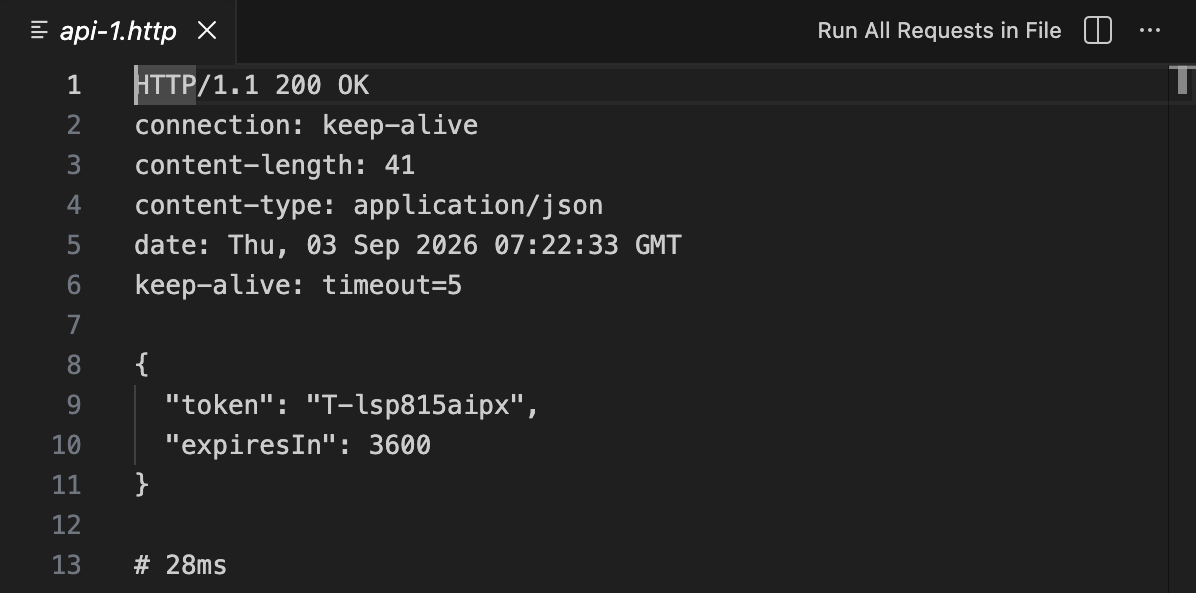
HTTP Client Runner: Run and Test .http FilesAn HTTP client for the .http files you already have. Send one request, or run the whole file and be told only what changed. Works with your existing REST Client files. Installation Launch VS Code Quick Open ( Ctrl+P), paste the following command, and press enter.Copied to clipboard |

HTTP Client RunnerRun, test and monitor the Your existing REST Client files work unchanged. Nothing to migrate, nothing to rewrite.
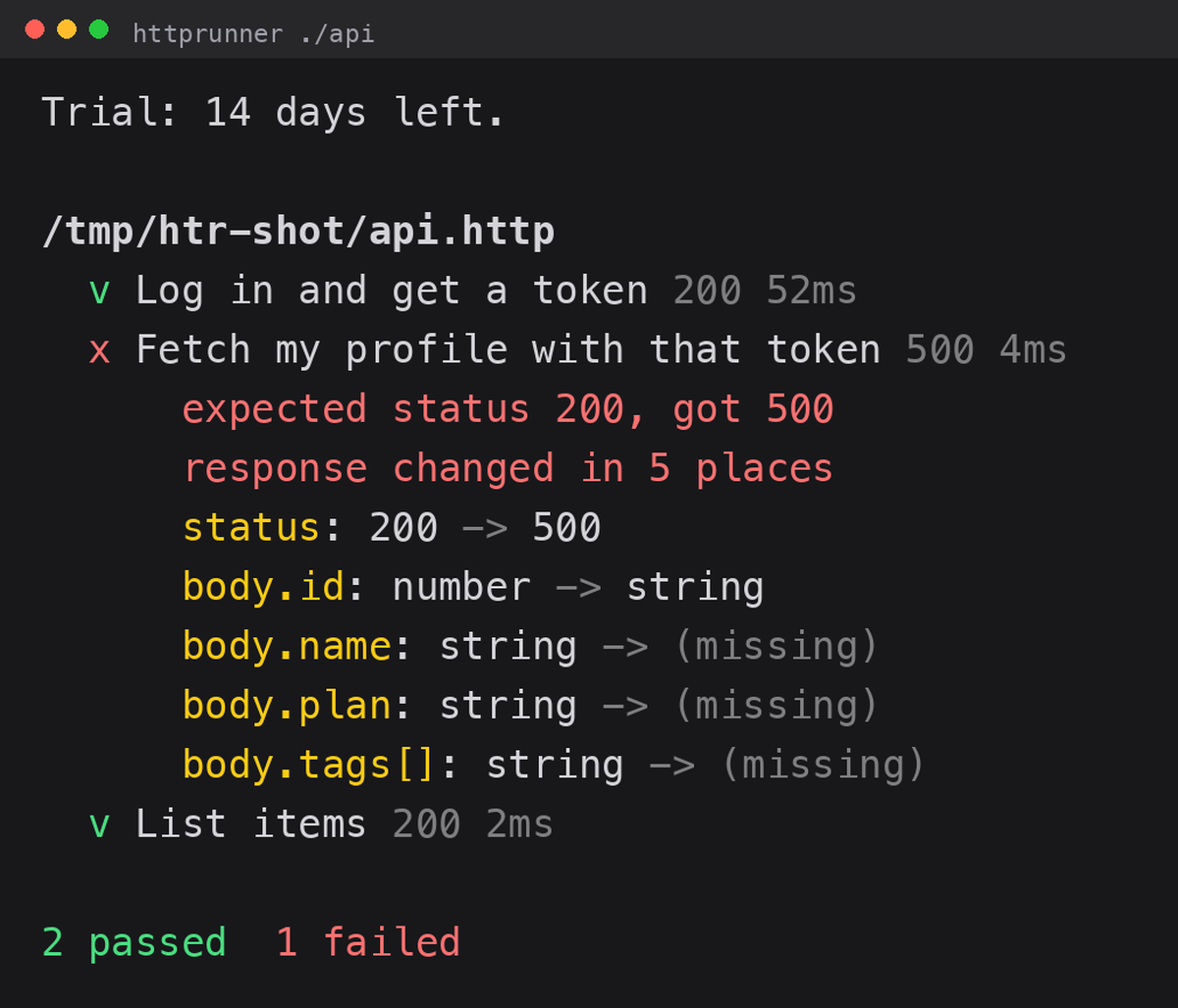
You never write a testSend a request once and the response becomes the baseline. From then on you are told only what changed. Comparison is by structure, not value. Ids that increment, tokens that rotate and timestamps that move are all silent. You hear about it when a field disappears, a type changes or a status code moves.
That is the whole reason API tests get written and then deleted a week later: false alarms. There are none here. Three places, one engineIn the editor. A
In CI. The same files become a regression suite. Exits non-zero when something changed, so a pull request can be blocked. As a monitor, with no server to host. This writes two GitHub Actions workflows. The scheduled one replays your requests and opens an issue in your repository when a response stops matching. No infrastructure, no third-party dashboard, no monthly platform bill. A badge that tells the truthThe monitor writes It renders as The file is generated in your repository, served from your repository, and committed only when the status actually changes. Nothing is sent anywhere, and the badge says something about your API rather than about this tool. You can also produce it from a single run: Documentation that cannot go staleThis writes a Markdown API reference built from your requests and from the responses that were actually recorded: the method and URL, the headers, the request body, the status, and the shape of what came back. Because it is generated from real runs rather than written by hand, it cannot drift away from the API the way a hand-maintained document does. The generated monitor workflow keeps it current for you. Secrets are redacted before anything is written. Bringing in what you already haveReads a Postman v2.1 collection or an Insomnia v4 export and writes
plain Nothing is uploaded anywhere. The conversion happens on your machine, and the result is a text file you can read, diff and commit. Reviewers see what changedThe generated CI workflow comments on a pull request when a response no longer matches what was recorded, with the same diff you would see in the terminal. The people reviewing the change find out on the change, rather than after it ships. Everything you already use keeps working
Add What costs moneySending one request stays free. That is not going to change. Running a whole file, recording and comparing responses, CI and monitoring are the paid part. There is a 14 day trial, no card and no account needed to start. 5 USD a month, or 48 USD a year. Get a licence A licence is a key. Paste it into the setting, or set Two promises, because plenty of tools have broken them:
Commands
The extension is 40 KB. It does not embed a browser, a desktop app or a sign-in. |