Cosmos DB Explorer
Read your Azure Cosmos DB documents without leaving the editor.
Pick a database, pick a container, press Run. That's it.
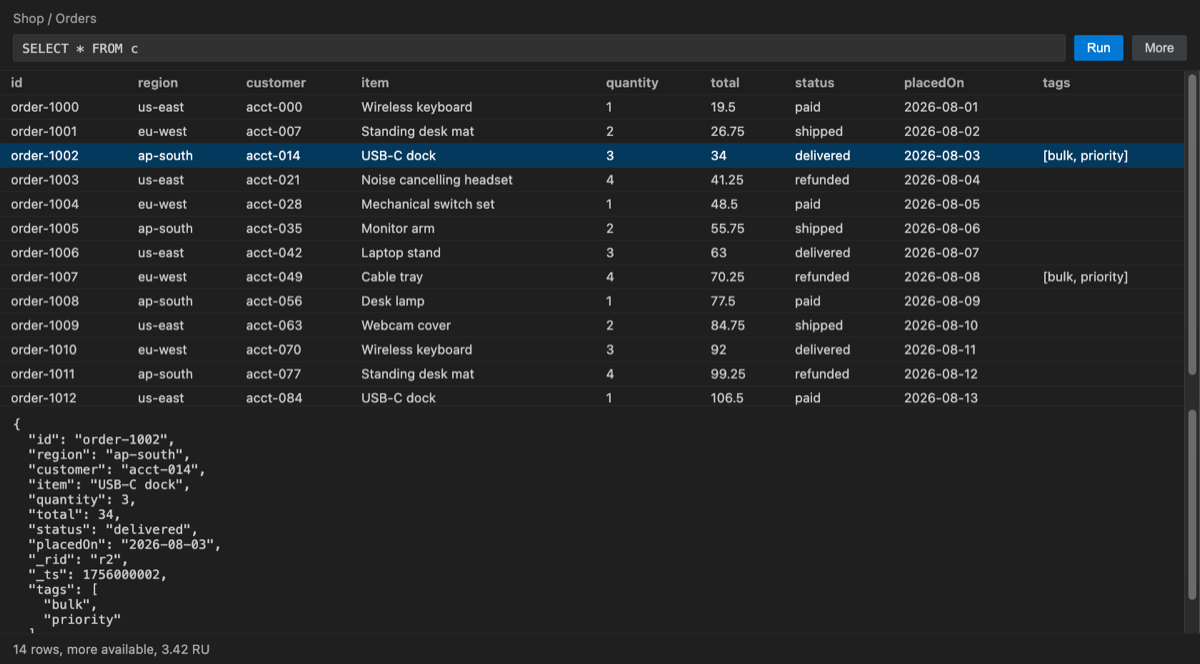
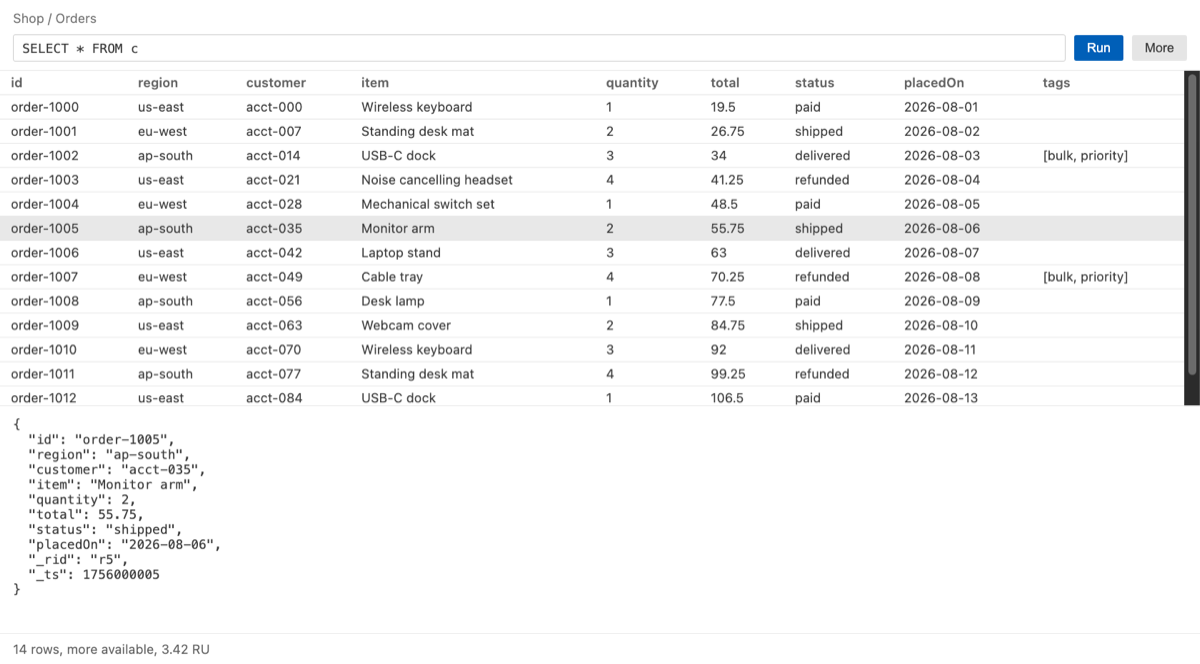
Columns come from the fields your documents actually have. Select a row to read the whole document.
The request charge in RU is shown for every query.
Getting started
- Open the Cosmos DB view. It appears in the activity bar as Databases after install.
- Run
Cosmos DB: Connect to Account from the command palette, or press Connect in the
view. Paste the account URI and a key. Nothing is sent anywhere until you do this, so the
extension cannot slow your editor down at startup.
- Expand a database and pick a container.
Cosmos DB: Open Container does the same from
the palette.
- Press Run. The query starts at
SELECT * FROM c. Results arrive one page at a time, so
a large container does not freeze the editor. Select a row to read the whole document.
Three settings are worth knowing: cosmosExplorer.pageSize for how much arrives at once,
cosmosExplorer.showSystemFields to bring back _rid, _etag, _attachments and _ts, and
cosmosExplorer.trustLocalEmulator for working against the emulator. Cosmos DB: Forget This Account removes a stored account, and Cosmos DB: Enter Licence Key is where a key goes.
Why this one
The usual way to look at a Cosmos document is the Data Explorer in the Azure portal: another
browser tab, another sign-in, and a scroll through system fields before you reach your own data.
The usual alternative is a toolkit that reaches out to every subscription the moment the editor
starts.
- Nothing happens until you press Connect. No network call is made at startup, so it cannot
slow your editor down or throttle your account.
- No third-party libraries at all. It speaks the Cosmos DB REST API directly using the Node
runtime that ships with VS Code. Nothing to conflict with, and nothing extra to load.
- Read-only by design. It reads databases, containers and documents. It never writes, never
deletes, and never changes throughput.
What it does
- Browse databases and containers in the sidebar
- Run a Cosmos DB NoSQL query and read the results as a table
- Columns are built from the fields your documents actually have, not a fixed list
_rid, _self, _etag, _attachments and _ts are hidden by default, and one setting brings
them back- Select a row to read the whole document as indented JSON
- Results arrive one page at a time, so a large container does not freeze the editor
- The request charge in RU is shown for every query, because that is what it costs you
- Works against the local Cosmos DB emulator as well as a real account
Trial and price
Every feature is open for 14 days. No card is needed, and nothing is charged automatically.
The trial is a date on your own machine. This extension never asks for payment details and never
could charge you.
After 14 days, browsing stays free:
|
|
| Free, always |
Connect, browse databases and containers, read the first page of documents, open any document |
| Licensed |
Running your own queries, fetching further pages |
A licence is USD 3 a month, or 30 a year, the same as the JetBrains edition of this tool.
Get a licence: no account to create, no card stored with us. The key goes in with Cosmos DB: Enter Licence Key.
If the licence check cannot reach our server, the extension stays unlocked. Being offline is
not a reason to stop someone who paid.
Your key
The account key is kept in the editor's own secret storage, never in a project file that could
reach version control. A read-only key is enough. The extension talks to Cosmos DB directly from
your machine, and nothing is uploaded anywhere.
Settings
| Setting |
Default |
What it does |
cosmosExplorer.pageSize |
100 |
How many documents to fetch per page |
cosmosExplorer.showSystemFields |
off |
Show _rid, _self, _etag, _attachments, _ts as columns |
cosmosExplorer.trustLocalEmulator |
off |
Accept a local emulator's self-signed certificate. Ignored for any address that is not localhost |

