ScopeCone Roadmaps for Azure DevOps
ScopeCone Roadmaps brings capacity-led roadmapping and Kanban focus directly into Azure Boards. Product and delivery teams can explore "what-if" scenarios, tag work with discovery stages (Idea → Business Requirements → Design → Technical Plan), and keep their roadmap promises without leaving Azure DevOps. Key Features
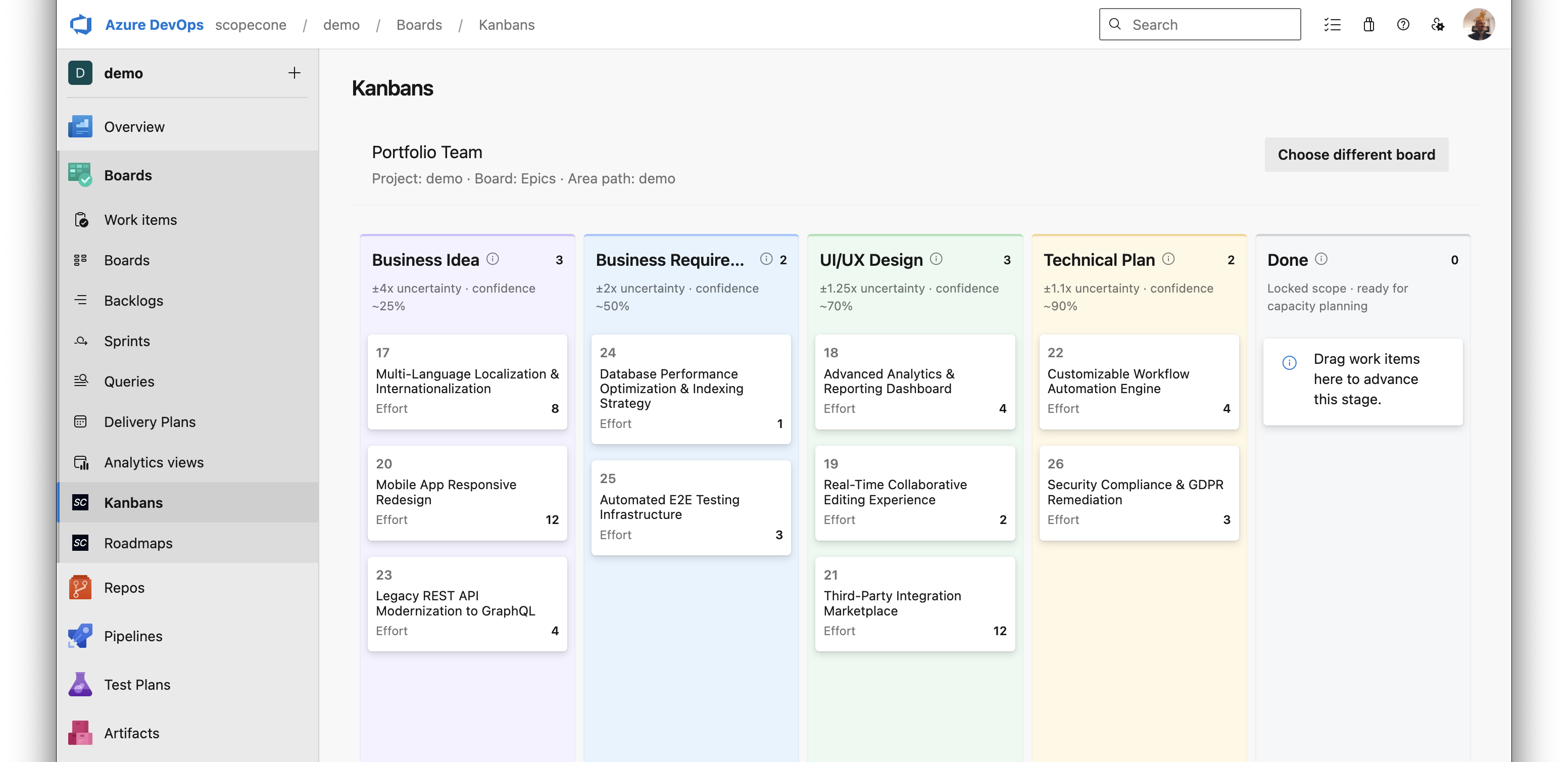
FeaturesDiscovery stage trackingStart by assigning uncertainty levels during discovery using Kanban. Color-coded tags show whether an item is still an idea, in requirements, design, or technically planned, so uncertainty is obvious on every board. See estimation confidence evolve as work progresses through discovery stages.
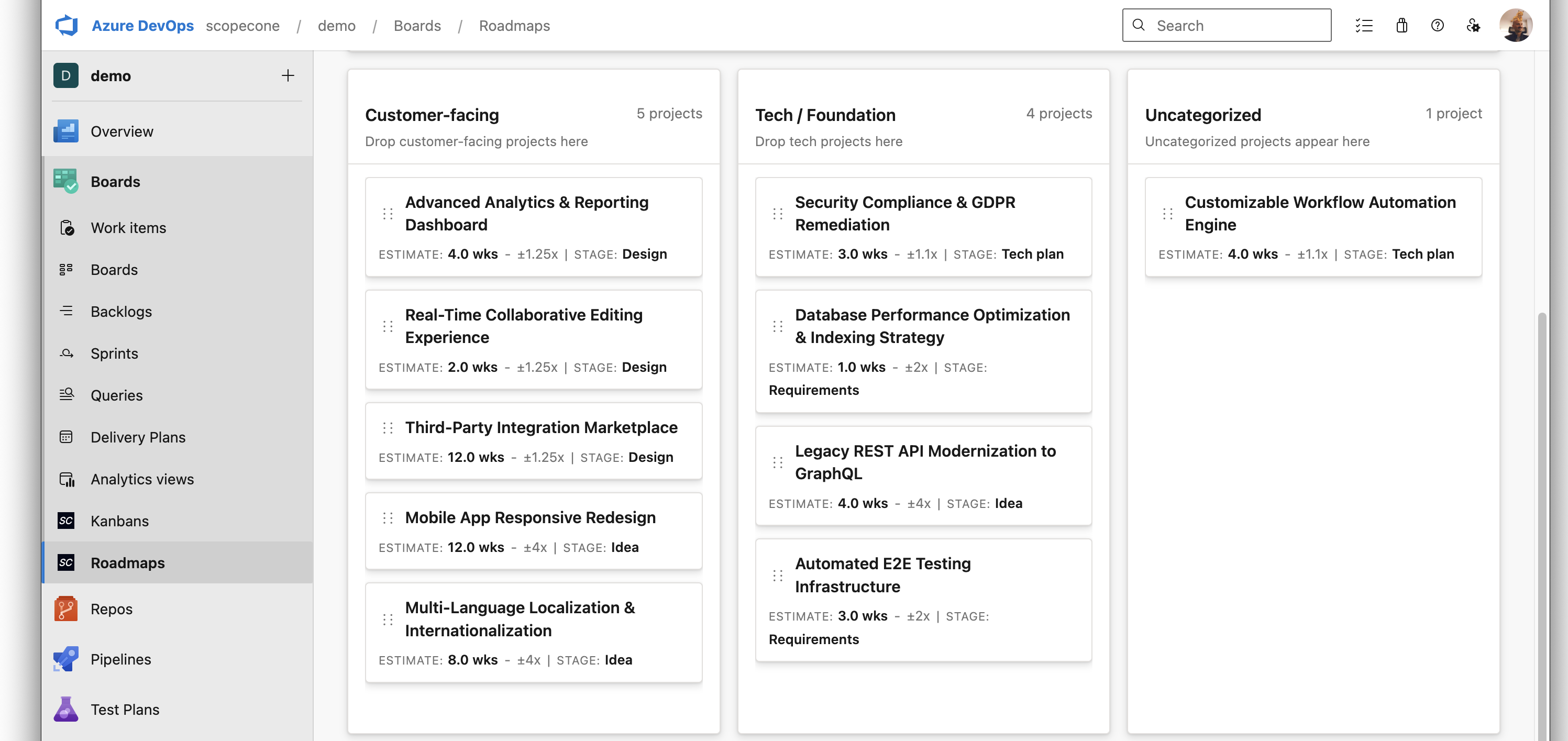
Capacity-led roadmapsCreate roadmaps that categorize projects into customer-facing and technical initiatives. Visualize multiple initiatives on a shared timeline that reflects actual team capacity, not arbitrary dates. Build portfolio roadmaps that stay in sync with Boards—drag initiatives, visualize delivery windows, and track dependencies from the same work items you already use.
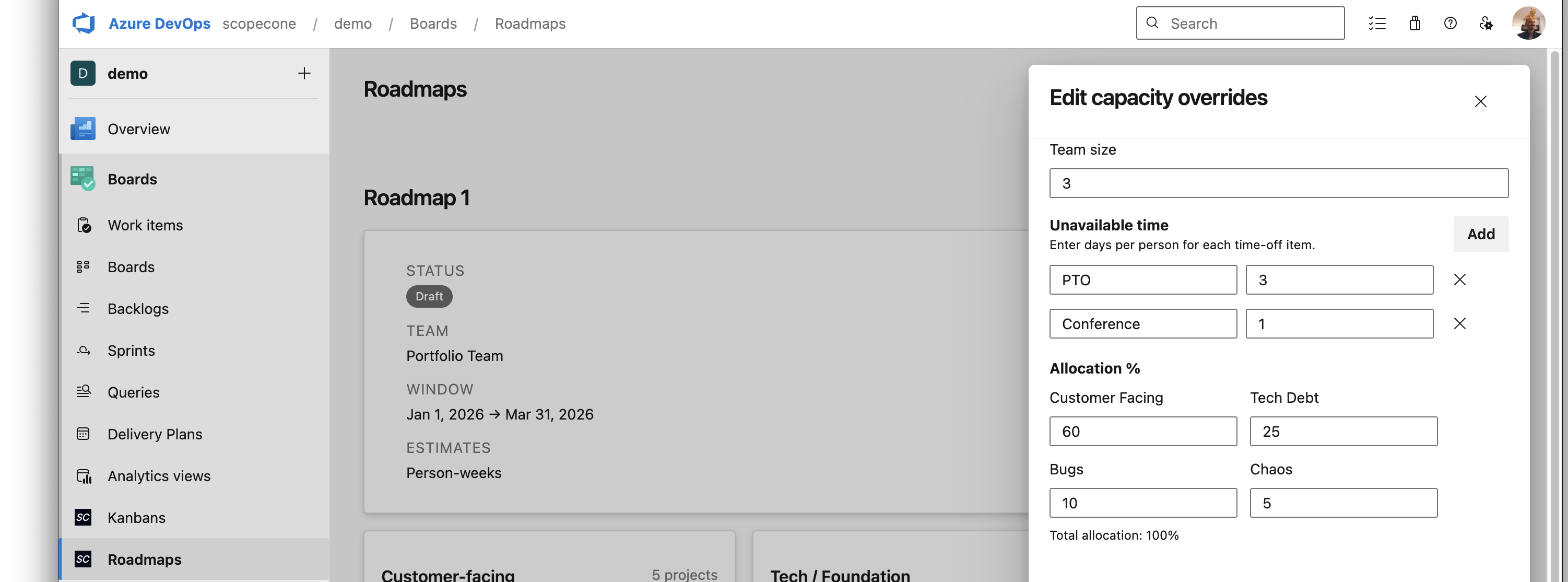
Fine-tune capacity planning with detailed overrides. Adjust team size, mark unavailable items, and set allocation percentages to model realistic delivery scenarios and account for team availability.
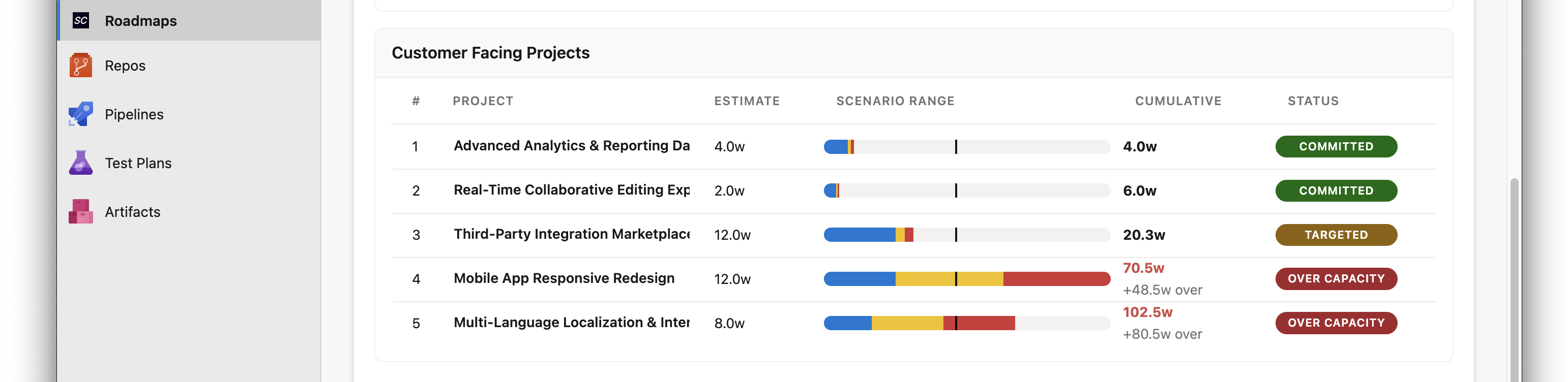
Analyze delivery scenarios and explore different outcomes using ScopeCone's forecasting models. View projects categorized by capacity status (committed, targeted, over capacity) to understand which initiatives are on track and which need attention. Answer "what ships if we hire another squad?" or "what slips if design loses a sprint?" before committing to dates.
Native Azure DevOps integration
For complete security and data handling details, see our Security Statement. Ready to forecast delivery with confidence? Start your free 30-day trial → PermissionsScopeCone Roadmaps requires the following Azure DevOps permissions:
All work item data, roadmap configurations, and tags remain within your Azure DevOps organization. The extension only communicates with external services for license verification, which requires sending your organization ID (no work item data is transmitted). 🎯 30-Day Free Trial – Start evaluating ScopeCone Roadmaps immediately with full access to all features. After the trial, request a paid license to continue editing roadmaps. View-only mode remains available. Learn more about licensing → Getting Started1. Install from MarketplaceInstall ScopeCone Roadmaps from the Azure DevOps Marketplace. The extension requires organization-level installation permissions. 2. Start Your 30-Day Free TrialOnce installed, open any Azure Boards project and navigate to:
Your 30-day trial starts automatically when you first access the extension. No credit card required. 3. Configure Your First Roadmap
For detailed setup instructions, see our documentation. Trial & LicensingFree TrialScopeCone Roadmaps includes a 30-day free trial with full access to all features for your Azure DevOps organization. The trial is organization-level—everyone in your organization shares the same trial window. What's included:
After the TrialWhen your 30-day trial expires:
Request a LicenseIncludes a 30-day evaluation. You'll need to request a ScopeCone-issued license after the trial. To upgrade:
For questions about licensing, contact us at hello@scopecone.io. For complete trial and licensing terms, see our licensing page. Documentation & Support
Privacy & TermsBy installing and using ScopeCone Roadmaps, you agree to: For security and data handling information, see our Security Statement. Ready to build better roadmaps? Install ScopeCone Roadmaps from the Marketplace and start your free 30-day trial today. |