Skip to content
| Marketplace
Sign in
Visual Studio Code>Programming Languages>Kosmora: MongoDB Schema DesignerNew to Visual Studio Code? Get it now.
Kosmora: MongoDB Schema Designer

Kosmora: MongoDB Schema Designer

Sanket Manohar

| (0) | Free
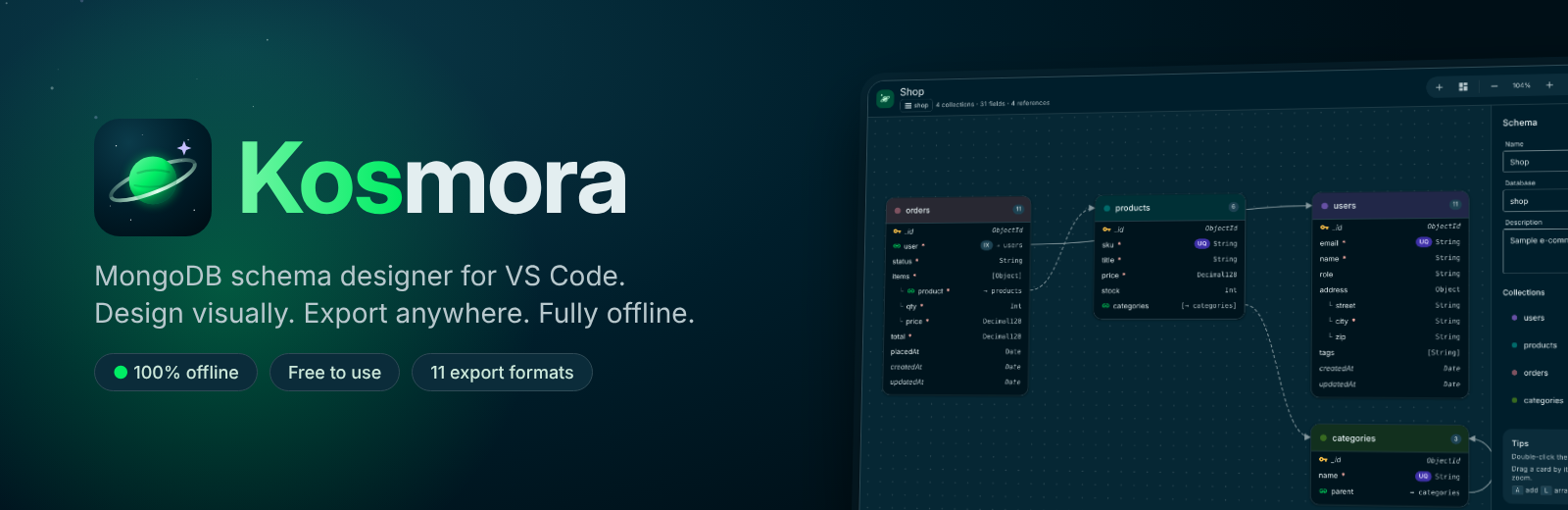
Design MongoDB schemas on a visual canvas and export them to JSON Schema, MongoDB validators, Mongoose, TypeScript, Prisma, Pydantic, Markdown, Mermaid, DBML, SVG and PNG. Works completely offline, with no database connection.
Installation
Launch VS Code Quick Open (Ctrl+P), paste the following command, and press enter.
Copied to clipboard
More Info

Kosmora

Kosmora: MongoDB Schema Designer

Design MongoDB schemas on a visual canvas and export them to the formats your code needs, all inside VS Code. Kosmora works completely offline and never connects to a database.

Schema designer

Open or create any *.kosmora.json file to get the designer.

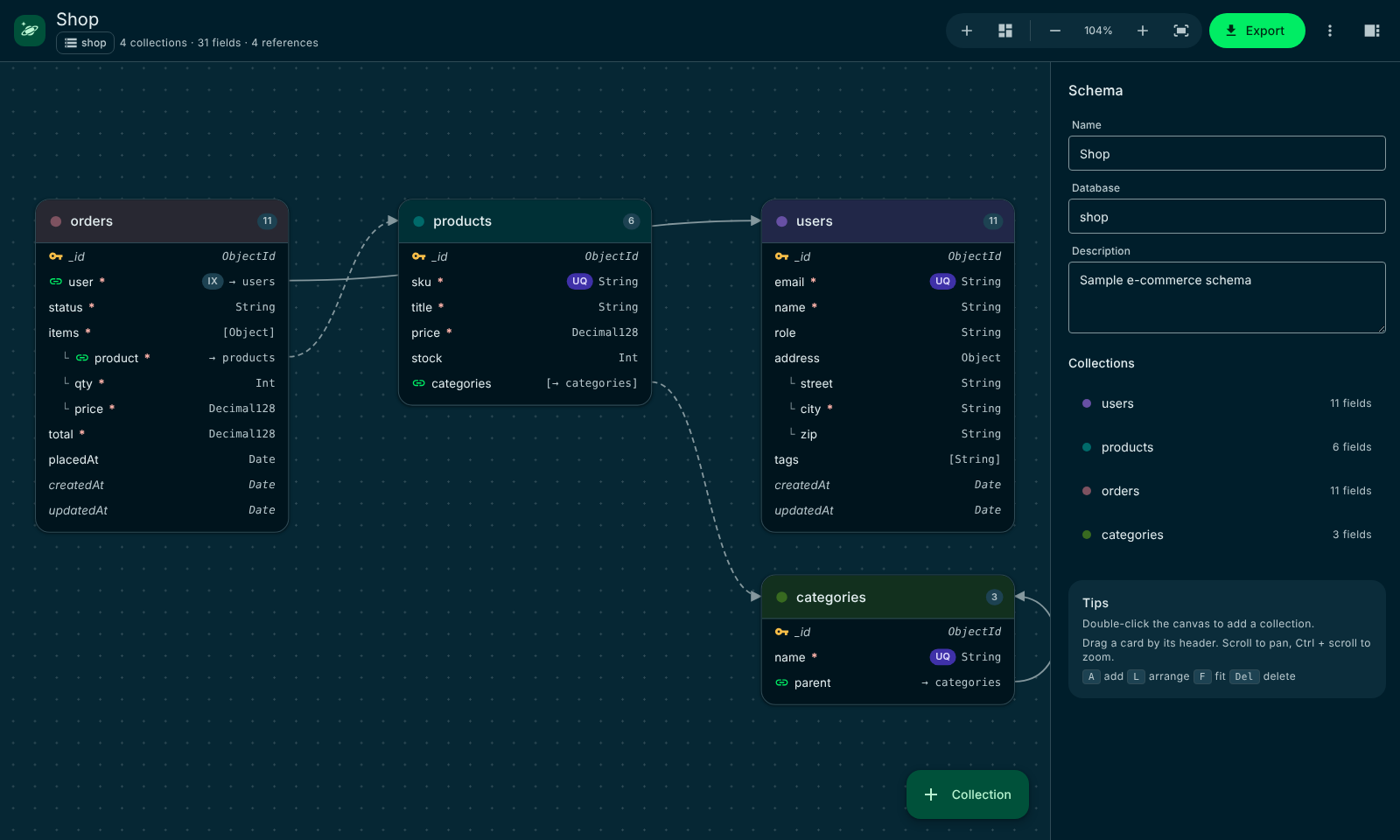
  • Drag-and-drop canvas with collections, nested sub-documents, arrays and references drawn as connectors (dashed for one-to-many)
  • Side panel for every detail: types, required, unique, indexed, enums, defaults, min/max, length, regex patterns, descriptions, compound/text/TTL indexes, timestamps and colors
  • Live problem checking (duplicate names, invalid field names, references to missing collections)
  • Auto-arrange, zoom, fit, keyboard shortcuts (A add, L arrange, F fit, Del delete) and undo through VS Code
  • The file is plain JSON, so designs diff and review well in Git

Export formats

Format Output
JSON Schema Draft 2020-12, one definition per collection
MongoDB validators mongosh script: createCollection/collMod with $jsonSchema, plus indexes
Mongoose Schemas, refs, validation and indexes (CommonJS or ESM)
TypeScript Interfaces using mongodb types
Prisma MongoDB provider with composite types and relations
Pydantic Python v2 models
Markdown Field tables, indexes and an embedded Mermaid diagram
Mermaid erDiagram source
DBML For dbdiagram.io
SVG / PNG Images of the diagram, light or dark

Schema designer

Getting started

  1. Open the Kosmora view in the activity bar, or run Kosmora: Get Started for a short walkthrough.
  2. Choose New schema design, or Try the sample schema to open a ready-made shop schema.
  3. Add collections and fields, then pick Export to generate code.

The Schema Designs view lists every *.kosmora.json file in your workspace.

Privacy and offline use

Kosmora has no telemetry, loads nothing from the internet and makes no network connections. It never connects to, reads from or changes a database. Its screens use only files shipped inside the extension, and your designs are ordinary files on your device.

Settings

Search for "Kosmora" in Settings to change the color scheme (auto, light, dark), the export folder, the Mongoose module style and the diagram image theme.

Documentation

  • Website and user guide: https://sanket-manohar.github.io/kosmora/
  • PDF user manual: https://github.com/sanket-manohar/kosmora/raw/main/docs/Kosmora-User-Manual.pdf
  • Report a problem: https://github.com/sanket-manohar/kosmora/issues

License

Free to download and use. Kosmora is proprietary software: republishing, redistributing or modifying it is not allowed. Copyright (c) 2026 Sanket Santosh Vidya Manohar. All rights reserved. See LICENSE.md in the extension folder.

Your data and responsibility

Kosmora only reads and writes the design files you open and the export files you create. What you do with the generated code and scripts is up to you.

  • Review generated output, and test any generated script on a non-production copy, before you use it on real data.
  • Kosmora is provided "as is", without warranty. Its owner accepts no liability for data loss, corruption, downtime or any other damage from using it or its output. See section 6 of LICENSE.md.

Trademarks

Kosmora is independent software. It is not affiliated with, endorsed by or connected to MongoDB, Inc., Microsoft or any other company whose products it designs for or exports to. MongoDB, Visual Studio Code and other names are trademarks of their respective owners and are used only to describe compatibility. See section 10 of LICENSE.md.

  • Contact us
  • Jobs
  • Privacy
  • Manage cookies
  • Terms of use
  • Trademarks
  • Your Privacy Choices
  • Consumer Health Privacy
© 2026 Microsoft