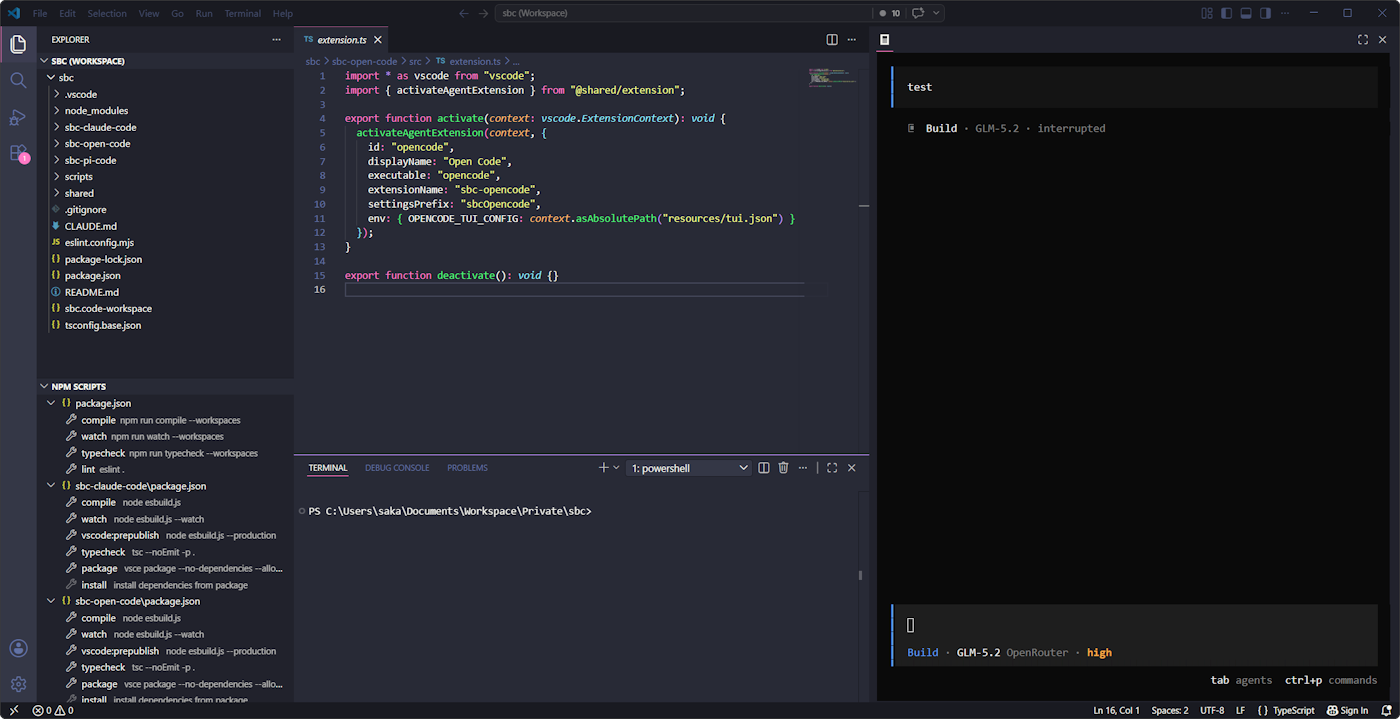
opencode, docked in your VS Code sidebar instead of buried in a terminal tab — drop in files, paste screenshots, click straight through to files and URLs in the output, and get pulled back the instant opencode needs you.
Features
Session tabs — run multiple opencode sessions side by side in a VS Code-style tab strip: your existing sessions show up as tabs with their titles, the + button starts a fresh one, double-clicking a tab lets you rename it, and closing a tab deletes its session. (Renaming updates the tab and opencode's own session list immediately, but a session's already-running TUI keeps showing the old name in its own /sessions command until that session is restarted — opencode has no rename command/notification of its own yet.)
Sidebar terminal — opencode runs in a real terminal (xterm.js + node-pty), docked in the sidebar and always one click away — no hunting through terminal tabs.
Paste support — paste text (Ctrl+V / Cmd+V, or right-click) as usual; paste a screenshot and it's saved to a temp file with the path typed in for you.
Drag & drop — drag a file straight into the terminal (hold Shift, a VS Code webview restriction) and its path is typed in.
Clickable links — Cmd/Ctrl-click a file path or URL in the terminal output and it opens immediately, no copy-pasting.
Theme sync — the terminal's colors track your active VS Code theme, live.
Shift+Enter for newlines — write multi-line prompts without accidentally submitting.
Live IDE context — every prompt is automatically enriched with the active file, cursor position, current selection, open tabs (with unsaved-changes warnings), and diagnostics, so opencode always knows exactly what you're looking at.
Session auto-resume — reopen the sidebar and pick up exactly where you left off.
Notifications — native OS notifications (Windows/macOS/Linux, no extra software required) tell you the moment opencode finishes or needs a permission — configurable independently, see Settings.
Requirements
opencode CLI installed and available on PATH (or configured via sbcOpenCode.agentPath).
Settings
Setting
Default
Description
sbcOpenCode.agentPath
opencode
Path or command name of the opencode executable.
sbcOpenCode.notifyFinished
true
Show a native OS notification when opencode finishes responding.
sbcOpenCode.notifyNeedsYou
true
Show a native OS notification when opencode is blocked mid-turn and needs you (permission prompt, question dialog, or session error).
Privacy
All context (active file, selection, diagnostics) is written to a local file and injected into your prompt by a plugin running inside the opencode CLI process directly on your machine. Nothing is sent anywhere by this extension itself.