Claude Usage CrabSee which Claude Code subagents are running, and spot the one that's stuck. Your agents as pixel characters in the sidebar, plus live session, weekly and context usage. Unofficial, read-only. Installation Launch VS Code Quick Open ( Ctrl+P), paste the following command, and press enter.Copied to clipboard |

Claude Usage Crab
See which Claude Code subagents are running, right now, without leaving VS Code. Every agent in Read-only, hook-free, local. Nothing to configure.
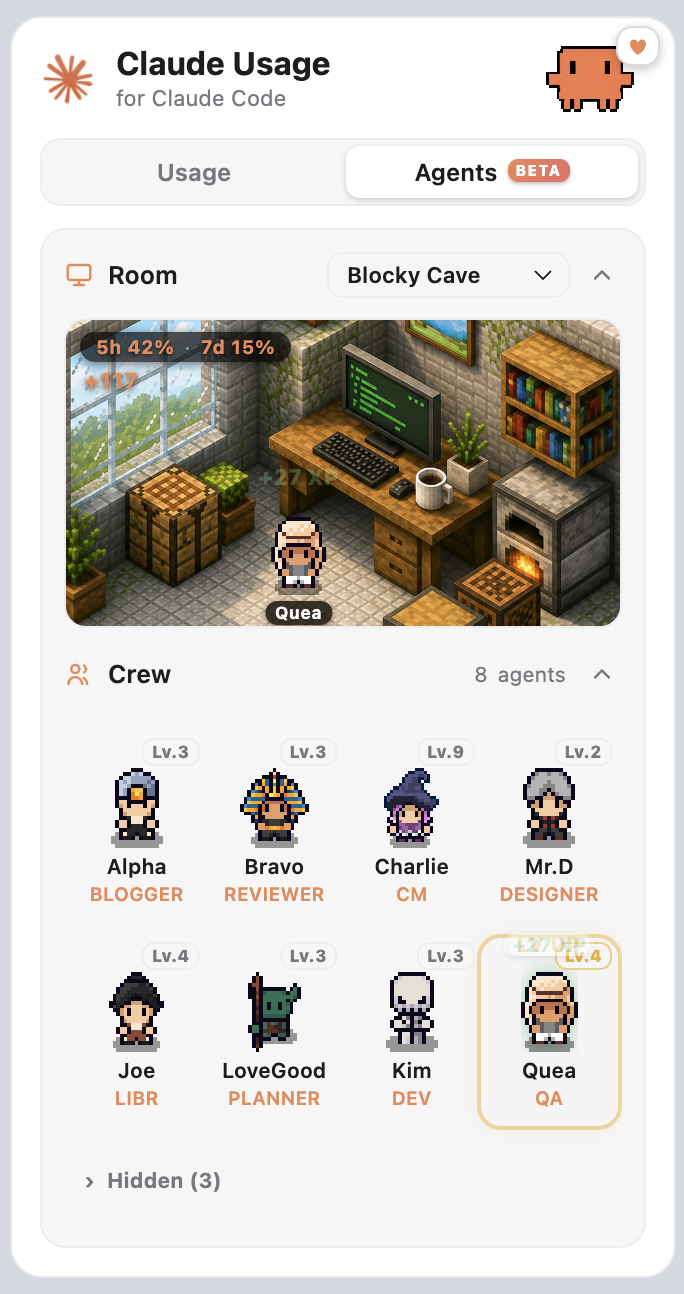
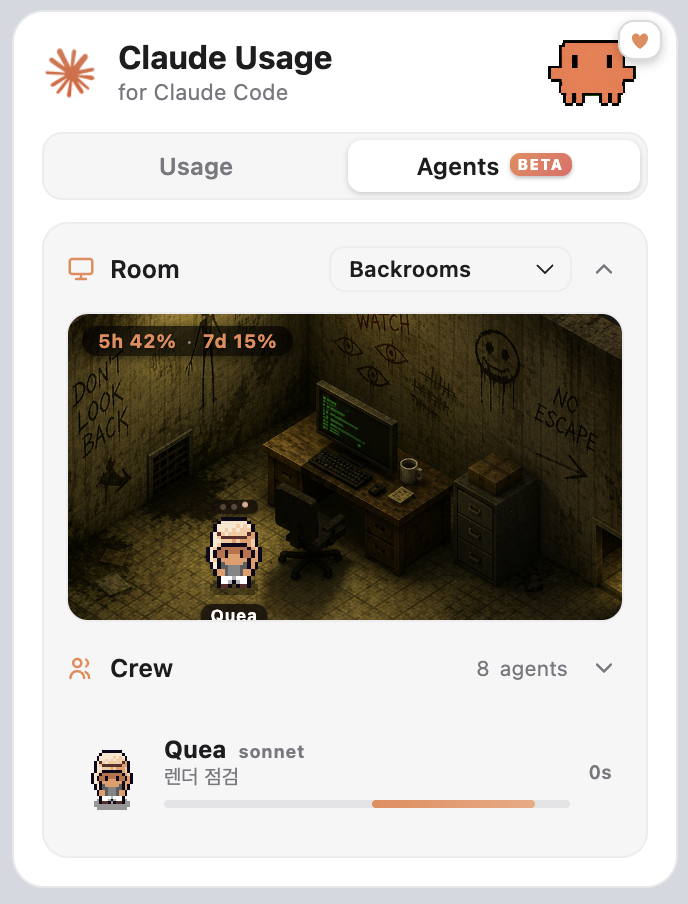
AgentsA background subagent is a black box. You fire one off and then wonder whether it is working, finished, or wedged. This tab answers that at a glance.
Agents walk in when invoked and type at the desk while they work. Fold the Crew and it becomes a compact "now running" strip with the task and elapsed time. Pick from twelve rooms in a thumbnail grid.
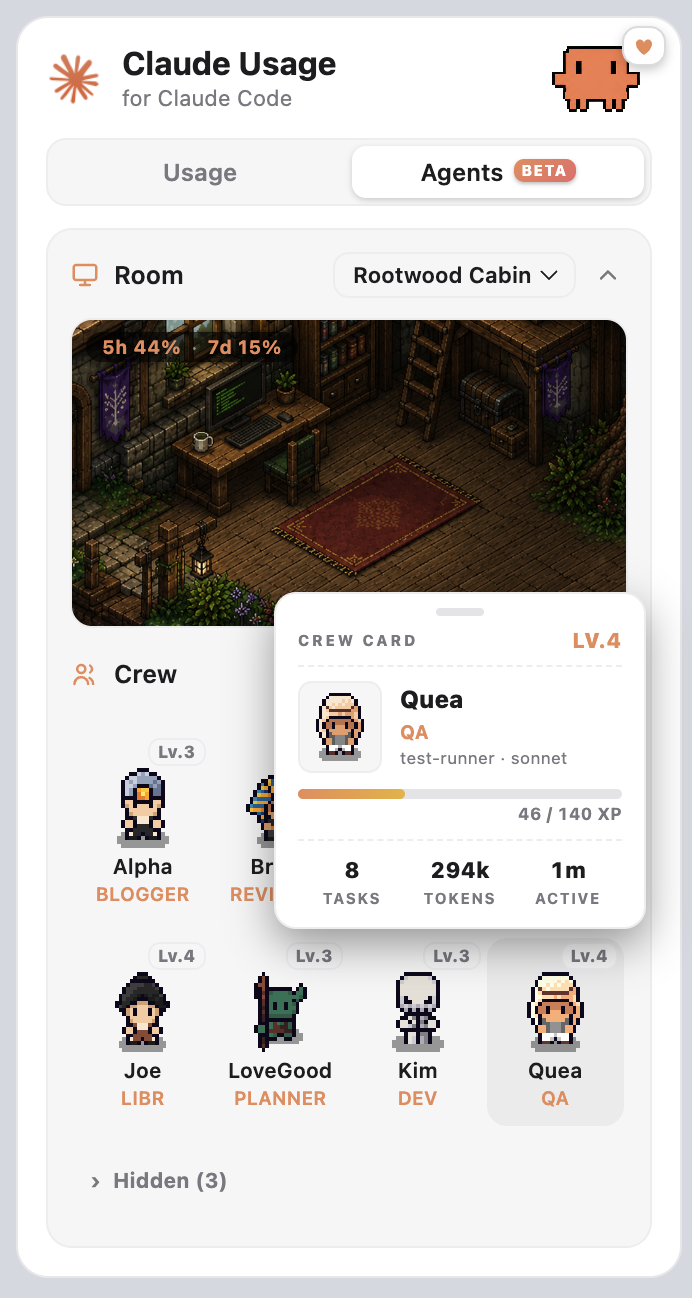
Hover a character for its crew card: level and XP progress, plus the lifetime tasks, tokens and active time that earned it.
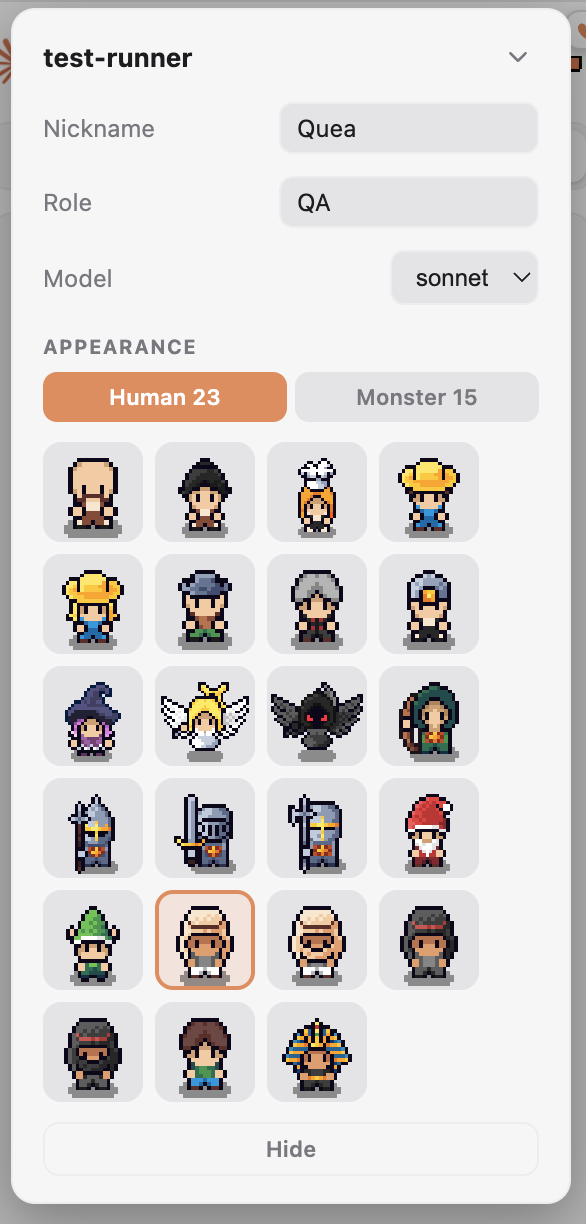
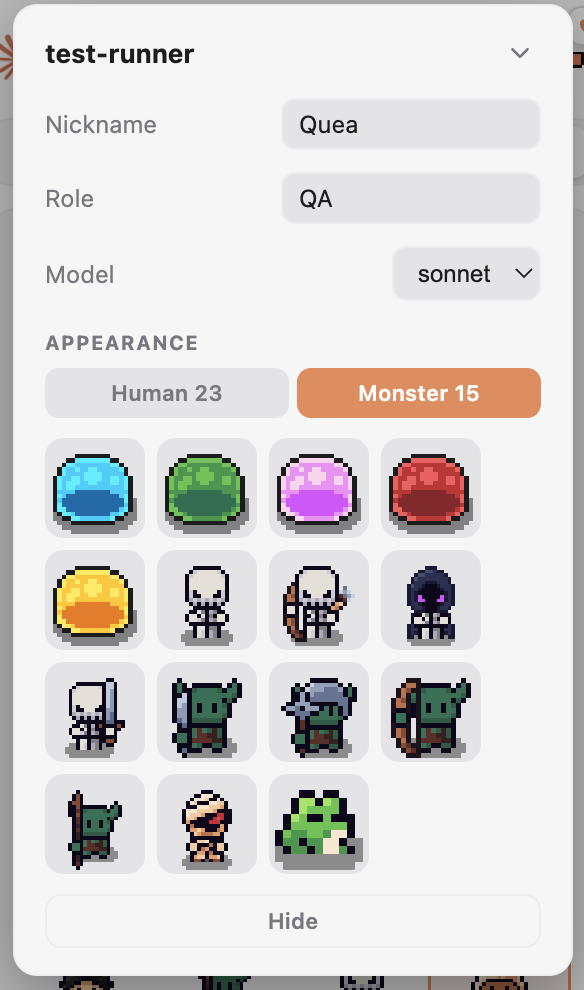
Give an agent a nickname and a role, pick its character from 38 sprites, or change its model. The model change is written straight to the agent's Detection is transcript-based and read-only. It never blocks or changes how your agents run, and it needs no hooks or setup. Claude Code's own built-in agents (Explore, Plan, general-purpose) show up too, labelled as such, so a character you never created is never a surprise. Because a background subagent has no knowable progress, running agents show an indeterminate bar and elapsed time, not a fabricated percentage. Usage panel
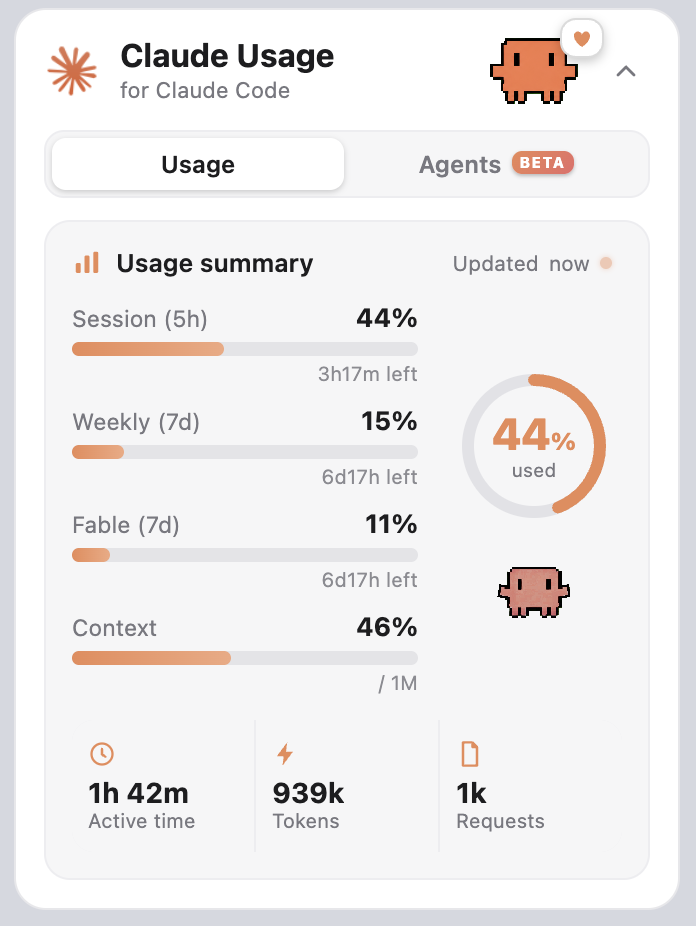
The crab reads your session usage: calm under 50%, heads-down at 50%, unravelling past 70%, flat-out near the limit. Credits and games
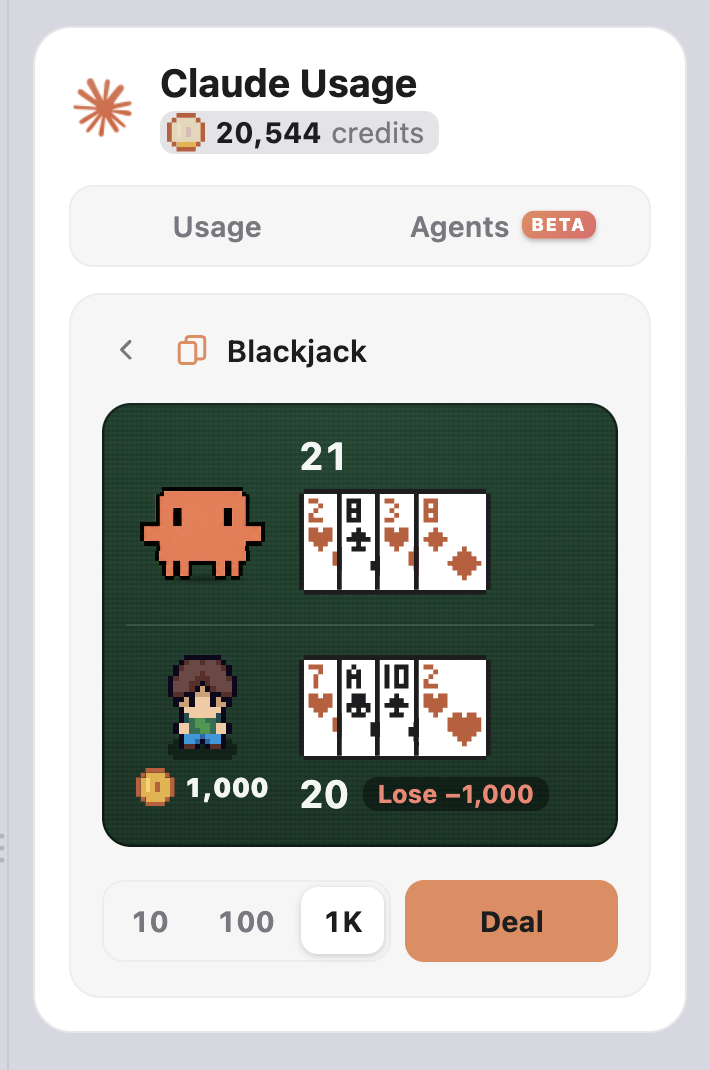
The tokens you spend earn credits: one per 100K, weighted the way the API prices them, so output counts five times an input token and a cache read a tenth. On first run your past sessions are counted once in the background, so you start with what you have already earned. The balance sits under the title, next to a coin that fills toward the next credit. Click it for the games list, where the crab runs four games. Blackjack: six decks, the dealer stands on soft 17, blackjack pays 3:2, double on your first two cards, split once. High-Low: one card lies face up and you call whether the next one beats it. Aces are high, a tie carries the pot on to the new card, and you can cash out after any call. Each side is priced off the cards actually left in the shoe, so the odds move as the run goes on. Draw Poker: jacks or better. Five cards come up, you mark the ones to keep with a click or the 1 to 5 keys, and one draw replaces the rest; keeping all five is allowed. The nine-row pay table sits on the felt above the cards and the row you were paid for lights up. It is an 8/5 table, so the royal pays 800 and every multiplier is a whole number. Sword Forge: the crab is a blacksmith here. Pay a fee and the sword goes up a level, or stays, or drops back, and from the level its blade starts to glow it can break and take the whole thing with it. The price it fetches is on the Sell button before you press anything, so stopping is always a choice you can price. Ten levels, and the sword keeps its level between sessions. The extension deals and judges, so a hand survives switching tabs; reloading the window voids it. The sword is the one thing that is kept. Credits are earned by using Claude Code and nothing else. They cannot be bought, and they cash out to nothing. Features
How it works and privacyEverything is read locally from your
Your token is sent only to The usage endpoint and the transcript format are both undocumented and may change. If they do, the affected numbers may stop updating until the extension is updated. Getting startedInstall, then open the Explorer sidebar. The Claude Usage panel appears alongside your files with Usage and Agents tabs. The status bar item shows a compact summary and opens the panel on click. Don't want it on the left? Drag the Claude Usage view header into the secondary side bar on the right, or down into the bottom panel next to the Terminal. VS Code remembers where you put it. Agents appear automatically for any Requirements
LicenseThe extension source is MIT. See LICENSE. The bundled pixel art is not covered by the MIT licence. It is licensed third-party artwork included here for use within this extension only, and is not offered for reuse or redistribution. See the third-party notice in LICENSE. |