Skip to content
| Marketplace
Sign in
Visual Studio Code>Programming Languages>rosio: ROS 2 system atlasNew to Visual Studio Code? Get it now.
rosio: ROS 2 system atlas

rosio: ROS 2 system atlas

sa1ntsinner

|
2 installs
| (0) | Free
What your ROS 2 system really is, written, coded, running and recorded, where those disagree and which line to edit.
Installation
Launch VS Code Quick Open (Ctrl+P), paste the following command, and press enter.
Copied to clipboard
More Info

rosio for VS Code

Your ROS 2 system as the code, the launch files and the parameter files describe it, read without starting anything. Where they disagree, rosio puts the finding on the line to edit.

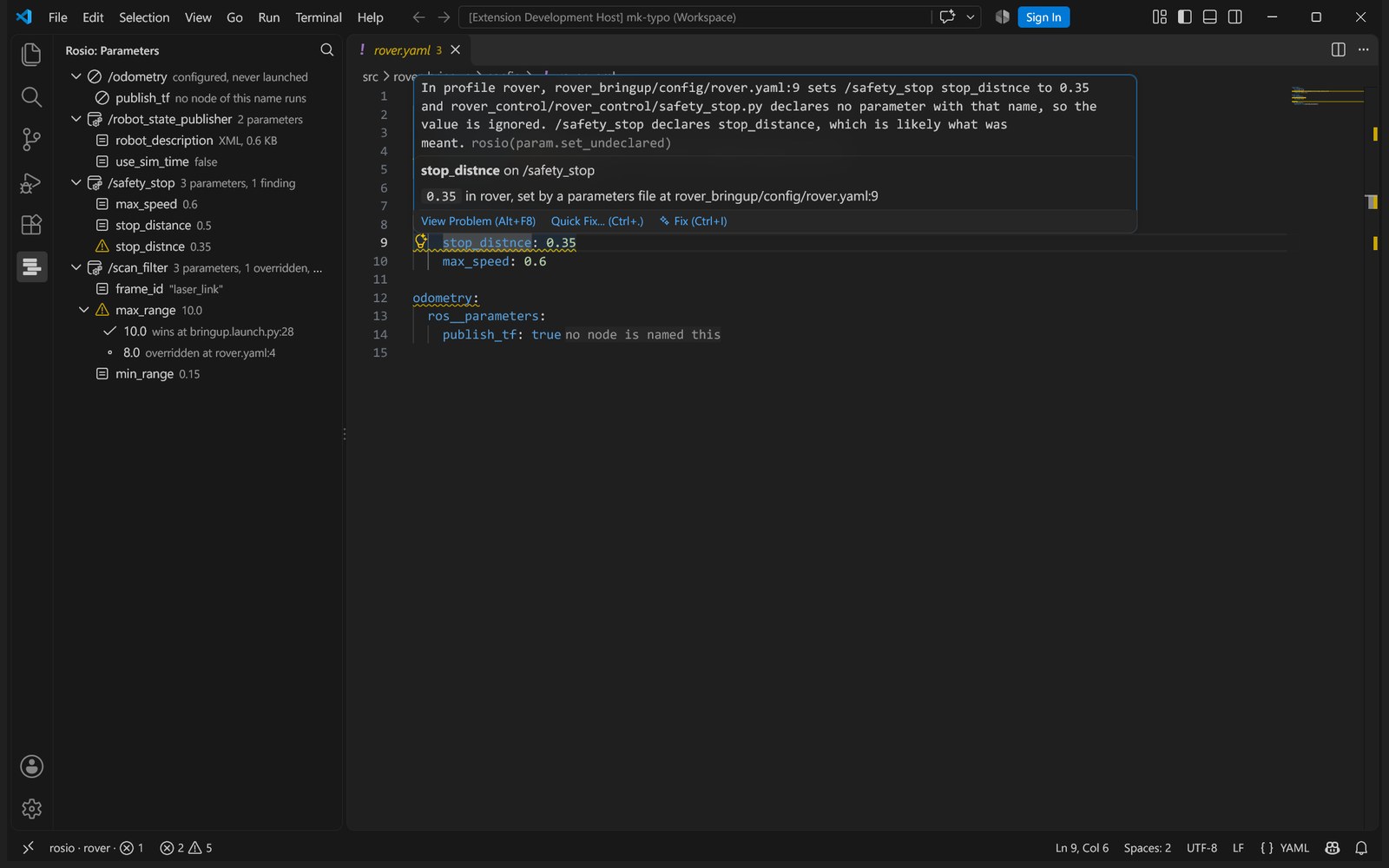
A misspelt parameter in a yaml file, with the name the node declares

Findings on the line they cite

A parameter no node declares, a subscription whose QoS can never match its publisher, a frame the code looks up that nothing broadcasts, a block for a node that is never launched. Each one sits in the Problems view and on the line itself, with the sentence that says what to change.

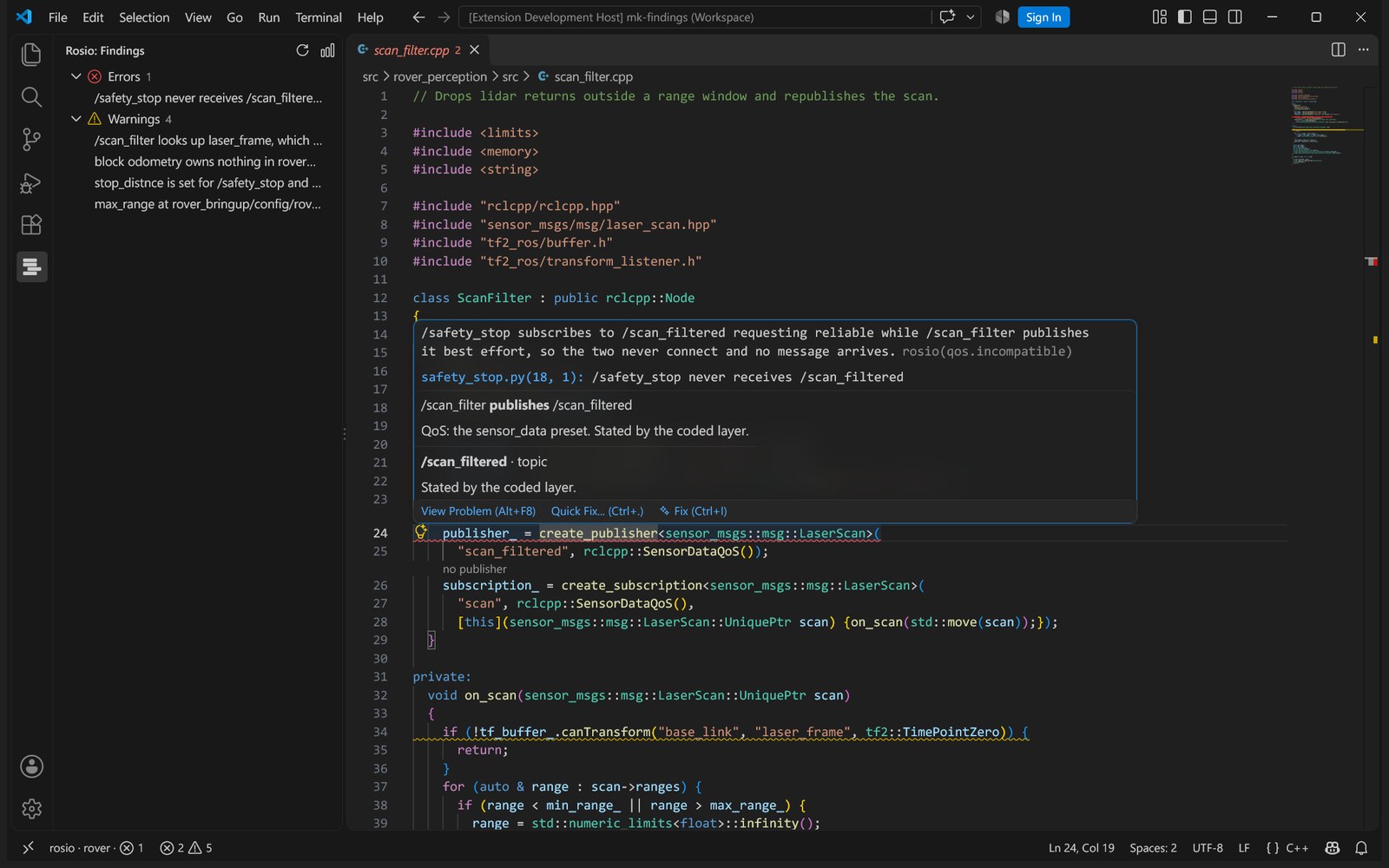
A publisher and a subscriber whose QoS never connect

Above every create_publisher and create_subscription is the node on the other end of the topic, and whether the QoS lets them connect.

Where every parameter value comes from

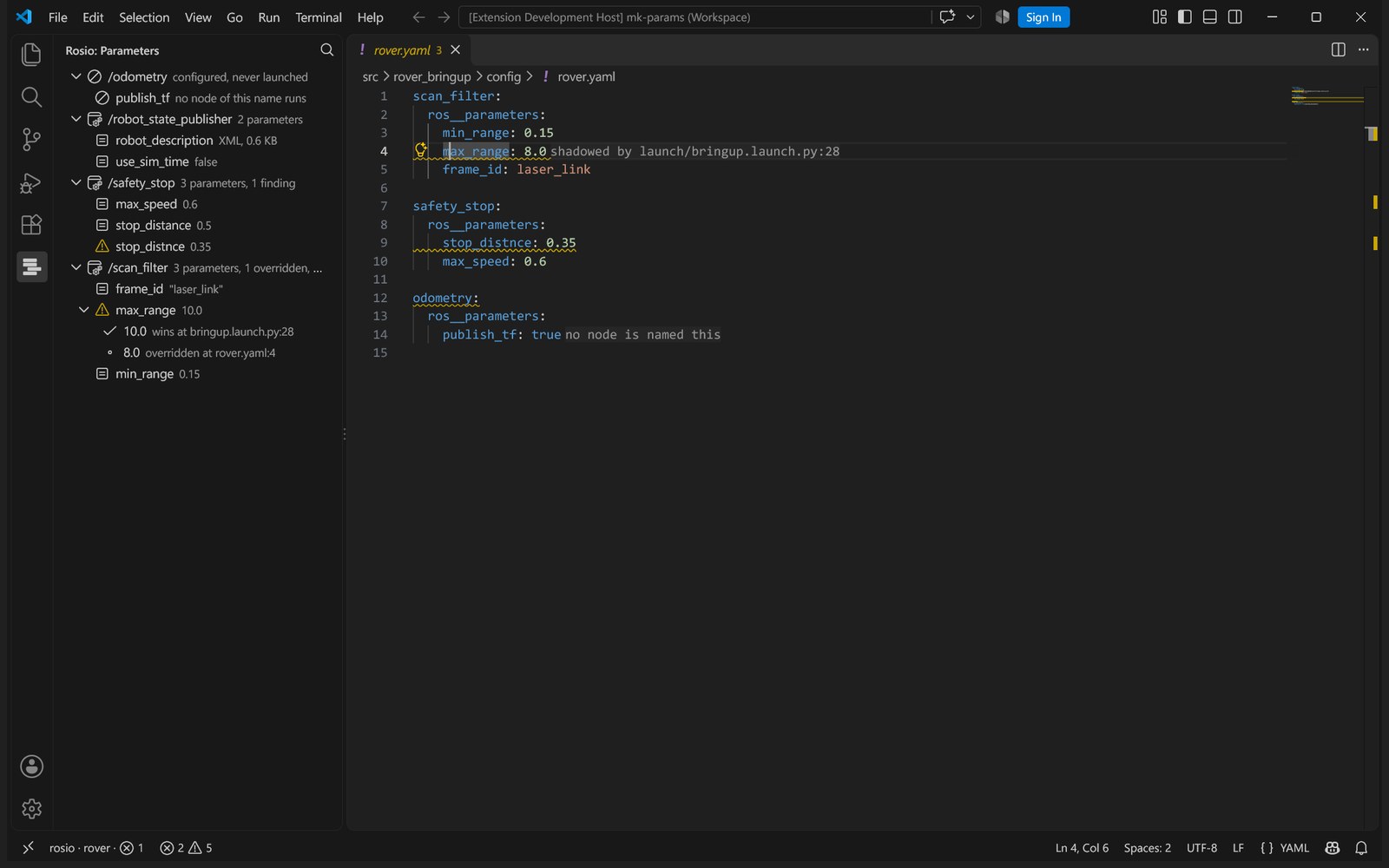
The Parameters view lists what each profile sets, node by node, with the value the node ends up with. Expand an overridden one to see every line it beat. In a parameters file, a line that loses says which line wins.

The Parameters view and the chain behind one value

The system graph

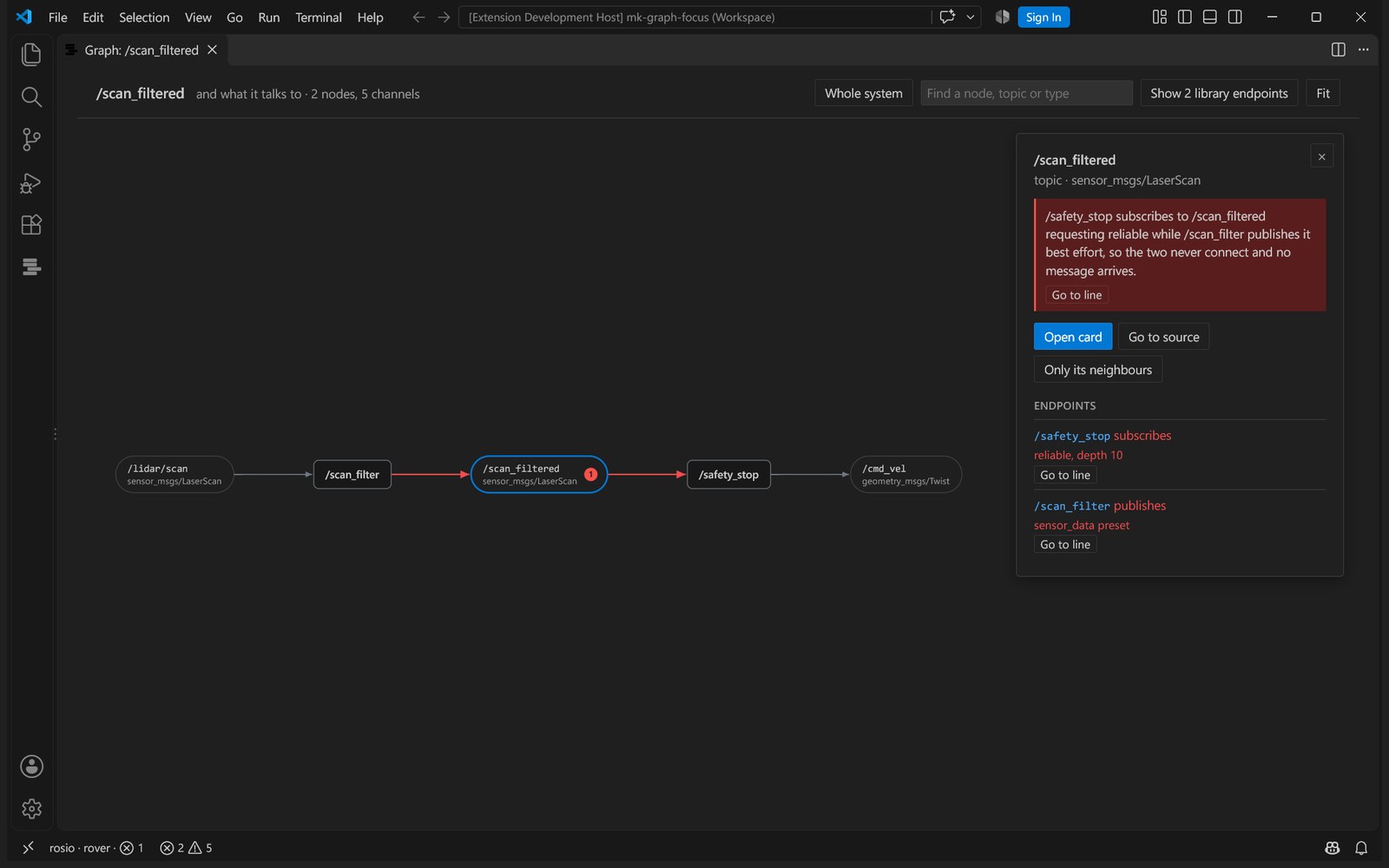
What rqt_graph shows, drawn from the sources, so it works before the robot does. Data flows from each publisher through its topic to every subscriber, with the message type under each topic. Click a box for its endpoints and their QoS; double click to keep only what it talks to.

The system graph around one topic

What a launch file starts

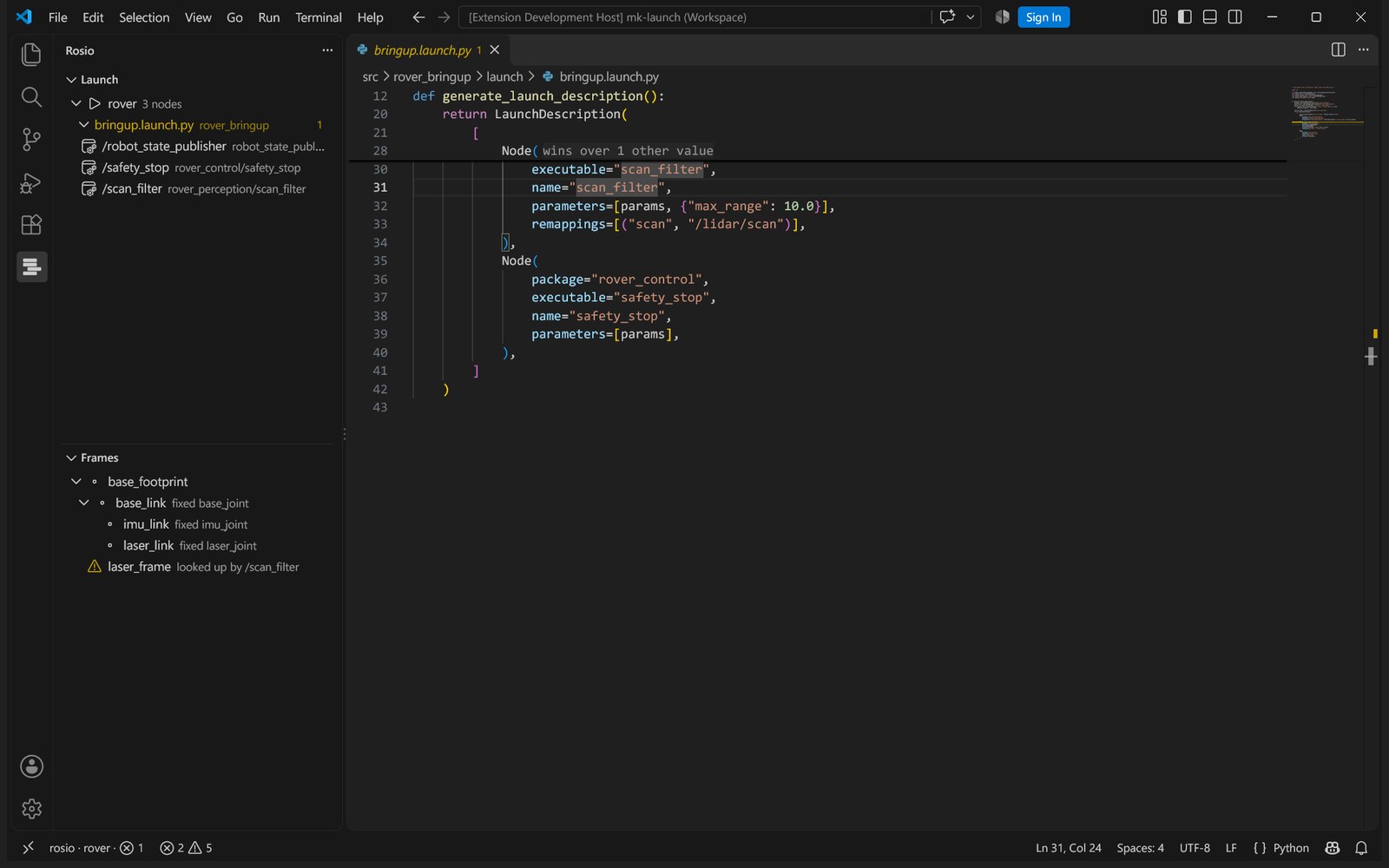
The Launch view walks each profile with its includes resolved: every node by the name it runs under, the executable behind it and the condition that gates it. The Frames view is the transform tree of each robot model, with the joint behind every frame.

The Launch and Frames views next to the launch file

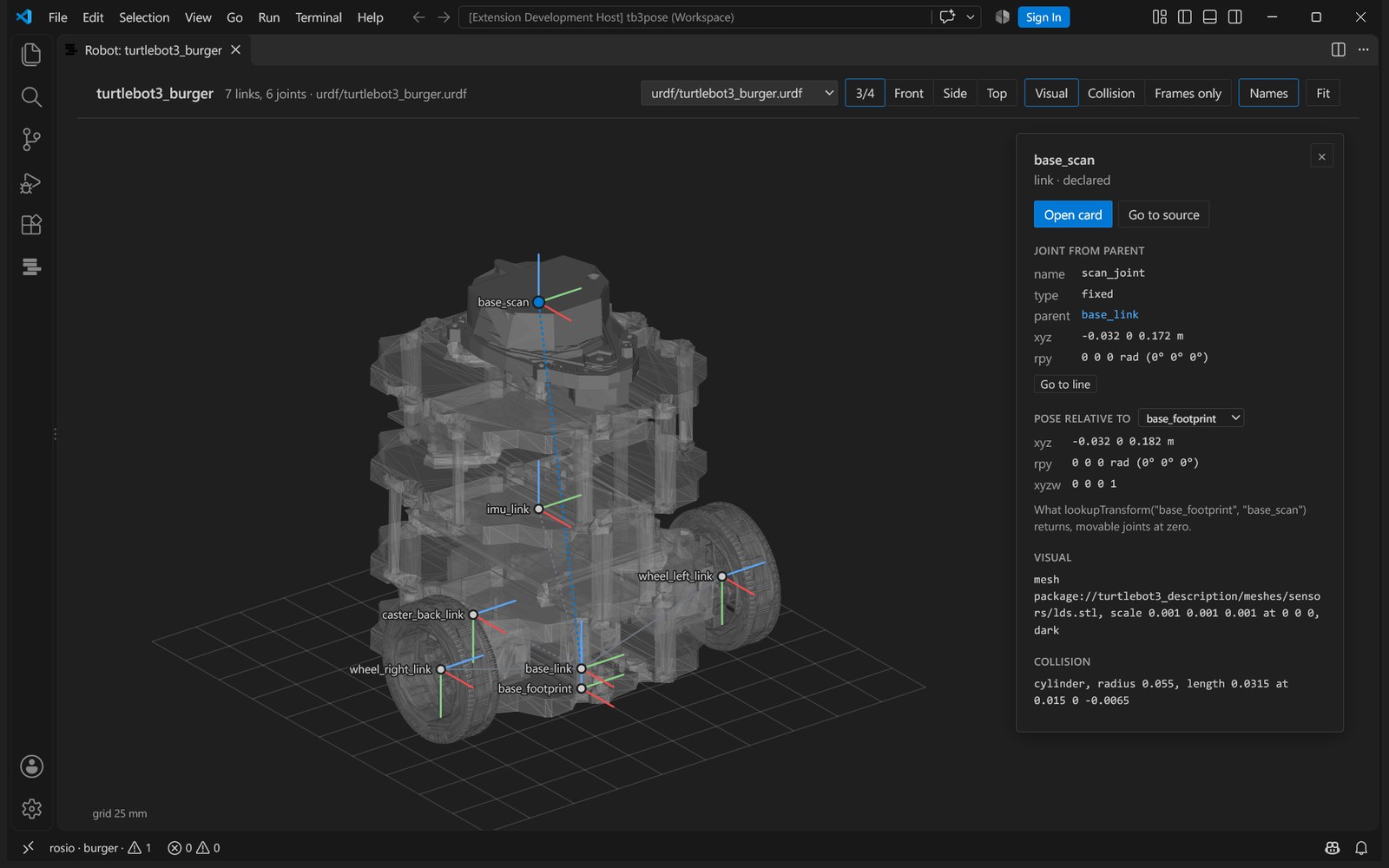
Show the robot model draws a URDF where its joints put each link, with the visual or collision shapes and the STL and OBJ meshes it names. Click a link for its joint as the file states it, the line to edit, and its pose relative to any other frame of the model.

TurtleBot3 Burger in the robot model view

Also

  • Moving to another ROS 2 release. Plan a move from humble to jazzy or later, apply the exact rewrites in one step, and build the result in the target release to see what is left.
  • Hover and go to definition across languages, from a topic name in C++ to the remap that renames it, from a parameter in yaml to its declare_parameter.
  • What rosio could not work out. The Unresolved view lists every name built at run time, so a missing finding is never mistaken for a clean system.
  • Find anything with Ctrl+Alt+R: a node, topic, parameter, frame or package.

Requirements

  • The rosio engine where the workspace is: pipx install rosio, or pip install rosio in a virtual environment created with --system-site-packages, with your ROS 2 setup sourced.
  • Run rosio: Extract the atlas once. The language server ships inside the extension.

On Windows, open the workspace in WSL or over SSH with the Remote extensions; the extension runs where the workspace is.

Settings

setting default meaning
rosio.command ["rosio"] the rosio command, as an argument list
rosio.extractArgs ["extract", "."] arguments for extraction, for example ["extract", "--config", "rosio.yaml"]
rosio.extractOnSave false extract again when a file the atlas cites is saved
rosio.codeLens true show endpoint peers and QoS warnings; restart the language server after changing
rosio.atlasPath rosio-out/atlas.json where the atlas is, relative to the workspace folder
rosio.server.path empty a language server to use instead of the one in the extension

Privacy

Everything runs on your machine. Nothing is uploaded and there is no telemetry.

Apache-2.0.

  • Contact us
  • Jobs
  • Privacy
  • Manage cookies
  • Terms of use
  • Trademarks
  • Your Privacy Choices
  • Consumer Health Privacy
© 2026 Microsoft