Rux Language — VS Code Extension
Syntax highlighting support for the Rux programming language in Visual Studio Code.
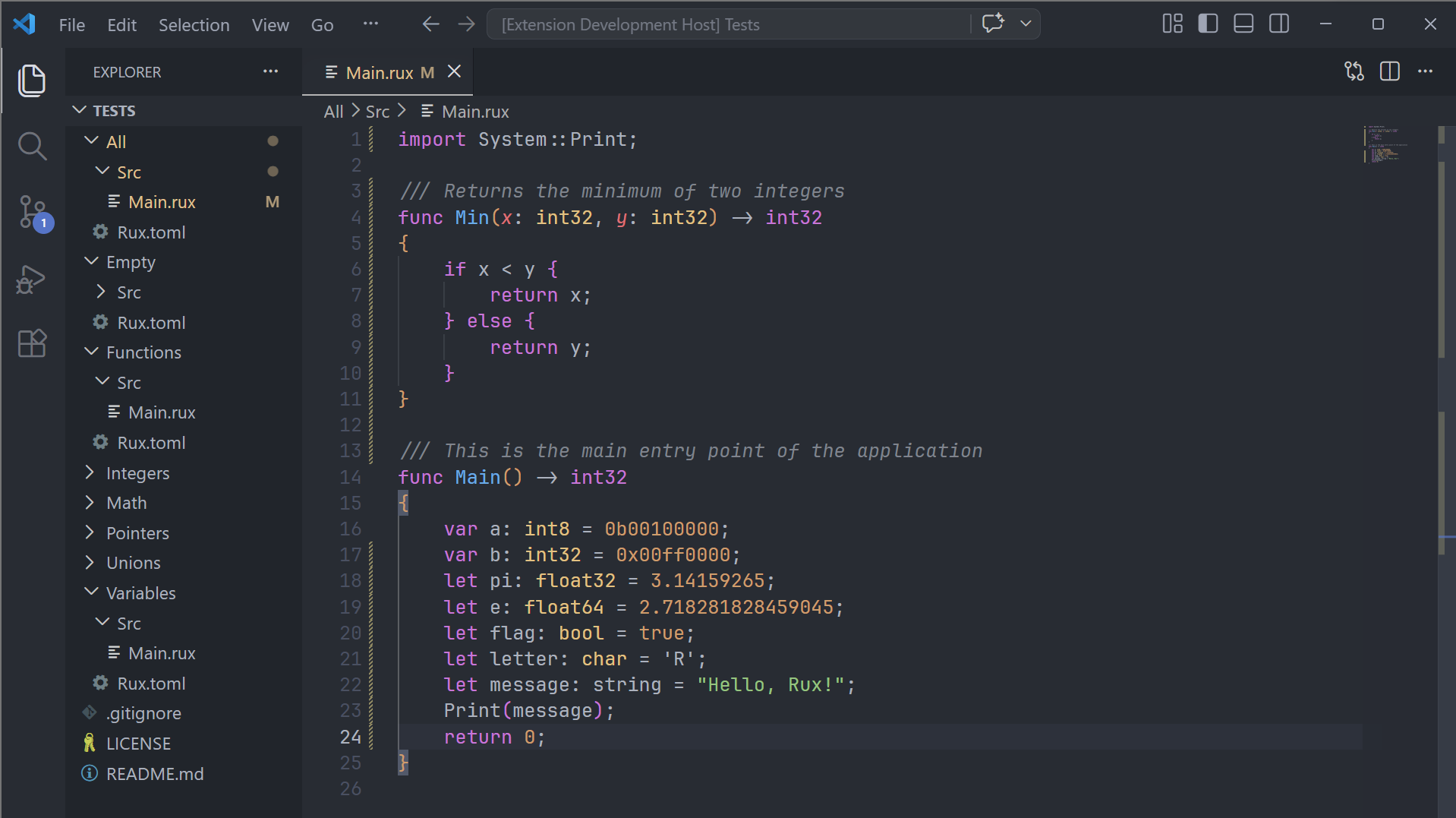
Features
- Syntax highlighting for
.rux source files
- Markdown code fence injection — Rux code inside
```rux blocks in .md files is highlighted automatically
- Highlights the following language constructs:
| Category |
Elements |
| Keywords |
module, func, struct, enum, union, type, interface, extend |
| Control flow |
if, else, for, while, do, loop, match, break, continue, return |
| Storage |
let, var, const, pub |
| Modifiers |
asm, async, extern, import, export |
| Type operators |
as, is |
| Special variables |
self, super |
| Comparison operators |
==, !=, <, <=, >, >= |
| Assignment operators |
=, +=, -=, *=, /=, %=, &=, \|=, ^=, <<=, >>= |
| Arithmetic operators |
+, -, *, /, %, ++, -- |
| Logical/bitwise |
&&, \|\|, !, ~, ^, \|, <<, >> |
| Range operators |
.., ..=, ... |
| Fat arrow |
=> |
| Signed Integer types |
int, int8, int16, int32, int64, int128, int256, int512 |
| Unsigned Integer types |
uint, uint8, uint16, uint32, uint64, uint128, uint256, uint512 |
| Float types |
float, float8, float16, float32, float64, float128, float256, float512 |
| Character types |
char, char8, char16, char32, char64, char128, char256, char512 |
| Boolean types |
bool, bool8, bool16, bool32, bool64, bool128, bool256, bool512 |
| Literals |
Decimal, hex (0x), octal (0o), binary (0b) with type suffixes (u, i, u8…u512, i8…i512, f32…f512) |
| Constants |
true, false, null |
| Intrinsics |
#module, #file, #function, #line, #column, #date, #time |
| Comments |
// line, /// doc, /* */ block (nested) |
| Strings |
"…", c8"…", c16"…", c32"…" with escape sequences |
| Character literals |
'…', c8'…', c16'…', c32'…' with escape sequences |
Requirements
No additional requirements. Install the extension and open any .rux file.
Extension Settings
This extension does not add any configuration settings.
Known Issues
Please report issues on the GitHub issue tracker.
Release Notes
0.3.0
- Added
pub visibility modifier, self, super, asm, async keywords
- Added
is type-check operator; as and is now correctly scoped as type operators
- Added full operator highlighting: comparison (
==, !=, <=, >=), assignment (=, +=, -=, …), logical/bitwise (&&, ||, !, ~, ^, |, <<, >>), increment/decrement (++, --), fat arrow (=>), inclusive range (..=), spread (...)
- Added character literals (
'…') and prefixed string/character literals (c8, c16, c32)
- Added
u and i bare integer literal suffixes
0.2.0
Added interface, extend, module keywords and #module, #file, #line, #column, #date, #time intrinsics.
0.1.0
Initial release with full syntax highlighting for Rux source files and Markdown code fence injection.
License
MIT
| |

