Overview
Rudra Coder is a production-grade AI coding agent that lives right inside your VS Code sidebar. It combines multiple specialized AI agents — Audit, Explain, Implement, Frontend UI, Browser Testing, OCR, and Feature Extraction — into a single, seamless extension. Powered by the Rudra Omniverse backend and LLM APIs, Rudra Coder understands your entire codebase, executes complex coding tasks autonomously, and helps you ship faster.
Screenshots
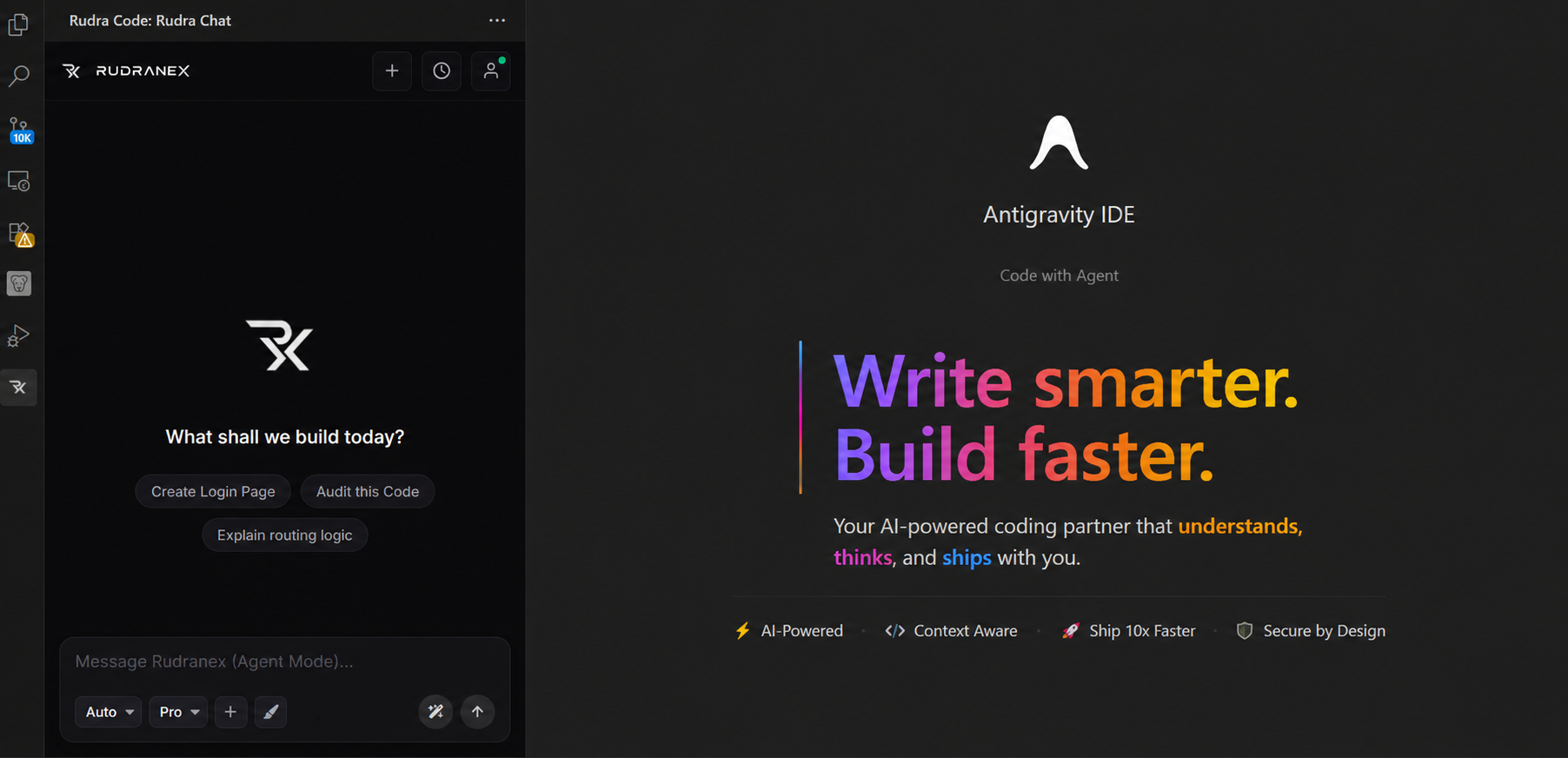
Rudra Chat — AI-powered code assistant right in your sidebar
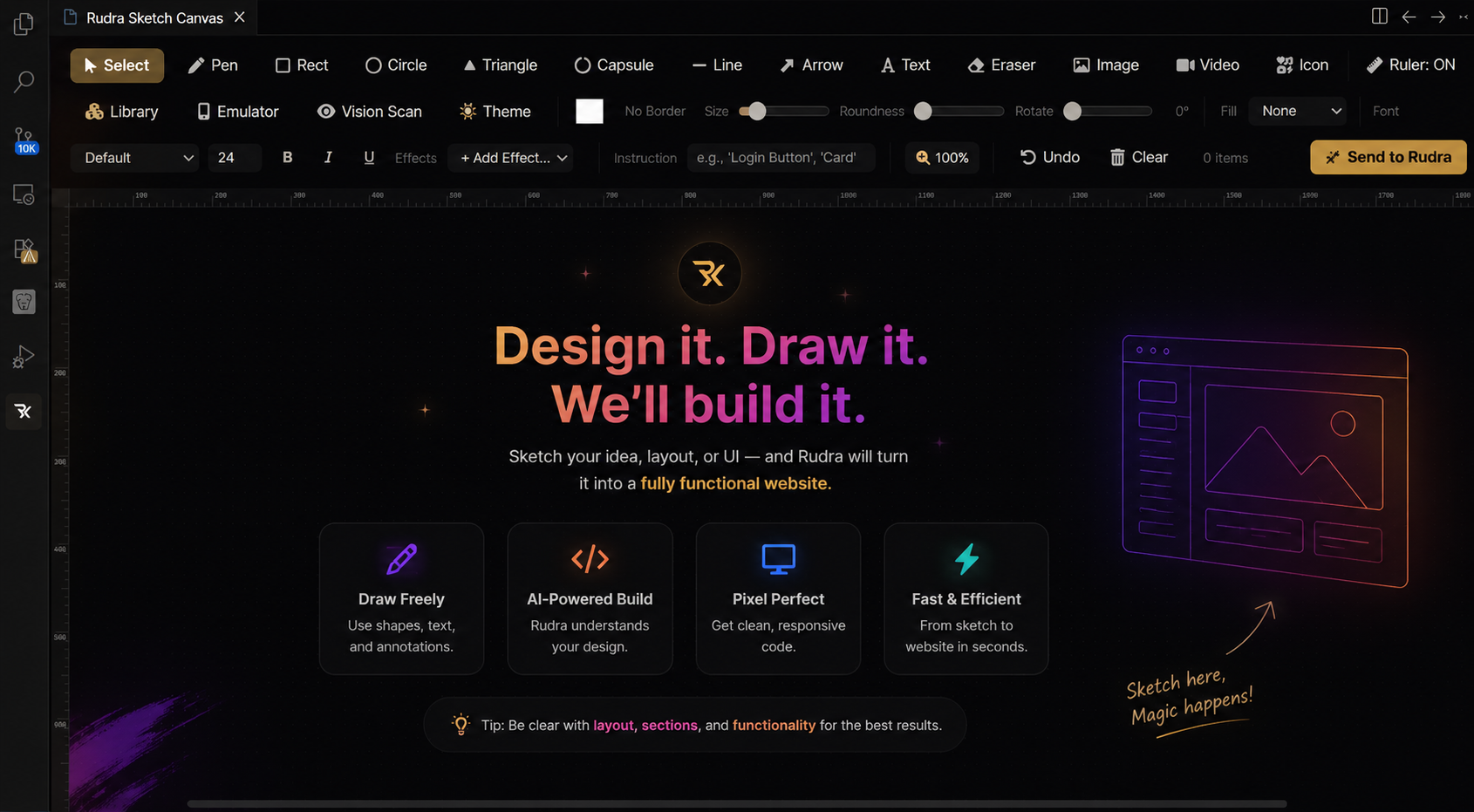
Rudra Canvas — Send a sketch and watch Rudra build your UI automatically
Features
Multi-Agent Architecture
Rudra Coder ships with 7 specialized AI agents, each tuned for a different task:
| Agent |
Mode |
Description |
| Audit |
audit |
Deep security & correctness review — scans for vulnerabilities, anti-patterns, and suspicious code. Read-only. |
| Explain |
explain |
Code walkthrough & documentation — defines terms, grounds claims in repo content, teaches clearly. Read-only. |
| Implement |
implement |
Full autonomous coding agent — plans, writes, tests, and verifies code changes. Write-access to workspace. |
| Frontend UI |
frontend |
World-class UI/UX designer — translates canvas sketches into pixel-perfect, production-ready frontend code. |
| Browser Agent |
browser |
Real Playwright-powered browser — navigates sites, takes screenshots, extracts features, runs E2E tests. |
| OCR |
ocr |
Document & image analysis — extracts text from images in workspace using Tesseract.js. Read-only. |
| Feature Extraction |
feature-extraction |
Static analysis — dissects code, configs, and design assets to map components, schemas, routes, and layouts. |
Key Capabilities
- Sidebar Chat Panel — Talk to AI naturally from the activity bar. Ask about code, request fixes, debug issues, or generate entire features.
- Context Menu Integration — Right-click any selected code to instantly Fix or Debug it. Rudra reads surrounding context and provides targeted fixes.
- Smart Agent Switching — Agent auto-detects intent from your prompt or lets you manually switch via Command Palette.
- Account & Token Management — Connect your Rudra Omniverse account directly. View plan, remaining tokens, and usage from the profile panel.
- Autonomous Task Execution — Implement agent works like a senior engineer: plans → writes → verifies → checks off tasks → repeats.
- Browser-Grade Web Automation — Navigate websites, click buttons, fill forms, take screenshots, and report findings.
Canvas to Code — Sketch to UI
Draw a UI sketch on the Rudra Canvas, attach it to your chat, and the Frontend Agent converts it into pixel-perfect, production-ready code.
Canvas Feature — Send a sketch and watch Rudra build your UI automatically
How it works:
- Sketch your UI on the Rudra Canvas — rectangles, text, buttons, images, gradients, glassmorphism, shadows
- Send the sketch to the chat with a prompt like "Build this login page"
- Frontend Agent reads the canvas JSON (positions, sizes, colors, fonts, effects) and generates exact HTML/CSS/React code
- Verification Agent builds and validates the output — zero errors, zero placeholders
Canvas supports:
- Rectangles, capsules, triangles, circles with exact fill colors and gradients
- Text with Google Fonts (Inter, Outfit, Plus Jakarta Sans), bold/italic/underline
- Images and videos from your
rudra-assets/ folder
- Glassmorphism, shadows, glow, blur, fade-in, pulse, float effects
- Groups, layers, and z-index ordering
- Responsive layouts using CSS %, flexbox, and grid
| Tool |
Purpose |
read_file / write_file / edit_file |
Full file system access |
bash / powershell |
Execute shell commands, run builds, install deps |
glob_search / grep_search |
Fast file & content search |
browser_* (15+ tools) |
Full Playwright browser control — navigate, click, type, screenshot, extract |
ocr_image |
Tesseract.js OCR on workspace images |
extract_features |
AI-powered visual & code analysis |
web_fetch / web_search |
Live web research for docs and references |
agent |
Spawn sub-agents (Plan, Explore, Verify, Frontend, OCR, etc.) |
todo_write |
Manage task checklists in .claw/task.md |
| |