Skip to content
| Marketplace
Sign in
Visual Studio Code>Other>Rift: Diff Huge FilesNew to Visual Studio Code? Get it now.
Rift: Diff Huge Files

Rift: Diff Huge Files

Stanislav Rubtsov

| (0) | Free
Compare huge text files in VS Code's own diff editor, one difference at a time.
Installation
Launch VS Code Quick Open (Ctrl+P), paste the following command, and press enter.
Copied to clipboard
More Info

Rift: Diff Huge Files

Compare two large text files without opening them in an editor. The Rift side panel lists the differing segments and the moved blocks. Selecting one opens VS Code's own diff editor on just that excerpt, so the native diff UI works on files far beyond what VS Code can load.

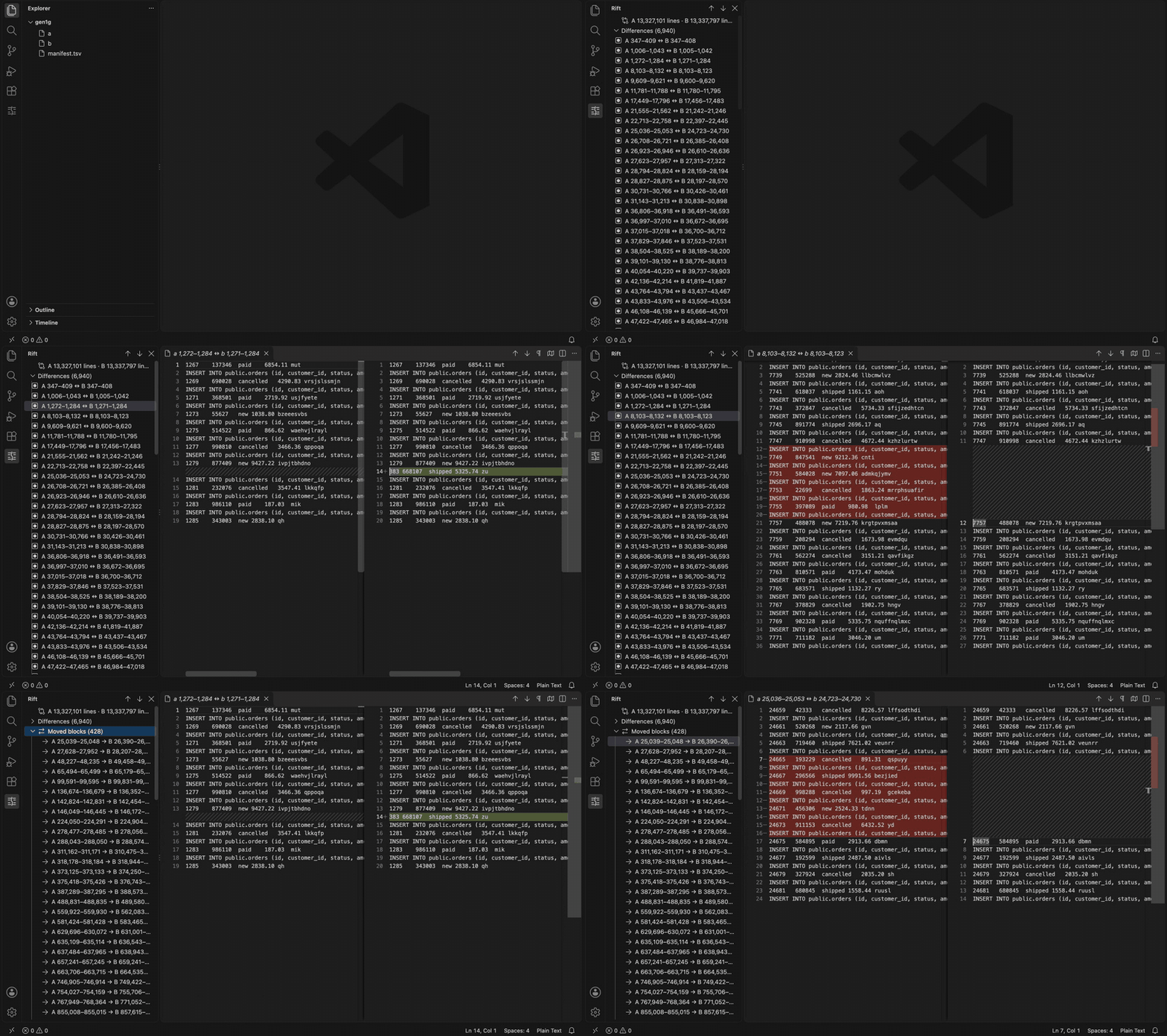
The Rift panel on a 1 GiB pair: a list of differences, then a two-pane diff of one of them

The recording is a generated 1 GiB pair on an Apple M1. A higher-quality MP4 and the poster frame are in the repository.

Screenshots

The shots below show a generated 1 GiB SQL dump pair of about 13.3 million lines each.

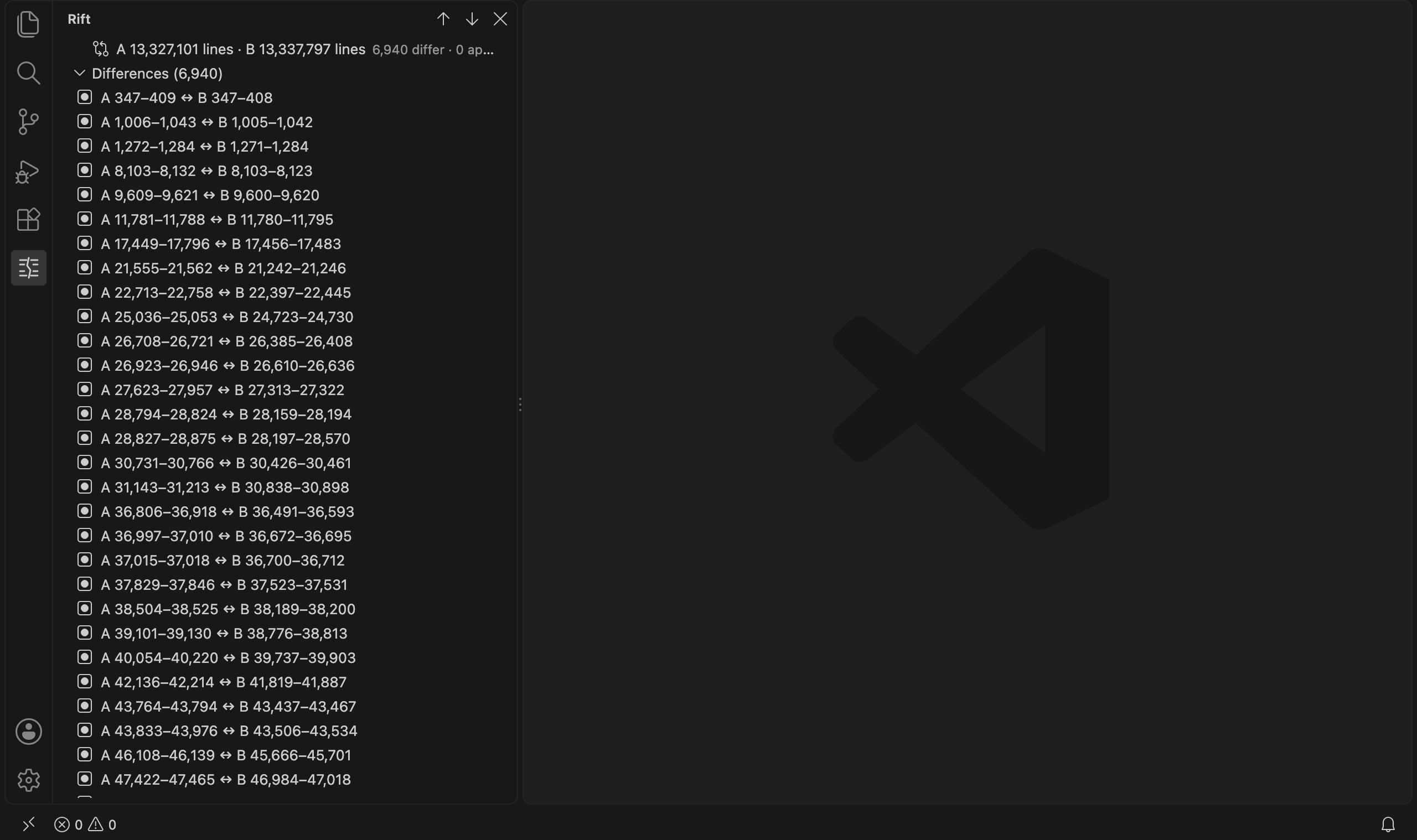
The Rift view with the summary row and the list of differing segments

The summary row gives line counts and the number of differences. Each segment lists its line ranges in both files.

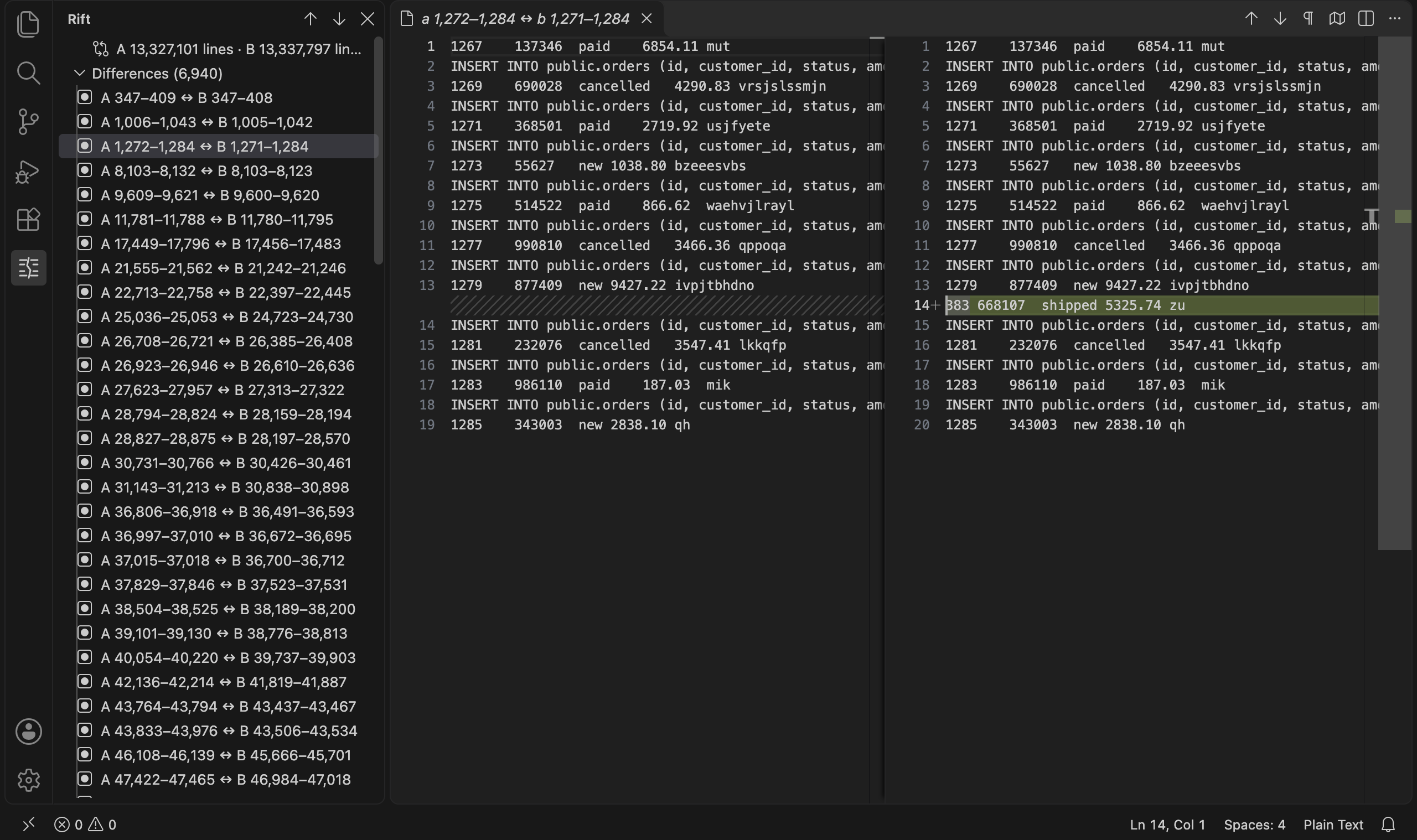
A difference open in VS Code's diff editor, with the original line ranges in the tab title

A segment opens in the native diff editor. The tab title carries the original line ranges.

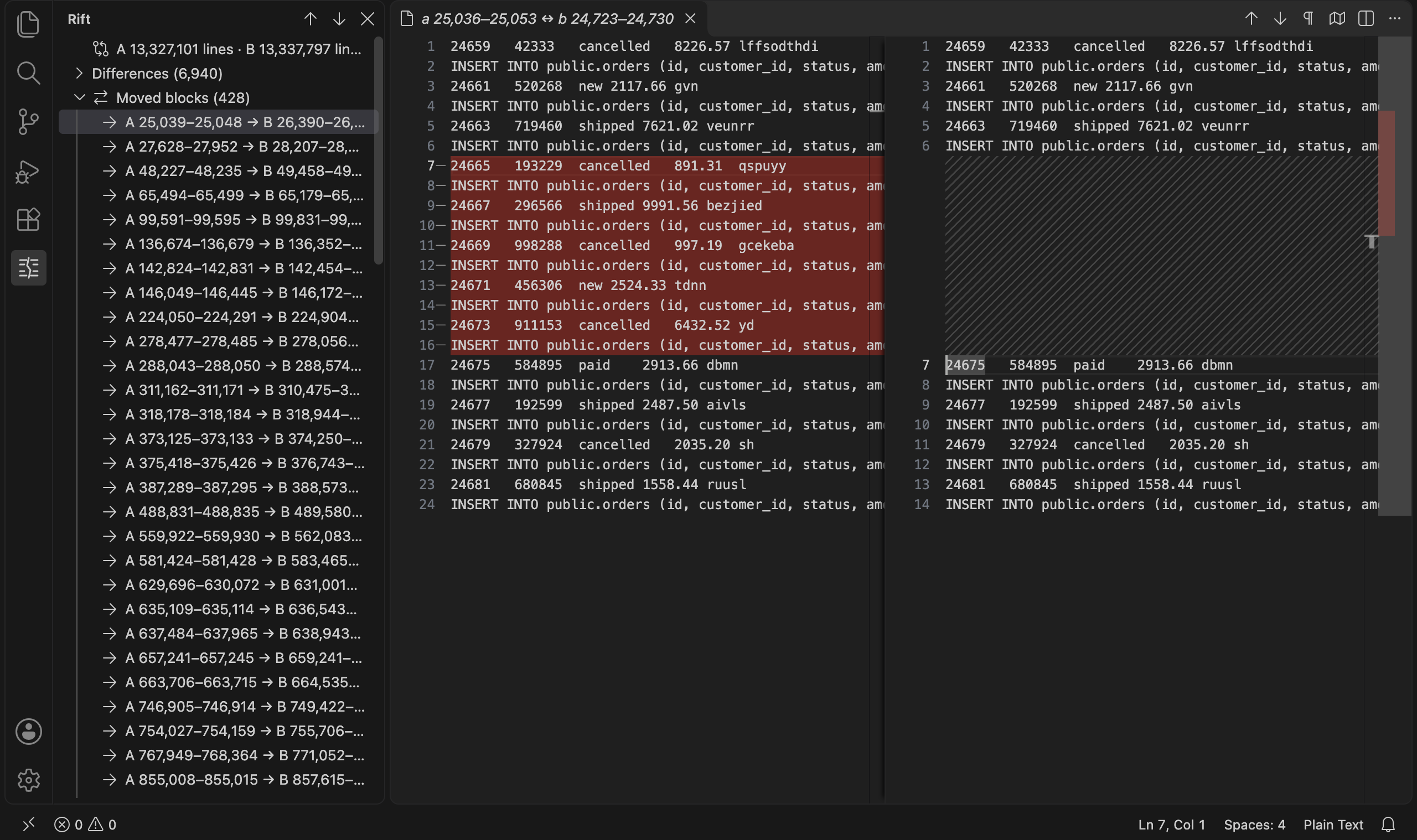
The moved blocks group expanded, with one moved block open in the diff editor

Moved blocks list both ends and their size. Select one to see it beside its new position.

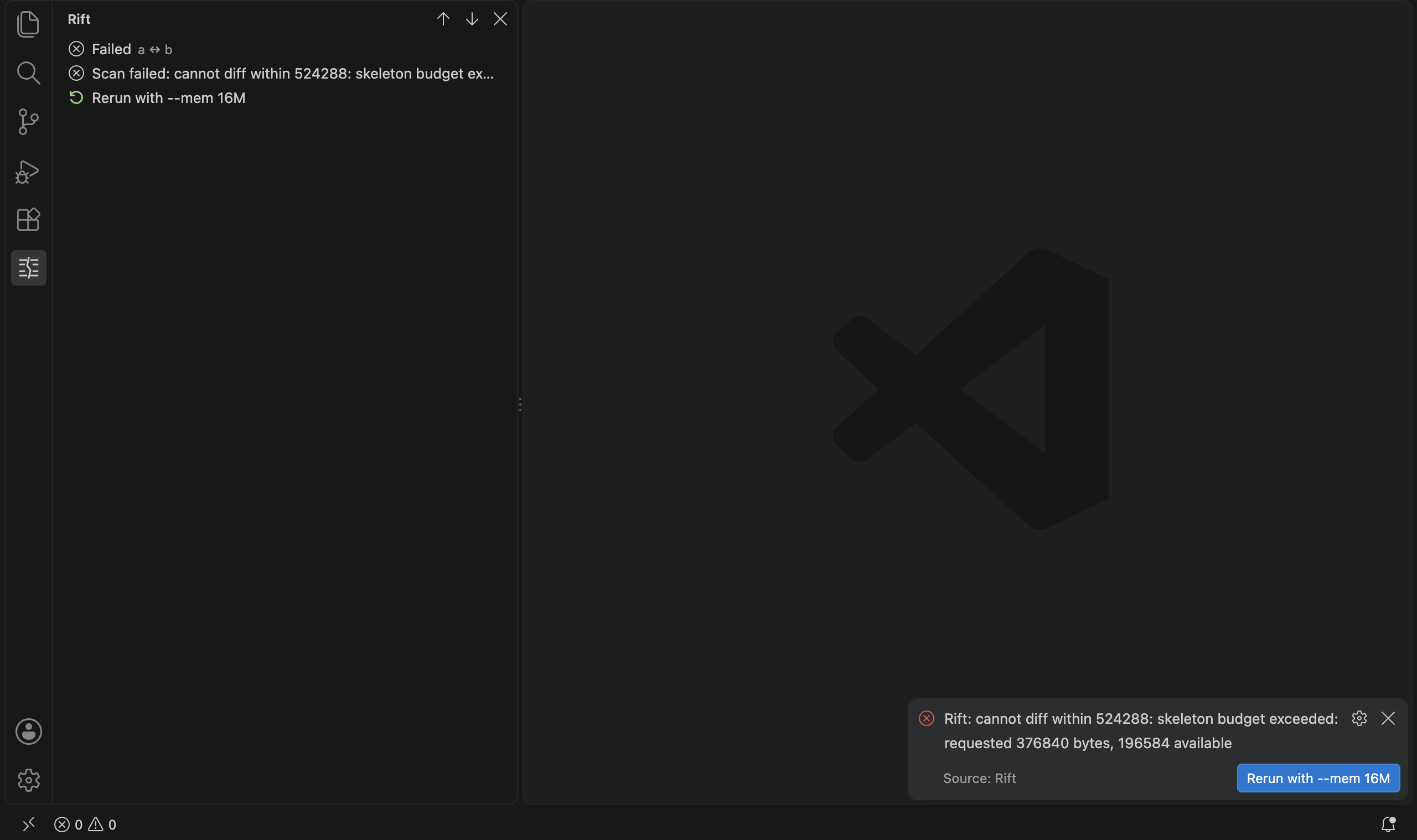
A failed scan with the offer to rerun with a larger memory budget

When a scan does not fit its budget, the error offers a rerun with a larger one.

Features

Select two files in the Explorer and choose Compare with Rift, or run Rift: Compare Files… from the command palette.

The Rift view in the activity bar shows:

  • a summary row: line counts, segments by status, moved blocks;
  • the differing segments with their line ranges in both files, loaded 100 at a time ("Load more…" at the end of a page). Segments whose result is approximate are marked;
  • the moved blocks, each with both ends.

Selecting a segment or a moved block opens a diff of that excerpt with the context lines around it. The tab title carries the original line ranges, for example a.sql 1,204,880–1,204,940 ↔ b.sql 1,204,877–1,204,941. The documents are read-only and hold only the excerpt, never the whole file. Very long lines are cut and marked; bytes that are not valid UTF-8 are shown lossily and flagged.

A scan of a large pair takes a while. The view and the status bar show its progress, and the tree fills in when the scan ends.

Settings

Setting Default Meaning
rift.path empty rift binary to run. Empty uses the binary bundled with the extension.
rift.mem 256M Heap budget of one comparison, as for rift --mem (64M, 1G, 300K, bytes). The server refuses a value over its own limit of 1G per comparison.
rift.contextLines 3 Lines of context around a difference, 0 to 100.

If a scan does not fit its budget, the error offers to rerun with the server's advice plus 25%, rounded up to the next power of two from 16M (16M, 32M, 64M, … 1G, 2G) and capped at the server's per-comparison limit. When the cap leaves no room above the budget that just failed, no rerun is offered. A pair that is refused twice more gets a link to the memory guide instead of a third button.

Commands and keys

Command Key
Rift: Compare Files…
Compare with Rift (Explorer, two files selected)
Rift: Next Difference Ctrl+Alt+N
Rift: Previous Difference Ctrl+Alt+P
Rift: Go to Line in File A… Ctrl+Alt+G
Rift: Close Comparison

The keys apply while a comparison is open. Ctrl is the Control key on macOS too.

Requirements

  • VS Code 1.100 or newer.
  • macOS or Linux. The extension for darwin-arm64, darwin-x64, linux-x64 and linux-arm64 bundles the matching rift binary, so there is nothing to install. On another platform, install rift yourself and set rift.path. Windows is not supported.

Privacy

Everything stays on your machine. The extension starts one rift serve process per window and talks to it over standard input and output. It makes no network connections and sends no telemetry. The files you compare are read by that process only, in fixed-size blocks, and are never copied.

Links

  • Guide: Rift in VS Code
  • Rift home page
  • Source and issues

License

Licensed under MIT or Apache 2.0, at your option.

  • Contact us
  • Jobs
  • Privacy
  • Manage cookies
  • Terms of use
  • Trademarks
  • Your Privacy Choices
  • Consumer Health Privacy
© 2026 Microsoft