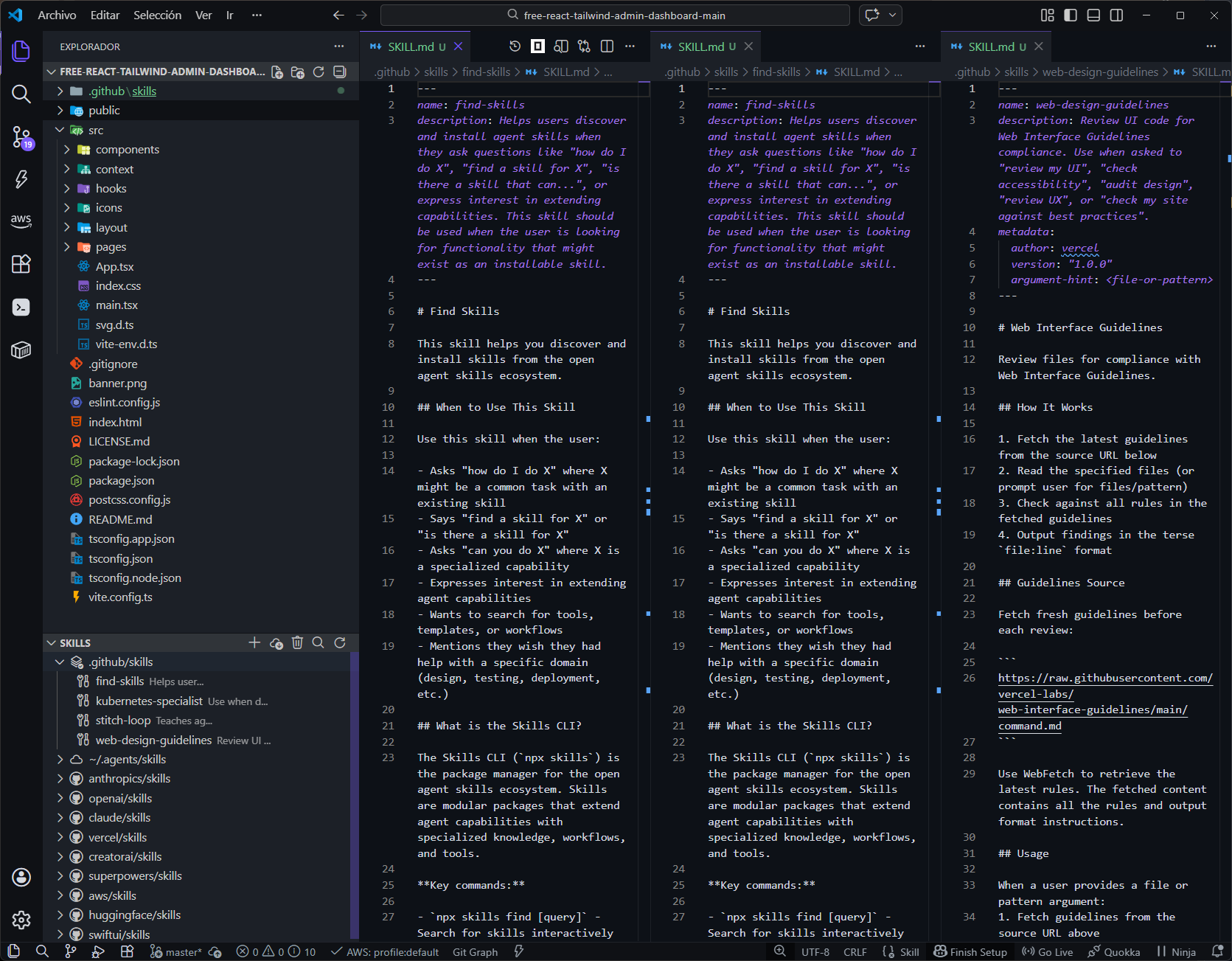
Explore, install, and manage procedural skill repositories across VS Code and its most popular AI-powered forks. Search a massive cloud catalog of ~58,000+ skills (powered by claude-plugins.dev) and equip your AI agents with real procedural knowledge with a single command.
✨ Features
📦 Repository Management: Add, remove, and switch branches of skill repositories effortlessly.
⚡ One-Click Installation: Install skills directly into the active IDE's skills directory.
☁️ Cloud Skills Search (~58K): Search the cloud catalog and install with one click or simply press Enter.
🔄 VS Code Ecosystem Support: Works natively with VS Code and major AI-first forks like Cursor, Windsurf, Trae, and Antigravity.
📂 Active Skills Directory: The local skills group clearly displays which workspace directory is currently active.
🚀 Usage
Open the Agent Skills panel in the Activity Bar.
Click + to add a skill repository (e.g., https://github.com/anthropics/skills).
Expand the repository to browse available skills.
Check the skills you want, then click Install.
Click the search icon to search cloud skills, then press Enter (or click Install) to download and deploy.
🤖 Supported Editors (VS Code Based)
Skills can be installed automatically to any of these supported VS Code-based environments. Open Skills Manager detects your active IDE or allows you to specify it:
Editor
--editor
Project Path
Global Path
VS Code
vscode
.github/skills/
~/.vscode/skills/
Antigravity
antigravity
.agent/skills/
~/.gemini/antigravity/skills/
CodeBuddy
codebuddy
.codebuddy/skills/
~/.codebuddy/skills/
Cursor
cursor
.cursor/skills/
~/.cursor/skills/
Qoder
qoder
.qoder/skills/
~/.qoder/skills/
Trae
trae
.trae/skills/
~/.trae/skills/
Windsurf
windsurf
.windsurf/skills/
~/.codeium/windsurf/skills/
📚 Skill Collections
Preset repositories bundled by default to get you started immediately: