RQML for VS CodeRequirements that live in your repository. Browse, trace, and validate RQML specifications, see coverage and traceability at a glance, and keep intent under version control alongside the code your agents write. Installation Launch VS Code Quick Open ( Ctrl+P), paste the following command, and press enter.Copied to clipboard |

RQML for Visual Studio CodeYour agent changed the code. Did it change what you meant? Coding agents produce a lot of code very quickly. What they don't produce is a durable record of intent — that ends up scattered across chat logs, or reconstructed after the fact from whatever the agent happened to do. RQML keeps intent in the repository as a structured, versioned specification, so the question "does the code still match what we agreed?" has an answer you can check instead of a feeling you have. This extension is the editor-side view of that specification: browse it, follow its traces, read its coverage, and edit it with live validation.
The problemAn agent writes code that looks right but drifts from what you meant. The next session starts from scratch. Each teammate carries a slightly different mental model. The spec — if one exists — lives in a document nobody updates, so nothing ever catches the divergence. The approachRQML (Requirements Markup Language) is a human-readable specification format designed to be read and written by both people and coding agents. One Because it is a file in version control, it diffs, it reviews, and it can be checked by a machine. The
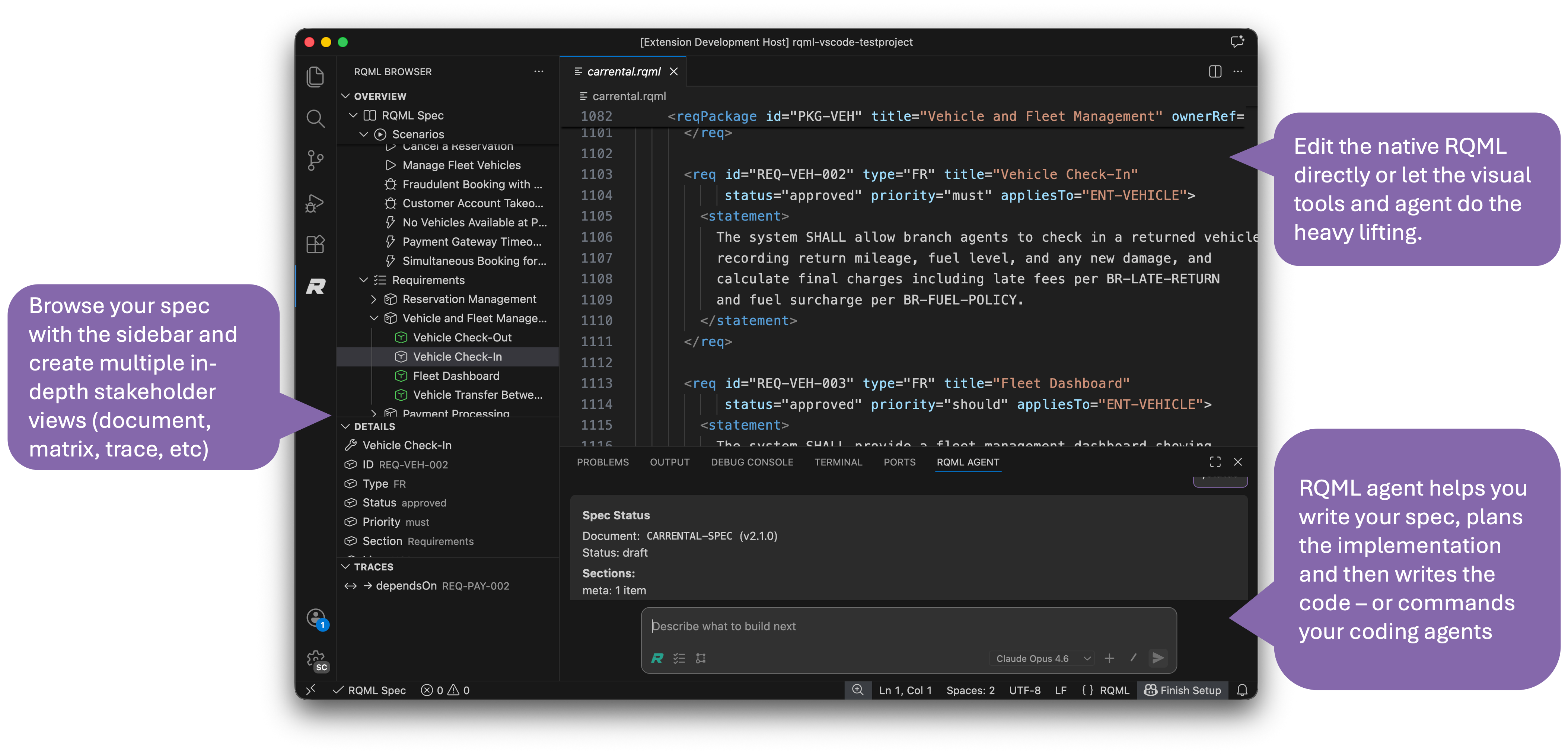
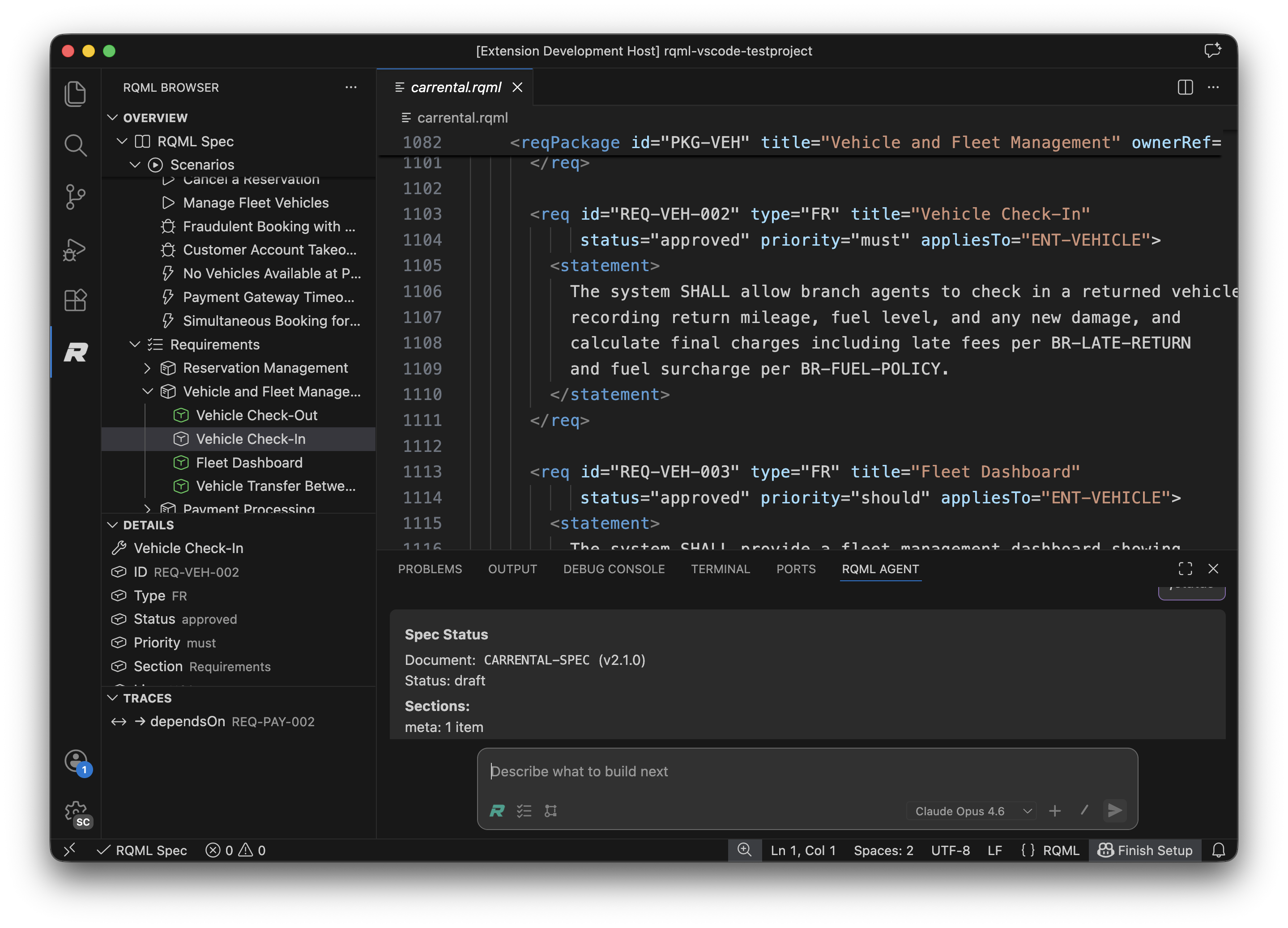
See it in action
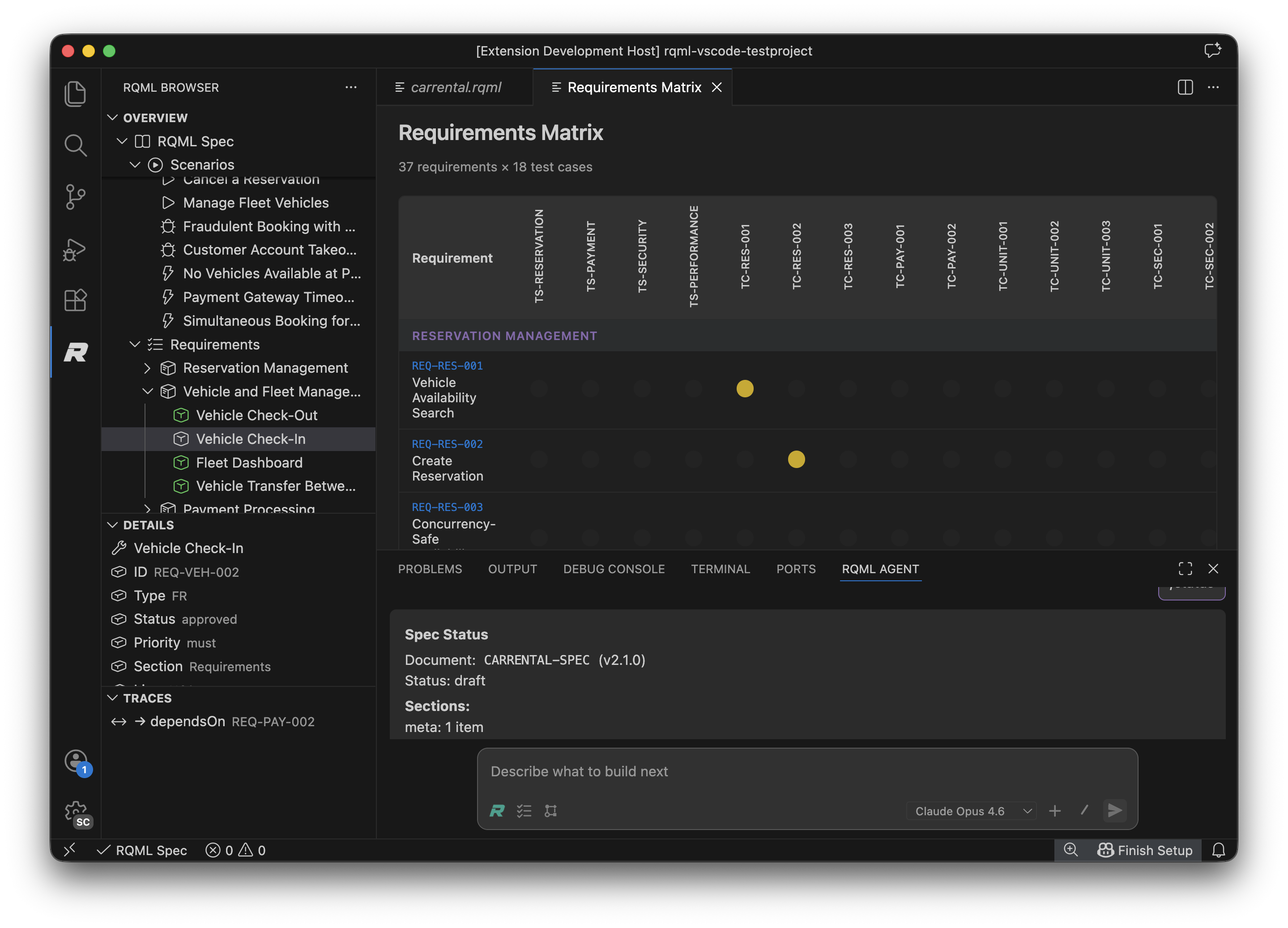
The RQML Browser (left), native What you get🛡 The gate, and exactly what it coversThe status bar carries a verdict for the active specification: schema validation and referential integrity, trace coverage, and whether any implementation has changed since its trace edge was recorded. Findings appear in the Problems panel, and a drifted edge offers a one-click re-pin once you have reviewed the change. That verdict is computed by the same engine as What is blocked, and what is not. Be clear on this before you rely on it:
No VS Code extension can veto a file save, a file-system operation, or another
extension's tool call; the editor offers no interception point for any of them.
So this extension tells you the truth about your repository rather than
pretending to police it. Put 🤝 Works with the agent you already useThe extension registers the RQML MCP server for you, so GitHub Copilot's agent
mode — or any agent that speaks MCP — gets the whole toolchain: Two further tools cover what a separate process cannot see: which specification
governs the file you have open, and the gate verdict for unsaved changes —
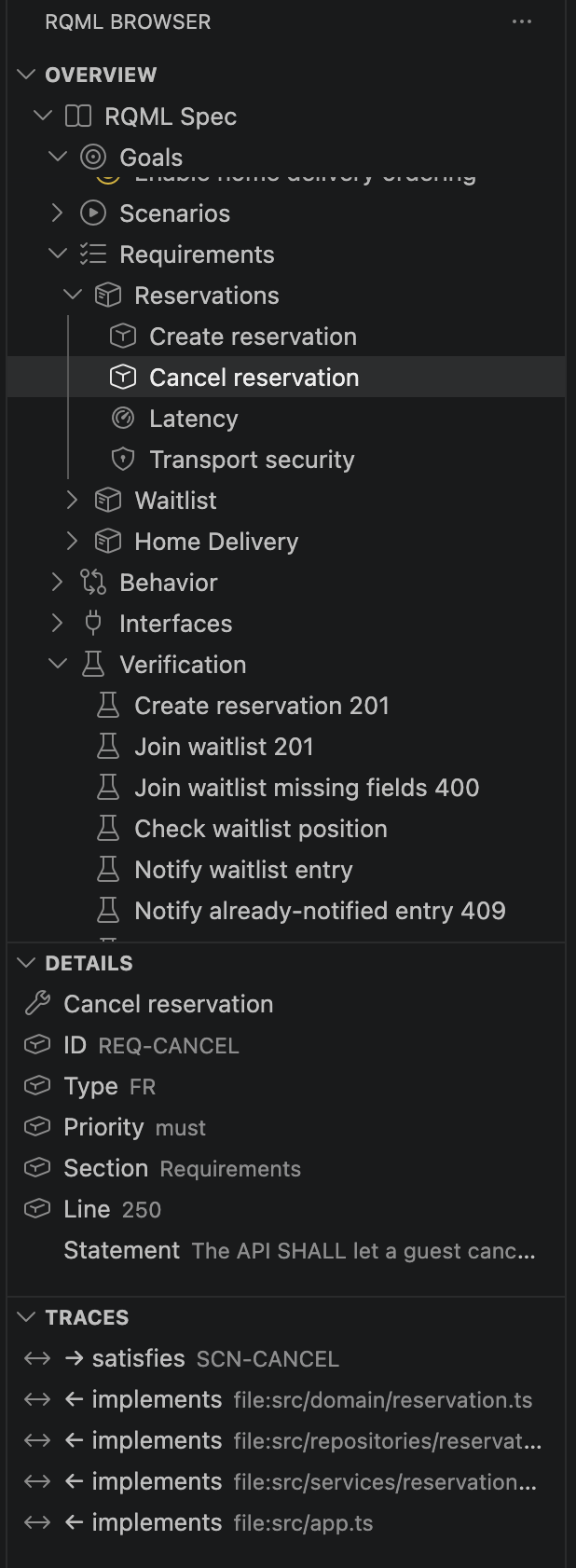
VS Code asks you to trust the server the first time it starts. That prompt is the platform's, and this extension cannot pre-approve it on your behalf. None of this blocks anything. It gives your agent the same answers the editor has; enforcement remains as described above. 🧭 Structured specification browserNavigate large specifications without losing your place. The sidebar shows every RQML section — goals, requirements, scenarios, verification, traceability — with inline details and trace links for any selected item.
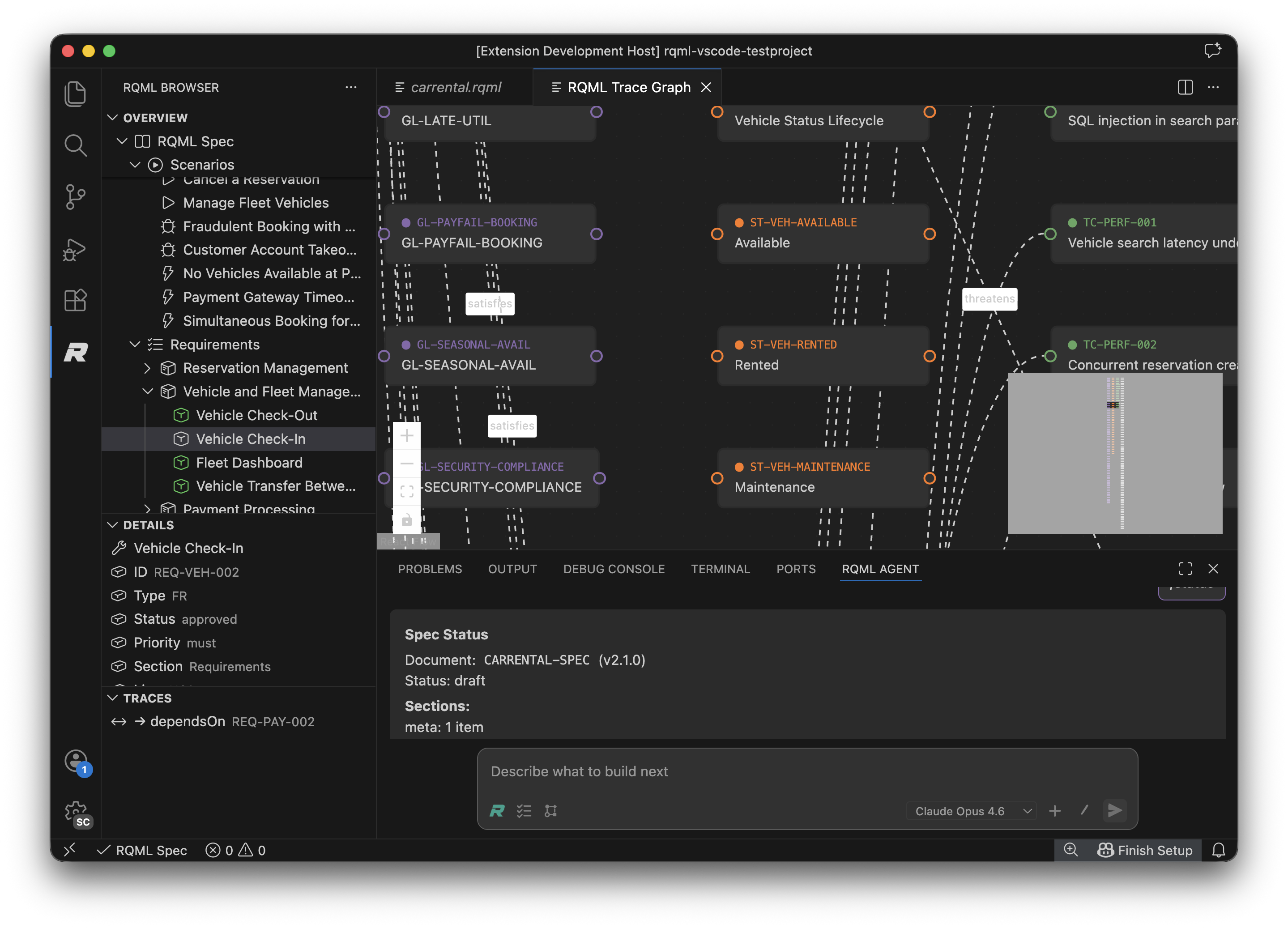
🔗 Visual traceabilityEvery requirement connects to goals, scenarios, tests, design decisions, and implementation. See the whole graph at once, or follow a single thread from a requirement to the code that implements it.
📊 Requirements matrixCoverage, status, and priority across the entire specification, in one view. This is the artifact to open in a verification review, and the fastest way to find requirements that nothing implements and nothing tests.
🏛 Design decisions that surviveCapture architectural choices as Architecture Decision Records — stored as markdown in
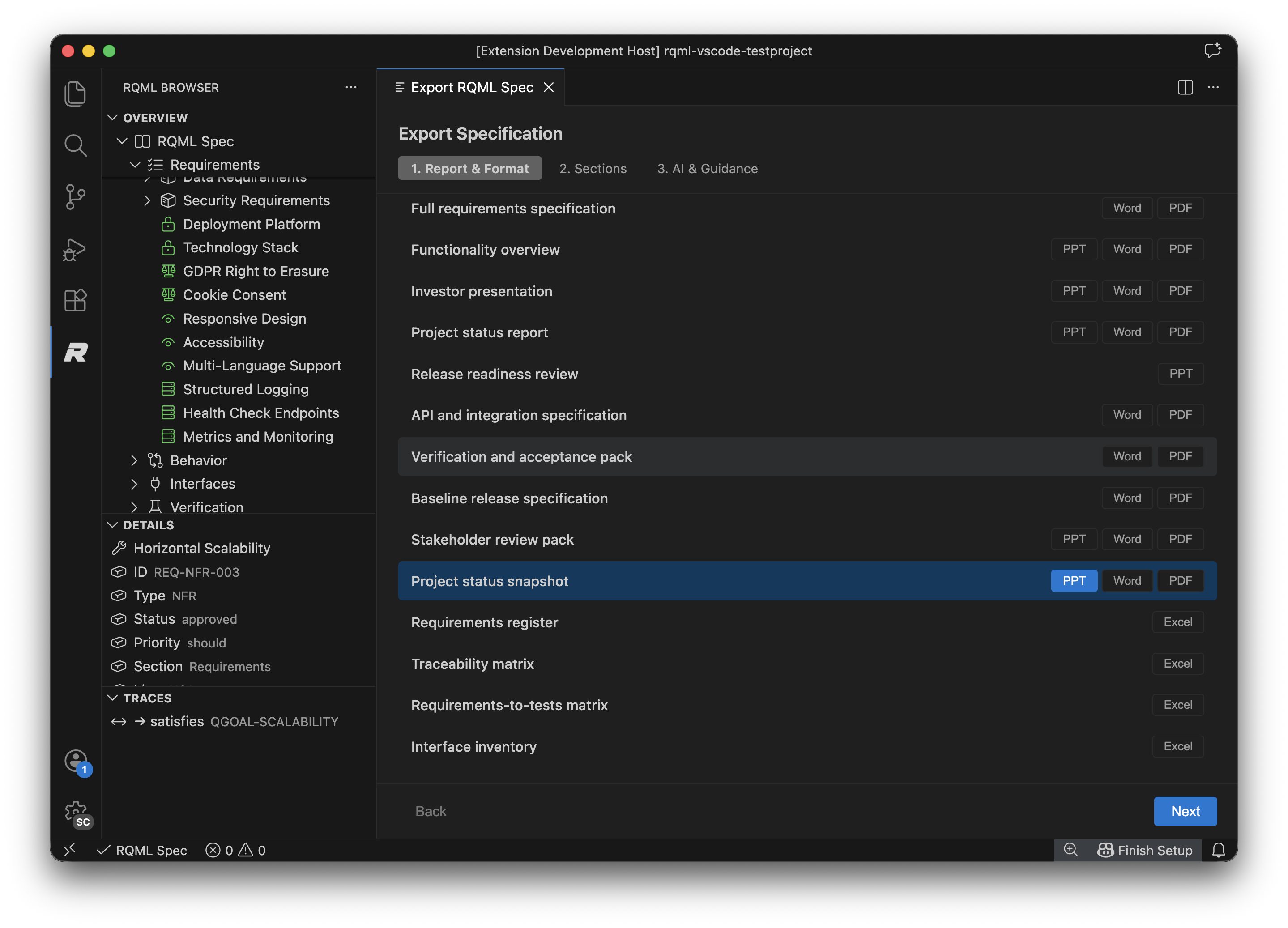
✍️ Native RQML language supportEdit ⚙️ Multi-spec, monorepo-awareSupports multiple 📤 Export for reviewGenerate documents for people who will never open VS Code. The export wizard offers report types from full specification to traceability matrix and release-readiness review, in PDF, Word, PowerPoint, Excel, and Markdown. Report content is generated with a configured language model.
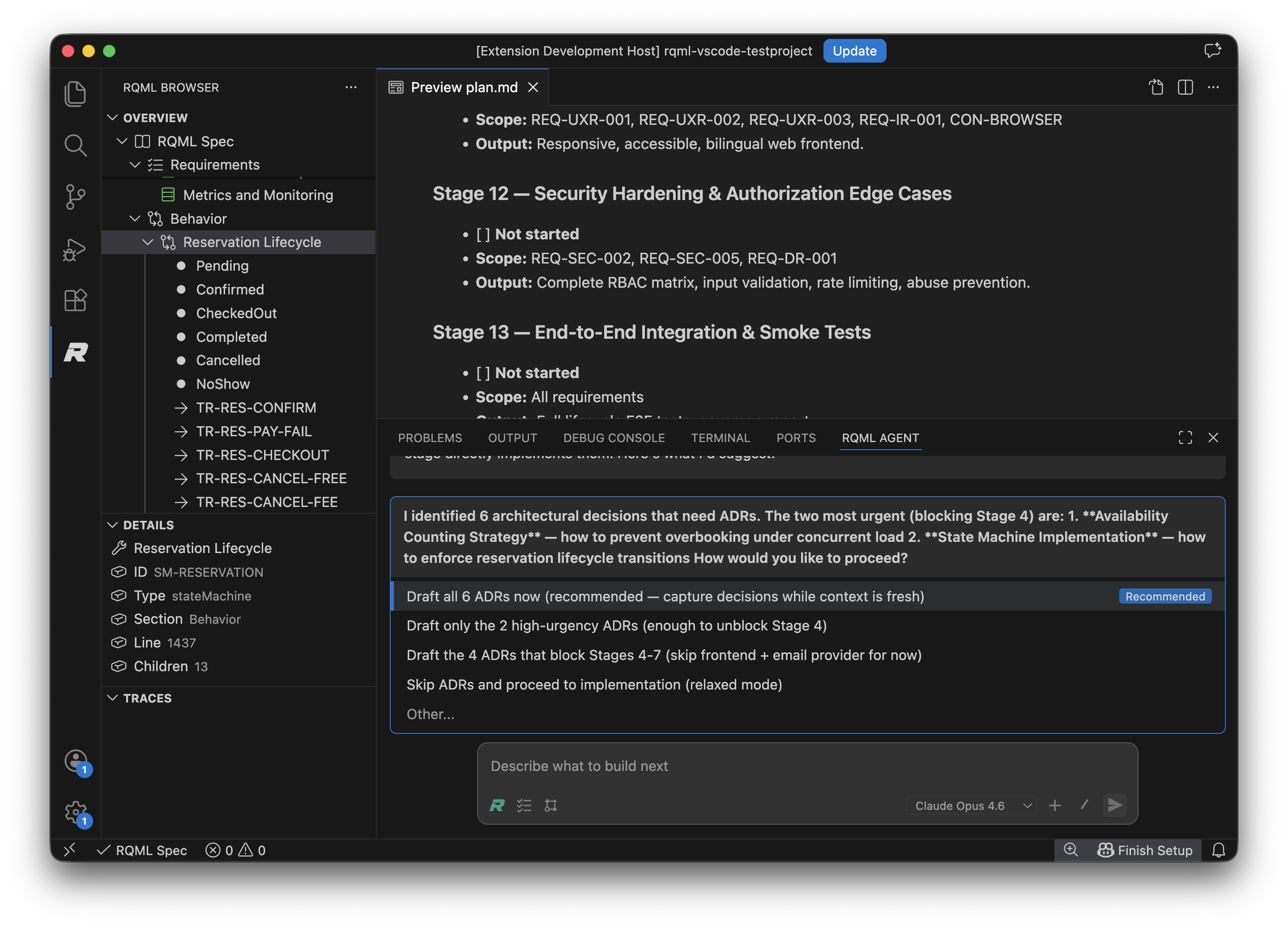
🤖 Built-in agent (optional)The extension also ships an integrated agent panel that can draft requirements, record decisions, and plan implementation against your specification. It is entirely optional: the browser, traceability, matrix, and language support all work without configuring any model. If you already work with GitHub Copilot, Claude Code, or another coding agent, you can ignore the panel and use this extension purely as the oversight surface for what those agents do. Supported providers: Anthropic, OpenAI, Azure OpenAI, Google, xAI, Mistral, Groq, DeepSeek, and Perplexity — each with your own key, talking to that vendor directly. You can also select the Vercel AI Gateway, which reaches many models through a single key. It is never the default and never selected for you. Choosing it means your prompts — including specification content — are routed through Vercel, so it is offered as a deliberate choice rather than a recommendation. Vercel's zero-retention guarantee is plan-gated on their side and is not the default routing behaviour, so if retention matters to you, check your account before selecting it. Nothing else changes if you ignore it: the specification browser, traceability, matrix, gate and export never contact a model or a network at all. Quick start
A minimal specification looks like this: Schema versions 2.0.1, 2.1.0 and 2.2.0 are all readable; new specifications are
created at 2.2.0, and To enforce the same rules in CI, add the command-line tool: Who this is for
Requirements
Learn more
FeedbackRQML is under active development. Ideas, bug reports, and pull requests are all welcome at the GitHub repository. LicenseMIT — see LICENSE for details. |