Rosella — code, made readableRead source code as faithful, readable sentences. Deterministic, offline, no LLM calls. Installation Launch VS Code Quick Open ( Ctrl+P), paste the following command, and press enter.Copied to clipboard |

Rosella for VS Code and CursorRead your code as sentences, without leaving the editor. Deterministic and offline: no network calls, no model calls, no telemetry.
Trying it locallyFrom the repository root: Then open the repository in VS Code and press F5 — or pick
Run and Debug → Rosella: Extension Development Host. A second window opens with the
extension loaded and
The second launch configuration opens Rosella on this repository instead, which is a better test of how it reads real code.
To install it into your everyday VS Code instead: Views
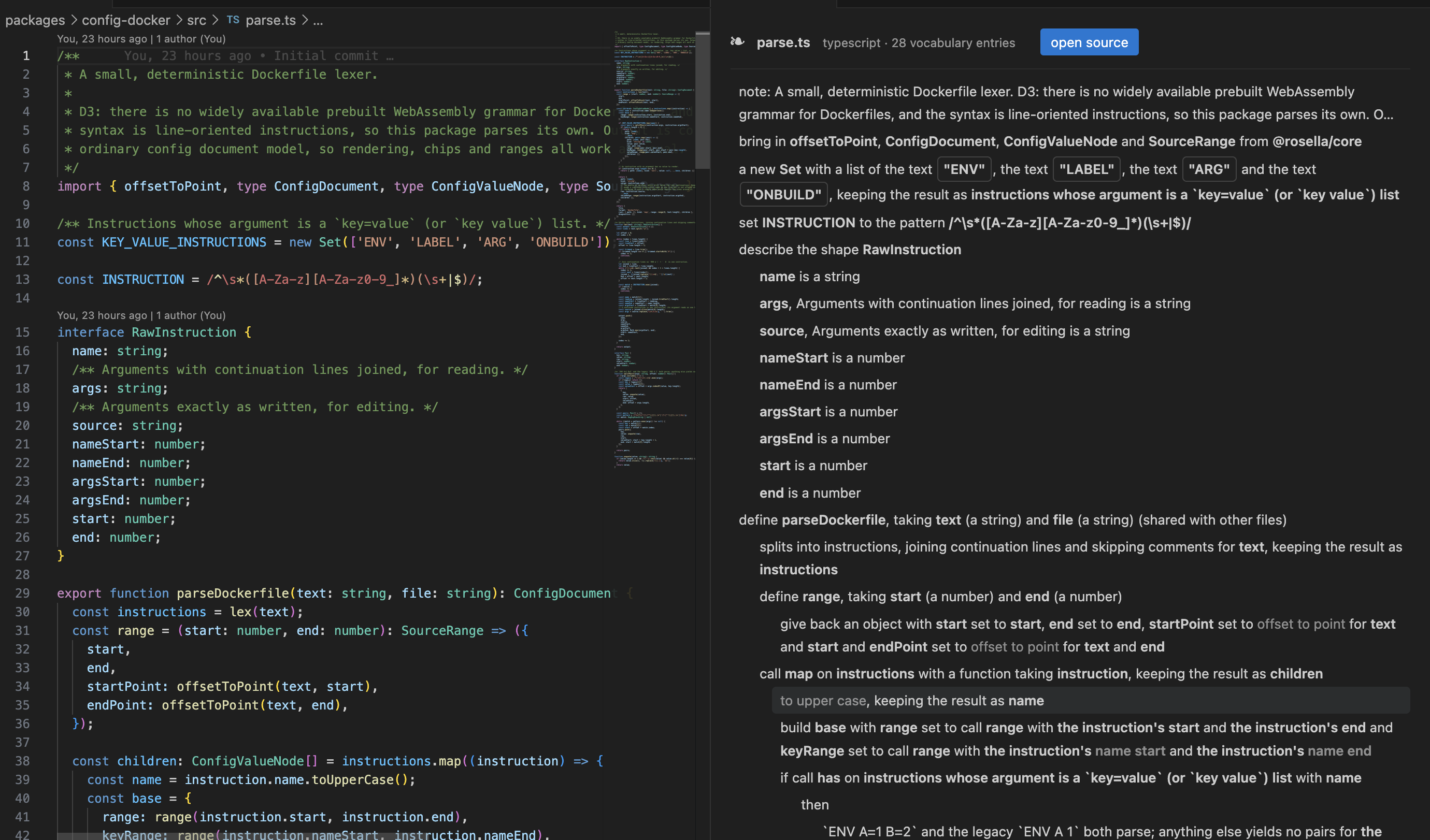
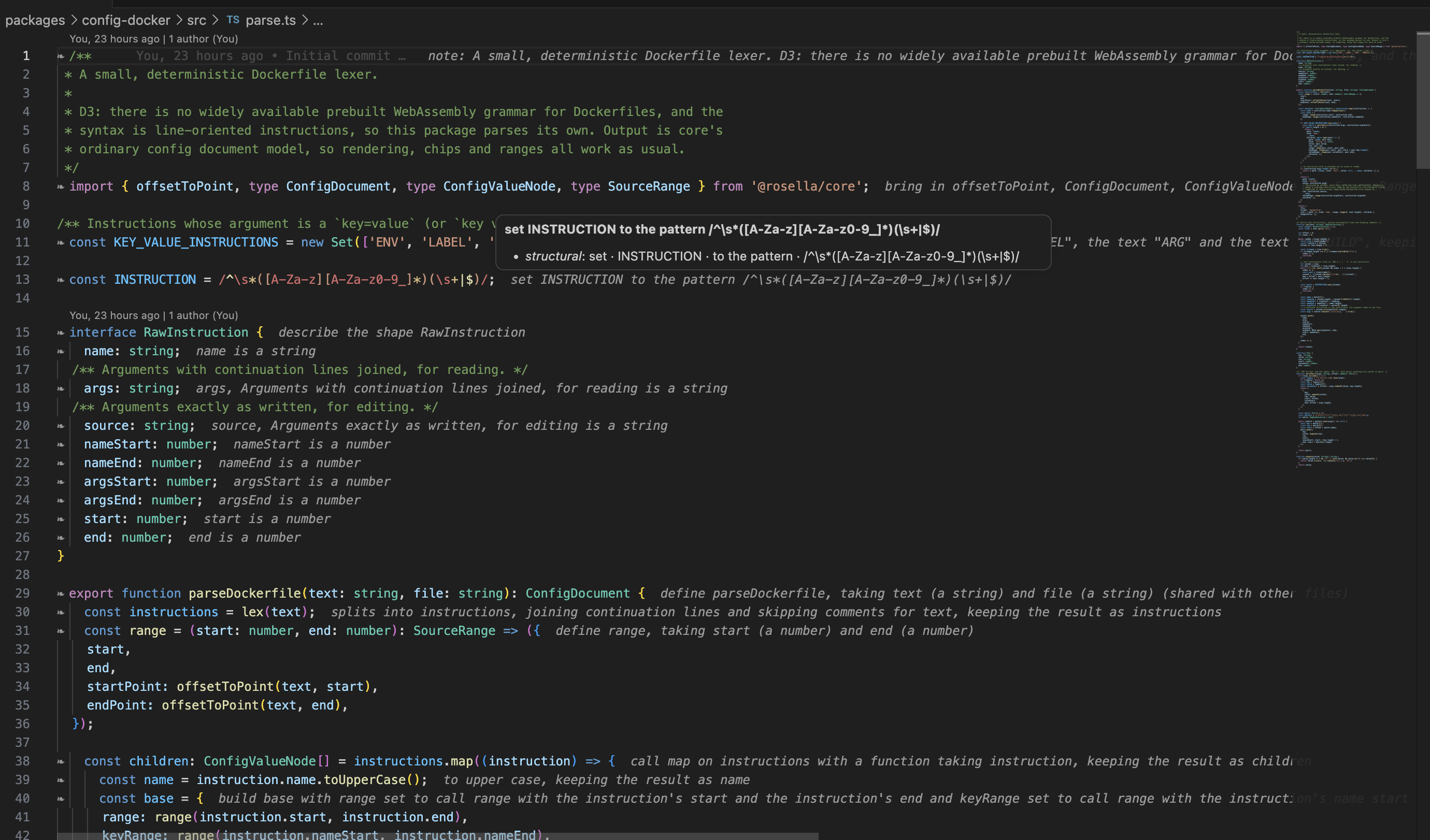
Press the rosella head in the editor title bar, or run Rosella: Switch View Mode. Hybrid — the sentence sits at end of line, and hovering one shows where every word came from:
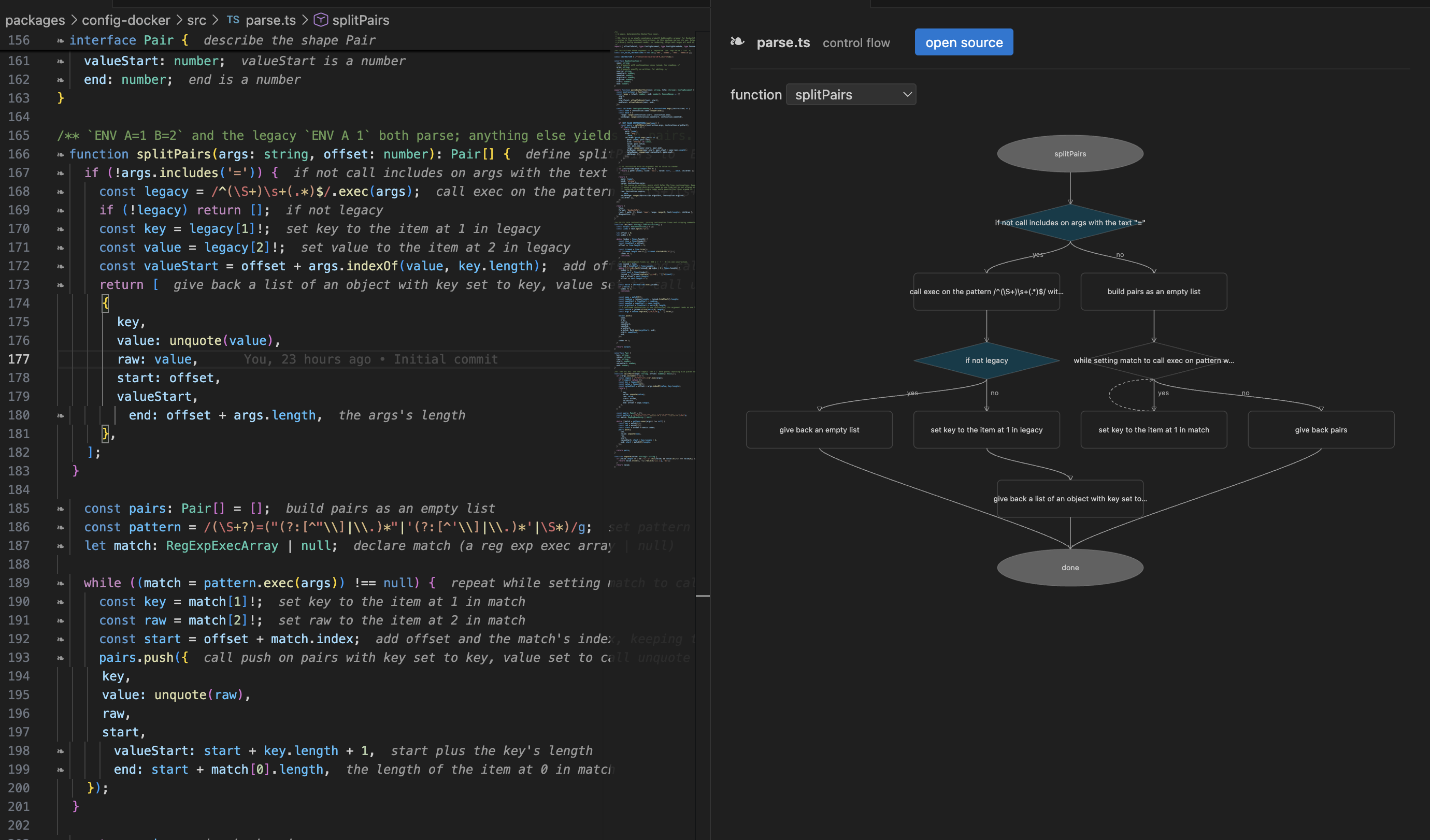
Flow — pick a function from the dropdown and read its branches:
ChipsBoolean, number and string literals render as editable chips. Clicking a boolean flips it;
clicking a number or string asks for the new value. Edits go through a StalenessAn annotation whose code has moved is marked rather than repeated confidently. Invalid annotations become errors with quick fixes; unverified ones render dimmed. Settings
A note on Hybrid modeMarginalia sits at end of line rather than beneath the statement. The stable decoration API cannot insert a rendered line between two lines of a document, and Rosella will not edit your buffer in order to display something. Read mode is how you see sentences on their own lines. See D9. Apache-2.0. |