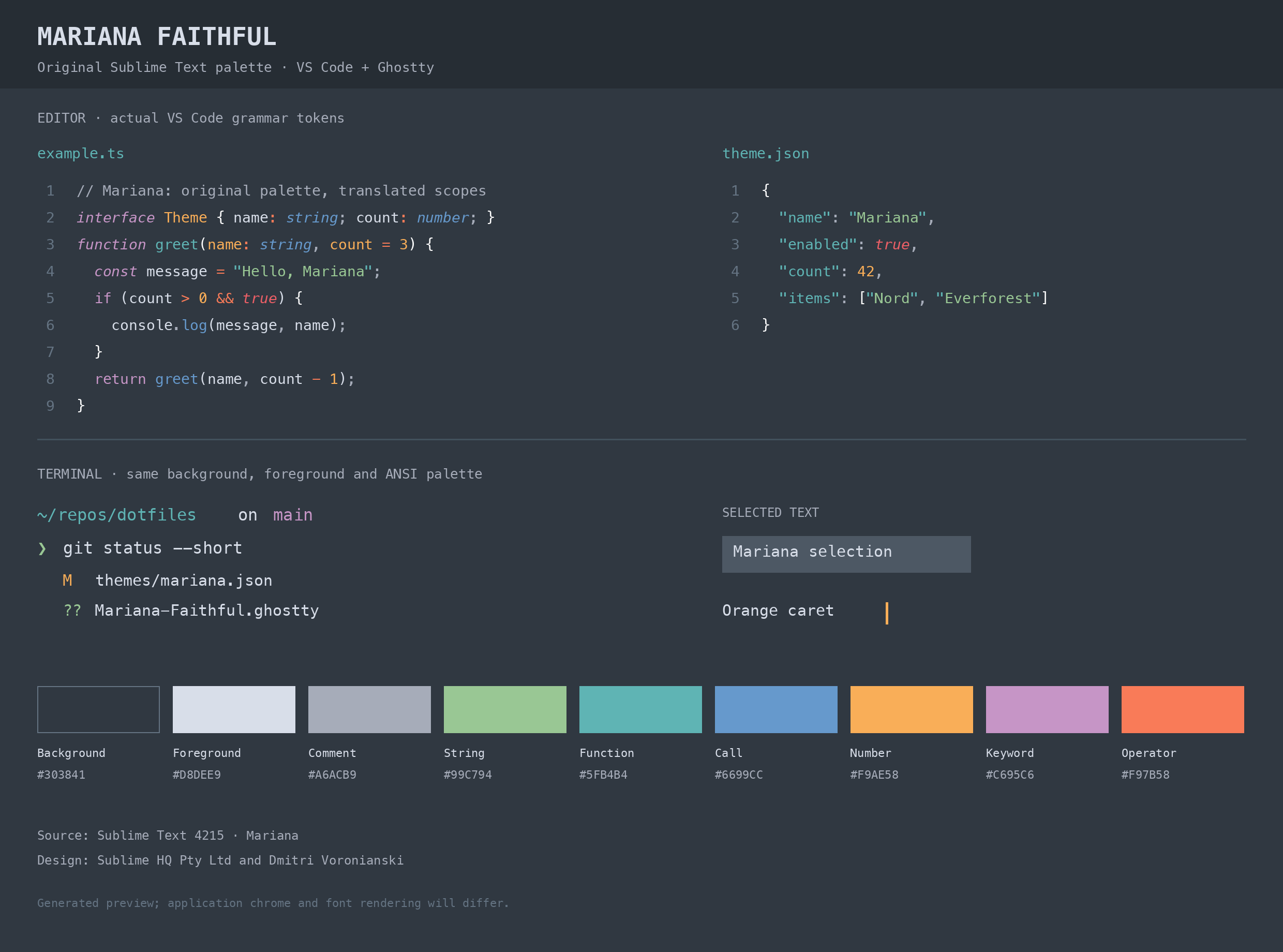
Mariana FaithfulSublime Text’s Mariana color scheme, brought to VS Code with its original blue-gray background, orange caret, and muted syntax colors.
Generated preview using VS Code’s syntax grammars. Font rendering and application chrome may differ from your setup. The details matterMariana Faithful preserves the distinctions that give Mariana its character:
Activate the theme
You can also install a VSIX from GitHub Releases using Extensions: Install from VSIX…. Matching MarianaThe palette comes directly from the Mariana scheme shipped with Sublime Text build 4215. Scope mappings are adapted for VS Code’s syntax grammars. Semantic highlighting defaults off to preserve these grammar-based colors. Mappings are also included if you prefer to enable semantic highlighting. Explicit user settings and color customizations take precedence over the theme. The workbench and terminal palette extend Mariana’s colors to areas without a direct Sublime equivalent. Syntax grammars, language extensions, and font rendering can produce differences between editors; some Sublime-specific highlighting effects have no equivalent in VS Code. Ghostty companionUse the matching Ghostty theme for the same palette in your standalone terminal. FeedbackFound a mismatch? Open an issue with the language, a small code sample, and screenshots of the original Mariana scheme and this theme. Credits and licenseOriginal Mariana design: Sublime HQ Pty Ltd and Dmitri Voronianski. This is an unofficial port, with no affiliation or endorsement from Sublime HQ. The original porting implementation and adaptations are MIT-licensed. See the attribution notice for source details and third-party credits. |