UI5 Designer
UI5 Designer is a native Visual Studio Code extension for designing UI5 screens visually and generating clean, responsive XML Views from the result.
The extension was previously presented as UI5 Generator. The command IDs still use ui5Generator for compatibility, but the product experience is now described as a designer because the main workflow is drawing and refining a UI5 screen.
This extension is still in development. Generated XML should be reviewed before being used in production projects.
What It Does
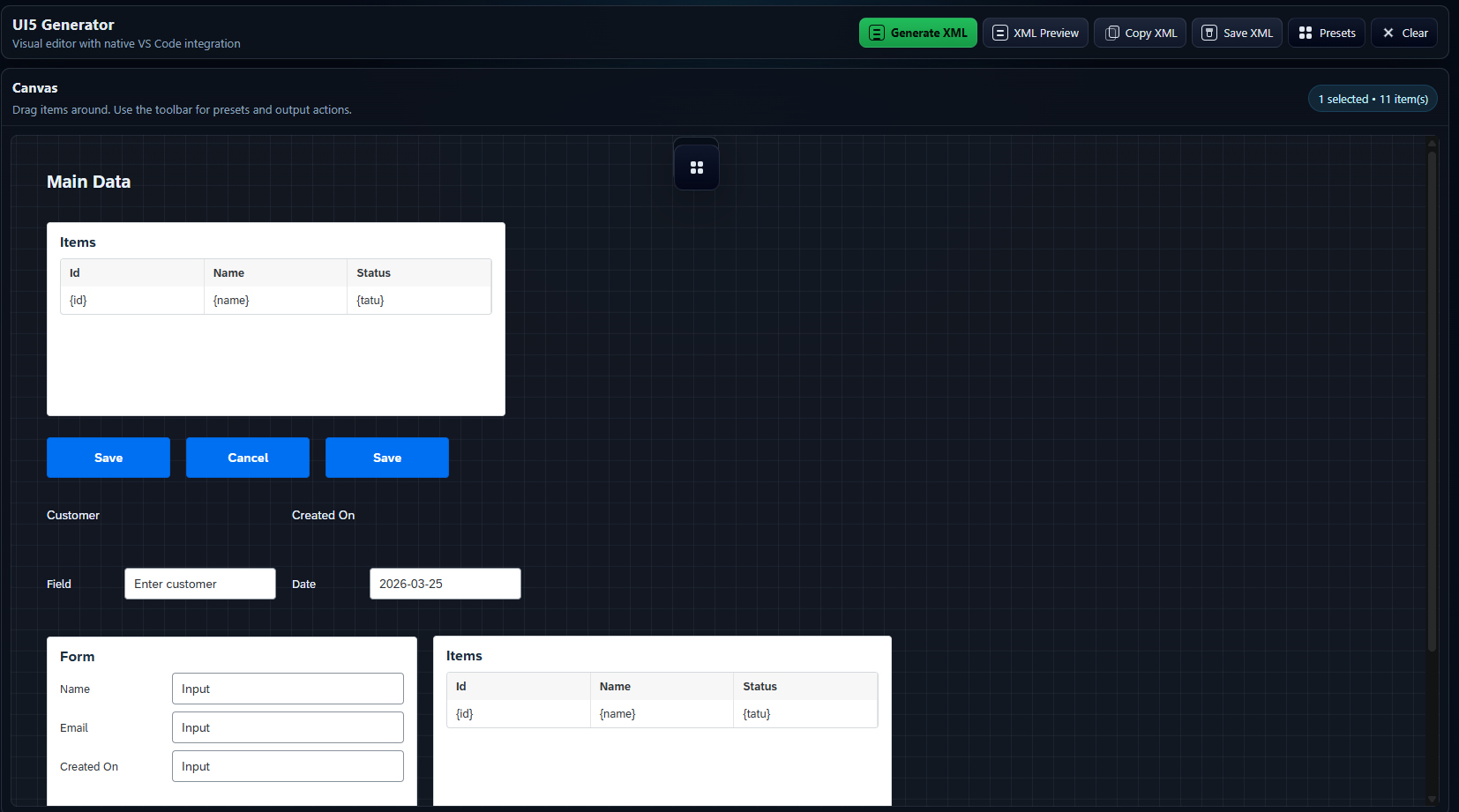
- Opens a visual UI5 screen designer directly inside VS Code.
- Lets you place and adjust common UI5/Fiori components on a canvas.
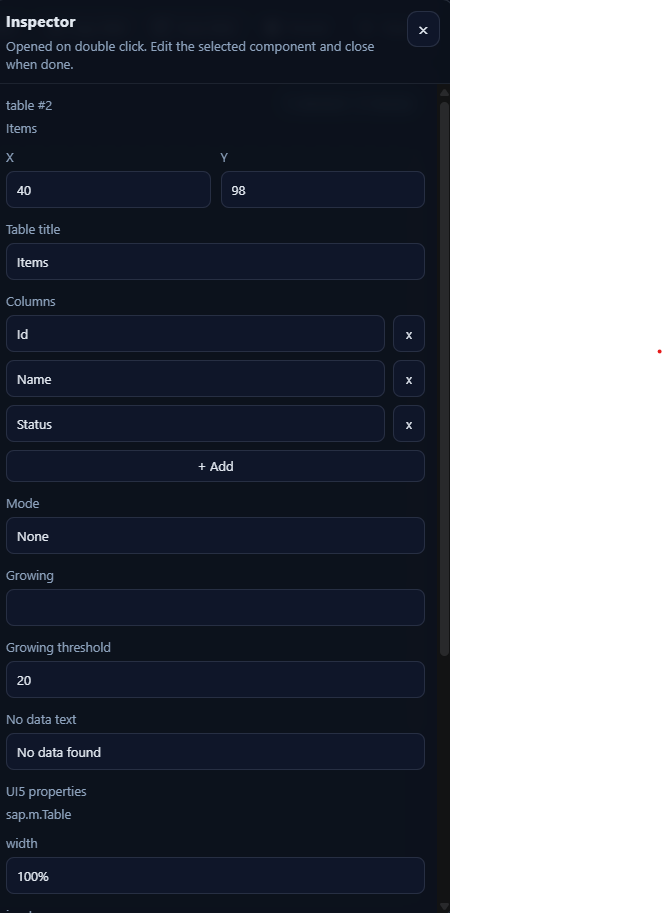
- Provides a properties inspector for editing selected component attributes.
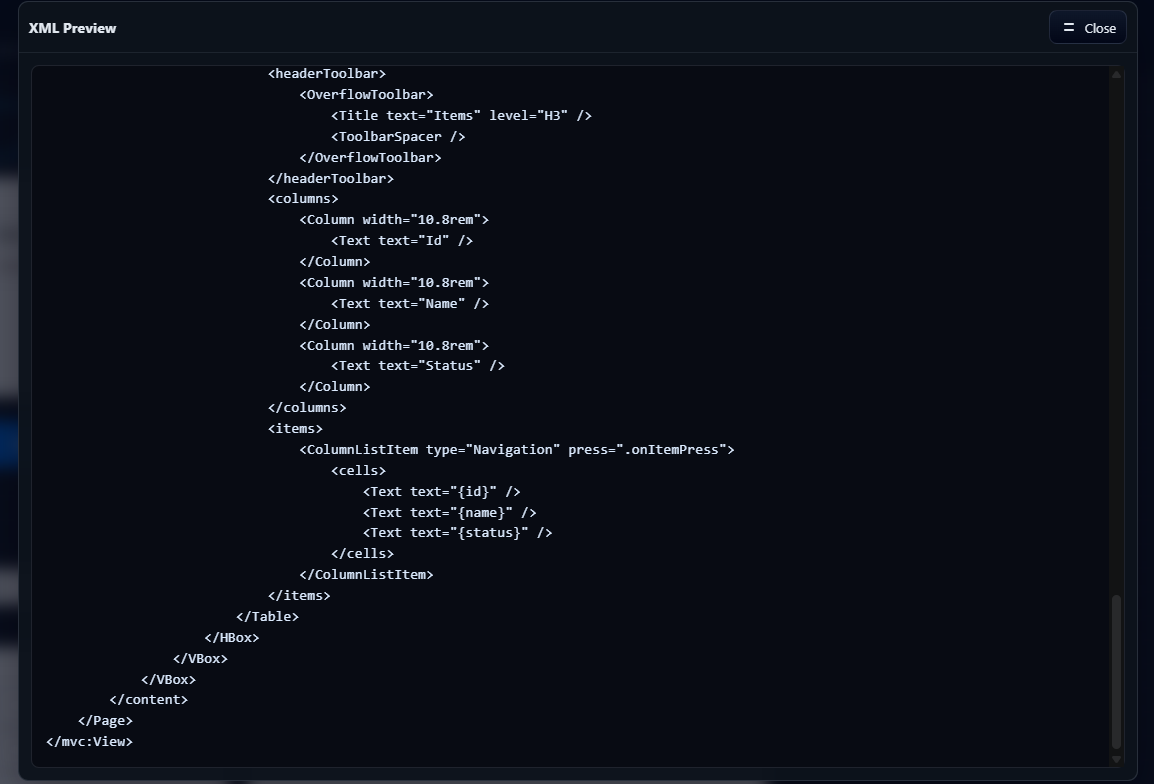
- Generates XML View code from the visual structure.
- Keeps generated layouts responsive, avoiding fixed pixel widths for fields.
- Opens existing
.xml UI5 views from the Explorer or editor context menu.
- Saves changes back to the opened XML view when using
Open with UI5 Designer.
- Preserves or infers the view
controllerName when saving generated XML.
- Creates a matching UI5 XML view and controller from the Explorer with one command.
- Preserves common table row templates and OData-style bindings when round-tripping existing XML.
- Runs the XML generation flow locally inside the extension.
Screenshots
Visual UI5 Designer
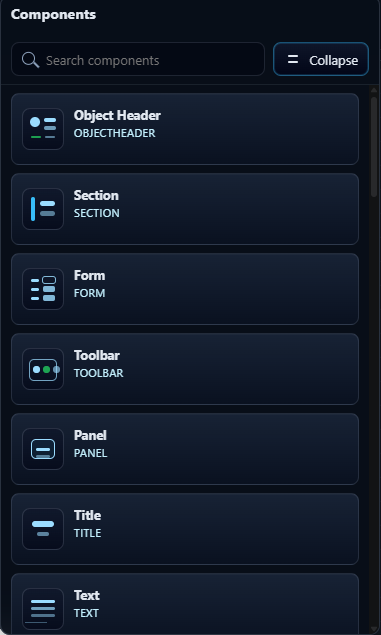
Available Components
Properties Inspector
Generation Options

XML Preview
How To Use
- Open the Command Palette with
Ctrl+Shift+P.
- Run
Open UI5 Designer.
- Design your UI5 screen in the visual editor.
- Use the toolbar actions to preview, copy, or save the generated XML View.
You can also right-click an .xml file in the Explorer or inside an open editor and choose Open with UI5 Designer.
To create a new UI5 view, right-click a folder in a UI5 project and choose Create UI5 View. The extension looks for the nearest manifest.json, reads the sap.app/id namespace, and creates both:
view/<Name>.view.xmlcontroller/<Name>.controller.js
Nested names such as Orders.Detail are supported and create matching nested folders.
Commands
Open UI5 DesignerOpen with UI5 DesignerCreate UI5 View
Extension Settings
This extension contributes the following setting:
ui5Generator.generatedXml.defaultFileName: default file name used when saving generated XML.
XML Generation
UI5 Designer generates XML Views using standard UI5 controls and responsive layout patterns. The generator favors VBox, HBox, SimpleForm, flexible layout data, percentages, and rem spacing over fixed pixel field widths.
Existing XML import is heuristic. It supports common UI5 XML View structures and is improving over time, but complex custom views may still require review after round-tripping.
Recent round-trip improvements preserve bindings such as {orders>supplier} without converting > to > in generated XML output. Imported table cells also keep common templates such as ObjectIdentifier, ObjectNumber, ObjectStatus, nested HBox content, and row attributes where possible.
Examples
Sample XML views for demos and manual testing live in examples_test, including PostExample.view.xml, a compact purchase order screen with filters, KPIs, and a bound table.
Roadmap
- Broader UI5 component coverage.
- Better round-trip preservation for complex existing XML Views.
- Optional AI-assisted XML refinement in a future version.
The current release keeps generation local and does not send wireframes or XML to an AI service.
Known Limitations
- The extension is currently a preview/development release.
- Generated XML should be reviewed before being used in production projects.
- Some UI5 components and properties may not be fully supported yet.
- Existing XML import and round-trip behavior may still have edge cases.
Feedback And Issues
Please report bugs, suggestions, or missing UI5 component support in the project issue tracker:
https://github.com/Romaodv/genui5app/issues
License
See LICENSE.

