Drafty
Generate clear Git commit messages in VS Code using a language model you already have access to.
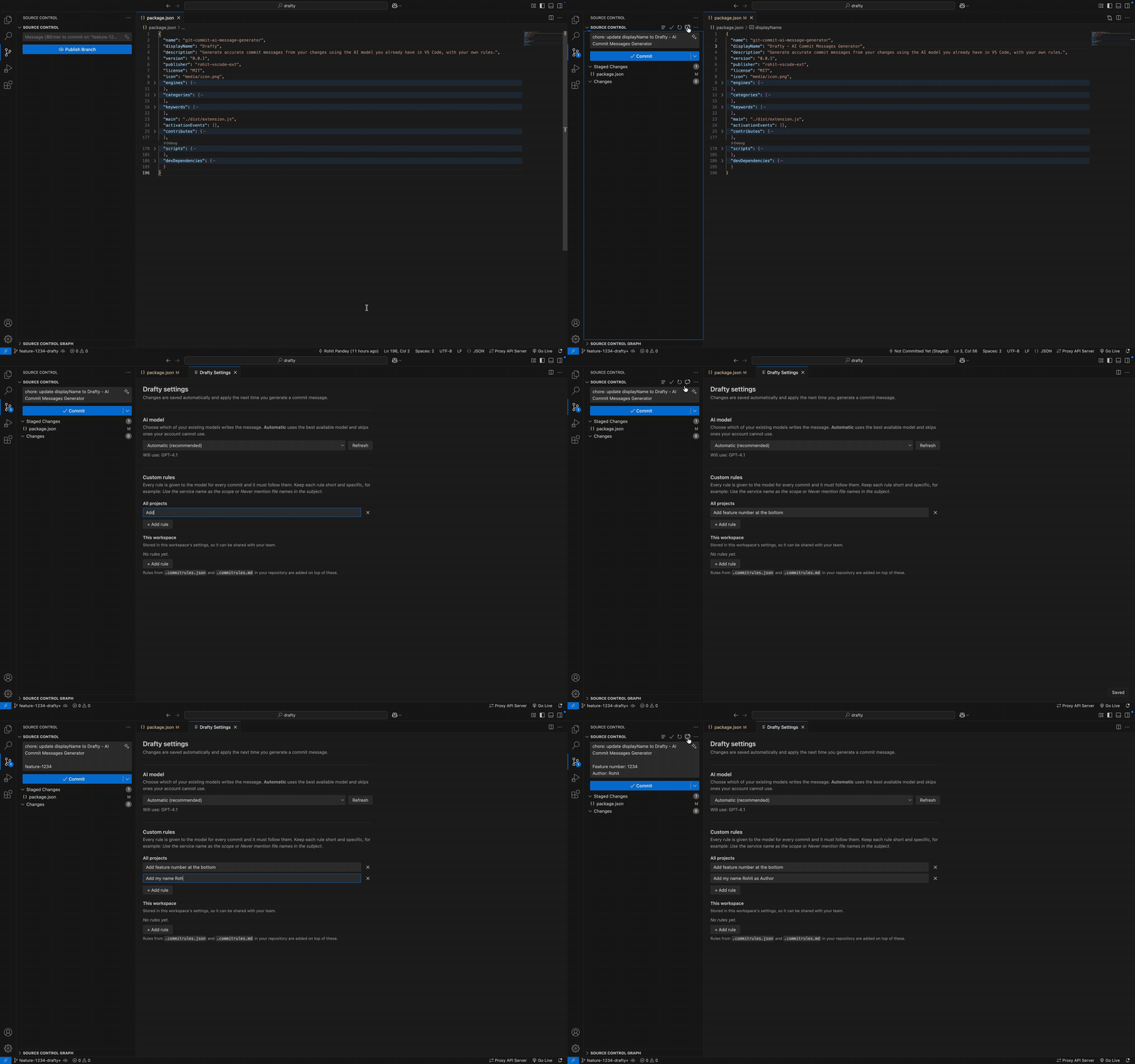
Click the sparkle chat button in the Source Control view, review the suggested message, and edit it before committing. Drafty uses VS Code's Language Model API (vscode.lm), so it does not require a separate API key or server.
Requirements
- VS Code with at least one chat model available, such as a model provided by GitHub Copilot or another VS Code extension.
- An open Git repository.
The first model request may ask you to grant access. Model availability and usage limits depend on your provider and account.
Features
- Generates messages from staged changes and relevant repository context.
- Follows Conventional Commit formatting and configurable commit rules.
- Uses the branch name, recent commit subjects, and changed-file summary as context.
- Filters lockfiles, generated files, and binaries from diff content while still accounting for changed files.
- Splits the available context across files and trims large diffs by hunk.
- Checks the generated message against the configured rules and retries once if needed.
- Cleans up common model output such as code fences and introductory text.
- Lets you choose an available model or use Automatic model selection.
Generate a message
- Stage the changes you want included in the commit.
- Select the sparkle button in the Source Control title bar, or run Drafty: Generate Commit Message from the Command Palette.
- Review and edit the generated message in the commit input box.
Run Drafty: Open Settings from the Command Palette or the Source Control view's ... menu. Choose a model or leave the setting on Automatic, and add custom instructions for all projects or the current workspace. Settings save automatically.
You can also run Drafty: Select AI Model to choose a model from a quick pick.
Repository commit rules
Create a .commitrules.json file in your repository to configure its commit format. Run Drafty: Create Repo Rules File for a starter template.
{
  "format": "conventional",
  "types": ["feat", "fix", "refactor", "chore"],
  "maxSubjectLength": 72,
  "language": "English",
  "body": "auto",
  "ticketFooter": true,
  "customInstructions": ["Use the service name as the scope"],
  "ignoreFiles": ["**/generated/**"]
}
Alternatively, add a .commitrules.md file with one instruction per line. Markdown headings and bullets are allowed.
Rules are applied in this order, with later sources taking precedence:
- Drafty defaults
- VS Code settings (
drafty.*)
- Repository
.commitrules.json
- Repository
.commitrules.md
customInstructions and ignoreFiles accumulate across sources; other values are replaced by the later source.
Commands
| Command |
Description |
| Drafty: Generate Commit Message |
Generate a message for your changes. |
| Drafty: Open Settings |
Choose a model and manage custom instructions. |
| Drafty: Select AI Model |
Choose an available model or Automatic. |
| Drafty: Create Repo Rules File |
Create and open .commitrules.json. |
Privacy and limitations
When you generate a message, Drafty sends the selected Git diff and commit context to the language model provider selected by VS Code. Review your provider's data handling terms before use, especially for private repositories.
- At least one VS Code chat model must be available.
- New, untracked files are not included in the diff until staged.
- Very large diffs may be truncated by hunk to fit the model's context limit.
- Message quality depends on the diff, your rules, and the selected model. Review the result before committing.

