QuickNotes
Keep notes where your work already lives — inside VS Code.
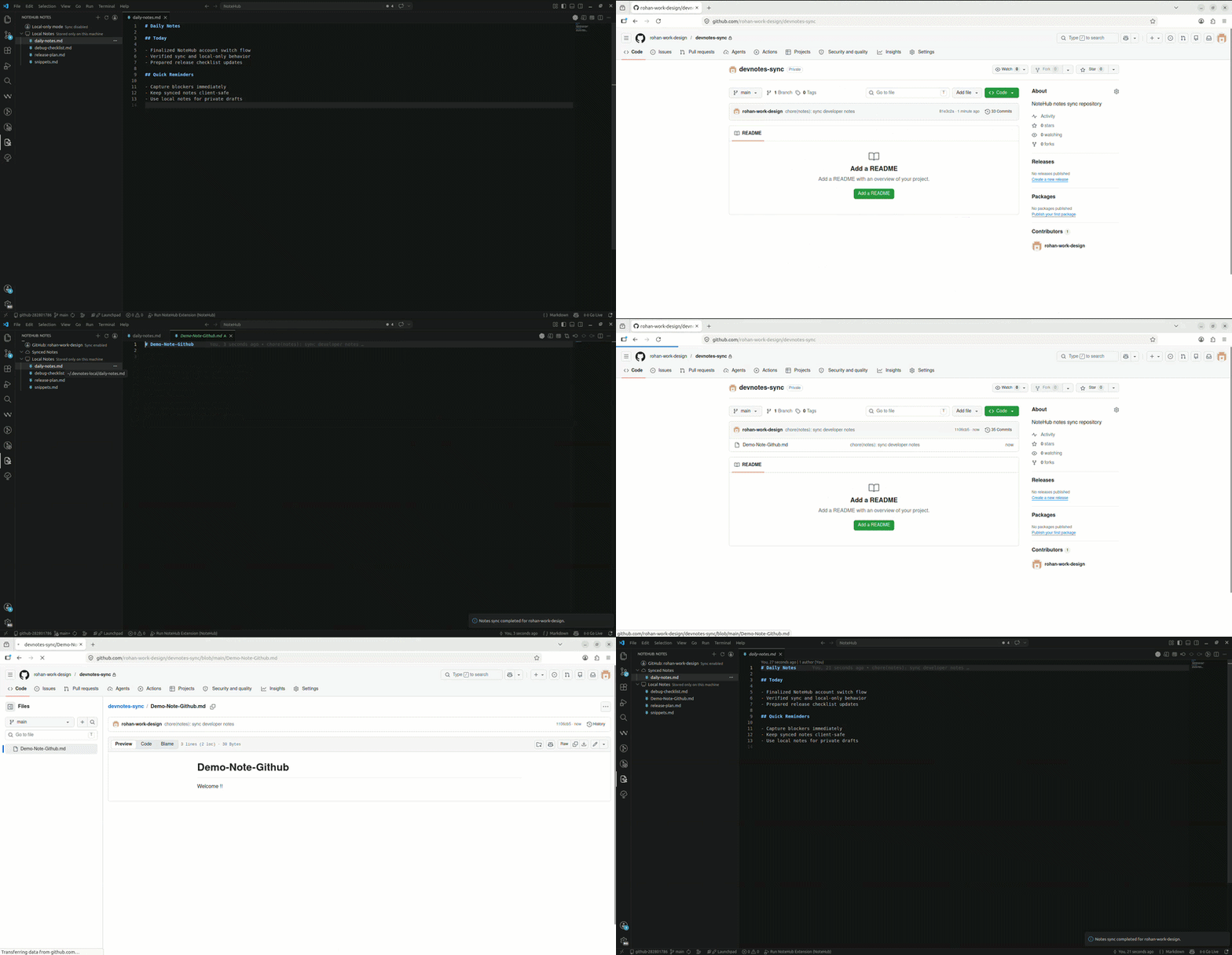
QuickNotes is a Markdown note-taking extension for developers who want a distraction-free, local-first workspace. Write notes in VS Code, keep them private on-device, or back them up through GitHub or Google Drive. No separate app. No context switching.



Why QuickNotes
- Local-first. Notes live on your machine by default. Nothing leaves your device unless you explicitly choose to sync.
- Provider-backed sync. Synced notes use GitHub (private repo) or Google Drive (dedicated QuickNotes folder).
- Plain Markdown. Notes are
.md files — no proprietary format, no lock-in.
- Stays inside VS Code. Your notes live in the Activity Bar alongside your code.
Features
Two note spaces
| Space |
Storage |
Synced |
| Synced Notes |
~/.devnotes |
✅ GitHub or Google Drive |
| Local Notes |
~/.devnotes-local |
❌ Device only |
You can move notes between spaces at any time. QuickNotes shows a one-time privacy confirmation before any note is moved into the synced space.
Folders
Create nested folder hierarchies in both spaces. Folders support create, rename, move, and delete — all from the sidebar context menu.
Images
Insert images directly into Markdown notes via the context menu. Images are stored in a note-adjacent assets/ folder and are included in GitHub sync automatically.
Sync
- Auto-syncs on save, on startup, and in the background.
- Conflict-safe: QuickNotes creates a local backup before resolving any conflict.
- Retries automatically when connectivity is restored after going offline.
- GitHub sync uses a private repository you own (QuickNotes can create it if missing).
- Google Drive sync uses a dedicated
QuickNotes folder under your account.
- Internal metadata sidecar files are auto-ignored in local Git state, so users do not need to manually commit or push metadata-only changes.
Getting Started
Requires VS Code 1.90 or later.
1. Install QuickNotes
Install from the VS Code Marketplace, then open the QuickNotes icon in the Activity Bar.
2. Choose your setup
Sync with GitHub or Google Drive
- Select
Quick Notes: Connect Account and choose a provider.
- For GitHub, QuickNotes creates (or connects to) your private sync repository.
- For Google Drive, QuickNotes connects via OAuth and syncs to the
QuickNotes folder.
- Create notes under
Synced Notes — they sync automatically.
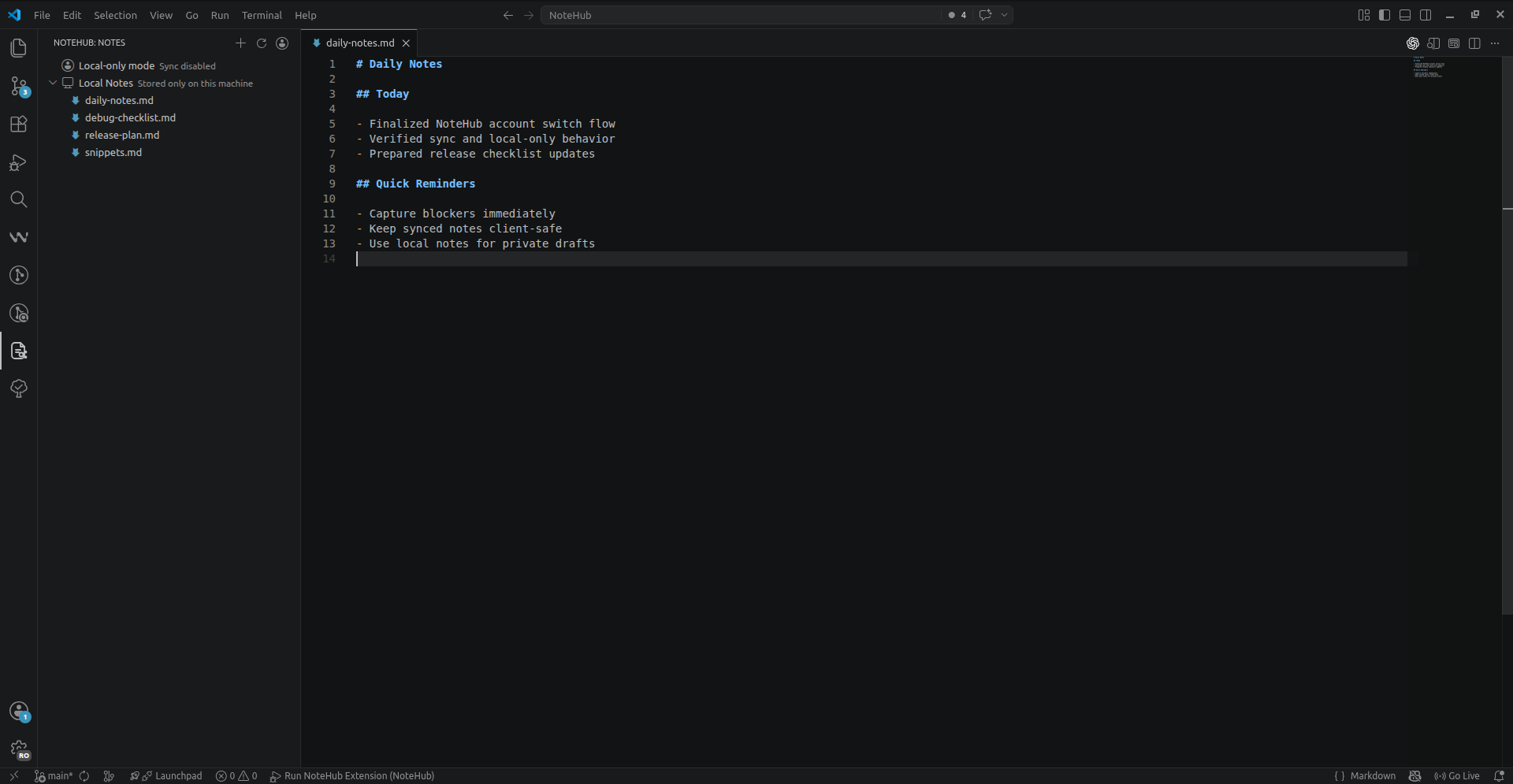
Stay local
- Select
Quick Notes: Continue Local Only.
- Create notes under
Local Notes — nothing leaves your device.
You can start local and enable sync later at any time.
3. Create notes and folders
Use the top bar icons (New Note / New Folder) or right-click any item in the sidebar for the full action menu.
Settings
| Setting |
Default |
Description |
devnotes.autoSync |
true |
Sync automatically in the background |
devnotes.syncOnStartup |
true |
Sync when VS Code opens |
devnotes.syncOnSave |
true |
Sync when a note is saved |
devnotes.defaultNoteSpace |
local |
Default space for new notes (local or synced) |
devnotes.localOnlyMode |
false |
Disable all sync features |
devnotes.syncProvider |
github |
Active sync provider (github or googleDrive) |
devnotes.syncedNotesPath |
~/.devnotes |
Local path for synced notes |
devnotes.localNotesPath |
~/.devnotes-local |
Local path for local-only notes |
GitHub-specific settings
| Setting |
Default |
Description |
devnotes.repoName |
devnotes-sync |
GitHub repository name for sync |
devnotes.repoOwner |
— |
GitHub username (inferred if not set) |
devnotes.branch |
main |
Branch used for sync |
devnotes.autoCreateRepo |
true |
Create the sync repo if it does not exist |
Changing the sync repository name
- Open VS Code Settings (
Ctrl+,) and search for devnotes.repoName.
- Set your preferred repository name.
- Run
Quick Notes: Sync Notes.
Changing the repository name does not delete the old repository. Current local notes are pushed to the new one, and switching back to the old name re-connects to it.
Key Commands
| Command |
Description |
Quick Notes: Connect Account |
Connect a sync provider (GitHub or Google Drive) |
Quick Notes: Sync Notes |
Manually trigger a sync |
Quick Notes: Sync Status |
View the current sync state |
Quick Notes: Restore Notes |
Restore notes from the remote repository |
Quick Notes: Continue Local Only |
Use QuickNotes without sync |
Quick Notes: Insert Image Into Note |
Insert an image into the active note |
All other commands (create note, create folder, rename, move, etc.) are available via the sidebar context menu and the top bar icons, or by searching Quick Notes in the Command Palette (Ctrl+Shift+P).
Privacy
- Local Notes are stored only on your device and are never pushed to any remote.
- Synced Notes use your connected provider — a private GitHub repository or a dedicated Google Drive folder, both under your own account.
- QuickNotes shows a one-time confirmation before any note is moved into the synced space.
- Notes from one GitHub account are never mixed with notes from another.
FAQ
Does QuickNotes work without a cloud account?
Yes. Select Continue Local Only during setup. All features work except sync and remote restore.
What happens if I'm offline?
Notes are always saved locally first. If sync fails due to connectivity, QuickNotes retries automatically when the connection returns.
Will changing my repo name delete my old notes?
No. The old repository and its contents remain on GitHub untouched. QuickNotes simply starts syncing to the new repository name going forward.
Are my synced notes safe if there's a conflict?
Yes. Before resolving any sync conflict, QuickNotes creates a local backup so no data is lost.
Can I use my existing Markdown files?
Not via a built-in import flow yet. However, the notes directories (~/.devnotes and ~/.devnotes-local) are plain folders — you can copy .md files there manually and they will appear in the sidebar.
License
MIT. See LICENSE.

