Token Flow - Design SystemBridging the gap between Design and Code. Find, insert, swap and audit design tokens (SCSS · CSS · TS/JS) without leaving your editor. Installation Launch VS Code Quick Open ( Ctrl+P), paste the following command, and press enter.Copied to clipboard |

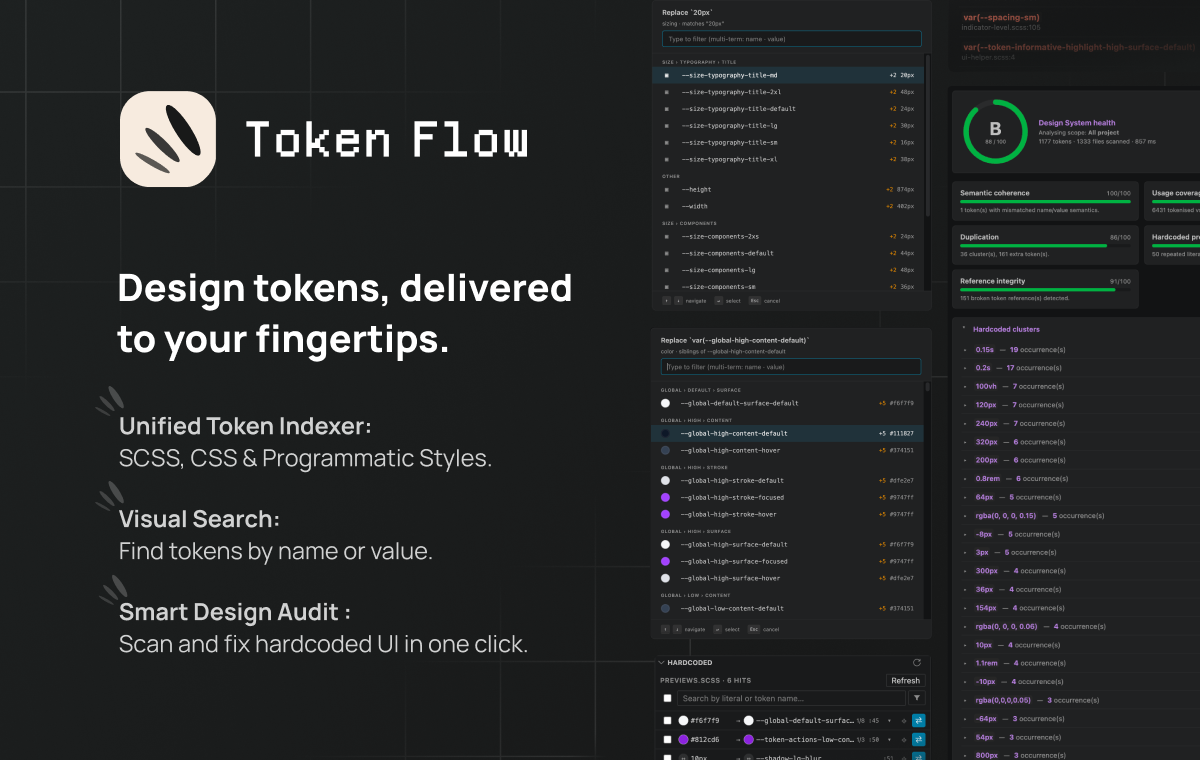
Token Flow — VSCode EditionFind, insert, swap and audit design tokens (SCSS · CSS · TS/JS) from inside VSCode — without ever leaving your editor.
Why?Make using your tokens intuitive. Token Flow helps you find the right variable and keep your styles flawless without ever leaving your VSCode editor. Supported formats:
🔎 Library — every token at a glanceA dedicated Token Flow entry in the activity bar opens a rich
panel listing every indexed token, grouped by category. Inline color
swatches, two-line name + resolved-value previews, variant badges,
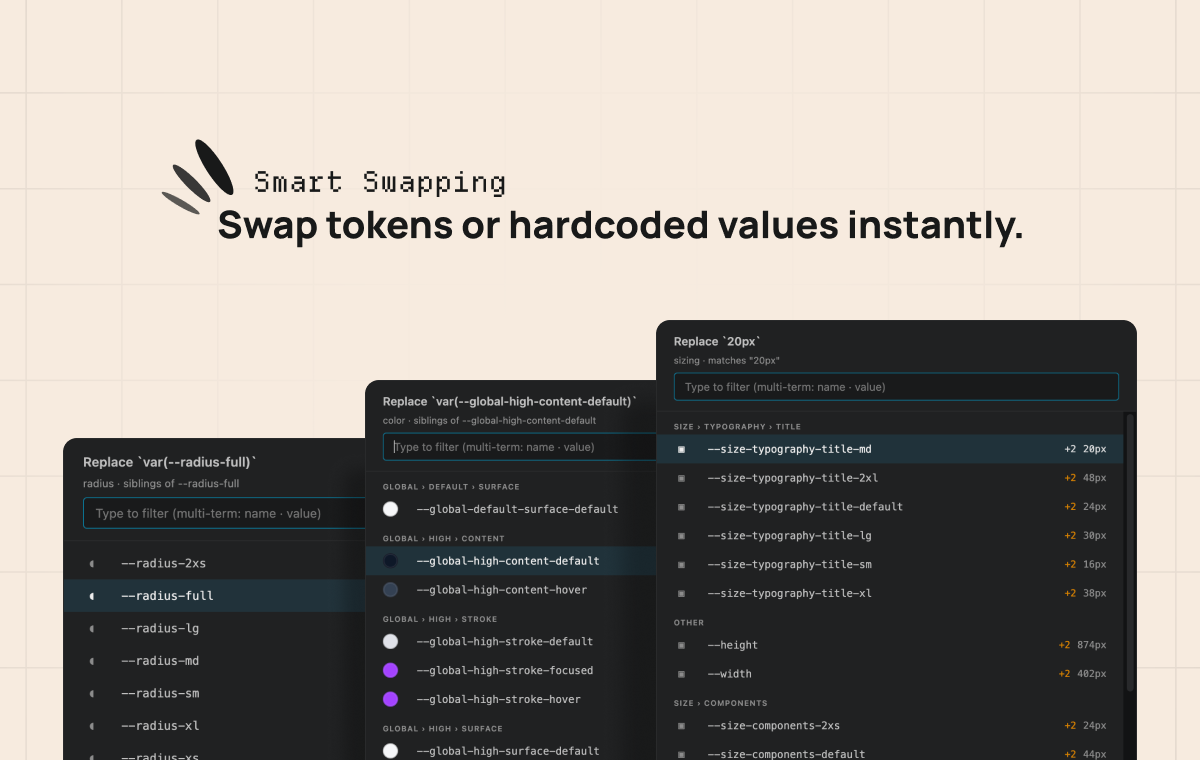
multi-term search ( ⚡️ Smart swapping —
|



| Setting | What it does |
|---|---|
tokenFlow.scopes |
Named scopes — rootPath, sourcePaths, whitelistPaths, excludedPaths, externalPrefixes. |
tokenFlow.sourcePaths |
Back-compat fallback used when scopes is empty. |
tokenFlow.externalPrefixes |
Project-wide external variable prefixes (see below). |
tokenFlow.hover.enabled |
Hover popup on token references. |
tokenFlow.copyValue.enabled |
Alt+V Copy Token Value and its surfaces. |
tokenFlow.alternatives.pickerStyle |
Alt+T picker — side panel or native popup. |
External variable prefixes
A reference whose name starts with one of these prefixes is treated as
valid but external: it counts as tokenised (it is a variable, not a
hardcoded value), it is never reported as a broken reference, and it
never marks one of your tokens as used. Write the prefix with its
leading dashes — the comparison runs on the extracted name, so --ui-,
not ui-.
{
  // Project-wide — framework-injected variables.
  "tokenFlow.externalPrefixes": ["--p-", "--mat-"],

  "tokenFlow.scopes": [
    {
      "name": "ui",
      "rootPath": "libs/ui",
      "sourcePaths": ["libs/ui/src/styles/tokens"],
      // Scope-local — this library's own customisation API.
      "externalPrefixes": ["--ui-slider-", "--ui-toggle-"]
    }
  ]
}
The effective set for an analysis run is the project-wide list unioned with every active scope's own list.
Prefer the narrowest prefix you can. --ui- silences every
--ui-* reference, including a genuine typo on an existing --ui-…
token; --ui-slider- only covers that one component's API. Go
component-by-component while the count stays reasonable, and fall back to
the broad prefix knowingly.
The typical case: a component that deliberately exposes an undeclared variable as its extension point.
// ui-slider.scss — consumers override these via ::ng-deep
height: var(--ui-slider-handle-size, #{$handle-size});
width:  var(--ui-slider-thickness, #{$track-thickness});
Nothing declares --ui-slider-handle-size, and nothing should — it's an
API, not a bug. Adding --ui-slider- to the scope's externalPrefixes
tells Analyse exactly that.
Use cases
- Migration — refactor a hardcoded codebase to design tokens, file by file.
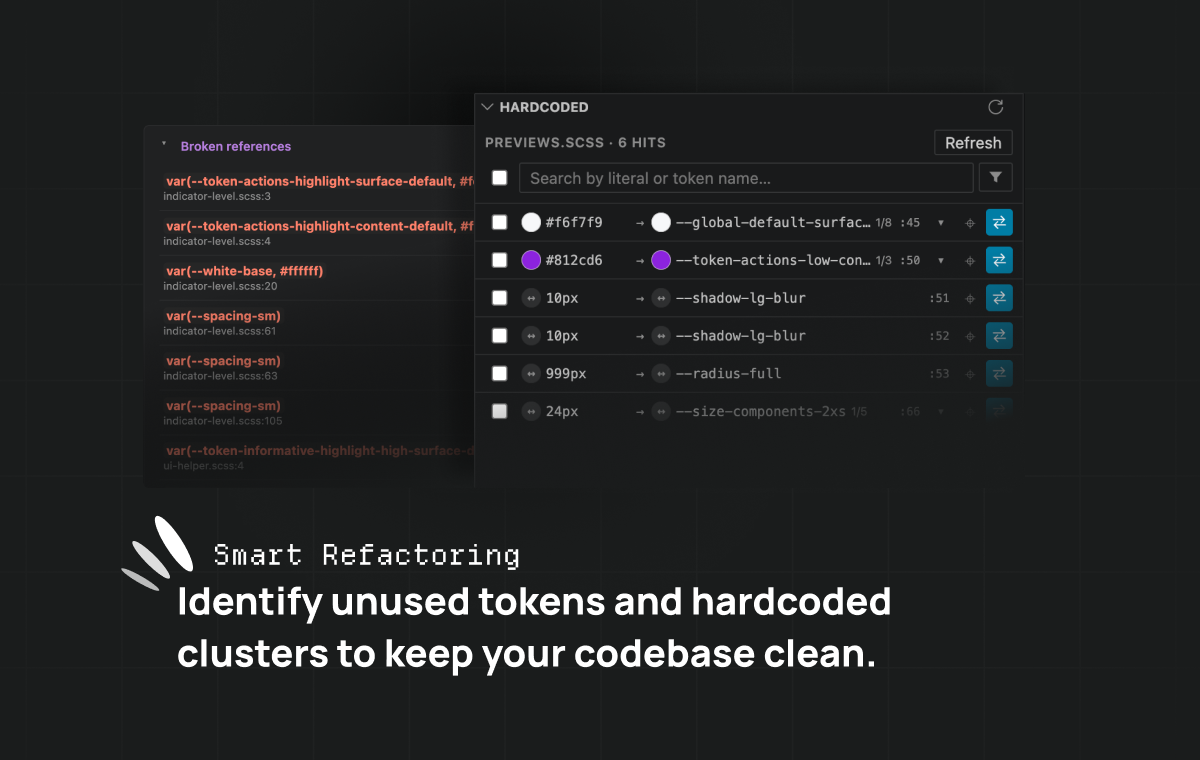
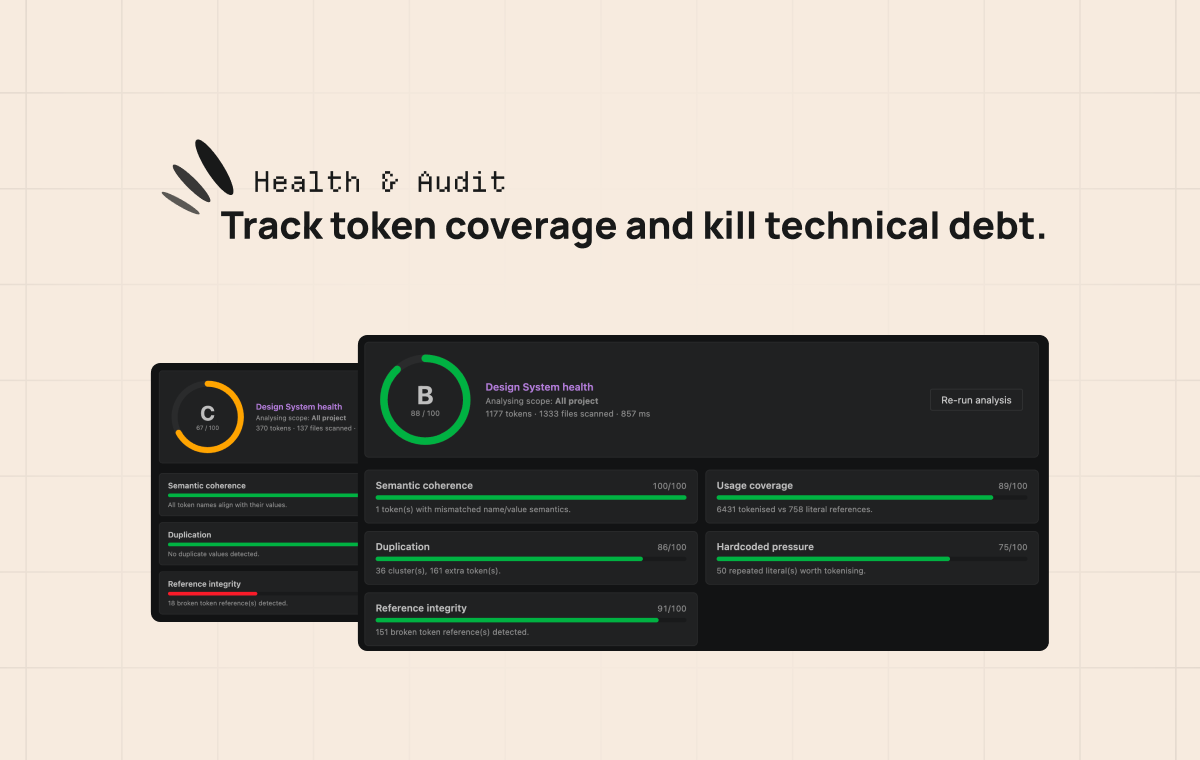
- Multi-brand audit — keep a multi-brand or light/dark Design System aligned and free of dead tokens.
- Theme debugging — see how a token resolves in Dark vs Light mode via the hover popup.
- Preset iteration — work on a PrimeUIX / Style-Dictionary preset with instant feedback.
About
Built by Robin Lopez — designer & front-end engineer.
robinlopez.fr · LinkedIn · Bluesky · Bento
If Token Flow saves you time, you can support its development: