It Depends On - .NET Dependency Visualizer
A Visual Studio Code extension that visualizes C# solution and project dependencies in an interactive graph.
Features
- 📁 Browse & Select: Open any
.sln, .slnx, or .csproj file to analyze
- 🔍 Recursive Analysis: Automatically traverses all project references to build a complete dependency graph
- 📊 Interactive Graph: Visualize dependencies using an interactive directed graph
- 🖱️ Click & Explore: Click on nodes to see detailed project information
- 🎯 Hover Details: Hover over nodes to see quick project details
- 🔄 Drag & Drop: Rearrange nodes by dragging them around
- 🎨 Color Coded: Different colors for solutions, libraries, executables, and projects
Usage
Command Palette

- Open the Command Palette (
Ctrl+Shift+P / Cmd+Shift+P)
- Type "It Depends On: Open Solution/Project File"
- Select a
.sln, .slnx, or .csproj file
- View the dependency graph

- Right-click on any
.sln, .slnx, or .csproj file in the Explorer
- Select "Visualize Dependencies"
- View the dependency graph
Dependency Graph View
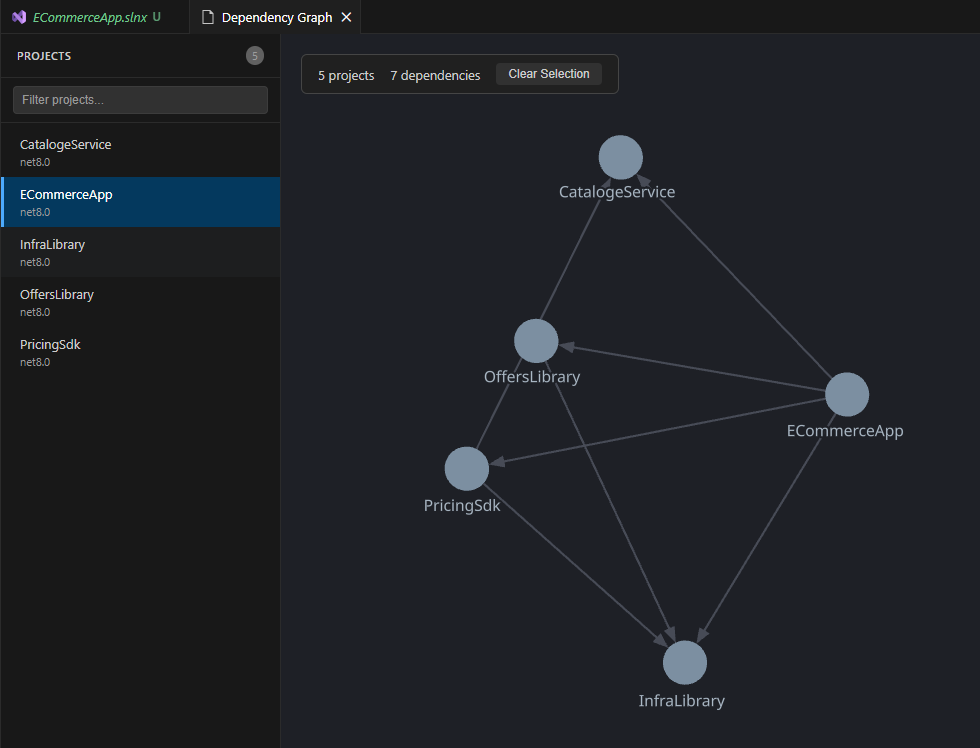
The extension displays an interactive graph showing all project dependencies in your solution.
Selected Project Highlighting
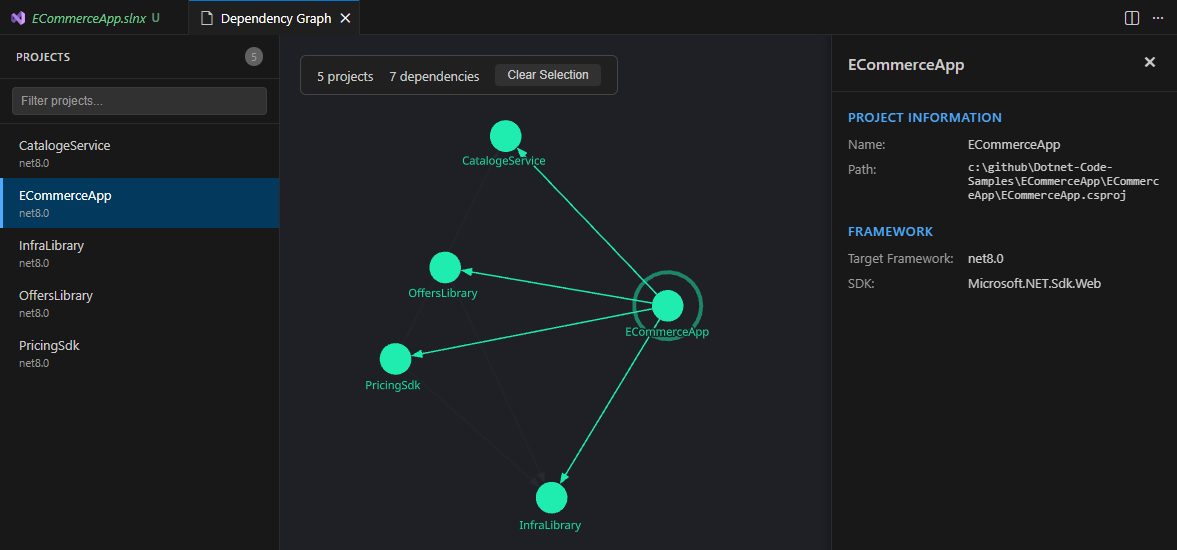
When you select a project, its dependencies are highlighted in the graph, making it easy to trace the dependency chain.
Graph Interaction
- Click on a node to select it and view details in the side panel
- Hover over a node to see a quick tooltip with project info
- Drag nodes to rearrange the graph layout
- Scroll to zoom in/out
- Pan by dragging the canvas background
Node Colors
| Color |
Type |
| 🟣 Indigo |
Solution (.sln or .slnx) |
| 🔵 Blue |
Project (default) |
| 🟢 Green |
Library (OutputType=Library) |
| 🟡 Amber |
Executable (OutputType=Exe) |
- Project name and path
- Target framework
- SDK version
- Output type
- Assembly name
- Root namespace
- Version, authors, and description (if available)
- NuGet package references
| Format |
Description |
.sln |
Traditional Visual Studio solution file (text-based) |
.slnx |
New XML-based solution file format |
.csproj |
C# project file (SDK-style) |
Requirements
- Visual Studio Code 1.85.0 or higher
- .NET projects using SDK-style project format
Known Limitations
- Only supports SDK-style project files (modern .NET/Core format)
- Classic .NET Framework projects may not parse correctly
- Large solutions may take a moment to analyze
| |

