Skip to content
| Marketplace
Sign in
Visual Studio Code>Themes>Prism ZeroNew to Visual Studio Code? Get it now.
Prism Zero

Prism Zero

Rino

|
5 installs
| (0) | Free
Prism Zero Light and Dark themes for Visual Studio Code and Cursor.
Installation
Launch VS Code Quick Open (Ctrl+P), paste the following command, and press enter.
Copied to clipboard
More Info

Prism Zero

Light and Dark color themes for Visual Studio Code and Cursor, based on PrismJS syntax colors (adjusted for UI chrome and dark backgrounds).

Screenshots

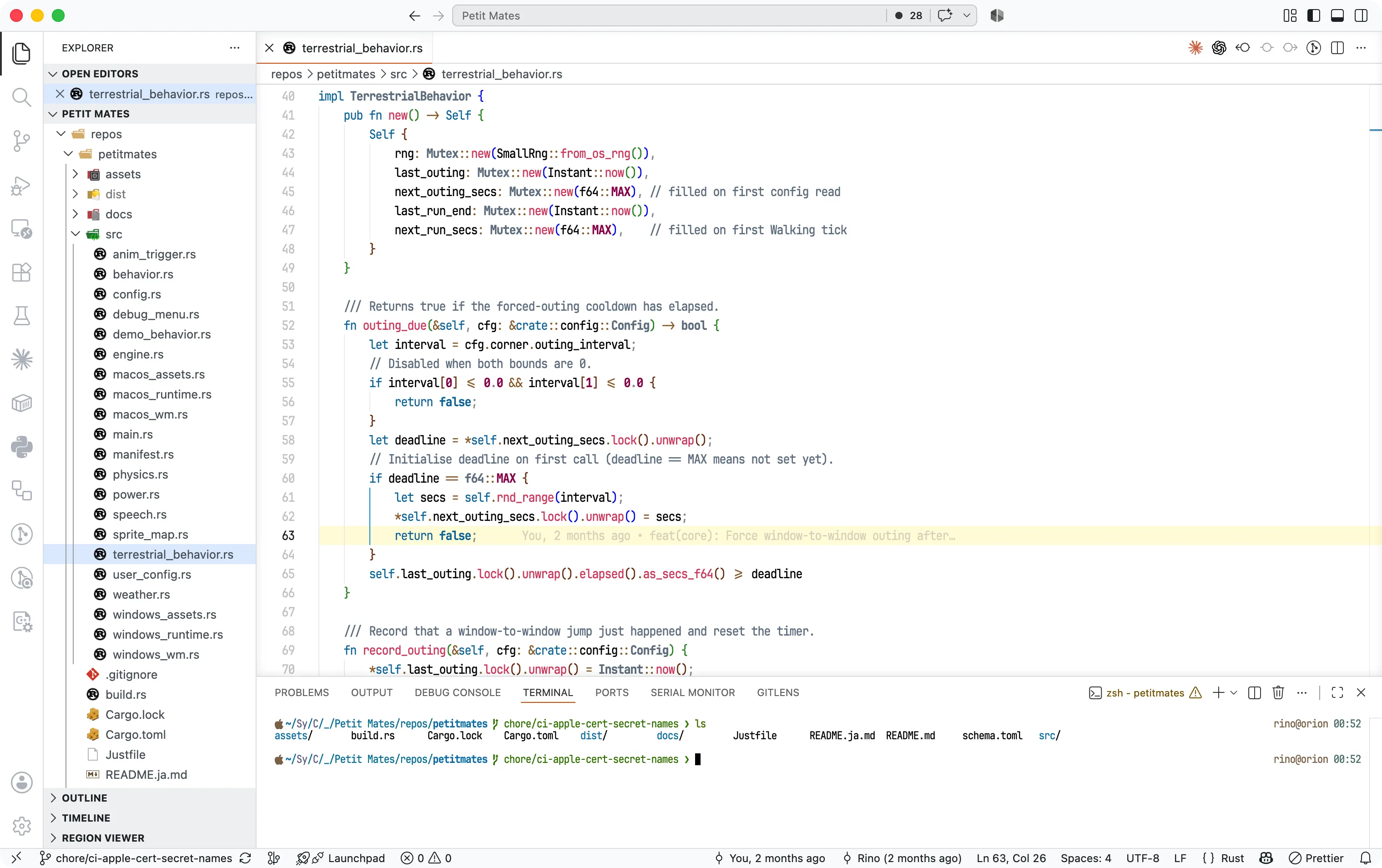
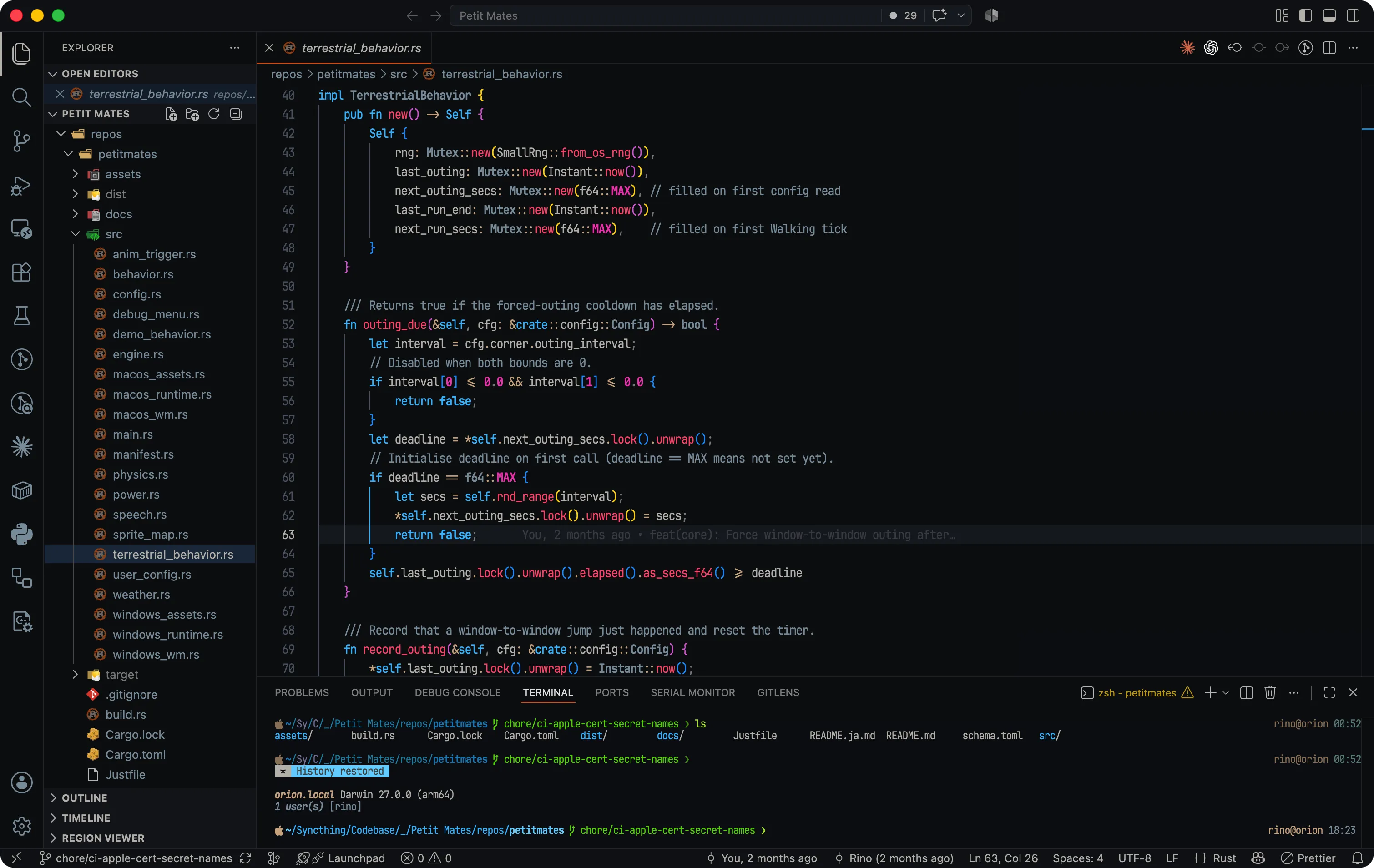
Visual Studio Code

Prism Zero Light in Visual Studio Code

Prism Zero Dark in Visual Studio Code

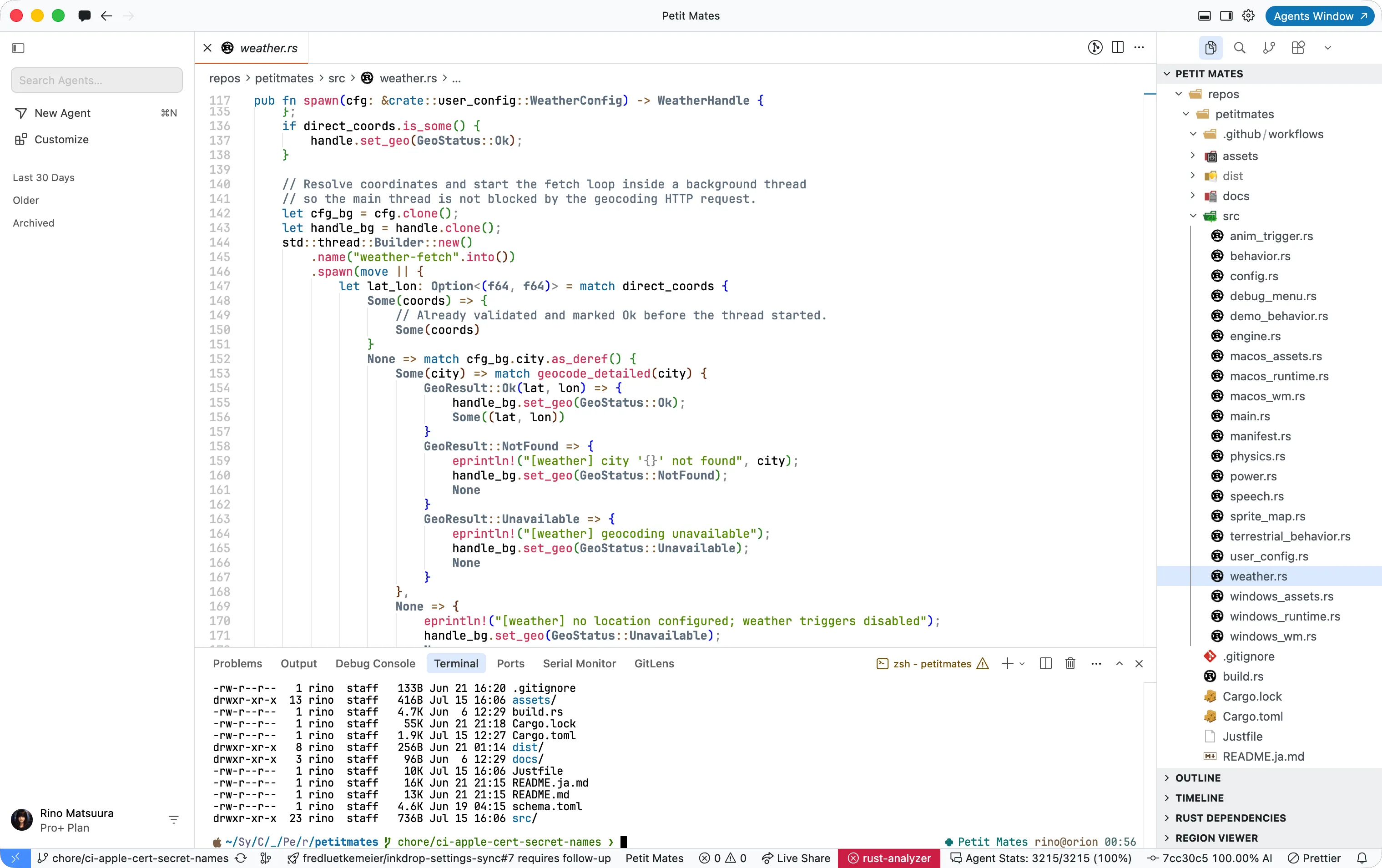
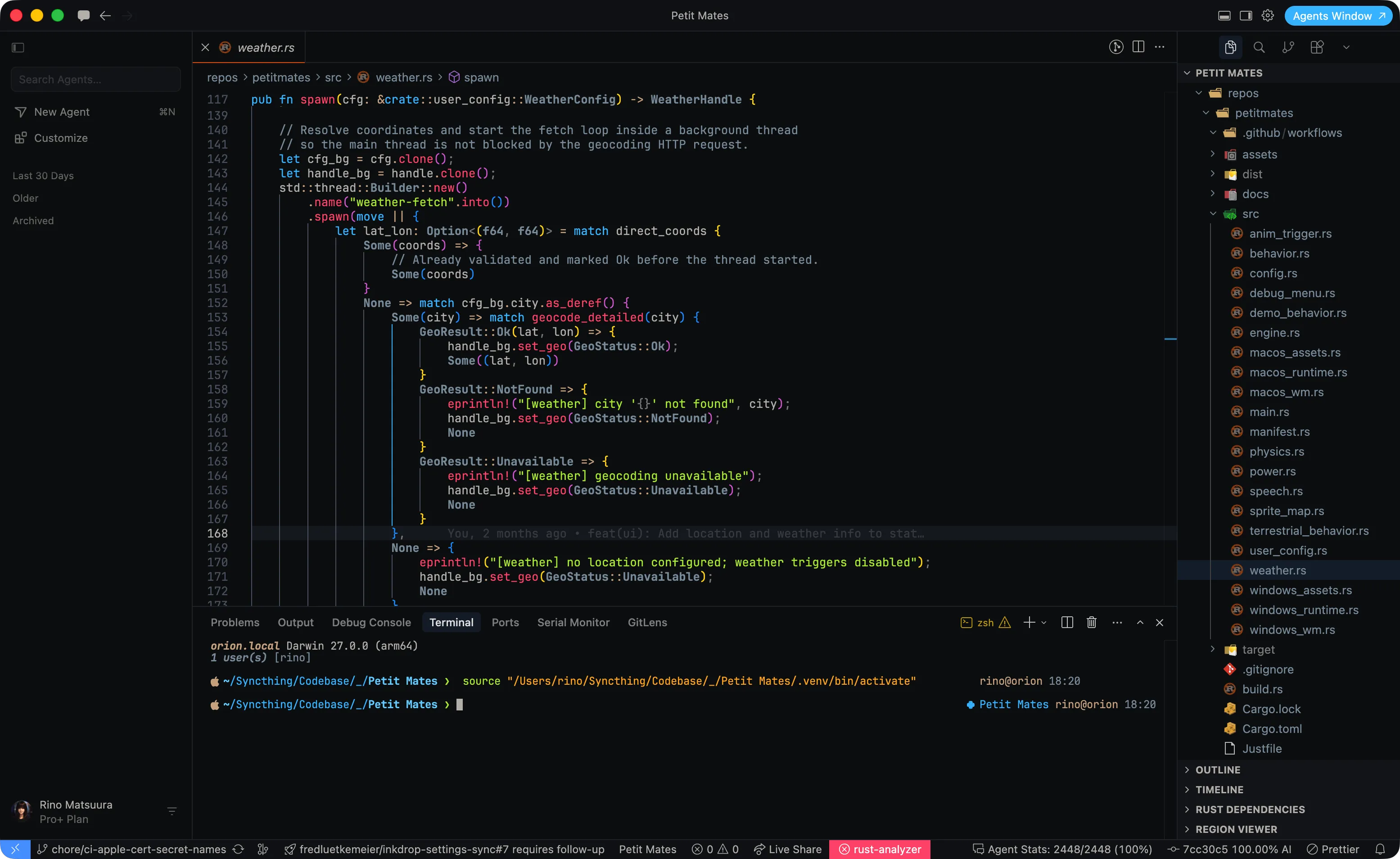
Cursor

Prism Zero Light in Cursor

Prism Zero Dark in Cursor

Themes

  • Prism Zero Light — light UI with Prism-style syntax colors
  • Prism Zero Dark — dark UI on #0c0e13 with the same syntax family

Install

Install Prism Zero from the Marketplace, then select Prism Zero Light or Prism Zero Dark from the Color Theme picker.

Without the Marketplace (for example code-server), install a Release .vsix:

code --install-extension prism-zero-*.vsix
# or: cursor --install-extension prism-zero-*.vsix

More of Prism Zero

Prism Zero also provides matching Light and Dark themes for Visual Studio Code, Cursor, Panic Nova, Neovim, iTerm 2, Prompt 3, Ptyxis, Windows Terminal. Theme files and install notes: https://github.com/rinodrops/prism-zero.

  • Contact us
  • Jobs
  • Privacy
  • Manage cookies
  • Terms of use
  • Trademarks
© 2026 Microsoft