Skip to content
| Marketplace
Sign in
Visual Studio Code>Other>FLDKS ExtensionNew to Visual Studio Code? Get it now.
FLDKS Extension

FLDKS Extension

Riansyah Karim

|
27 installs
| (0) | Free
Extension for make a project with simple tricks
Installation
Launch VS Code Quick Open (Ctrl+P), paste the following command, and press enter.
Copied to clipboard
More Info

FLDKS Extension 🚀

FLDKS Extension is a powerful VS Code productivity tool designed to eliminate the repetitive task of setting up project structures. Initialize your Backend or Frontend environment with just a single click.


✨ Features

🟢 One-Click Backend (Express.js)

Generate a clean, production-ready Express.js boilerplate instantly.

  • Automatic package.json creation.
  • Basic folder structure (Routes, Controllers, Models).
  • Pre-configured entry point.

🔵 One-Click Frontend (React + Vite)

Leverage the speed of Vite to scaffold your React applications.

  • Blazing fast initialization.
  • Modern project structure.
  • Essential dependencies ready to install.

📽️ Demo

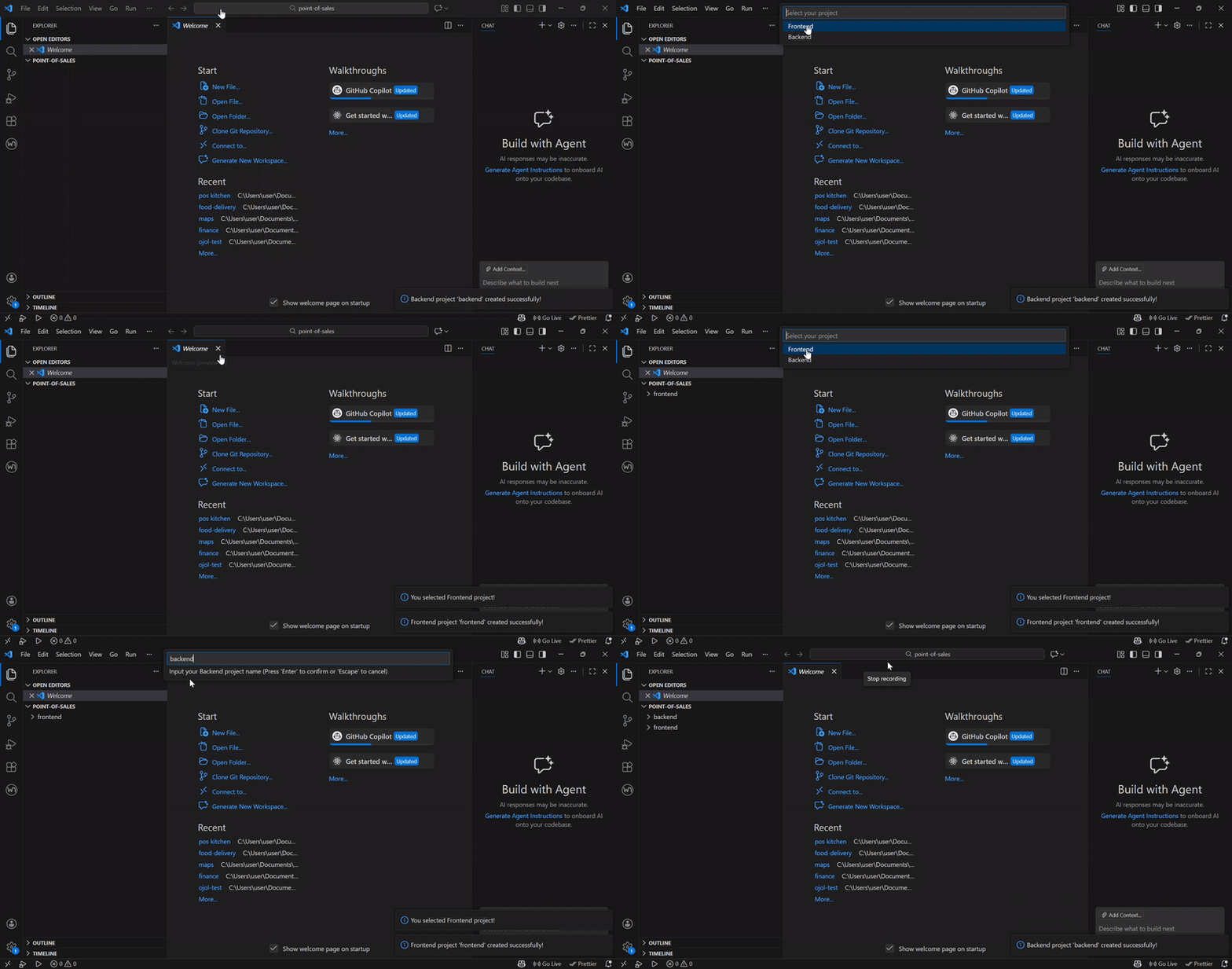
Demo fldks


🚀 How to Use

  1. Press Ctrl+Shift+P (Windows/Linux) or Cmd+Shift+P (Mac) to open the Command Palette.
  2. Type "fldks".
  3. Select your desired setup:
    • Backend: Create Express Backend
    • Frontend: Create React Vite Frontend
  4. Follow the prompt to name your project and you're good to go!

🛠 Requirements

  • Node.js (v16.0 or higher recommended)
  • npm, yarn, or pnpm installed globally.

📝 Changelog

1.0.0

  • Initial release of fldks extension.
  • Added Express.js scaffolding support.
  • Added React Vite scaffolding support.

Happy Coding with fldks!

  • Contact us
  • Jobs
  • Privacy
  • Manage cookies
  • Terms of use
  • Trademarks
© 2026 Microsoft