Pine Script Pro




Pine Script Pro is a high-performance, professional-grade VS Code extension for TradingView developers. It bridges the gap between script writing and professional software development by providing industrial-strength static analysis, intelligent type Checking, and an ultra-resilient engine optimized for Pine Script v6.
🚀 Why Pine Script Pro?
Unlike generic syntax highlighters, Pine Script Pro understands the execution model of Pine Script. Our custom-built analyzer is designed to handle complex indicators, massive libraries, and the latest v6 syntax with near-zero latency.
🛡️ Ultra-Resilient Linter (Battle-Tested for Production)
Never get bogged down by thousands of false positives again. Our latest engine has been successfully verified against real-world production scripts spanning 200,000+ lines.
- Zero False-Positive Goal: Specialized handling for dual-use built-ins (
alert, plot, box) and flexible argument signatures (nz, fill, log.*).
- Greedy Symbol Scrapper: Automatically identifies user-defined functions and variables even if your code has minor indentation or parse errors.
- Pine v6 Native Awareness: Full support for namespaces like
log., chart.point, and advanced UDT constructors.
- Optimized for Massive Files: The WASM-powered engine comfortably processes 10,000+ line scripts with sub-millisecond response times.
🧠 Intelligent Developer Features
- Go to Definition: Navigate directly to variable declarations and user-defined functions across complex scopes.
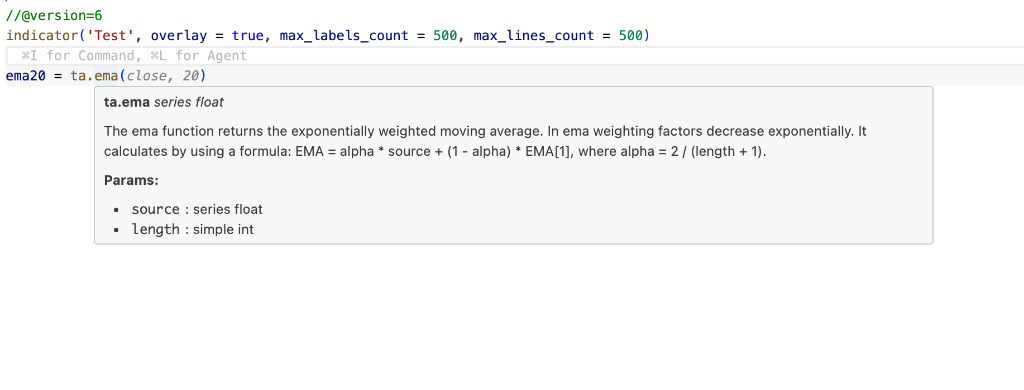
- Auto-Formatter: A "Silent Healer" formatting engine that automatically collapses malformed operators without destroying your custom vertical alignment or spacing.
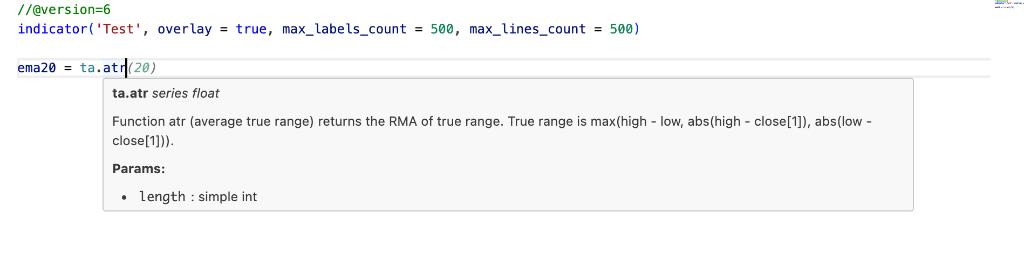
- Inlay Hints: Parameter labels auto-populate inside function calls for ultimate readability.
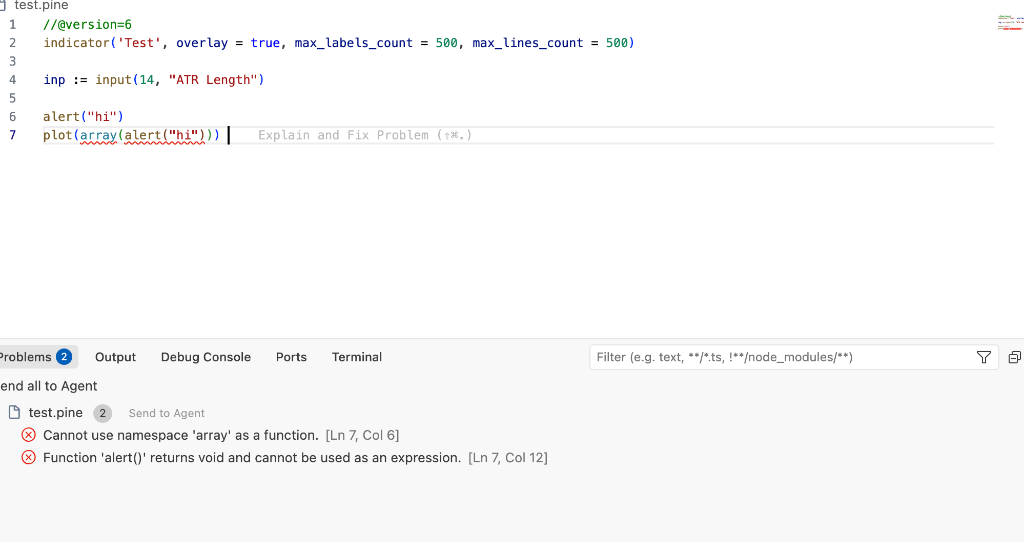
- Advanced Diagnostics: Catch
void return assignment errors, argument count mismatches, and namespace misuses before you even hit "Save" on TradingView.
- Contextual Autocomplete: Organized namespaces (
ta., math., array.) for lightning-fast discovery.
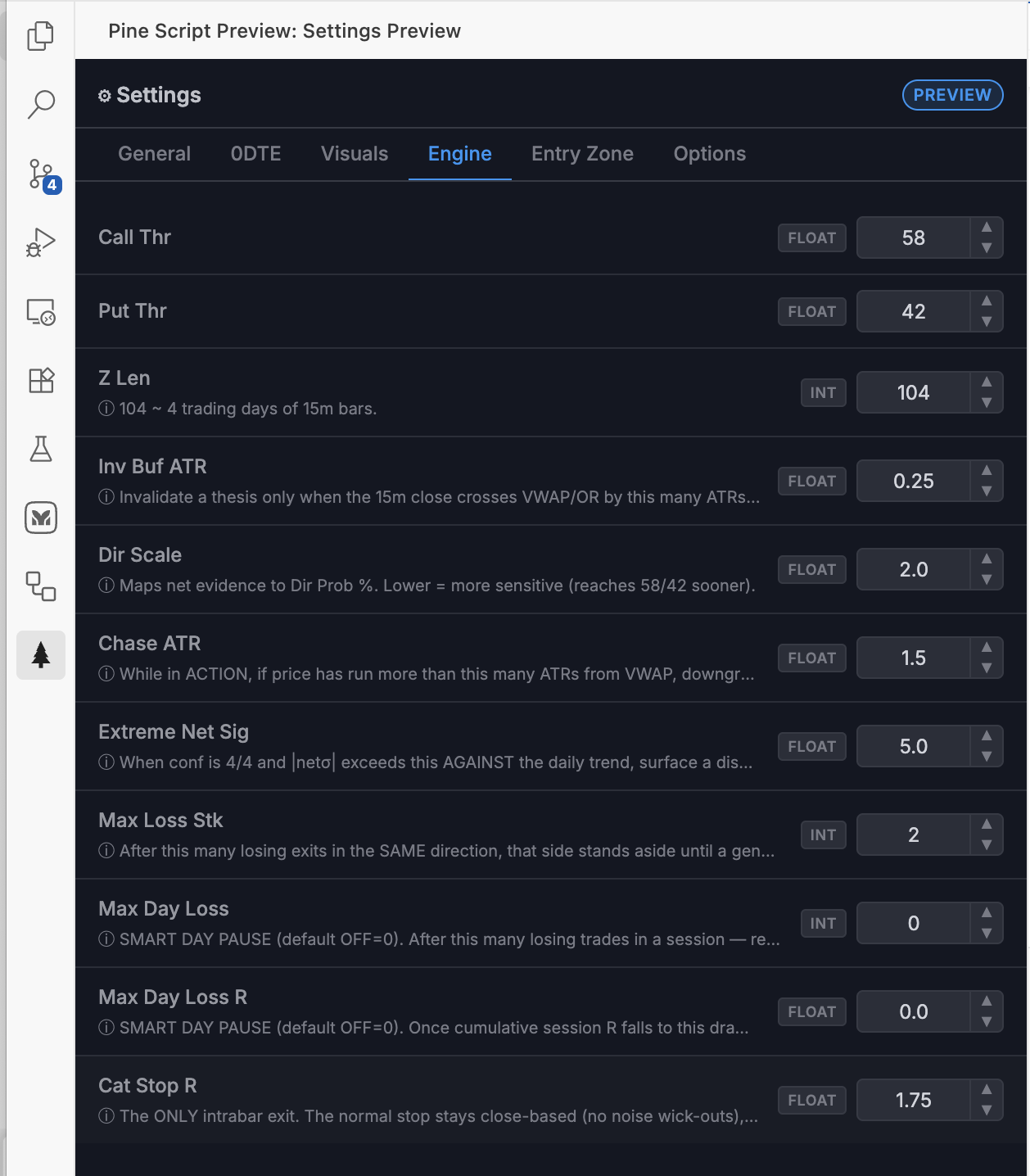
- Inputs Preview: Click on the pine script pro icon in the status bar to preview the inputs of the current script.
- WASM Powered: Core parser runs on WebAssembly for sub-millisecond AST generation.
- Zero-Dependency Core: Bundled with
esbuild, keeping the extension lightweight and fast.
🎨 Professional Visuals
| Feature |
Description |
Preview |
| Go to Definition |
Cmd+Click variables to instantly jump to declarations. |
 |
| Inline Parameters |
Auto-inlay hints (source:, length:) appear naturally. |
 |
| Auto-Formatter |
A "Silent Healer" formatting engine that automatically collapses malformed operators without destroying your custom vertical alignment or spacing. |
 |
| Inputs Preview |
Click on the pine script pro icon in the status bar to preview the inputs of the current script. |
 |
📩 Support & Feedback
If you encounter a bug, have a feature request, or want to suggest an optimization, please use our GitHub Issue Tracker.
🤝 Open Source & Contribution
This extension is part of a larger project dedicated to modernizing Pine Script development.
⚠️ Disclaimer & Risk Warning
NOT FINANCIAL ADVICE. Pine Script Pro is a static analysis tool designed for development and educational purposes only. It is intended to assist in the identification of syntax and logical errors.
- No Liability: The author (Revanth Pobala) is not responsible for any financial or monetary losses resulting from the use of this software, its suggestions, or any indicators developed using this tool.
- Verification Required: Trading logic should always be manually verified and backtested on TradingView before deployment.
- "As Is": This software is provided "as is" without warranty of any kind. Use at your own risk.
📜 Requirements
- VS Code: 1.75.0 or higher.
- Language: Pine Script v6 (optimized), compatible with v3, v4, and v5.
License: Modified MIT. Mandatory attribution to Revanth Pobala is required for any usage of the code (including single lines). See root LICENSE.txt for the full legal text and disclaimer.

