Repowise for VS Code
Know your codebase. Know your change. Before you push.
Repowise indexes your repository once, locally, and turns its structure and history into answers: which files are risky, what your edit touches downstream, who should review it, and why the code is shaped the way it is. This extension puts those answers where you already are: the gutter, the status bar, a hover, the Source Control view.
And because modern code is written by two of you, one install also wires the same intelligence into your AI agent through MCP. Your assistant answers "why does auth work this way?" from your real architecture, history, and health data instead of guessing from open files.
Everything runs on your machine. Everything is free.
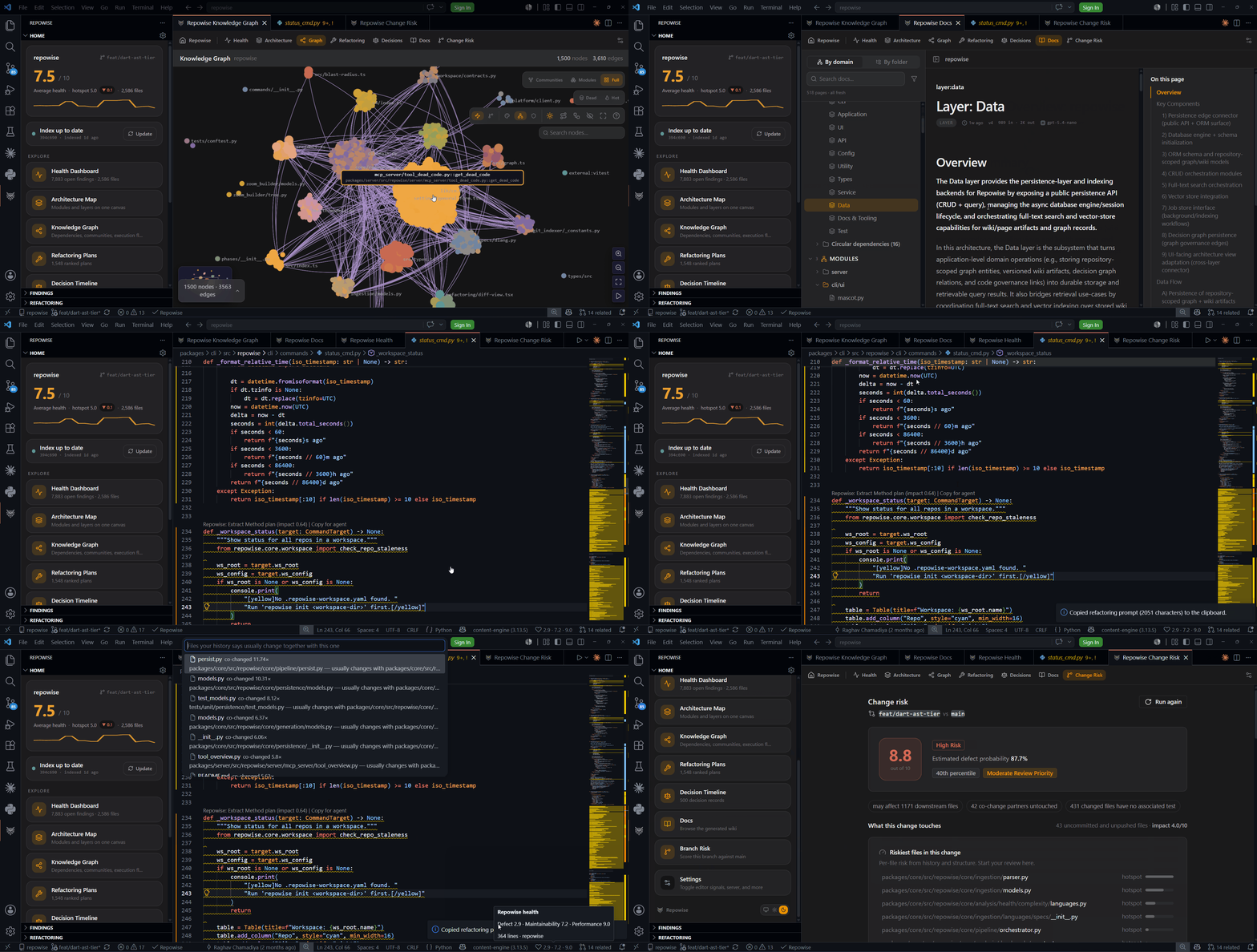
Know before you push
Click Analyze Change Risk in the Source Control view and get the full picture of your uncommitted work in seconds:
- A benchmarked repo-relative review priority, with the supporting diff-shape score and exact factors that move it.
- The riskiest files in your change, ranked, so you know where to focus your own review first.
- What is downstream: the files that depend on what you touched.
- What you might have forgotten: files that historically change together with yours but are untouched, plus measured and inferred test recommendations with explicit analysis state.
- Who should review it, from ownership and history, with one-click copy for your PR.
While you edit, a quiet status-bar hint appears if you are missing a file that usually travels with your change. It never pops up, never interrupts, and is one click to dismiss or turn off.
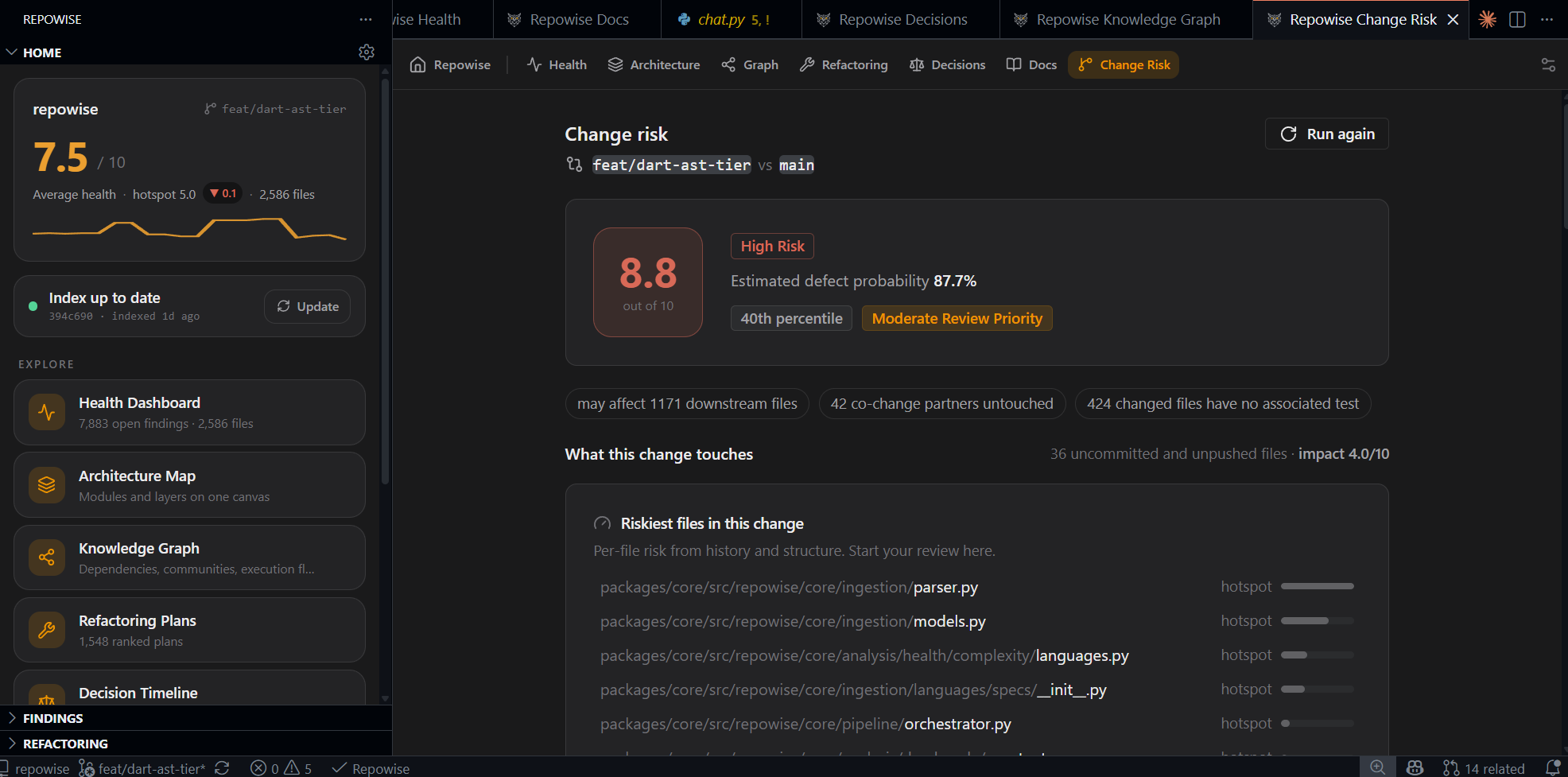
See health as you work
- Gutter heat marks the lines with findings in the file you have open. Glanceable, not shouty.
- Status bar scores show the active file's health across defect risk, maintainability, and performance.
- Explorer badges flag only the files most worth your attention.
- Hover any symbol for instant context: how many things call it, who owns the file, and the architectural decisions that govern it.
- Refactoring plans appear as a CodeLens right above the code they target. Open the full plan, or copy it as a ready-to-paste prompt for your agent.
- Prefer the Problems panel? Turn it on in settings. It stays off by default because your problems list belongs to you.
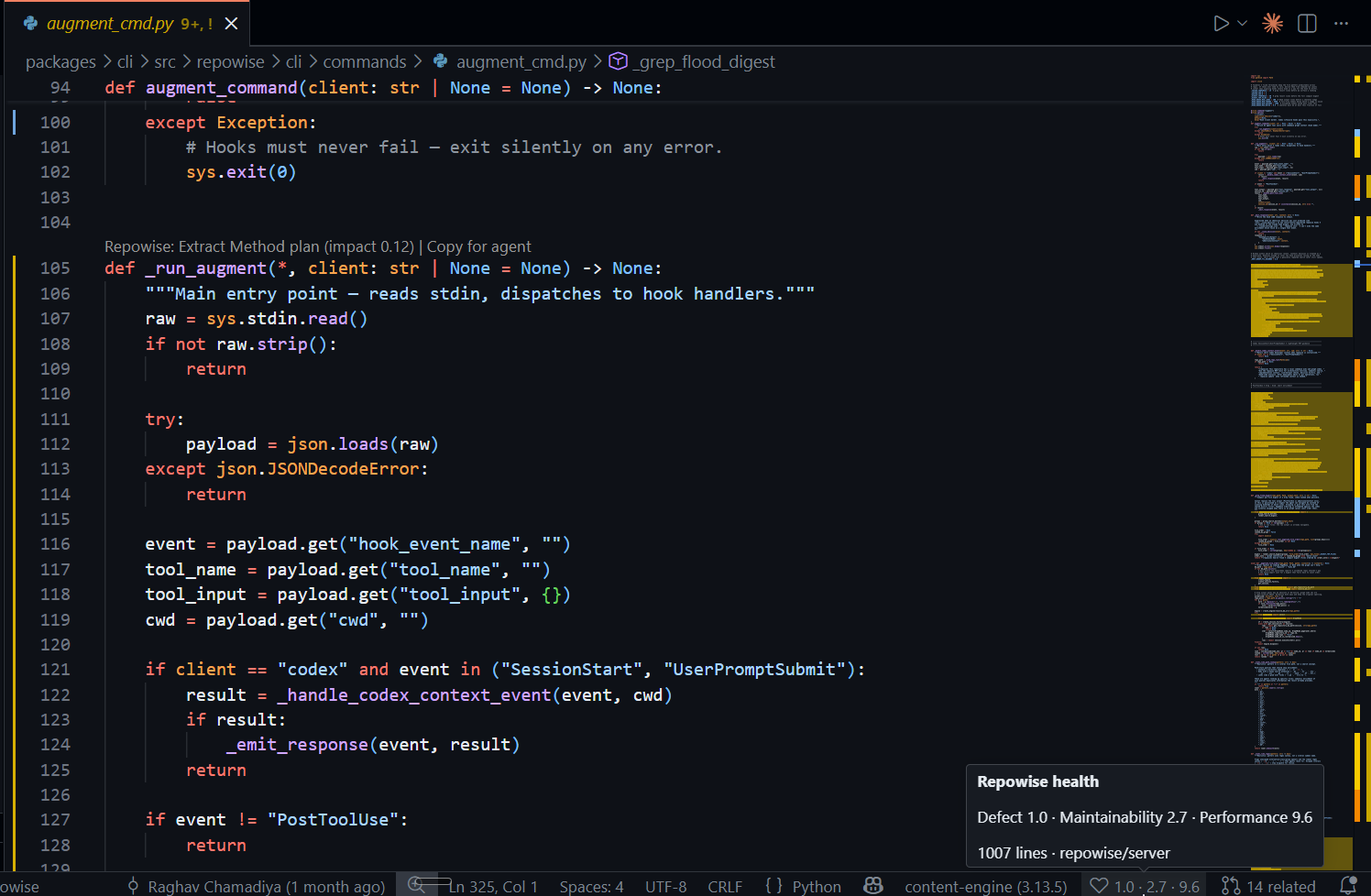
Gutter heat + status-bar score. Every finding, right where the line is. |
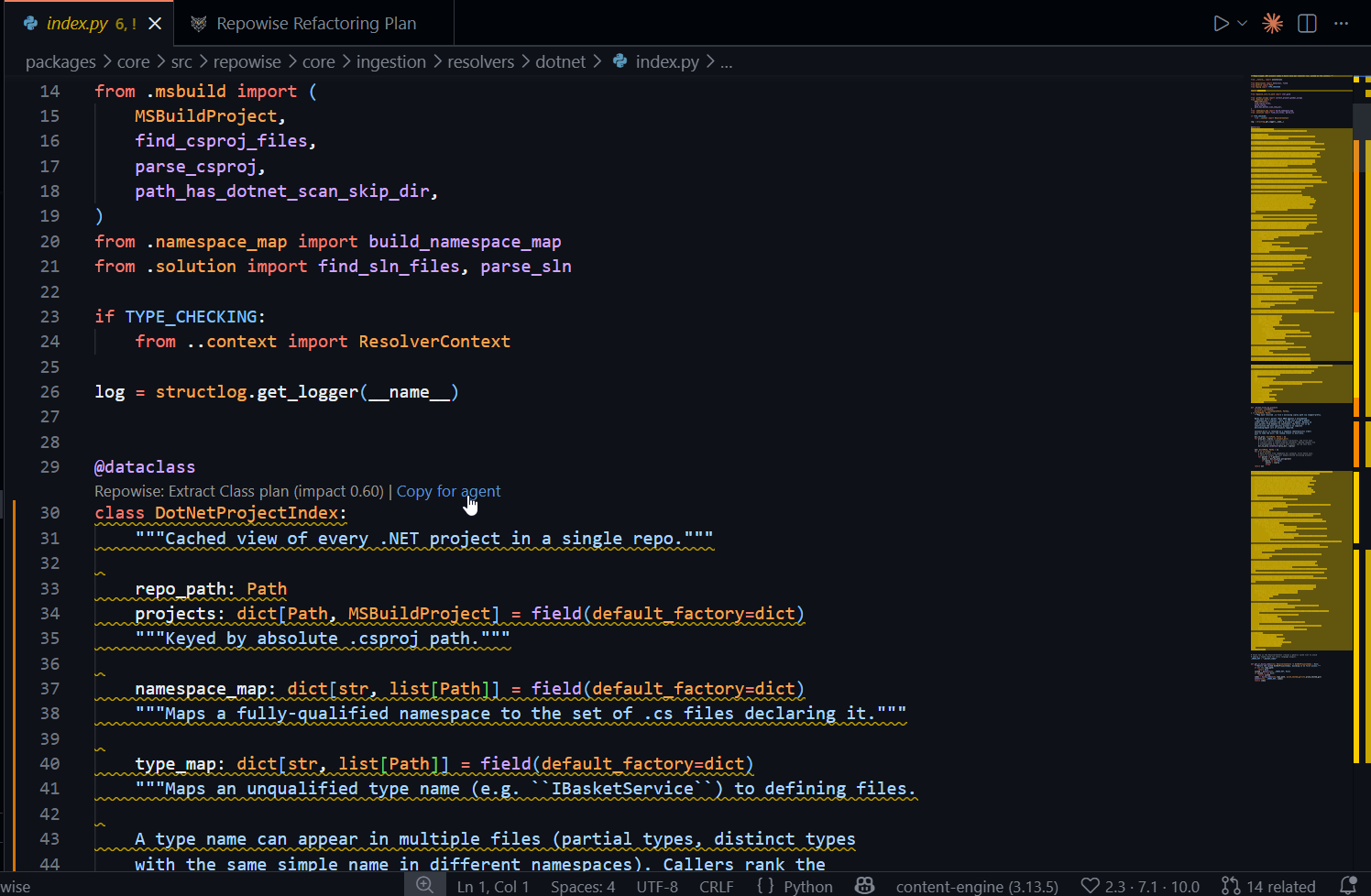
Refactoring plan as a CodeLens. One click copies it as a prompt for your agent. |
Explore the big picture
Full dashboards open right in an editor tab, no browser needed:
- Health overview: where the risk concentrates, at a glance.
- Architecture map: zoomable views of your system, from services down to components.
- Knowledge graph: how everything connects, with search and path finding.
- Refactoring plans: ranked, with the impact of each.
- Decision timeline: the "why" behind your codebase, mined from its history.
- Docs browser: always-current documentation for the file you are in.
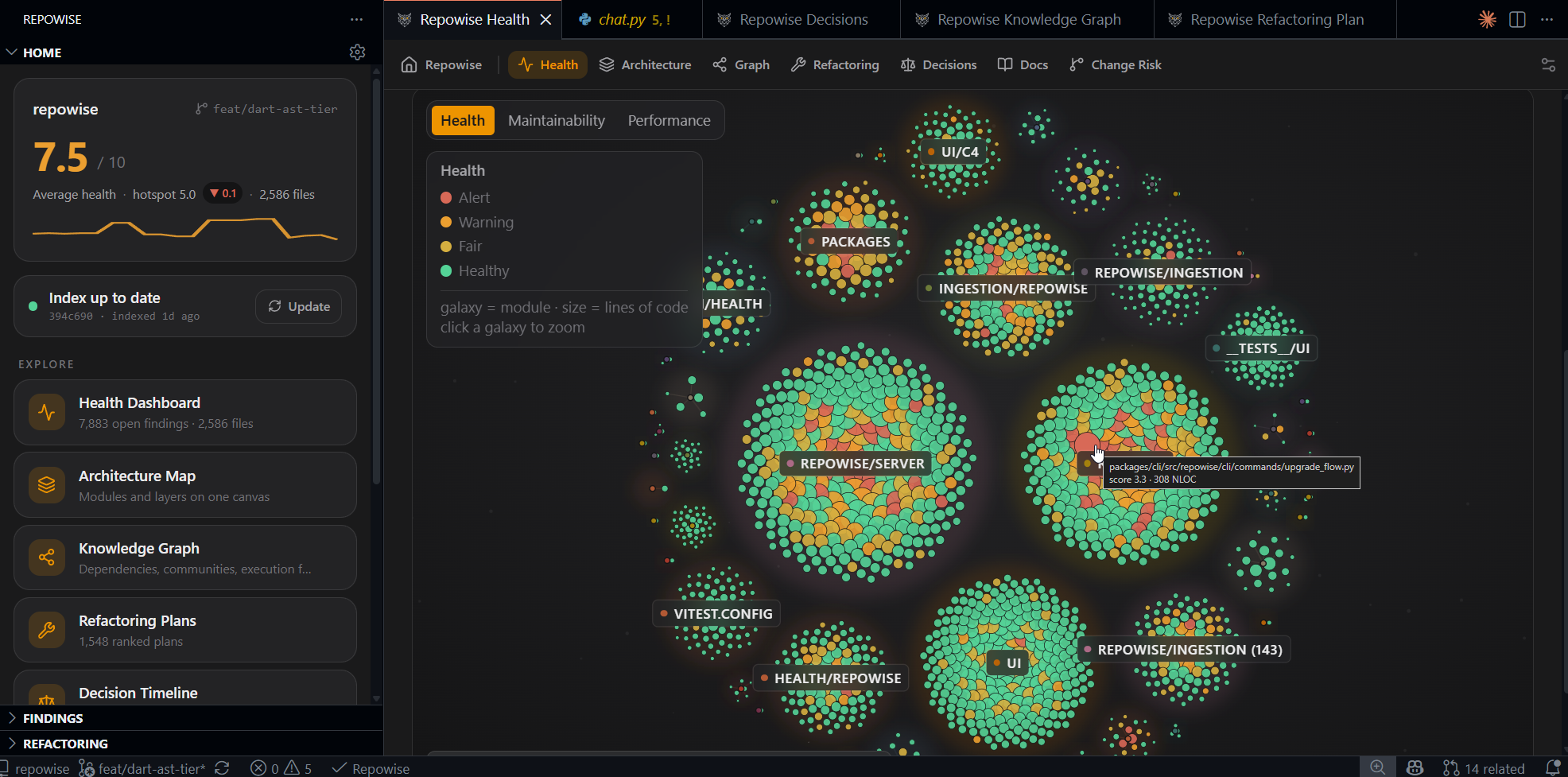
Health overview |
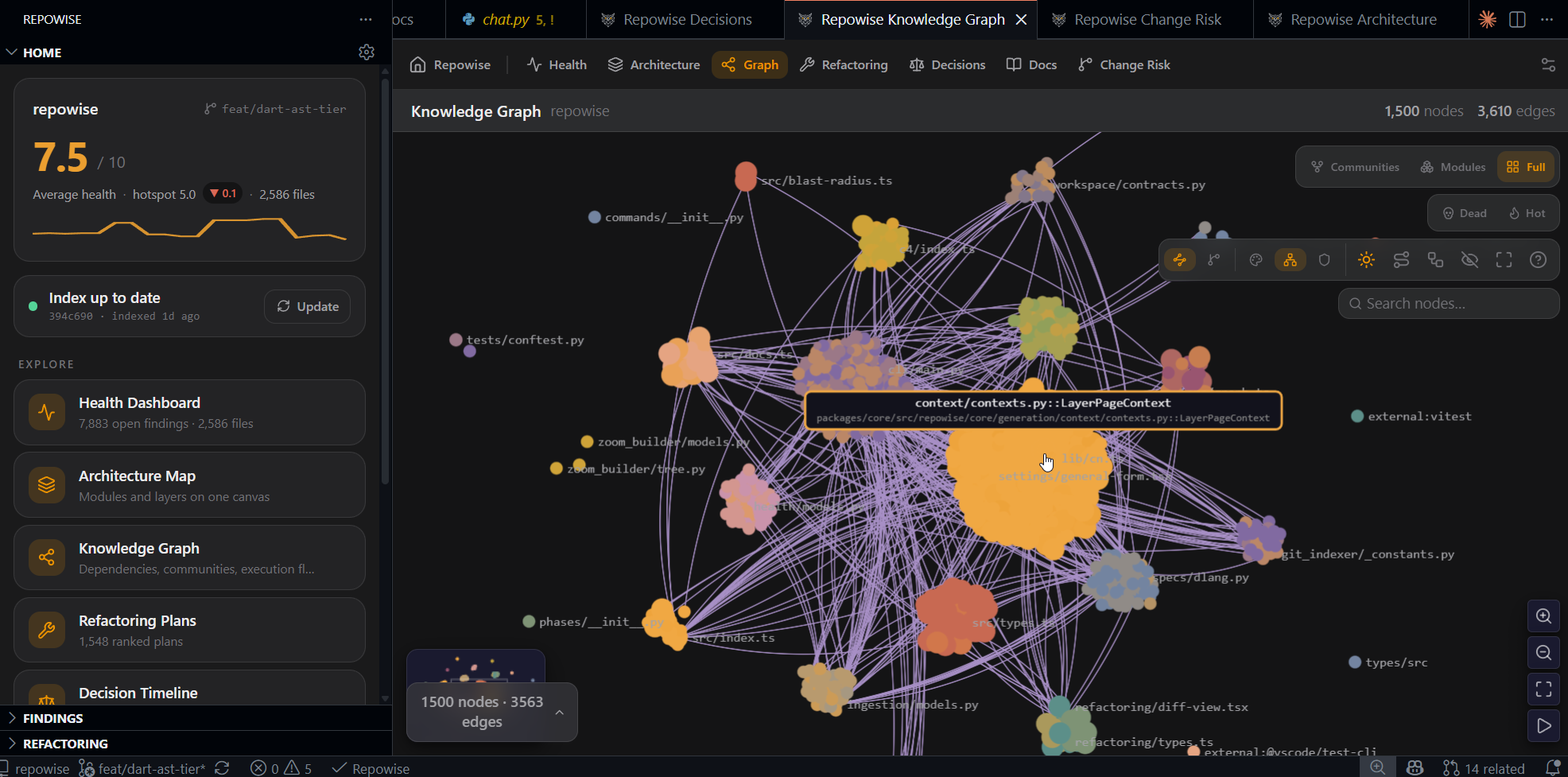
Knowledge graph |
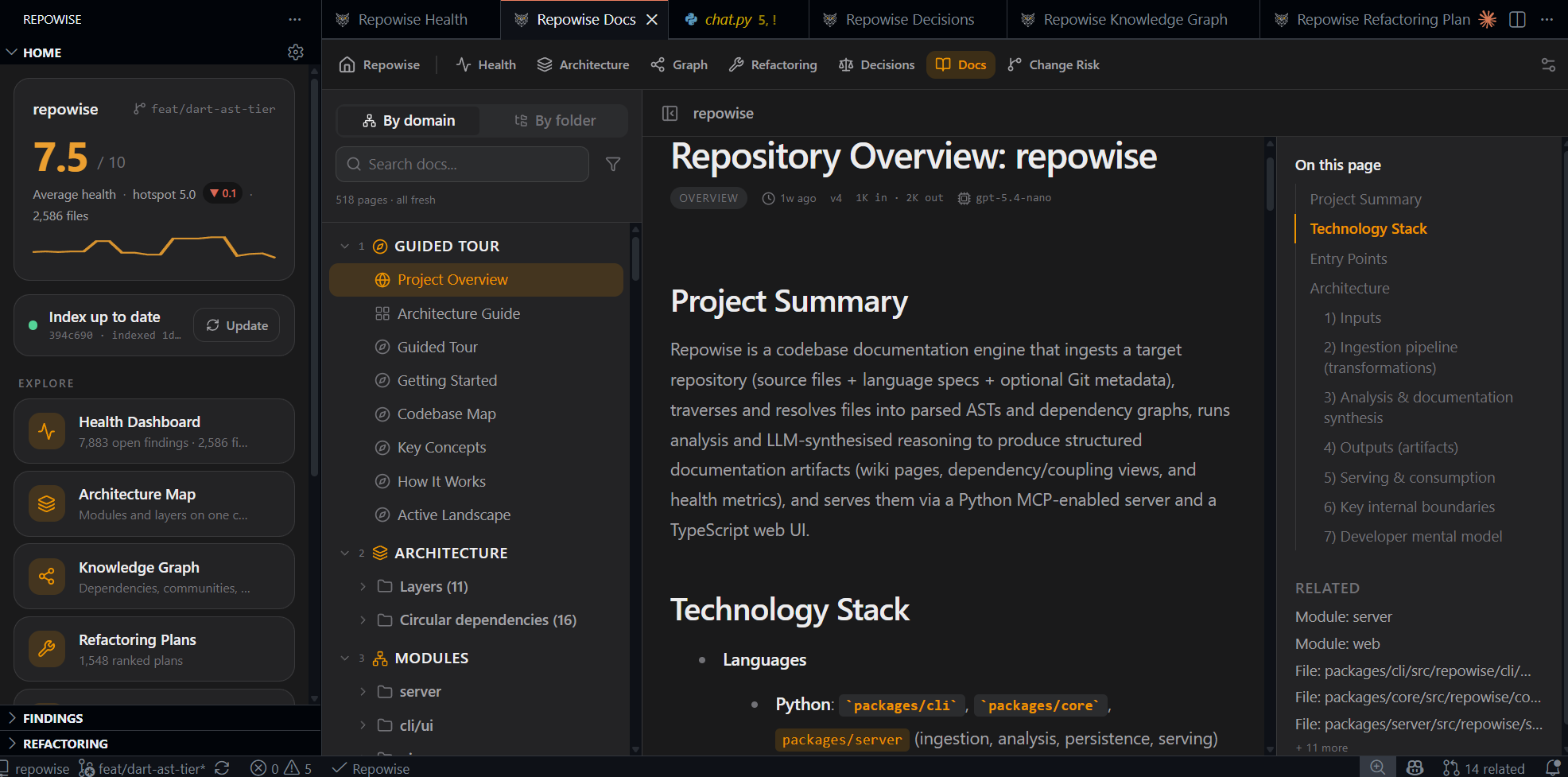
Docs browser |
One install, two brains
VS Code agent mode sees the Repowise tools automatically after install: no config, no copy-pasting JSON. For other editors and MCP clients, one command writes the config for your workspace. The signal you see in the gutter and the context your agent reasons with come from the same index, so you are never debugging two different opinions about your code.
Quiet by design
Nothing polls, nothing scans in the background, and nothing interrupts you. Data loads when you look at it and is cached until your index changes. Activation adds zero measurable startup time. Every surface is individually toggleable, either in VS Code settings or in the built-in Repowise settings panel.
Getting started
- Install the CLI:
pip install repowise (or uv tool install repowise).
- Open your repository and run Repowise: Set Up This Repository, or follow the Get Started walkthrough.
- That's it. The extension finds your local server automatically, or offers to start one when you first need it.
Commands
| Command |
What it does |
| Repowise: Set Up This Repository |
Build the index for this workspace |
| Repowise: Analyze Change Risk |
Score your change and see what it touches, what is missing, and who should review |
| Repowise: Show Health Dashboard |
Open the health overview |
| Repowise: Show Architecture Map |
Open the architecture view |
| Repowise: Show Knowledge Graph |
Open the dependency graph |
| Repowise: Show Decision Timeline |
Browse mined architectural decisions |
| Repowise: Open Docs for This File |
Open the generated docs for the active file |
| Repowise: Update Index |
Sync the index with your latest commits |
| Repowise: Configure MCP for this Workspace |
Write .vscode/mcp.json for MCP clients |
| Repowise: Start Server / Stop Server |
Manage the local server |
| Repowise: Open Settings |
Tune every surface from one panel |
| Repowise: Check Setup |
Diagnose install, keys, and index state |
| Repowise: Show Log |
Open the extension log |
Settings
The quickest way to tune Repowise is Repowise: Open Settings, a friendly panel covering every surface. The most useful knobs:
| Setting |
Default |
Purpose |
repowise.server.autoStart |
ask |
Start the local server automatically, ask first, or never |
repowise.risk.baseBranch |
default branch |
Base branch change risk is scored against |
repowise.hover.symbolDetail |
true |
Callers, ownership, and decisions on symbol hover |
repowise.changeIntel.cochangeNudge |
true |
The quiet "usually change together" status-bar hint |
repowise.changeIntel.cochangeMinScore |
4 |
How strong the history has to be before a related file is suggested |
repowise.diagnostics.enabled |
false |
Also publish high-severity findings to the Problems panel |
Privacy
The extension talks only to the local Repowise CLI and server on your machine and reads the index under .repowise/ in your project. It sends no telemetry of its own, and nothing about your code leaves your machine through this extension.
Learn more

