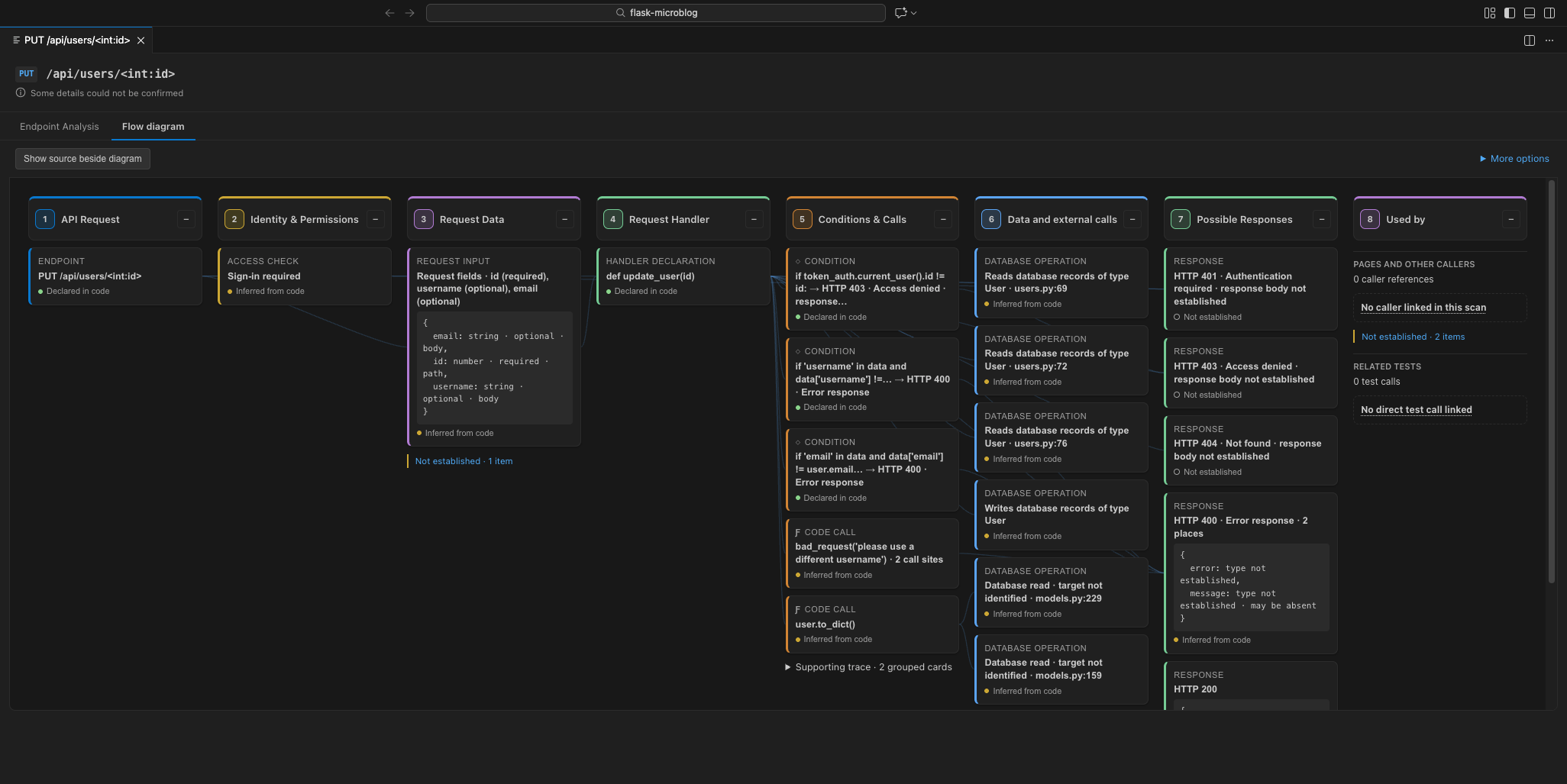
RepoMine BlueprintPreviewAPI flows for Flask, FastAPI, and Django REST Framework. See an endpoint's request data, access checks, reads and writes, responses, callers and related tests, with source links where available. Scans locally. Installation Launch VS Code Quick Open ( Ctrl+P), paste the following command, and press enter.Copied to clipboard |

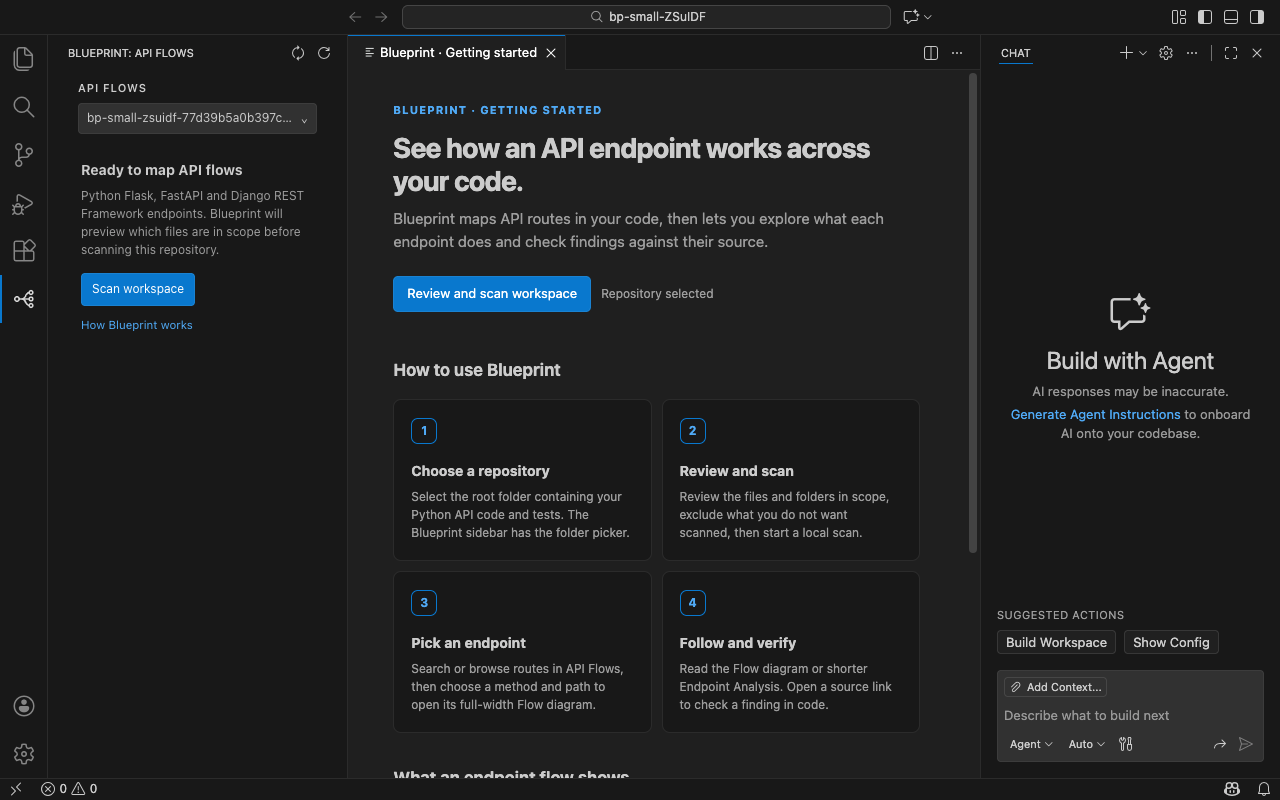
RepoMine BlueprintExplore a Python API endpoint from request to response. Blueprint scans source code locally and shows access checks, inputs, the handler and its calls, data reads and writes, responses, callers, and related tests in one Flow diagram. Findings link to source evidence; details the scan could not establish remain visible. After installing: open your Python API repository in VS Code. Installation may leave you in the Extensions view; Blueprint does not open automatically. In the far-left Activity Bar, click the connected-nodes Blueprint icon. This opens Blueprint: API Flows. Then choose Scan workspace. In this screenshot, the connected-nodes icon with the blue selection bar on the far left is Blueprint. Its sidebar is open and ready for a first scan.
See more public-project examples: FastAPI · Django REST Framework. Get started
Use with a VS Code agent (optional)After a scan, run Blueprint: Use with VS Code Agent from the Command Palette. Review the privacy message, choose Open VS Code Chat, and approve Allow read-only tools if VS Code asks. The agent can use these local MCP tools:
The workflow tool's default view covers request and response contracts,
callers, and tests. An agent must request its Supported stacksBlueprint covers Python APIs built with Flask, FastAPI, and Django
REST Framework. Django REST Framework is the most limited: some dynamic
queryset, serializer, and pagination behavior cannot be traced. Flask inputs
declared with Reading the findingsBlueprint uses static source analysis, not a runtime trace. Not established means the scan could not confirm a fact; it does not mean the fact is absent. “No check found in the traced code” does not prove that no check exists elsewhere. A linked test is a source reference, not proof that it ran or passed. Check the source evidence before relying on a finding. Requirements and data handlingRequires VS Code 1.107.1 or newer. The platform package includes the scanner and Python runtime; no separate Python installation is needed. Normal scans run locally, require no account, and send no repository contents or Blueprint telemetry to RepoMine. Scan results are stored in VS Code's extension storage on your machine and may contain repository paths and source-derived details. The agent tools share findings only after you choose to connect them. Your configured agent or model provider may then receive that evidence under its own policy. Copying or saving JSON is another deliberate export path. Help improve BlueprintIf Blueprint misses an endpoint or code pattern, leaves a source-backed detail Not established, or reports a finding incorrectly, email support@repomine.ca. Include the framework and endpoint, what Blueprint showed, and what the source shows instead. A small shareable example helps; you do not need to send your private repository. |