Ren'Py Language for Visual Studio Code
An extension that adds rich support for the Ren'Py programming language to Visual Studio Code.
Snippets converted from Ren'Py language support in Atom
Feel free to contribute, fork this and send a pull request. :smile:
Building
To build and run the extension locally, see this section on the contributing page.
Features
Syntax Highlighting
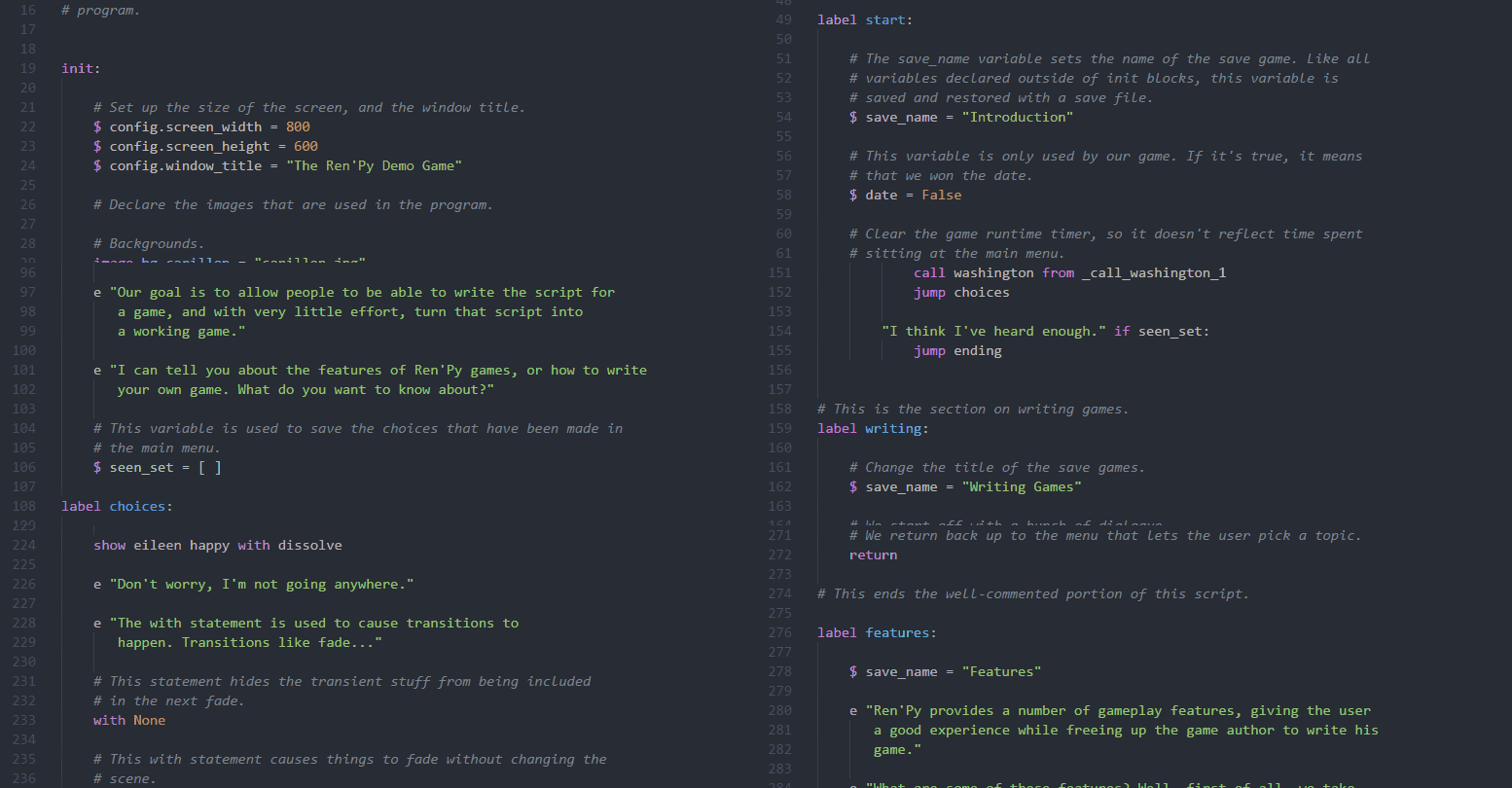
The syntax highlight depending on the syntax theme used. In this case One Dark Pro.
Snippets

Completion

Displays a pop-up auto-complete menu with context-appropriate choices as you type your script or enter screen properties.
Document Color

Displays a color block next to detected colors in your script and allows you to pick new colors with a click.
Hover

Hovering over a Ren'Py or user-defined keyword will display the selected item's source file/location as well as documentation if available. Clicking the filename location will jump to that document and position.
Go To Definition
Adds support for right-click Go To Definition (F12), which will jump to the selected keyword's source.
Signature Help
Shows the documentation pop-up as you enter a function's arguments.
Diagnostics

Adds support for detection of issues with indentation or invalid filenames/variable names and marks them as errors or warnings in the editor.
Document Symbols
Document Symbols are displayed in the Outline window in the sidebar.
Testing
Test Framework
The tests use VS Code Test CLI (@vscode/test-cli) which provides:
- Real VS Code API access during testing
- Automatic VS Code instance management
- Built-in coverage reporting
- Mocha test runner in VS Code environment
- Extension testing capabilities
Running Tests
# Run all tests
npm test

# Run tests with coverage report
npm run test:coverage

# Run tests with UI (interactive)
npm run test:ui

# Run specific test pattern
npx vscode-test --grep "HashSet"

# Run with watch mode
npx vscode-test --watch
Thanks To

