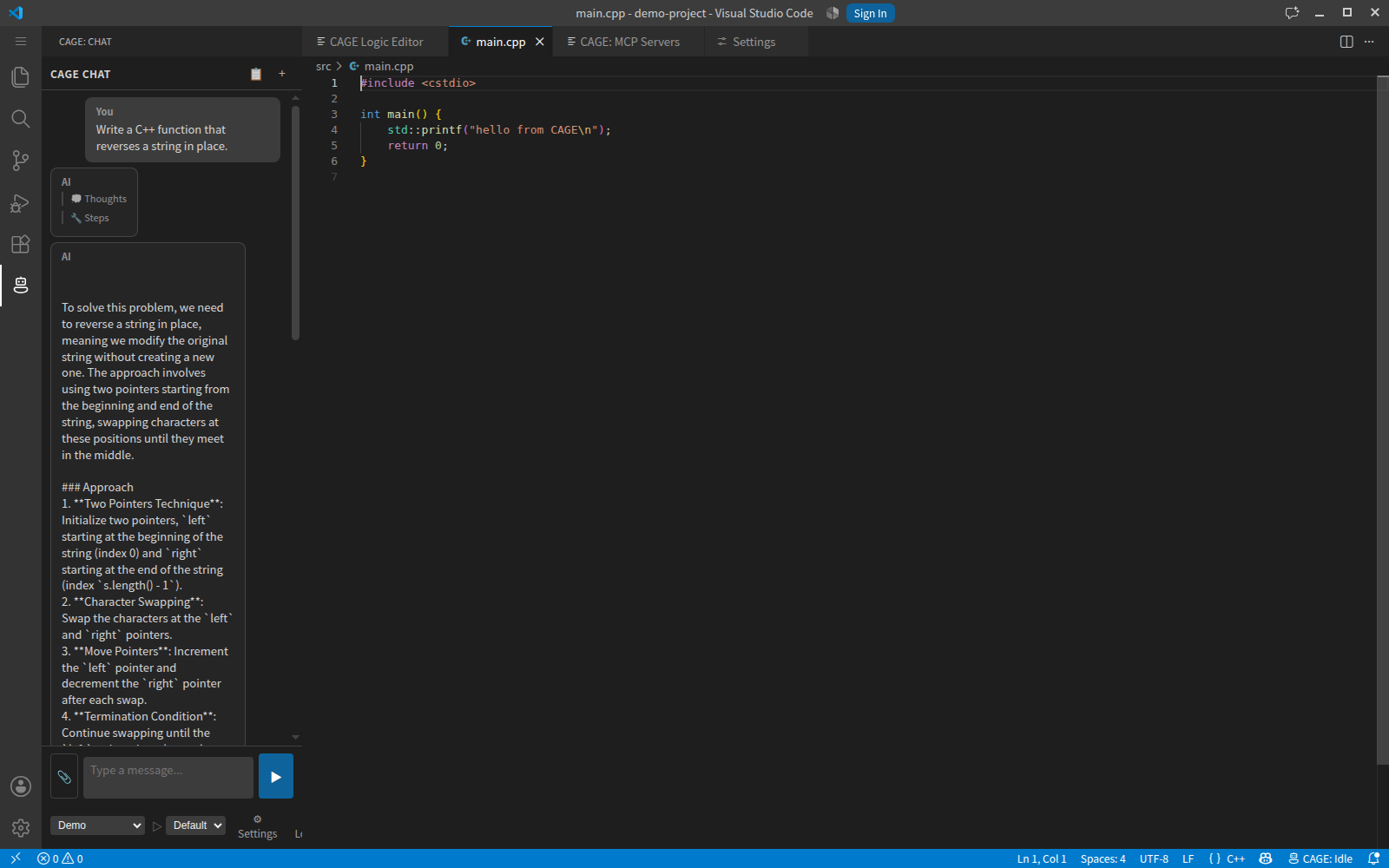
CAGE — Composable Agent Graph EngineA self-hosted AI coding assistant. Your models, your hardware, your code — nothing leaves the machines you control unless you point a graph at a remote endpoint yourself. This extension is the editor client. It connects to a CAGE server that you run: the server owns model loading, GPU placement, the agent loop, retrieval and the multimodal pipelines; the extension renders the conversation and executes tool calls locally in your workspace.
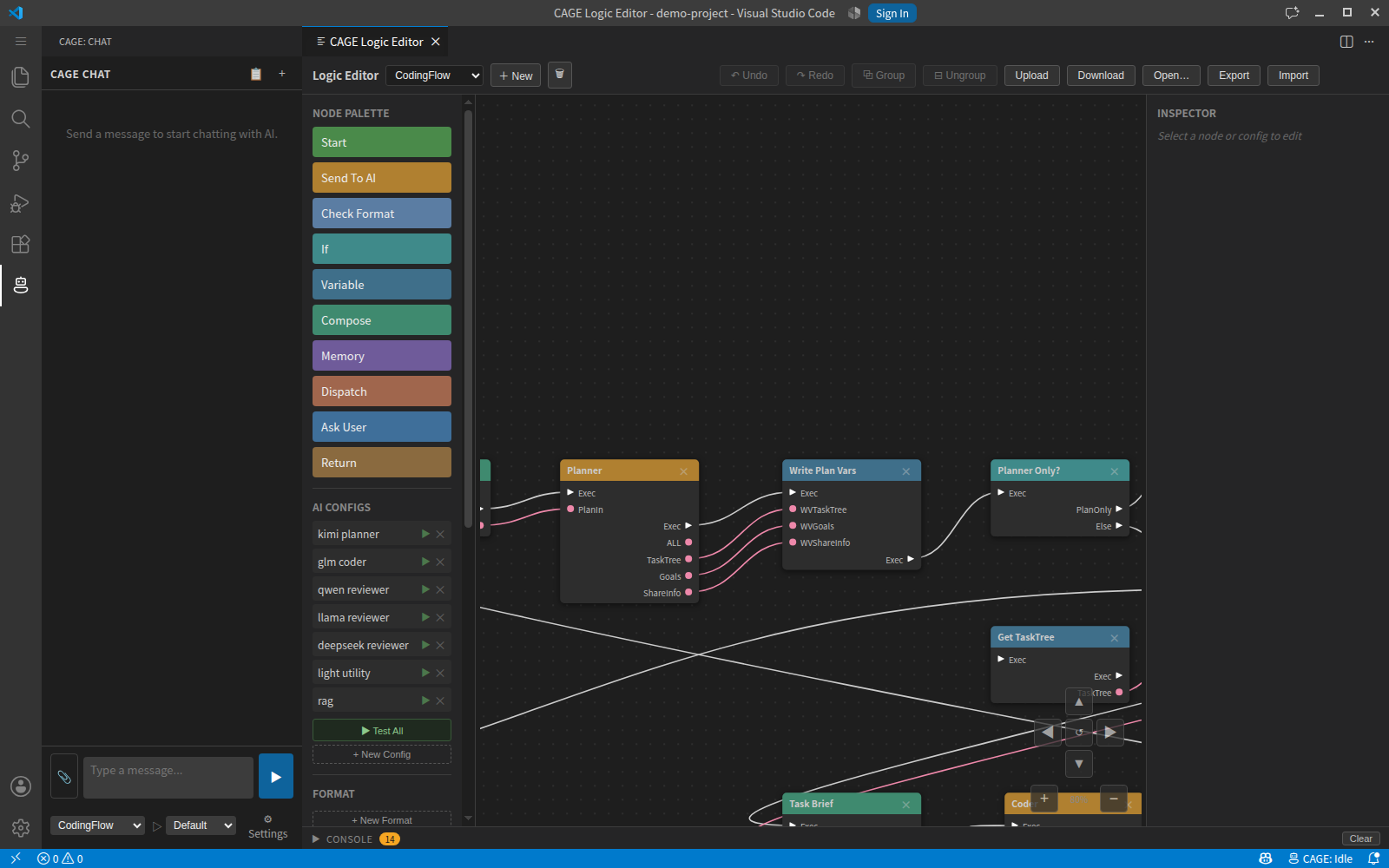
What makes it differentThe agent loop is a graph you can edit, not fixed code. Prompt nodes, format checks, branches, loops, and nodes that pause to ask you a question — laid out visually. Every node picks its own model, quantization, GPU set and sampling, so a small fast model can plan while a large one writes the code, in one run.
Files are approved one at a time, as they are written. Each Tools run in your editor, not on the server. Reading and writing files, applying patches, terminal commands, builds and tests all execute locally, with per-tool approval and risk levels. MCP servers can be attached and their tools are offered alongside the built-in ones. Retrieval over your project. The client pushes a full index and then incremental deltas as you edit; chunking is tree-sitter AST-aware. Only a file listing crosses the wire until content is actually needed. Project memory. The server records what changed in each file and why, and brings that back when the file is in play again. You can add your own standing rules and say when they apply, in plain language. Multi-GPU placement that reads your machine. Placement is decided from the real topology — NVLink cliques, free VRAM per card, dense vs mixture-of-experts. You pick the GPUs; split mode, layer counts and expert CPU offload are worked out for you. Requirements
Install the server first — the extension has nothing to connect to otherwise. Server installation guide → Getting started
Full walkthrough: Extension installation guide → Documentation
LicenceProprietary. Copyright © 2026 real0000. All rights reserved. The extension is free to install. The CAGE server is a commercial product, sold as a base product plus separately purchased modules, each with perpetual updates. Free evaluation builds are available for testing and may not be used in production. Full terms: LICENSE. Third-party components and their licences: THIRD-PARTY-NOTICES.md. |