ExtensionBazaar
Browse foreign extension galleries and install into Cursor, VS Code, VSCodium, Windsurf, Positron, and other forks.
Publisher: ready-4-it
Extension ID: ready-4-it.extension-bazaar
License: Proprietary Freeware (© ready-4-it) — not open source.
Why ExtensionBazaar?
Each host has a native gallery (Cursor, VSCodium, Windsurf, and Positron → Open VSX; VS Code → Visual Studio Marketplace). ExtensionBazaar opens the other gallery and installs a host-compatible VSIX. It does not replace the built-in Extensions UI and it does not rewrite the official gallery page.
Antigravity does not get that browser companion. It switches Open VSX and the Visual Studio Marketplace inside the native Extensions view, and it keeps a separate Switch History.
How to open it
| Entry |
Where |
| Activity Bar |
ExtensionBazaar icon. Cursor and VS Code: Browse, History, Find updates, Help, License. Antigravity: Switch History, Help, License. |
| Status bar |
Bazaar on the left. Opens the companion on Cursor, VS Code, and the other forks. |
| Extensions view title |
Open ExtensionBazaar on the host Extensions views. |
| Command Palette |
ExtensionBazaar: Open, Open Companion (active market), Open Switch History, … |
Typical flow
Cursor, VS Code, VSCodium, Windsurf, Positron
- Click status bar Bazaar (or Browse → the foreign market).
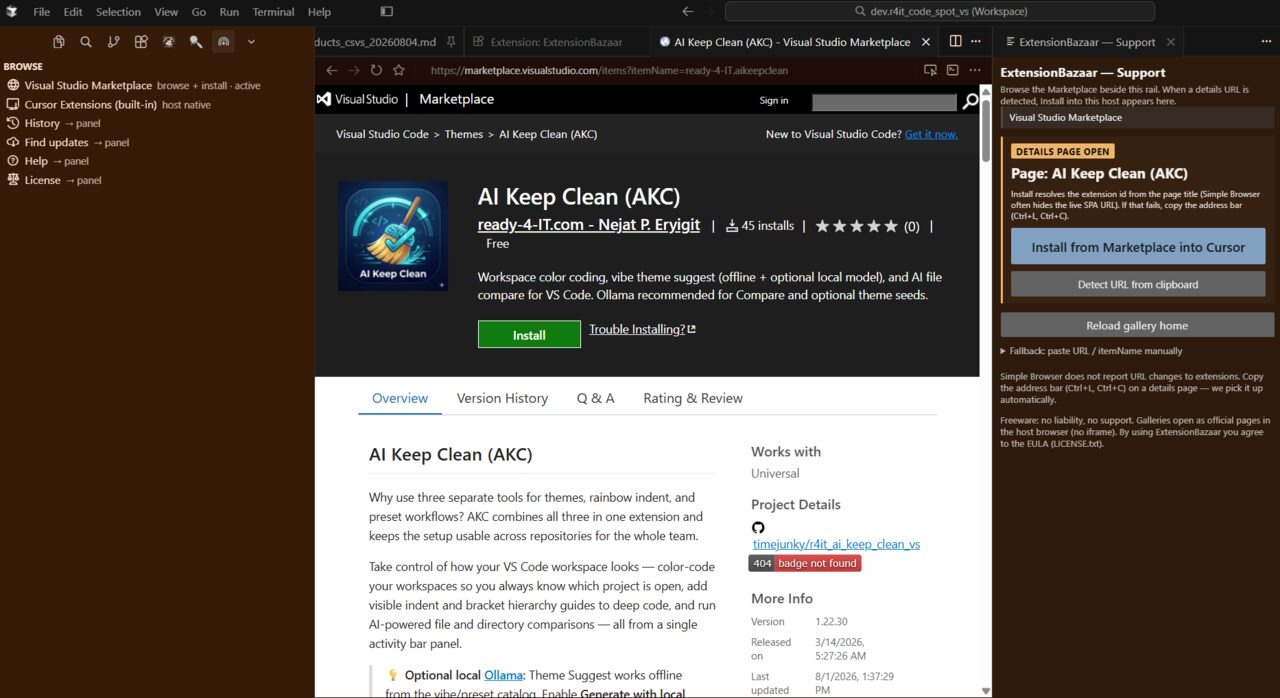
- Browse an extension details page in the official gallery browser. Support sits beside it.
- If Install does not appear: copy the address bar (Ctrl+L, Ctrl+C). Support picks up the details URL.
- Click Install in {host} and confirm. The offer is a host-compatible version. Microsoft-restricted extensions show an extra warning when known.
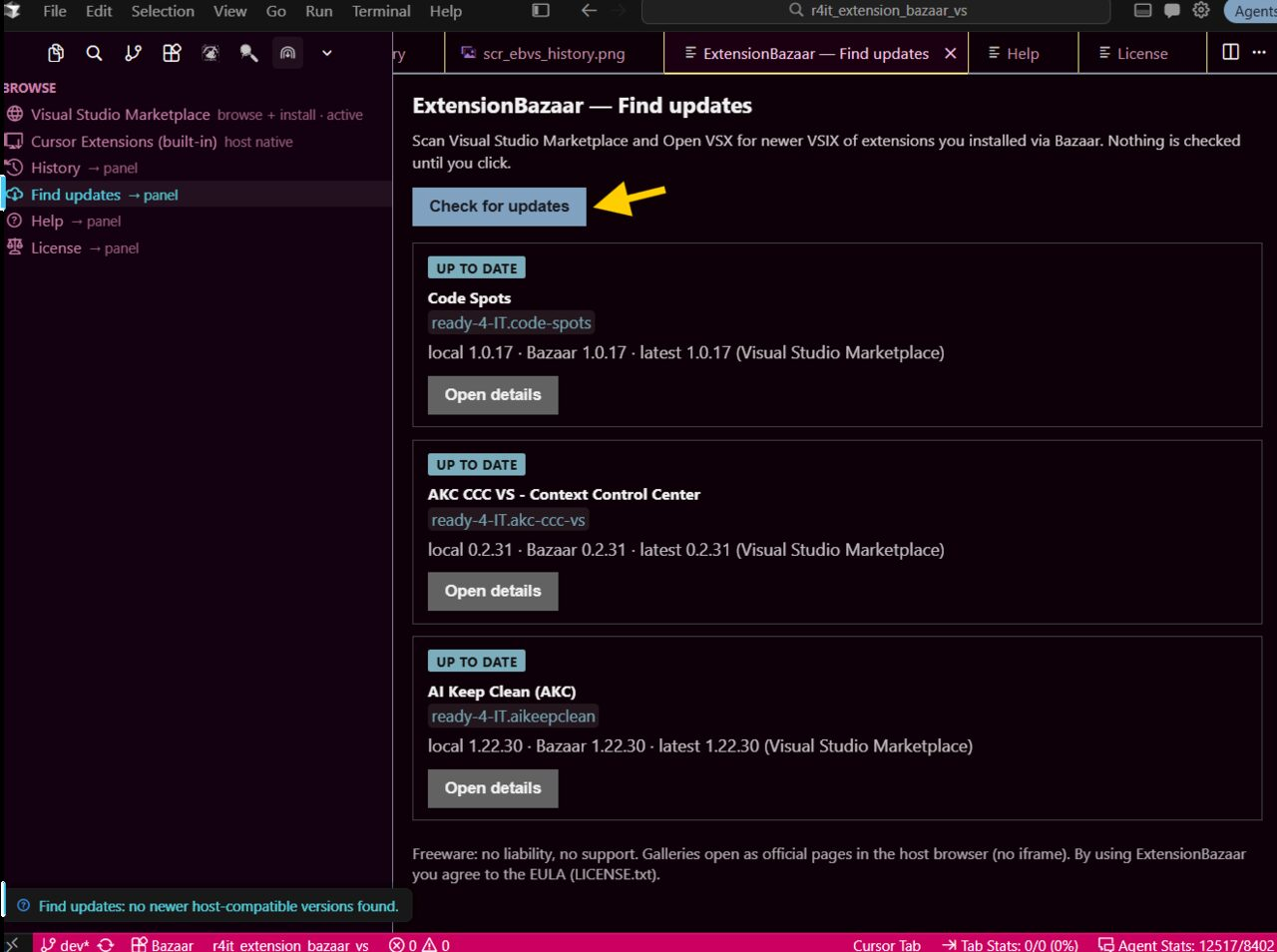
- Find updates checks extensions you installed via Bazaar. The network scan starts when you click Check. A newer registry tip that your host cannot run stays keep current.
Antigravity
- Open the native Extensions view.
- Use the gallery switch row to move between Open VSX and the Visual Studio Marketplace.
- Switch History keeps the last 10 switches. Install History and Find updates stay hidden on this host.
Screenshots
Companion — details detected
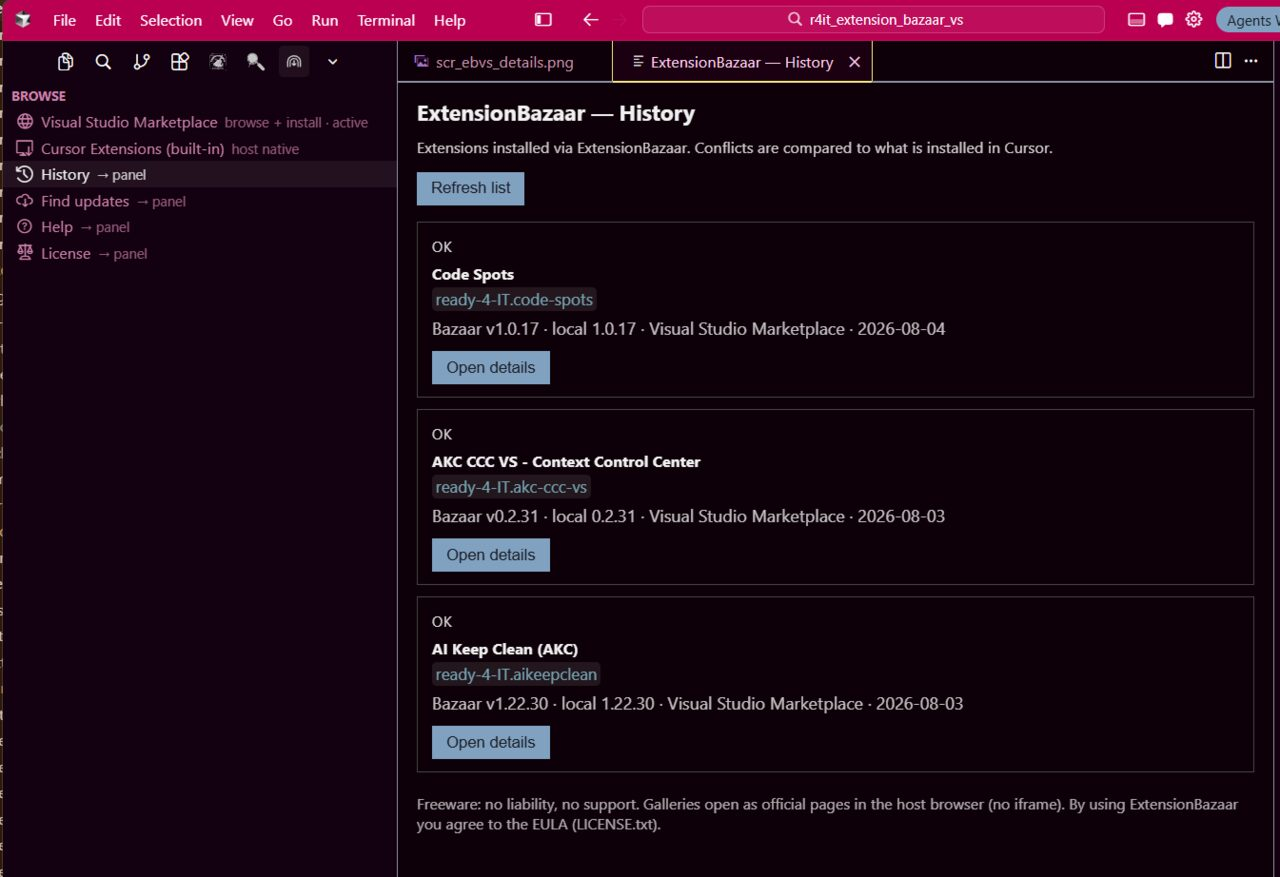
History — Bazaar installs
Find updates
Commands
| Command |
Purpose |
| Open / Open Companion (active market) |
Gallery browser + Support on Cursor, VS Code, and the other forks |
| Open Market… |
Pick Visual Studio Marketplace or Open VSX |
| Install from Clipboard URL |
Parse a details URL or itemName |
| Install from itemName… |
Manual entry |
| Open History |
Ledger of Bazaar installs (hidden on Antigravity) |
| Open Find Updates / Check for Updates |
Compare those installs with a host-compatible gallery version |
| Open Switch History |
Last 10 Open VSX ↔ Marketplace switches (Antigravity) |
| Open Help / Open License / About |
Freeware terms, display-only gallery posture, Alveos listing stats |
Settings (optional)
| Setting |
Meaning |
extensionBazaar.openMode |
rail (browser and Support side by side), companion (legacy stacked), or panel |
extensionBazaar.statusBar.show |
always (default), contextual, or never |
extensionBazaar.versionPicker |
Ask, always, or install the newest host-compatible version without asking |
extensionBazaar.confirmBeforeInstall |
Confirmation before VSIX install |
extensionBazaar.alveos.consent |
One-time listing-stats acknowledgement. Public store counters stay publisher-visible either way |
extensionBazaar.downloadsWatcher.enabled |
Offer Install when a .vsix appears in Downloads (off by default) |
Disclaimer (freeware)
- No liability — provided AS IS; ready-4-it accepts no liability for damage, data loss, failed installs, or third-party extensions (to the maximum extent permitted by law).
- No support — freeware includes no support entitlement or SLA.
- Acceptance — by installing or using ExtensionBazaar you agree to these terms and the EULA (
LICENSE.txt). Features unlock only after the in-product Accept confirmation.
- Marketplace display only — gallery sites open in the host browser as official pages; ExtensionBazaar does not rewrite that view and does not embed marketplaces in an iframe.
- Listing stats — Alveos (
login.alveos.eu) reads public Marketplace / Open VSX version and download counts for this listing. No Streaming Zebra. One-time in-product acknowledgement (Settings).
- Sideloaded VSIX packages may not update via the host’s native gallery updater.
- Some Microsoft-published extensions refuse to run outside official Microsoft editors — ExtensionBazaar warns before install when known.
- Engine mismatch → highest host-compatible version (or a clear error).
- Network:
marketplace.visualstudio.com / Gallery CDN, open-vsx.org.
Homepage
https://www.ready-4-it.com
| |

