MD Live Preview
A professional, high-performance VS Code extension for live Markdown previewing with precise scroll synchronization and bidirectional editing.
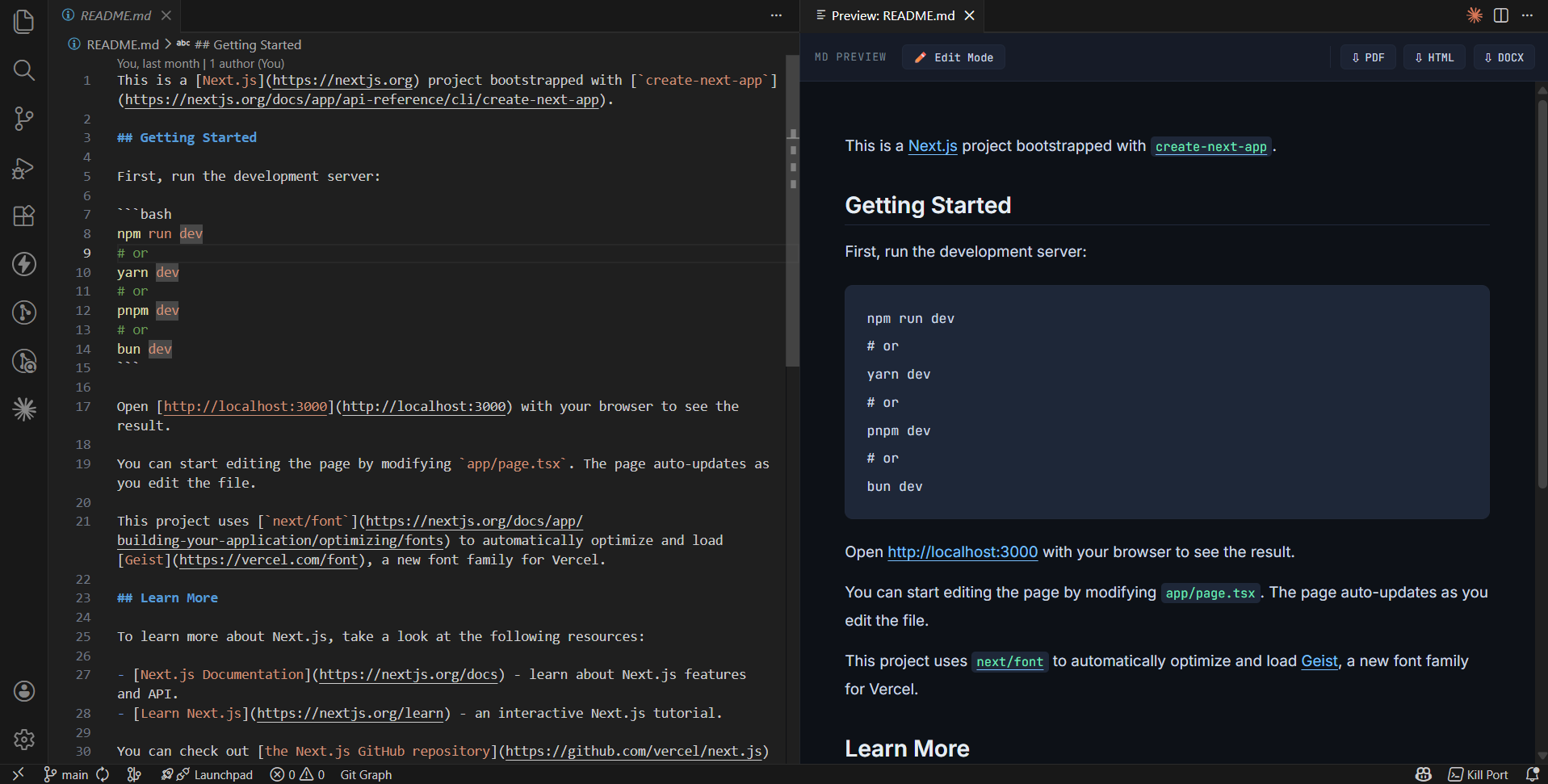
Features
- 🚀 Live Preview: Instant rendering of Markdown as you type.
- 🔄 Precise Scroll Sync: Advanced line-to-element mapping ensures the preview stays perfectly aligned with your editor cursor.
- ✏️ Bidirectional Editing: Click "Edit Mode" in the preview to make direct changes that sync back to your source
.md file instantly.
- 📄 Pro Exports: Convert and save your Markdown as PDF, DOCX, or HTML with a single click.
- 🎨 Premium Aesthetic: Beautifully styled preview with modern typography (Lora & JetBrains Mono) and a sleek dark theme.
- 🖱️ Context Menu Integration: Open the preview directly from the Explorer or Editor right-click menu.
Installation
From VSIX
- Download the
.vsix file from the Releases page.
- In VS Code, go to the Extensions view (
Ctrl+Shift+X).
- Click the
... menu and select Install from VSIX....
From Source (Development)
- Clone the repository:
git clone https://github.com/rahul-bhatt43/md-live-preview.git
- Run
npm install.
- Press
F5 in VS Code to launch the Extension Development Host.
Usage
- Open Preview:
- Right-click any
.md file in the Explorer and select MD Preview: Open Live Preview.
- Use the shortcut
Ctrl+Shift+M while editing a Markdown file.
- Edit Mode: Click the ✏️ Edit Mode button in the preview toolbar to enable direct-in-preview editing.
- Export: Click the PDF, HTML, or DOCX buttons in the toolbar to save the converted file to your workspace root.
Extension Settings
This extension contributes the following settings:
mdPreview.autoOpen: Set to true to automatically open the preview when a Markdown file is active (default: false).
Requirements
- VS Code 1.85.0 or higher.
- For PDF export, a modern browser environment is required (uses Puppeteer).
License
This project is licensed under the MIT License.
Developed with ❤️ by Rahul Bhatt.
| |

